Desert Online General Trading LLC
Dubai, United Arab Emirates
Desert Online General Trading LLC
Dubai, United Arab Emirates


🚀 Unlock your system’s hidden power with RIITOP’s NVMe to OCuLink extender!
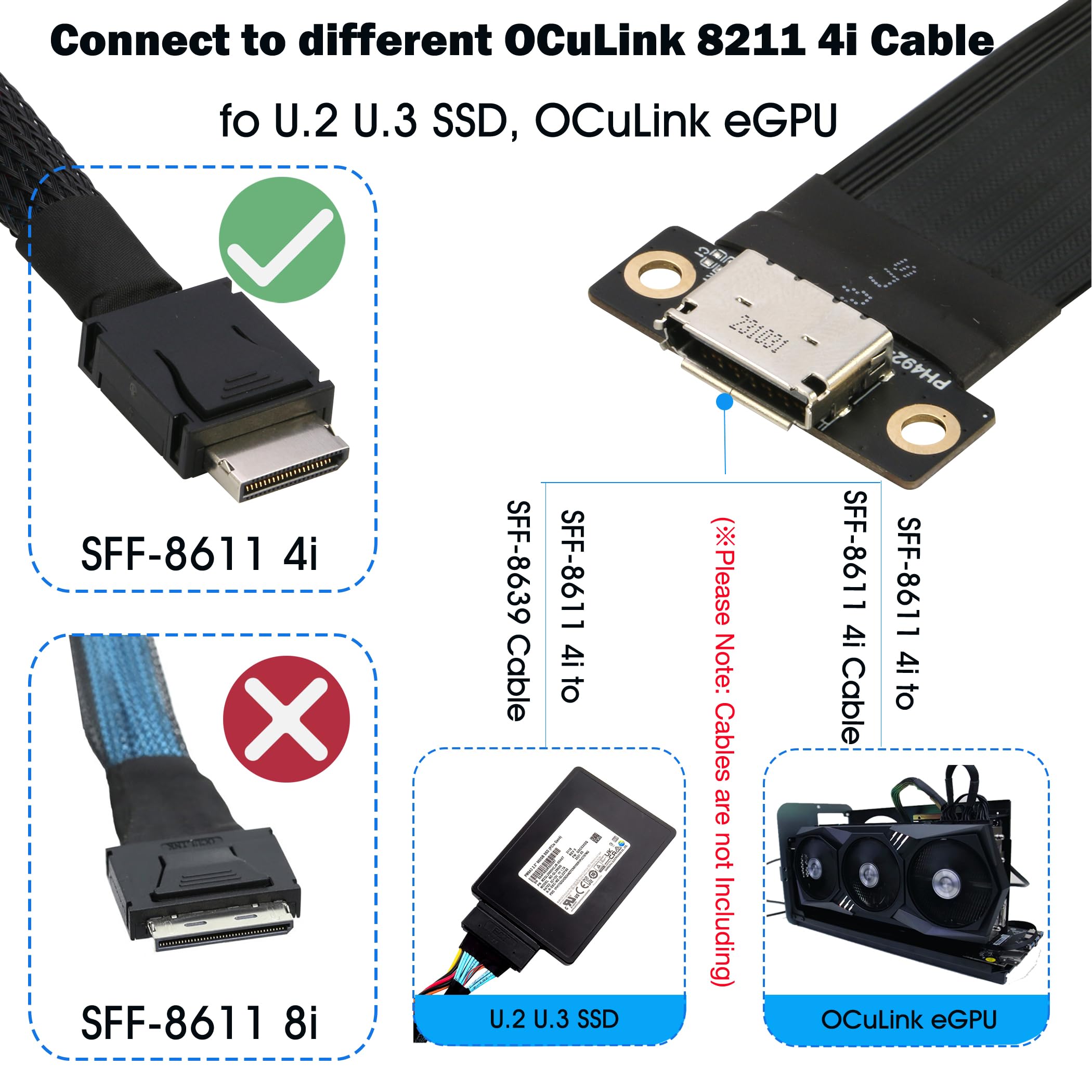
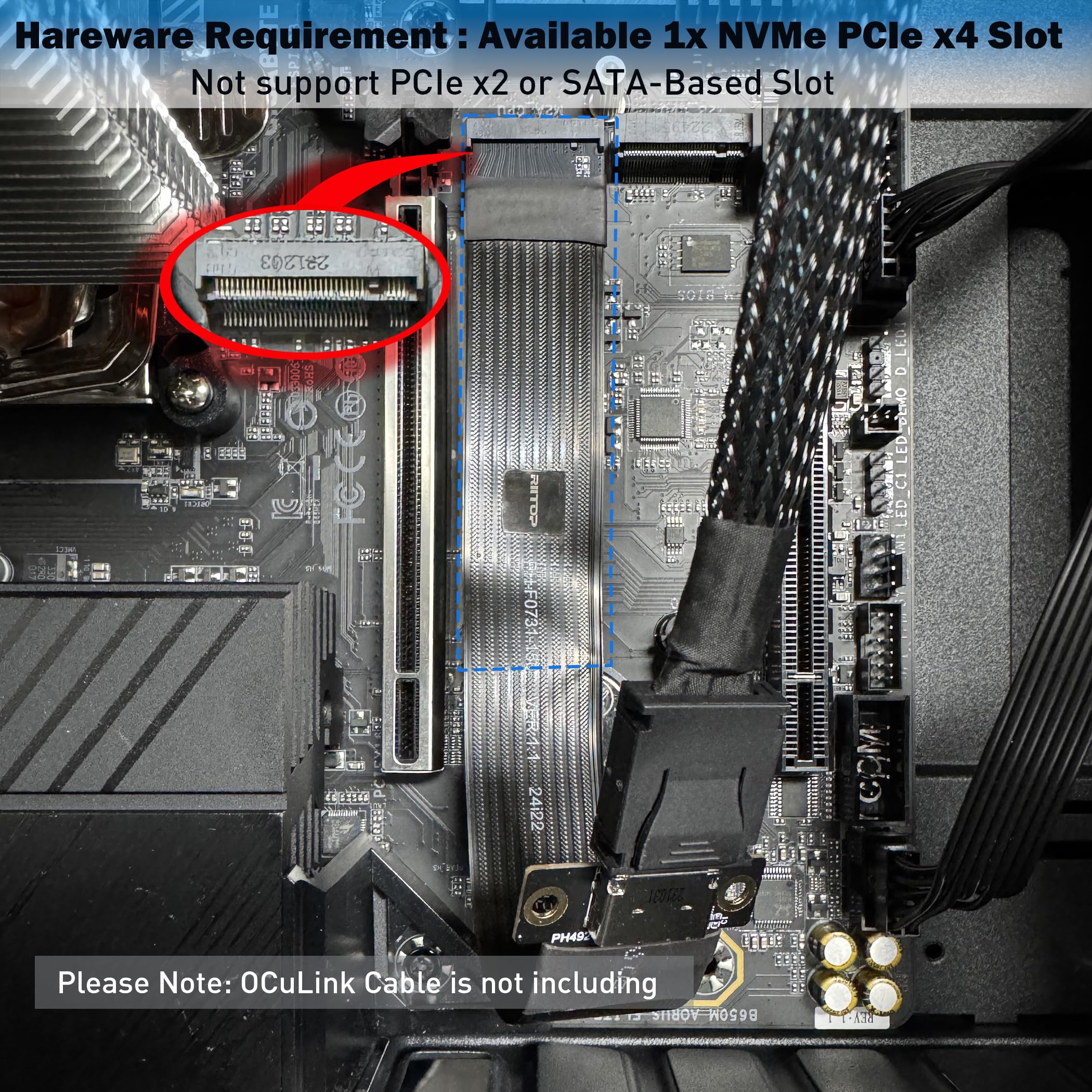
The RIITOP M.2 NVMe to OCuLink SFF-8612 Extender is a 15cm flexible PCIe 4.0 x4 adapter that converts an M.2 NVMe slot into an OCuLink SFF-8611 4i host interface, enabling high-speed connection of eGPUs and U.2/U.3 SSDs. It supports data transfer rates up to 64Gbps, features a cuttable NVMe board for SSD size customization, and includes installation tools. Ideal for professionals seeking to expand their laptop or mini PC capabilities with cutting-edge external hardware.
| Brand | RIITOP |
| Series | NVMe to Oculink SF-8611 Extender 15cm |
| Item model number | NV2SF-L15 |
| Item Weight | 0.634 ounces |
| Package Dimensions | 5.16 x 2.4 x 0.67 inches |
| Manufacturer | RIITOP |
| ASIN | B0DPJT3B3L |
| Date First Available | December 13, 2024 |
M**O
Simple, functional .
Great quality M.2 to oculink converter board. Super easy to install, I put it in a mini PC with an extra m.2 slot, works great. Higher bandwidth than Thunderbolt, so if you’re looking to add an external GPU to a laptop or mini PC, this is definitely the better option than Thunderbolt at the moment. Fits in all m.2 sizes and could even be installed in a steam deck or Rog ally if you wanted.
M**R
Worked great to add NVMe/M2 SSD to Older machine
Worked great to add an NVMe/M2 SSD to my home NAS server as a caching drive. The server's performance has increased dramatically vs. a traditional hard drive array.
M**A
Works BUT the cable is too short to reach outside well in my computers by 1 inch.
Works BUT the cable is too short to reach outside well in my computers by 1 inch. It lacks a bracket. a bracket would improve this for most desktops.
U**S
OCuLink M.2 Adapter PCIe 4.0 x 4
Great build. Will work in any PC. Requires an M.2 slot. This turns an OCuLink signal into PCIe 4 x 4. It allows for the use of an external PCIe device. You plug the OCuLink cable into the OCuLink port on the adapter and plug the other end into a PCIe board with an OCuLink port. There are a wide variety of things you can connect to this but the most popular is a GPU, EGPU or PCIe x16 riser board to put a GPU into. It is faster than other PCIe 4.0 x4 connectors and is also faster than USB4 due to use of the OCuLink technology. OCuLink stands for Optical Copper Link. It transfers at 64Gbps. USB4 is capped at 40Gbps. It also has more overhead. You get a smoother and faster experience with the OCuLink standard. So, you plug this into an empty PCIe 4.0 x 4 port on your board, then you plug an OCuLink cable to it then the other end to (in my case) an eGPU. This allowed my SER7 to use something faster than the onboard 780m it has. It has it's limitations, but it is faster than any other current solution. This is a well built, easy to install board and cable with enough extension to make it out of the box in my own case. If you know what you are doing, this is one piece of a set that can add functionality to your mini or laptop.
A**A
Garbage
Cheap garbage, don't buy.Bought this to run a Dual-GPU setup for Lossless Scaling Frame Generation. Does not run PCIE Gen4 x4 speeds, can barely run PCIE Gen3 x4 speeds with intermittent crashes.
C**S
m.2 to Oculink x4 connections for eGPU (or even network cards)
Out of PCIe ports, but still have an unused m.2 slot? Oculink to an eternal enclosure might give you an upgrade path. I tested mine with a gen 3 x4 m.2 , and got nominal results. If you're using it with an eGPU setup, remember you're limited to x4 lanes here, which might limit your bandwidth 4-8% on your FPS. Still probably better than an iGPU however. I used mine to install another 10GbE NIC in an external box, and it worked very well.
L**O
Four Stars
I liked item but it did not work for me. seller was very good and helpful.
A**R
Did not work for DEG1
Did not work on a minisforum DEG1
Trustpilot
1 month ago
3 weeks ago