We remain fully operational. Our teams are working around the clock to ensure your deliveries continue safely.

DOWNLOAD THE APP


Customer Services
Copyright © 2025 Desertcart Holdings Limited
DOWNLOAD THE APP

🎨 Elevate your digital art game with precision and freedom — don’t just create, dominate your canvas!
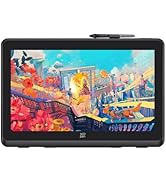
The XPPen Deco 01 V3 is a professional-grade 10x6 inch drawing tablet featuring 16,384 levels of pressure sensitivity and 60-degree tilt support with a battery-free stylus. It offers 8 customizable shortcut keys, USB-C connectivity, and broad compatibility across Windows, Mac, Linux, Chrome OS, and Android 10+. Its slim, portable design and advanced IC technology ensure smooth, precise input, making it ideal for beginners and pros alike seeking a versatile, high-performance digital art tool.













| ASIN | B077P6BQP7 |
| Best Sellers Rank | #4 in Computer Graphics Tablets |
| Customer Reviews | 4.5 4.5 out of 5 stars (14,198) |
| Date First Available | November 20, 2017 |
| Is Discontinued By Manufacturer | No |
| Item Weight | 2.2 pounds |
| Item model number | Deco 01 V2 |
| Manufacturer | XP-PEN |
| Product Dimensions | 13.82 x 8.54 x 0.31 inches |
T**S
Fantastic for the price, perfect on Linux!
For the price, this is a fantastic entry-level tablet. I've tried it on both Mac and Linux and I can confirm that the Linux support is excellent, with drivers available for every major distro family. Bravo to XPPen for treating Linux like the first-class citizen it is! I've tried it on both Fedora and Arch and it works great. It even has a handy GUI configuration tool that works quite well for various settings, including the shortcut buttons. I've tested in a variety of software including Blender, Krita, Affinity, and Nomad and it works well in all of them. It's very slim and sturdy and I'd be very comfortable tossing this in a backpack with a laptop. If I have one complaint, it's that the tip has a lot of "wiggle" and feels quite squishy. It's been years since I last used a tablet, but I prefer a more stiff, reliable tip, like a pen or pencil. Given how much cheaper this is versus a Wacom, I can live with that! If you need a starter tablet for drawing, drafting, or sculpting this is a good choice.
B**T
Great drawing pad!
Awesome product for anyone who enjoys drawing and design work. I use it for re-draw orders as a designer and it works very well. Makes it much easier than using shapes, lines and a mouse to re-draw things.
B**.
updated: pen is non-responsive on draw pad (software compatibility)
5/2/2019 review update: was ready to ship the package back, but decided to give the product another try and use a different illustration software. the drawing pad was not responsive to Corel Painter 11, but when I resolved to use the mouse to finish my project, I realized the software itself was also a bit glitchy. that got me thinking if the non-responsiveness was also caused by the software. I downloaded Auto Desk (which is free!) and gave the drawing pad another try, and it worked perfectly. changing my review from 1 star to a 4 star, gonna keep the product now since it works. for other future (or current) buyers - your issue might be solvable with the same solution, software incompatibility. 4/11/2019 review: item received plenty of high reviews with very reasonable price, as a beginner I wanted to start with something less of a financial burden. this seemed like a good product to try. based on the price, I was skeptical to what issues I would run into, since there's the golden saying "you get what you pay for". hopefully only advanced ones which wouldn't matter in my situation, as long as this drawing pad functioned the basics. the product is beautifully packaged, with many cool freebies. all that would earn a solid five if not higher review, if the product actually did what it was created to do. Pros: thin, beautifully designed drawing pad; pen comes with extra tips inside the pen holder base; also gives you a drawing glove, not sure what that does; easy to set up. Con (and you only need one): pen does not work when drawing on the draw pad. it is non-responsive. I'm not saying yours won't work if you buy this product, I'm just telling you there's a good chance you'll end up writing another one star review like I did. If you like the possible opportunity to do so, by all means.
Q**S
Super easy to use, customize, and have around.
Approximately seven years ago, I ended up getting a Wacom Bamboo tablet to draw. Approximately 100$, it was a lovely gift from my parents for Christmas one year. It worked...alright? The driver had a tendency to break on me and need to be re-installed and just ended up getting more and more squidgy around it, especially with all of the connections, as that started to break down within a year. This tablet, however, was cheap enough to be an impulse purchase, and so far has been amazing. While it doesn't have the periphery software that the Wacom came with, I don't need that, and can use the programs I'm already comfortable with. The fact that it can turn into just the tablet for transportation, without having to worry about breaking the wire connection is the best thing I like about it. Additionally, it's larger than the Bamboo, and the buttons on the side are far easier to customize, meaning that I have it set up for all of the Photoshop and InDesign shortcuts that I've been using more than anything, AND I even had an extra button, so that is now the official "SAVE" button, since you can program Cntrl+S and commands like that as well. Full disclosure: There are a few nitpicks that I have with it. There's no loop for the pen. You have to carry the pen entirely separate from everything else, whereas the Wacom had a loop where you could slide the pen to keep it from getting lost. However, it does have a holder for the stylus, much like a pen holder, so I just keep that on my desk next to the rest of my pens, or in my pencil case if I'm taking it out and about with me. There's also no button on the top of the pen, so you can't just flip it over for an erasure like with a Wacom. HOWEVER, it does have a toggle button on the side of the pen that you can use, though it's easy to accidentally flip without meaning. After around a month or so with it, I've gotten pretty used to it and that doesn't happen much anymore. Additionally, there's a program I have that doesn't react to the pressure. That could be me and my computer, though, so no points off against it. In all, an excellent tablet (so far, knock on wood) that I'm extremely happy with, especially for the price I got it at. Definitely worth the money I spent on it.
S**P
Actually, its better than i expected. I used to use wacom pen&tablets but after using XPPen i feel like this product is underrated. SURFACE & PEN both are with soft/smooth touch. Size of tablet is bigger than i expected. They providing Quality product in this price, which is awesome.
A**A
O pacote veio muito bem embalado, com tudo descrito e organizado dentro da caixa. Por ser a minha primeira vez utilizando um dos produtos da XP-Pen, a instalação e configuração do dispositivo demorou um pouco, mas já me acostumei. Decidi usar a capa que o produto vem para o tablet pq achei a superfície mt fácil de riscar e só fazendo alguns testes eu ouvia ruídos que poderiam riscá-lo com facilidade. Porém, eu percebi que não só as configurações são um pouco limitadas comparadas à minha experiência com os drivers da wacom, mas também as pontas da caneta desgastam com facilidade, o que me chocou um pouco por testá-lo raramente em questões de dias e já ver a ponta da caneta beeem desgastada pro meu gosto. Sobre as pressões, tenho preferência a níveis de pressões mais altos, então achei q fosse uma boa escolha, porém eu percebi que o tablet falha um pouco (não sei se é por conta da capa que dificulta um tico), no sentido de tentar fazer uma pressão mínima, muito baixa e o tablet não conseguir detectar. Então quando há o costume de usar brushes de tamanho excessivo pra não só pintar áreas grandes, mas também conseguir pintar áreas mínimas por conta da pressão, aqui você vai encontrar dificuldade fazendo isso para pintar detalhes. Parece reclamação vazia, pois obviamente com um brush de tamanho muito grande não vai conseguir pintar áreas muito pequenas, mas com outros tablets eu conseguia esse feitio através das pressões. Também é difícil fazer pontos, por incrível que pareça kk. Isso tudo aconteceu mesmo eu tendo o costume de usar pressões mais baixas para evitar pressionar minha mão fortemente na superfície. Tenho ele faz mais de três semanas e sim, ele é muito bom, confortável, preferi não usar a luva, mas ainda assim foi uma boa escolha de compra. Até agora eu gastei duas pontas, pretendo ver até onde eu consigo gastar com uma (tá explicado porque vem tanta ponta, eles sabem que gastam bastante). Minhas únicas reclamações são quanto à pressão e as pontas, acho que deveria ser um pouco mais completo os drivers, tendo distância entre caneta e tablet e uma configuração mais completa sobre monitor, pois me irrita eu configurar um botão pra mudar entre dois monitores e eu precisar apertar mais de uma vez pois ele detecta a junção dos dois. Mas nada que eu não acostume, claro, são os drivers, não o produto em si. Por fim, os botões de atalho são algo que eu uso esporadicamente, não tenho mta frequência de uso, mas as vezes aperto aqui e ali pra tentar manter o uso um pouco mais frequente.
A**A
I love it. I'm using Deco V2. It's pretty big and quality is very nice. The pen feels premium and pressure sensitivity is excellent and works pretty well. Installation is easy, just install the drivers from the official Xp-pen site and then everytime you connect the tab, it'll start working right away. I have used it on windows and Android as well and it's compatible with both. There is no need of battery in pen as it works of battery free EMR wacom technology. Also, there is no lag. If your stroke is lagging, check your brush smoothing and set it to zero to get a lag free experience.
م**د
أنا اشتريته لغرض التدريس اونلاين وبصراحه كجودة وخامة ممتازة وفيها اسكرينة وحامل للقلم لكن المشكلة في حساسية القلم عند الكتابة دورت على تعديلات عليه مش لاقي لحد دلوقتي وال software الخاص بالتابلت مش موفر ده مع أنه من النقاط المهمة جمب الزراير لكن غير كده هو رائع وانصح بيه لو حساسية الكتابة غير مهمة
F**E
This is definitely a life saver for my posture as an artist (by using a secondary monitor) and works amazingly well in terms of reactivity and tracking and was absolutely worth the money. This is my first graphics tablet and I do not regret buying this product at all— it only took me a little while for my hand-eye coordination to use this tablet to its fullest. Not to mention, I love buttons and custom keybinds, omg??? The pen holder is okay, but the stylus doesn’t seamlessly slide inside and wobbles a bit, which isn’t too much of an issue since I don’t plan on taking my big laptop or this graphics tablet outside regularly on the long run. Either way, 10/10, would buy from XPPen again!!
Trustpilot
5 days ago
1 month ago