We remain fully operational. Our teams are working around the clock to ensure your deliveries continue safely.

DOWNLOAD THE APP


Customer Services
Copyright © 2025 Desertcart Holdings Limited
DOWNLOAD THE APP
![[2021最新版] LEDリングライト 6.3インチ クリップ式 撮影用ライト 自撮りライト 360度回転 女優ライト zoomライト USB卓上照明ライト 10段階調光 クリップ式 web会議 自撮り補光 美容化粧 ビデオカメラ撮影 生放送 YouTube Facebook Twitter Tik Tok 日本語の説明付き](https://m.media-amazon.com/images/I/41+0yIcX8rL.jpg)



desertcart.co.jp: [2021最新版] LEDリングライト 6.3インチ クリップ式 撮影用ライト 自撮りライト 360度回転 女優ライト zoomライト USB卓上照明ライト 10段階調光 クリップ式 web会議 自撮り補光 美容化粧 ビデオカメラ撮影 生放送 YouTube Facebook Twitter Tik Tok 日本語の説明付き : DIY, Tools & Garden Review: PREMESSA: L'installazione, nel mio caso, non è stata delle più semplici (o meglio delle più veloci). Non avendo la casa predisposta e per evitare di tirare troppi cavi (lunghi decine di metri), intestarli, ecc. ecc., ho optato per una soluzione un po’ insolita: i POWERLINE. Ho acquistato quindi: - 4 powerline tp-link, passthrough, doppia porta ethernet, 600 Mbps; - 4 alimentatori 12V-1A; - 4 scatole di derivazione (2 grandi e 2 piccole); - alcune prese 230V (maschio e femmina) dalle quali ho ricavato delle prolunghe molto corte (una per scatola), e altre utilizzate per tirare l'alimentazione dalla casa alle scatole di derivazione. INSTALLAZIONE: Spiego brevemente come ho utilizzato alcuni di questi componenti per il collegamento di 2 telecamere: 1) Innanzitutto ho montato le 2 telecamere (tra loro distano circa 4-5 metri); 2) Posizionato la "Scatola1" (scatola grande) vicino alla "Telecamera1", facendoci passare all’interno il cavo della camera; 3) Tirato un cavo dalla presa di corrente più vicina e inserito nella scatola con una presa femmina; 4) Inserito il powerline nella Scatola1" e collegato alla presa di corrente; 5) Alla presa passante del powerline ci ho collegato l'alimentatore tramite una prolunga molto corta(senza questa non sarei riuscito a farci stare tutto). 6) Collegato il jack dell'alimentatore a quello della telecamera per alimentarla. 7) Collegato un cavo ethernet tra powerline e presa RJ45 della telecamera. 8) Collegato un altro cavo ethernet alla seconda porta del powerline e fatto uscire dalla "Scatola1" per poi entrare nella "Scatola2" (scatola più piccola, posizionata vicino alla "Telecamera2"). 9) Eseguito passaggi del punto 3 e collegato il cavo ethernet alla telecamera 10) Collegato il secondo powerline al router di casa e collegato l’NVR al powerline. (Ovviamente i powerline per funzionare vanno associati tra di loro e, possibilmente, non vanno collegati a ciabatte). Fatto questo è possibile accendere l’NVR, configurarlo, personalizzare le telecamere ecc. ecc. Per massimizzare la trasmissione delle immagini (con questo metodo di collegamento e con 4 telecamere in funzione) ho dovuto ridurre il Bitrate di ogni telecamera, ottenendo comunque immagini di ottima qualità e ad alta risoluzione. Per quanto riguarda l’audio, per abilitare l’ascolto in streaming ci sono riuscito solo tramite app da cellulare, nella voce “Suono cod.” accendendo l’interruttore. CONCLUSIONI: REOLINK si è rivelato un ottimo marchio. Ottimi prodotti, telecamere con immagini di qualità, ad alta risoluzione, dotate di trasmissione audio monodirezionale. Ho colto l'offerta acquistando il kit a 467€ (quasi 100€ in meno). L’istallazione è molto semplice se si ha la possibilità di far passare i cavi attraverso la casa. Ottima l’app iOS/Android, disponibile anche per PC o MAC. CONSIGLIATISSIMO. Review: Excellent CCTV system, very easy to install and all cameras worked perfectly. The one slight downside that may be relevant is the fan noise but this is to expected with PoE equipment. I would not recommend installing it in a quiet area. After unboxing I setup the system on a table to confirm all was working. Following this I mounted the cameras outdoors and fed the cables back to the house and confirmed all worked ok. Although Internet access is optional, it is certainly a major requirement if you wish to view the cameras on a phone or tablet. The cupboard I installed in did not have wired Internet so I purchased a cheap Access Point to do the job. Note that this device does not have WiFi built in so you need to supply it with a wired connection although this can be from an AP or extender. The camera performance can be misleading because when you view the cameras on a mobile device you will see them in low resolution, this by default. This is to reduce the bandwidth, but the main point is that the recording system always records in HD no matter what resolution the handheld/laptop is set to. If you want HD monitoring on your mobile device then this can easily be set, but beware that the extra bandwidth can rack up your mobile phone charge and if the alternative WiF isn't up to the job then the cameras will stutter and buffer. The night vision performance is perfect although you need to make sure you position the cameras correctly. If you place a camera close to a nearby wall (side of the house say) then the red illumination diodes will illuminate this wall brightly and reduce the exposure of the overall picture. So you see a perfect image close by, but further afield is too dark. The advantage with this system is that you can climb a ladder with your phone in hand and actually adjust the cameras in real time, so getting the perfect angle is simple. The camera mountings ensure that all angles can be catered for. The screws and plugs are provided and each camera has an Allen Key to make the adjustment. To clarify a point made in other reviews, these cameras are PoE (Power over Ethernet) and although there are power connectors on the cameras they do not need to be connected. Just a single CAT5 is required for each camera to work with the PoE NVR. I folded the redundant power leads back and wrapped them up with self amalgamating tape to keep the weather out. I found that the CAT5 leads supplied were too long but a nice touch is that the REOLINK kit includes RJ45 connectors so you can cut the leads to the correct length and pop the new connectors on. Before you do this please ensure that you have the correct termination tool (and skills) available to do the job. If in doubt, keep the lead in tact and coil up the surplus amount. Am I happy with this kit, yes absolutely. The NVR takes up to 9 cameras so I'm considering expanding the system with some indoor cameras. The price of this kit may seem a little excessive, but you're buying quality equipment and for the HD quality and trouble free ease of installation it is certainly worth it.
| ASIN | B01C5JE3DS |
| Are Batteries Included | No |
| Brand | REOLINK |
| Customer Reviews | 4.5 4.5 out of 5 stars (1,082) |
| Date First Available | April 15, 2018 |
| Item Weight | 6.35 Kilograms |
| Model Number | RLK8-410B4-5MP |
| Product Dimensions | 37.5 x 29 x 20.5 cm; 6.35 kg |
| Quantity | 5 |
| Voltage | 48 Volts |
A**Y
PREMESSA: L'installazione, nel mio caso, non è stata delle più semplici (o meglio delle più veloci). Non avendo la casa predisposta e per evitare di tirare troppi cavi (lunghi decine di metri), intestarli, ecc. ecc., ho optato per una soluzione un po’ insolita: i POWERLINE. Ho acquistato quindi: - 4 powerline tp-link, passthrough, doppia porta ethernet, 600 Mbps; - 4 alimentatori 12V-1A; - 4 scatole di derivazione (2 grandi e 2 piccole); - alcune prese 230V (maschio e femmina) dalle quali ho ricavato delle prolunghe molto corte (una per scatola), e altre utilizzate per tirare l'alimentazione dalla casa alle scatole di derivazione. INSTALLAZIONE: Spiego brevemente come ho utilizzato alcuni di questi componenti per il collegamento di 2 telecamere: 1) Innanzitutto ho montato le 2 telecamere (tra loro distano circa 4-5 metri); 2) Posizionato la "Scatola1" (scatola grande) vicino alla "Telecamera1", facendoci passare all’interno il cavo della camera; 3) Tirato un cavo dalla presa di corrente più vicina e inserito nella scatola con una presa femmina; 4) Inserito il powerline nella Scatola1" e collegato alla presa di corrente; 5) Alla presa passante del powerline ci ho collegato l'alimentatore tramite una prolunga molto corta(senza questa non sarei riuscito a farci stare tutto). 6) Collegato il jack dell'alimentatore a quello della telecamera per alimentarla. 7) Collegato un cavo ethernet tra powerline e presa RJ45 della telecamera. 8) Collegato un altro cavo ethernet alla seconda porta del powerline e fatto uscire dalla "Scatola1" per poi entrare nella "Scatola2" (scatola più piccola, posizionata vicino alla "Telecamera2"). 9) Eseguito passaggi del punto 3 e collegato il cavo ethernet alla telecamera 10) Collegato il secondo powerline al router di casa e collegato l’NVR al powerline. (Ovviamente i powerline per funzionare vanno associati tra di loro e, possibilmente, non vanno collegati a ciabatte). Fatto questo è possibile accendere l’NVR, configurarlo, personalizzare le telecamere ecc. ecc. Per massimizzare la trasmissione delle immagini (con questo metodo di collegamento e con 4 telecamere in funzione) ho dovuto ridurre il Bitrate di ogni telecamera, ottenendo comunque immagini di ottima qualità e ad alta risoluzione. Per quanto riguarda l’audio, per abilitare l’ascolto in streaming ci sono riuscito solo tramite app da cellulare, nella voce “Suono cod.” accendendo l’interruttore. CONCLUSIONI: REOLINK si è rivelato un ottimo marchio. Ottimi prodotti, telecamere con immagini di qualità, ad alta risoluzione, dotate di trasmissione audio monodirezionale. Ho colto l'offerta acquistando il kit a 467€ (quasi 100€ in meno). L’istallazione è molto semplice se si ha la possibilità di far passare i cavi attraverso la casa. Ottima l’app iOS/Android, disponibile anche per PC o MAC. CONSIGLIATISSIMO.
K**Y
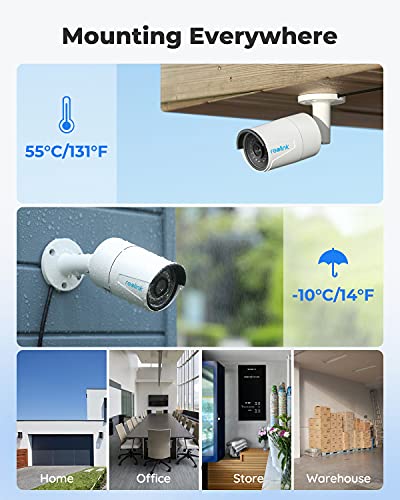
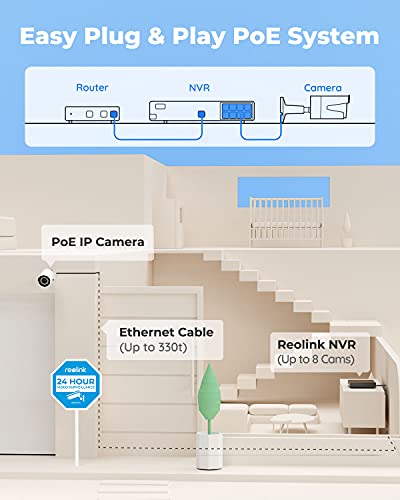
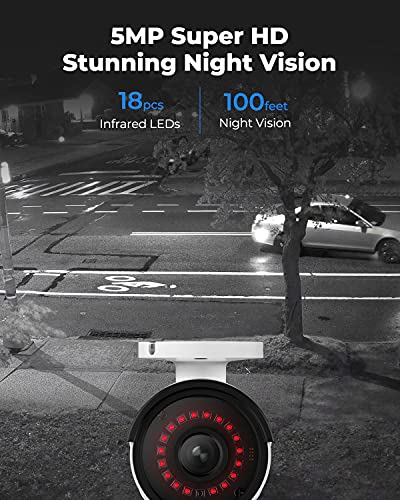
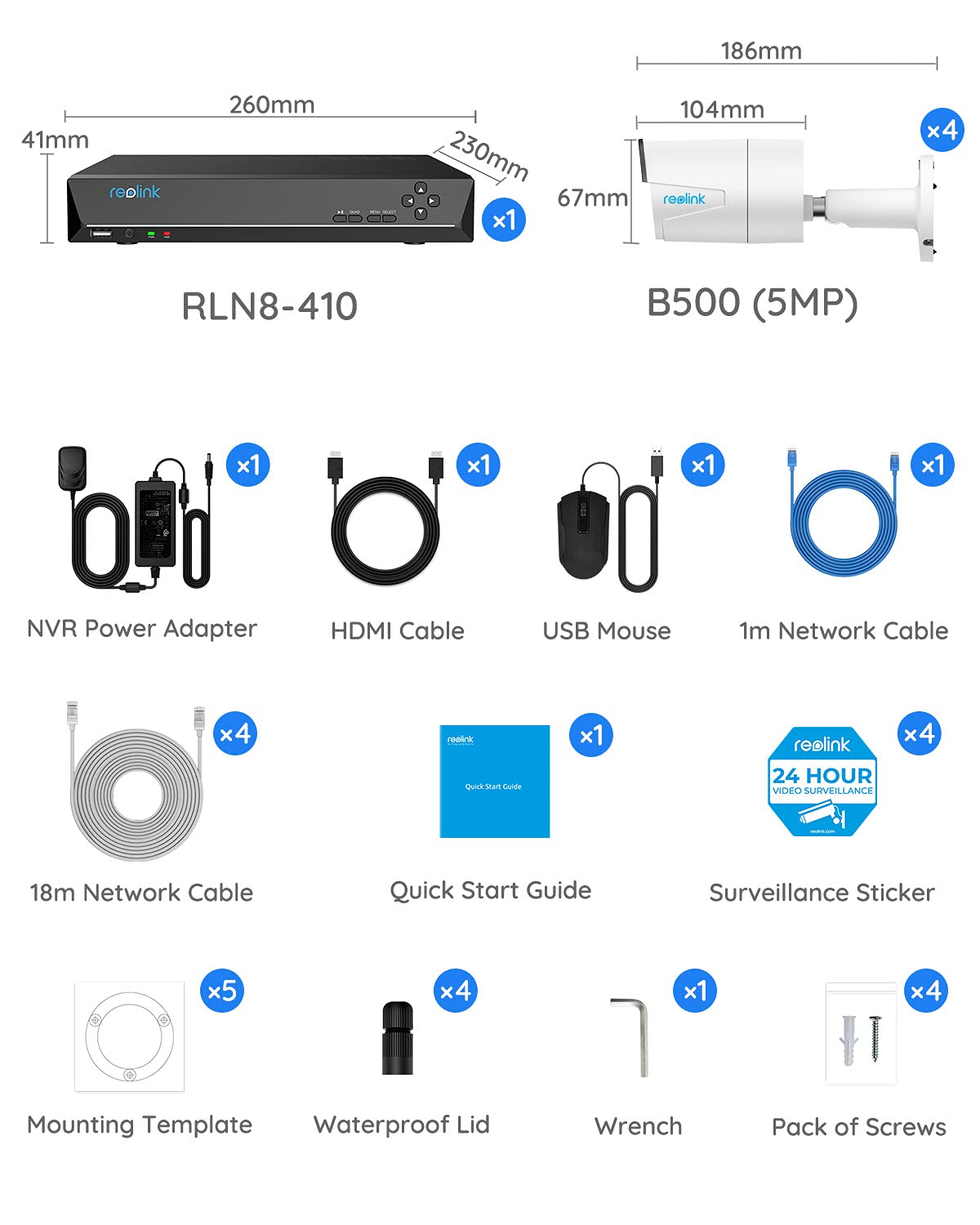
Excellent CCTV system, very easy to install and all cameras worked perfectly. The one slight downside that may be relevant is the fan noise but this is to expected with PoE equipment. I would not recommend installing it in a quiet area. After unboxing I setup the system on a table to confirm all was working. Following this I mounted the cameras outdoors and fed the cables back to the house and confirmed all worked ok. Although Internet access is optional, it is certainly a major requirement if you wish to view the cameras on a phone or tablet. The cupboard I installed in did not have wired Internet so I purchased a cheap Access Point to do the job. Note that this device does not have WiFi built in so you need to supply it with a wired connection although this can be from an AP or extender. The camera performance can be misleading because when you view the cameras on a mobile device you will see them in low resolution, this by default. This is to reduce the bandwidth, but the main point is that the recording system always records in HD no matter what resolution the handheld/laptop is set to. If you want HD monitoring on your mobile device then this can easily be set, but beware that the extra bandwidth can rack up your mobile phone charge and if the alternative WiF isn't up to the job then the cameras will stutter and buffer. The night vision performance is perfect although you need to make sure you position the cameras correctly. If you place a camera close to a nearby wall (side of the house say) then the red illumination diodes will illuminate this wall brightly and reduce the exposure of the overall picture. So you see a perfect image close by, but further afield is too dark. The advantage with this system is that you can climb a ladder with your phone in hand and actually adjust the cameras in real time, so getting the perfect angle is simple. The camera mountings ensure that all angles can be catered for. The screws and plugs are provided and each camera has an Allen Key to make the adjustment. To clarify a point made in other reviews, these cameras are PoE (Power over Ethernet) and although there are power connectors on the cameras they do not need to be connected. Just a single CAT5 is required for each camera to work with the PoE NVR. I folded the redundant power leads back and wrapped them up with self amalgamating tape to keep the weather out. I found that the CAT5 leads supplied were too long but a nice touch is that the REOLINK kit includes RJ45 connectors so you can cut the leads to the correct length and pop the new connectors on. Before you do this please ensure that you have the correct termination tool (and skills) available to do the job. If in doubt, keep the lead in tact and coil up the surplus amount. Am I happy with this kit, yes absolutely. The NVR takes up to 9 cameras so I'm considering expanding the system with some indoor cameras. The price of this kit may seem a little excessive, but you're buying quality equipment and for the HD quality and trouble free ease of installation it is certainly worth it.
P**O
Excelente, fácil de instalar
A**Z
El pack trae todo lo que necesitas para hacer la instalacion! Facil de instalar y de configurar! Camaras construidas en metal y resistentes! De noche se ven genial gracias al infrarrojo!
S**M
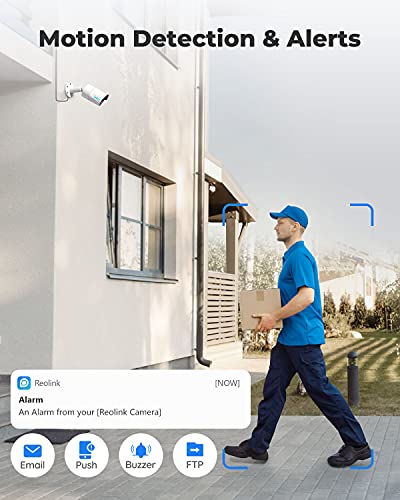
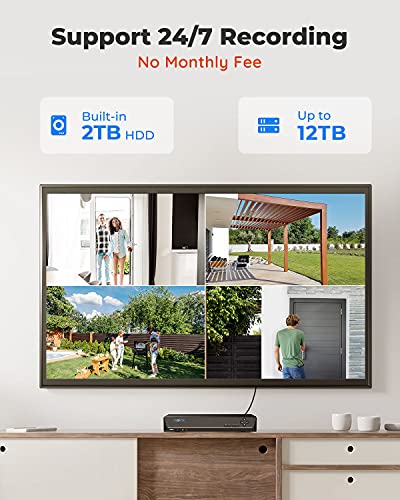
So I purchased these am I am impressed so far however I am going straight to the negatives Negatives: 1. Video is recorded in 4:3 aspect ratio and no way to change it, as confirmed by Reolink themselves as its down to the hardware on the cameras. 2. IR (Infra-Red), lights are very bright and invite lots of bugs, my solution is a telescopic fishing pole with a clean rag to wipe away any spider webs (happening every week but this is unavoidable with these type of cameras). See update from 29/09/22 issue fixed from latest update 3. Motion detection is software activated so it measures the change in pixels and not heat which results in many false alarms e.g. moving trees, plants, cans, wrappers, spiderwebs, insects, rain, clouds and security lights on a night etc… 4. Night mode is very clear however only when static objects when moving its difficult as the image ghosts and blurs but still good enough. 5. Unable to block/mask more then 3 areas (used for stopping motion by tress/plants by cancelling them out or removing neighbours windows that are caught in the system CCTV). 6. Unable to upgrade the HDD more then 4gb internally (see note 9 on good point) 7. Very hard to get hold of a eSATA caddy to take a HDD for external use (unable to add link of the seller as it may violate rules but found one for £17). 8. NVR is not wireless and needs a hard wired ethernet connection to your router (not sure if this is a bad point really but I have overcome this by using a TPLINK wifi extender that has a ethernet port and connected the NVR to this and works like a dream). 9. IR sometimes reflects of number plates/reflective material , making them unreadable (normal with these type of cameras). See update from 29/09/22 issue fixed from latest update Positives: 1. Super easy to install just one cable required (ethernet cable supplied). 2. Good support from Reolink with prompt replies. I had a faulty camera and had to return this at my own cost, so I am out of pocket by £5 due to their faulty camera. 3. Microphone is good on the cameras and picks up good audio. 4. App is super easy (easy for me anyway). 5. Time and date auto sync which is ideal. 6. Very clear image during the day. 7. Nice image on night mode compared to other cameras on the market (see bad point 4 on the image ghosting). 8. Setup alerts during naughty hours of the night on the NVR or App (both NVR and App alert you but do so at your own loss of sleep as the system motion is annoying see bad point 3). 9. Able to add an external eSATA HDD (maximum 4gb external and 4gb internal, 8gb combined in total) see bad point 6 and 7. 10. Can access my cameras anywhere in the world and change the settings I want. Can also view and download them directly to my phone and I can add other additional users who can also view on the APP (view only for additional users). 11. Can use PC monitor connection and a HDMI simultaneously (my HDMI cable is 10meters and works fine). 12. Can be used as standalone without internet connection. 13. Has the ability to add internal indoor Reolink IP camera automatically so they are recording 24/7 (selected cameras not tested this myself yet, but I have ordered one camera). 14. IR are super bright and can be seen with the naked eye and are a good deterrent. See update from 29/09/22 15. IR can also be turned off (day/colour mode), this is useful if you have a night PIR security light and want to capture the footage in colour (need a good security light within a small confined area not facing the camera to be useful in colour). See vid. Hope this helps you folks make an informed decision to buy or not, personally the biggest negative is, the app and monitor video is stretched to imitate a 16:1 but it is actually aspect ratio of 4:3 and for an expensive system this should be 16:1 as a default. Overall I am very impressed and giving this 4 star due to aspect ratio which has really let me down and the faulty camera which was blurry that had to be returned at my cost… Reolink this would have been a 5 star, such a shame! Unable to attach a Vid or Pic :( **update 05/11/2019** Amazon have refunded the delivery costs for returning the faulty camera back to the manufacturer (receipts were required as evidence). I have also purchased a Reolink E1 Pro camera to use indoors which is now a 5th camera on the system this now records 24/7 to the NVR (did have issues setting up on the NVR but this was resolved by the support from Reolink). Must say I am impressed with the support from Reolink and will leave a review for the E1 Pro too Given this a 5 star from original 4 star Update 29/09/22: Software update where u can change the intensity of the IR resulting in better night vision as it was too bright causing over exposure on some cameras. This shuts the intensity and camera don't show red lights on them and number plates can also be read on a night as no IR reflects from the plates.
Trustpilot
1 week ago
2 weeks ago