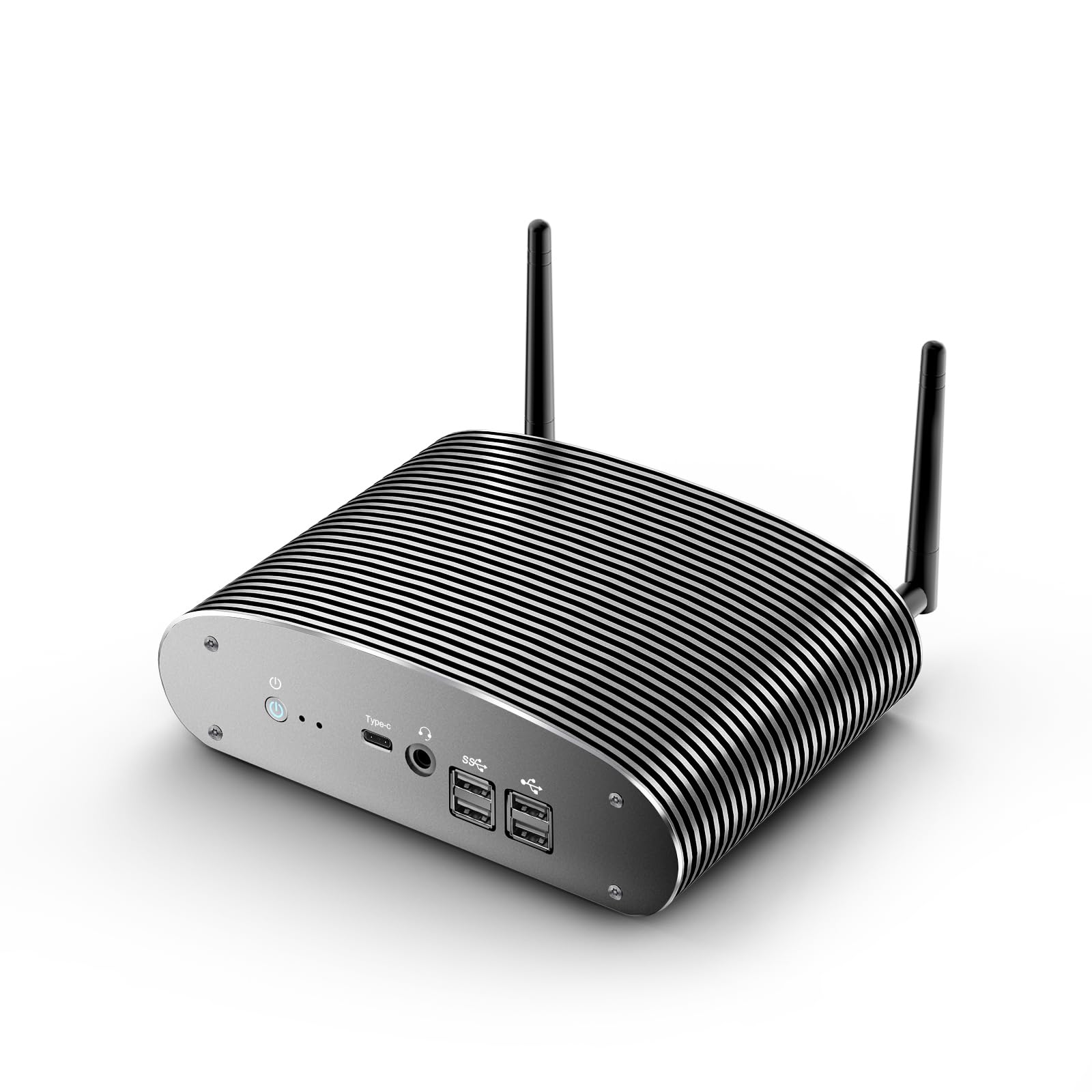
🚀 Silent power meets pro-grade performance — your workspace’s new best-kept secret.
This Industrial Fanless Mini PC features a 12th Gen Intel Core i5-1235U processor with 10 cores and 12 threads, delivering up to 4.4GHz turbo speeds. It comes equipped with 16GB DDR4 RAM and a 1TB PCIe NVMe SSD, both expandable for future needs. The fanless, all-metal design guarantees 100% silent operation, ideal for noise-sensitive environments. It supports up to four 4K displays simultaneously and offers advanced connectivity with dual 2.5G LAN, Wi-Fi 5, Bluetooth 5.0, and multiple USB ports. Pre-installed with Windows 11 Pro, it’s built for reliable 24/7 operation backed by lifetime tech support and a 3-year warranty.


| ASIN | B0F52R96JH |
| Best Sellers Rank | #244,389 in Electronics ( See Top 100 in Electronics ) #19,419 in Computers & Tablets |
| Brand | chatreey |
| Card Description | Integrated |
| Chipset Brand | Intel |
| Color | i5 1235U 16GB RAM 1TB SSD |
| Computer Memory Type | DDR4 SDRAM |
| Customer Reviews | 3.8 3.8 out of 5 stars (54) |
| Date First Available | April 16, 2025 |
| Graphics Card Ram Size | 16 GB |
| Graphics Coprocessor | Intel Iris Xe Graphics |
| Hard Drive | 1 TB SSD |
| Hard Drive Interface | PCIE x 16 |
| Hard Drive Rotational Speed | 7200 RPM |
| Item Weight | 3.74 pounds |
| Item model number | IT12F |
| Max Screen Resolution | 3840x2160 |
| Memory Speed | 3200 MHz |
| Number of Processors | 10 |
| Number of USB 2.0 Ports | 4 |
| Number of USB 3.0 Ports | 2 |
| Operating System | Windows 11 Pro |
| Package Dimensions | 11.42 x 6.77 x 3.7 inches |
| Processor | 1.3 GHz core_i5 |
| Processor Brand | Intel |
| RAM | DDR4 |
| Screen Resolution | 3840 x 2160 |
| Series | i5 1235U |
| Wireless Type | Bluetooth |
M**.
Seems reliable and it's perpetually quiet.
This computer has operated in our studios for about 6 months now. I would consider this to be the better of the Chatrey computer line. Ones with fans develop noise in short order. If using in a setting that demands silence, this is the best option. Price is OK. Windows 11 works OK with a few batch scripts to alter menu behaviors and auto-logon. Not Chatrey's fault, though. The PC seems to be pretty quiet as far as background events go, so far I haven't found any bloatware on it. It's been up and running for weeks straight without a need for a reboot, still pretty responsive, haven't noticed any performance ding, even with Windows updates. I'd consider it a good contender if you can't afford the Intel Nuc. This still uses an Intel processor, so you're not giving up anything, as far as I can tell.
J**N
Gets the Job Done
I run industrial lasers in my shop at home, each laser generally needs a control head (aka PC) to run it. These units are perfect for the task. I have two dedicated to lasers and one that is running VirtualBox hosting several virtual servers. For the Vbox server I upgraded the memory to the max supported and added a 2TB SSD drive with no issues whatsoever. The others have added SSD disk as well. The fact that they came with Win11 Pro also avoided additional costs, all registered with MS just fine and update on a regular basis as they should. Depending on how hard you are thinking of working these units.. Even though they are "fanless", I found it beneficial to add standalone USB fans that have rubber feet that sit on the heatsink (almost silent and keep the heatsink at room temp, no actual mounting required).
T**S
Solid fanless PC with quirks
The good: Mine came with good build quality. Nicely packaged. No loose hardware as mentioned in other reviews. Opening the packaging is a good visual impression and experience. It powered on just fine out of the box. But I skipped Windows (more on that later) and booted a live image from USB and put the whole thing behind a PCAP firewall, looking for any suspicious packets. Nothing noted so far. No suspicious "phone homes" by the hardware during pre-boot, PXE, or once Linux is loaded. The hardware, during some limited testing, is fully supported by Ubuntu out of the box. Memory is name brand. CPU appears to be official Intel, newer model than listed. Which is fine. The bad: I do not trust this type of offshore PC motherboard. Not even some name brands, because Intel Management Engine and similar things ruin it for everyone. It's disguised as a method to help I.T. manage systems at scale but it's an easy way to inject surveillance and backdoors into mainstream computing. Backstory... BIOSes and onboard chips can contain entire operating systems these days separate from the PC (has access to the PC). While this may not concern some people, it's just wrong... and as a computer engineer, it makes me cringe that we cannot disable IME (unless you buy an expensive System76 or Librem/Purism unit). Unfortunately every computer has it now (both Intel and AMD has their own too). While the hardware of this PC passed CHIPSEC analysis, it failed the Intel Management Engine test, reporting that it's still in "manufacture mode". This is a no-no. But it's not a show stopper, Apple released and recalled a bunch of equipment a few years ago in the same state. It happens. But still, not good. Definitely subtracting 1 star for this. The ugly: I have no interest in Windows. I planned to run Linux. I wish this seller would offer a discount for a blank NVME drive and no Windows license. I had to figure out how to get into the BIOS by doing some searching. It defaults to booting Windows immediately and doesn't have a BIOS delay out of the box. Once I got into the BIOS (press F2 at power on), I was able to set a boot delay, and enable a normal POST screen. But the POST screen message (when enabled) is wrong! It says "Press DEL to enter setup" which is incorrect. F2 is the correct setup key. F7 to enter boot menu. This bothers me but it's a minor issue. It's a basic AMI BIOS. Nothing special, which is fine with me. I don't need a fancy GUI for the BIOS. Everything seems to work fine, including uEFI, legacy boot, PXE boot and boot from USB. Mine came with a slightly newer CPU version than listed. That's fine. But max speed of 4.9GHz is likely not possible. It would overheat. This is not a PC for overclocking. Seems to run best around 2GHz. It can start to run hot. If quality control slips and the heatsink is not properly attached from the factory or uses low quality transfer compound, I can see it cooking itself. So far mine has been OK. I'll take it apart eventually and confirm good heatsink contact. Windows is a CPU hog, so I can see others complaining that it runs hot. Linux keeps it pretty cool generally, unless I do something intensive. I have no idea if the NVME drive will hold up long term. I'm not familiar with the brand. 1TB is quite large. I suspect the cells are likely not going to survive many write cycles. I partitioned Linux to be a fraction of 1TB in hopes to save cells (better wear leveling). But if it fails, just replace it under warranty. Just don't expect the world from this drive. If the thought of a generic drive bothers you, replace it with a better name brand NVME model. I don't need 1TB on this thing. Not for my needs anyways. Summary: If left stock, a normal user wouldn't know anything about what I said above. It's a solid PC that makes zero noise and has no fans or moving parts to wear out. That's what I wanted. I can't speak for Windows use, since I immediately wiped it. I wouldn't trust a Windows install in this day and age unless I did it myself. Linux runs great. Hope this review helps someone.
P**K
Does not reboot on power glitch
You must hand start this server after a power glitch. There is no option for the hardware to trigger the normal boot sequence even when using a linux server OS. I found this after a LOT of work configuring everything to host the service apps I wanted. I just assumed I could make it work once I paid enough attention to reboot and was mistaken. This machine waisted a week of my time and is now useless since my power grid is glitchy. Yes I can get a UPS but why should I? I don't need 100% duty cycle at all. I just need it to automatically recover after powering down, is that too much to ask? Also it requires you plug in a monitor to boot and that must be n hdmi one. Skip this product unless you are using in a desktop situation where you are monitoring it manually each day.
S**H
Computer is Fine --- Good Luck Getting a Working Windows Product Key
No complaints with the computer itself, but it should be noted that the computer had a copy of Windows 11 Pro that activated properly initially. Due to some network difficulties, I ended up doing a clean install of Windows 11 Pro to ensure there was nothing pre-installed that was causing issues. Prior to doing so, I made sure I knew the Windows 11 Pro product key that was included with the system prior to doing the clean install, and it turns out that the product key for some reason not only wasn't stored on the system as normal but also wouldn't reactivate once I entered it manually. I contacted the seller three separate times to get a working Windows 11 Pro product key and was given a key that'd supposedly already been used each of those three times. I really don't have the patience to deal with this product key nonsense anymore, so I've ordered a copy of Windows 11 Pro through Amazon and will use that product key for this PC. Nice little PC, but not as good a value when it turns out you need to buy a separate Windows 11 Pro product key.
N**P
I was very happy with this unit for the first 3 weeks - until it stopped working. The power supply seems normal but the PC will not switch on any more. Extremely disappointed!
Trustpilot
4 days ago
1 month ago