
DOWNLOAD THE APP


Customer Services
Copyright © 2025 Desertcart Holdings Limited
DOWNLOAD THE APP
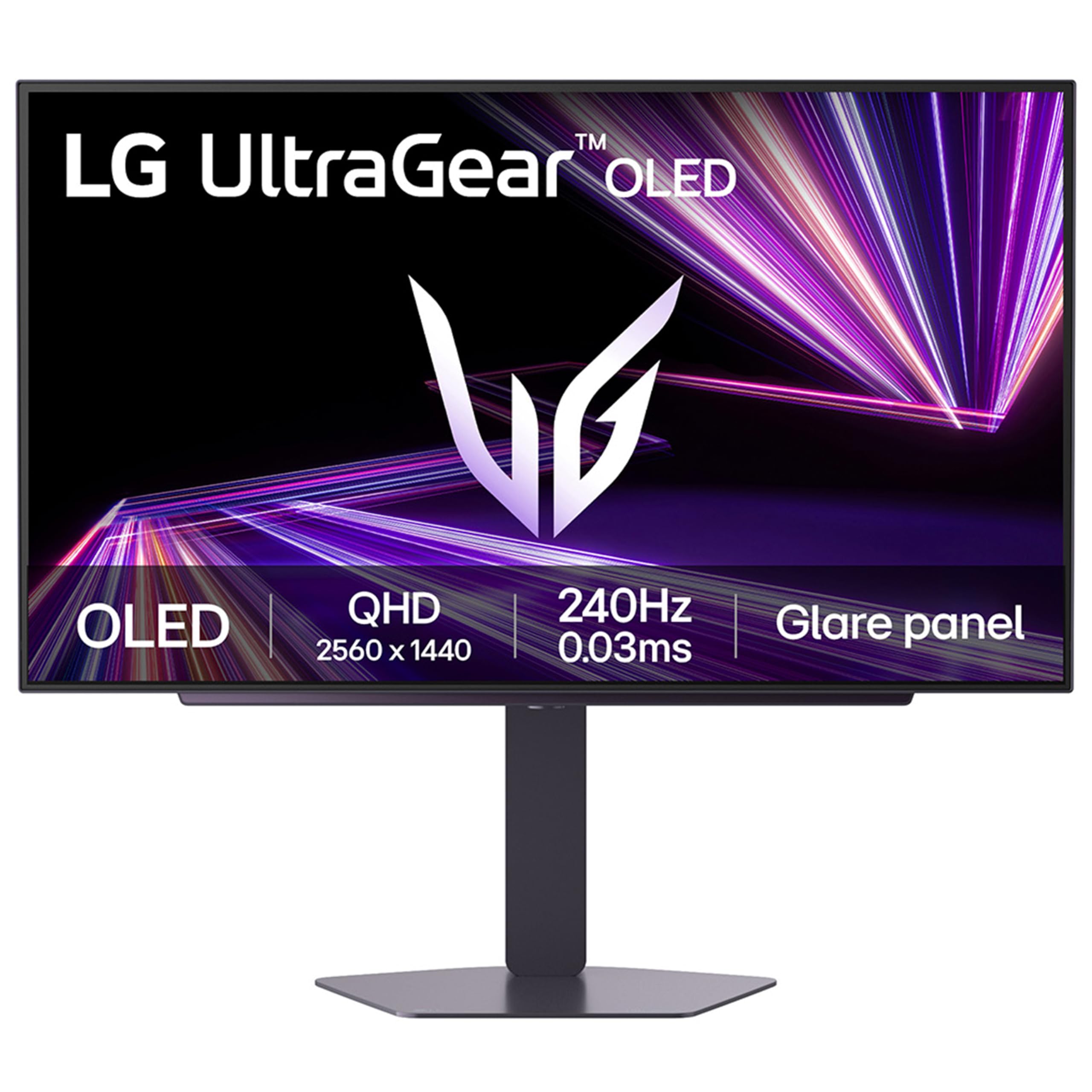
⚡ Dominate every frame with LG UltraGear OLED GX7 – where speed meets stunning clarity!
The LG UltraGear OLED GX7 27-inch gaming monitor redefines competitive gaming with a blistering 480Hz refresh rate and ultra-fast 0.03ms response time on a vibrant QHD OLED panel. Featuring cutting-edge DisplayPort 2.1, 98.5% DCI-P3 color accuracy, and HDR 400 True Black certification, it delivers breathtaking visuals with deep blacks and vivid colors. Adaptive Sync technologies ensure tear-free gameplay, while ergonomic adjustments and RGB backlighting create a personalized, immersive setup. Ideal for pro gamers and content creators craving speed and color precision in one sleek package.


| ASIN | B0DT26YLD4 |
| Adaptive Sync | G-Sync Compatible |
| Aspect Ratio | 16:9 |
| Aspect ratio | 16:9 |
| Best Sellers Rank | 3,550 in Computers & Accessories ( See Top 100 in Computers & Accessories ) 78 in Monitors |
| Brand | LG |
| Brand Name | LG |
| Colour | Purple Grey |
| Compatible Devices | PCs, gaming consoles |
| Contrast Ratio | 1500000:1 |
| Customer Reviews | 4.2 out of 5 stars 31 Reviews |
| Display Technology | OLED |
| Display Type | OLED |
| Hardware Connectivity | DisplayPort, HDMI, Headphone, USB 3.0 |
| Has Color Screen | Yes |
| Image Brightness | 1300 nits |
| Image contrast ratio | 1500000:1 |
| Item Dimensions D x W x H | 4.5D x 60.5W x 35.1H centimetres |
| Item Weight | 5.1 Kilograms |
| Manufacturer | LG Electronics |
| Maximum Display Resolution | 2560 x 1440 |
| Model Name | 27GX790A-B.AEK |
| Model Number | 27GX790A-B.AEK |
| Mounting Type | Wall Mount |
| Native Resolution | 2560x1440 |
| Network Connectivity Technology | DisplayPort, HDMI |
| Picture Quality Enhancement Technology | OLED |
| Product Features | Adaptive Sync, Anti Glare Screen, Dynamic Action Sync, Flicker-Free, Frameless, Height Adjustment, Pivot Adjustment, Swivel Adjustment, Tilt Adjustment, USB Hub |
| Product Warranty | 1 Year Manufacturer |
| Refresh Rate | 480 Hz |
| Resolution | QHD Wide 1440p |
| Response Time | 0.03 Milliseconds |
| Screen Finish Type | Matte |
| Screen Size | 26.5 Inches |
| Screen size | 26.5 Inches |
| Screen surface description | Matte |
| Shape | widescreen |
| Specific Uses For Product | Desktop, Entertainment, Gaming |
| Total HDMI Port | 1 |
| Total USB 3.0 Ports | 2 |
| Total USB Ports | 2 |
| Total Video Out Ports | 3 |
| Viewing Angle | 178 Degrees |
| Warranty Type | 1 Year Manufacturer Warranty |
T**K
Best monitor I’ve used
The 480 hz 1440p oled is really good for its price, there is so many points I want to make though. In gaming it’s 480hz obviously but I think it’s better than 540hz TN or IPS panels because the oled panel makes it more natural and there is WAYY less ghosting than the other panels I’ve come across. The other point I wanted to make is that you need a really powerful gpu to run it without stuttering which is ideally something equivalent to an RTX 5080 which I use with a ryzen 7 9800x3d and also 32gb ddr5 ram. I don’t know if this is with all oled panels but sometimes I do get flickering and I did my research and found out that it is VRR (variable refresh rate) which causes the flickering. Now my monitor doesn’t do that I’m guessing this because I turned off hardware acceleration and instantly it stopped flickering. Also the way this monitor works is really good in games like valorant or Fortnite and even Black ops 6 because i play 2560x1440 on low-medium settings with DLSS on gets me about 500-570fps. The monitors stand I’m a really big fan of because it does not take too much space which is a good thing about this monitor. As a £750 monitor (I bought it for £650) it is still really reasonable for its price and because I’m a very competitive gamer this is truly the best monitor I have ever played on. I moved from 360hz TN panel to this. This monitor is also good for content creators or people that edit pictures or videos which really gives you the colour accuracy since oled is the most natural panel and it’s best known for colour accuracy at the end of the day. One thing I wouldn’t advise is if you want this monitor for office work or just typing emails and stuff then I would recommend a different monitor since this monitor is mostly for gamers and people that have things to do with content creation or just creation in general. This monitor also has oled image cleaning which basically prevents your panel from getting burn in. Also please if you have read this long review put a fully black wallpaper in windows and also auto hide your taskbar to prevent burn-in. Thanks so much for reading this and if you buy this monitor, enjoy it to the fullest
C**K
Best screen ever
An amazing monitor. LG panels are the best. This OLED is crystal clear with dark blacks. Was a bit fiddly to set up due to all the different settings but once done it’s stunning. Is an aggressive curve however it hits your line of sight perfectly. Great for productivity and fantastic gaming to boot
L**N
Settings linking it to computer confusing
Colour excellent, peripheral vision takes some getting used to and the settings confuse me but I am almost 80 years old.
M**H
Best monitor I have ever owned
Amazing monitor , first OLED I have owned so bear that in mind. Great vivid image , very fluid compared to my other IPS monitor.Can get very bright if you need it HDR content looks great , much better than on my previous Mini LED monitor (Koorui S27) USB hub is useful Only minor nitpick is the box it comes in , it’s really difficult to get the stand back in if you’re not using it. I’m using mine on a dual monitor arm
J**G
Terrible oled with awful picture clarity
One of the worst monitor's I have ever used and had to return, it was only good for gaming. Terrible colours, a lot of noise and grain, there is also a large amount of banding when watching films/tv shows
K**R
Impressive and immersive monitor
Firstly, it's big! It's really big. You'll need a decent graphics card. Secondly, it's very immersive. Games are great, but take some getting used to. I also use it for productivity (well, work), and it's fantastic. Large, cumbersome spreadsheets become so much easier as you have so much real estate. I use 2 large monitors at work, but having 2 separate monitors isn't always the best. I'd choose this every time. Videos look fantastic on this too, especially if they are widescreen 4k.
R**F
Great for 1st person games, compromised everywhere else
I bought this 39" ultrawide to do it all. Attracted to the deep blacks of an OLED, and the size was about what I was after. It seemed to hit all the spots. Firstly the good. For 1st person games, it's phenomenal. The immersion people talk about is true. The curve brings you in, you can focus on everything on screen and everything off screen does seem to disappear. It really is impressive here and where the monitor excels. If you spend the majority of your time on this activity, I'd recommend this monitor. For non 1st person games, like strategy games, 3rd person views, isometric view based games, it's still very good. The colour rendering is wonderful, response time fast, etc. The only negative is some text clarity isn't quite there, but that's going to be font dependant on the game. I'd still recommend with that caveat. The smart TV capacities, I didn't overly explore, but it seemed very comprehensive. Bear in mind with the curvature though, the usage of the monitor is limited to you sitting in a very exact place. With your eyes being 80cm away from the screen being that exact place. If you even lean back a little, or too the side (apparently I do this a lot leaning on my chair, something I never even thought about before with flatter screens), the image starts to appear to be a bit contorted, and drops the enjoyment of whatever media you are viewing. Sit in the exact space though (easier with 1st person games as previously mentioned, but less likely with a movie), and it's fine, and the 21:9 format works very nicely. So why the 3 stars then? Because I don't just watch movies sat 80cm away and play games. I like to have a few things on screen at once, a browser in one place that I tend to read, a youtube movie to the side, a calendar and note taking somewhere reachable too. The size is great for this, the curve is too aggressive for this, the OLED tech unfortunately is poor for this. The text clarity is the real reason why I chose to return this monitor, the underlaying subpixel layout resulted in text fringing and I also deal with highlighted text at work, we tend to use yellow highlight, and this resulted in the left side of the highlighted text being green, and the right side in red. Very odd and distracting and something I never came across with an IPS screen. A few fonts seem fine, but many just weren't. Ironically the LG website seemed to use one of the worse fonts for rendering on an OLED too. It was way worse than my 10 year old 32" 1440p 2k IPS 60Hz screen to an unacceptable level. Spreadsheets are just weird too. They say sit in the perfect space and it appears to be straight. OK, but flatter monitors are always straighter anyway so this isn't an issue. 800R is honestly just a bit crazy for productivity tasks, there is nothing else as aggressive as this curve on the market. It also eats a lot of desk space up due to this, even with a large desk like mine, plus the large stand brings the monitor about 12cm closer to the back of it, which is quite significant but probably necessary to get the user of the monitor to adjust to that 80cm sweet spot. If you're on the market for a monitor, and have more than 10% of your time not gaming, then I'd unfortunately recommend looking at a different model. Other things: The backlighting is quite nice, the menu system a bit confusing, and the processor is not fast enough for the smart TV things. It's a nice to have (maybe suitable for a student that's just left home) but cheaply done. This results in booting up time being fairly significant (10-15 seconds), and when plugging in a new input source, it seems to take a while to recognise this, and then offers to switch source, or sometimes not even that. Maybe this was a menu option I missed though.
C**T
Amazingly bright OLED Monitor
I purchased this as my first OLED monitor, was worried about brightness levels but these new 4th gen tandem OLEDs have made this a non issue, the screen is plenty bright, I only use it on 70% brightness otherwise any higher, the white screens are too bright for me. Colours absolutely pop, the matte coating on the screen is great, text clarity is very good, on par with LCDs I've used in the past, so any fears about text clarity I can say are a non-issue. Games look absolutely amazing on it. Cannot get over how inky deep the blacks are, if you're on LCD and want to get onto OLED, this is the monitor to get!
Trustpilot
3 weeks ago
3 weeks ago