
DOWNLOAD THE APP


Customer Services
Copyright © 2025 Desertcart Holdings Limited
DOWNLOAD THE APP

🚀 Elevate your mobile workspace with style and seamless touch control!
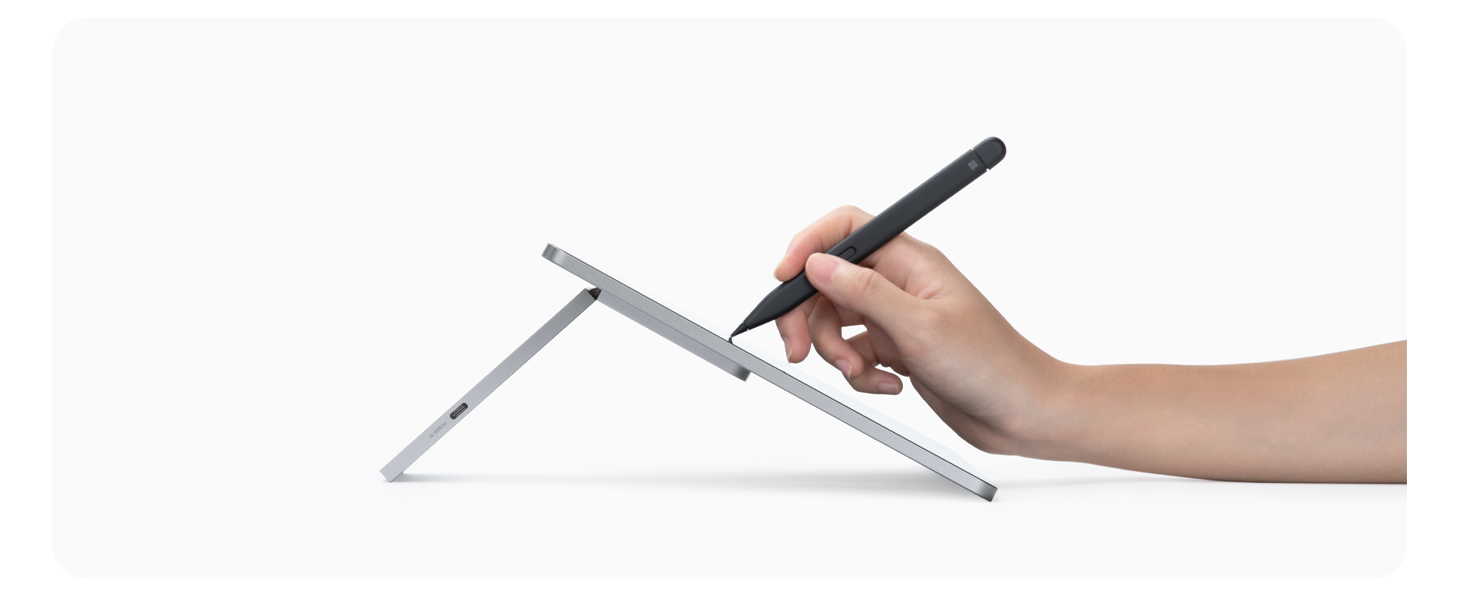
The SOTSU FlipAction Touch 14" is a premium portable FHD IPS monitor featuring a sleek, full-metal design and a magnetic fold-flat stand for ultimate portability. It supports multi-touch gestures and MPP2.0 stylus input, with versatile pivot and height adjustments for ergonomic use. Pass-through charging keeps your devices powered without interruption, making it ideal for professionals seeking a stylish, travel-ready second screen compatible with PC, Chrome, Android, and DeX platforms.



| ASIN | B0DKNH53YZ |
| Are Batteries Included | No |
| Best Sellers Rank | #63,942 in Computers ( See Top 100 in Computers ) #1,725 in Computer Monitors |
| Brand | SOTSU |
| Color | Lilac Luxe Touch |
| Customer Reviews | 4.3 4.3 out of 5 stars (3) |
| Date First Available | 18 December 2024 |
| Item Weight | 1.77 Kilograms |
| Item model number | SFA14TCMG |
| Manufacturer | SOTSU |
| Number of HDMI Ports | 1 |
| Product Dimensions | 1.27 x 30.99 x 17.53 cm; 1.77 kg |
| Resolution | 1920 x 1080 |
| Screen Resolution | 1920x1080 |
| Series | FlipAction Touch 14" Lilac Luxe |
| Standing screen display size | 14 Inches |
B**R
I truly appreciate the sleek design and portability of this monitor; it’s an attractive addition to my setup. However, I primarily use an M4 iPad Pro and was hoping for a seamless experience, particularly with the automatic rotation feature. Unfortunately, I’ve found that the auto-rotate functionality does not work with the iPad Pro, which has been disappointing While the monitor initially operates well, I've encountered issues with the controls becoming unresponsive after some time. For instance, I was scrolling through a webpage on the second monitor when I switched to my iPad screen. Upon returning to the portable monitor to scroll, it started behaving erratically—auto-scrolling and selecting items without my input. This forced me to disconnect the monitor entirely, which was frustrating On a positive note, the monitor does function well with my M1 MacBook Pro, but the touch features didn’t quite meet my expectations, and the auto-rotate issue persists. I configured it in portrait mode for a lengthy document and found that I could only move the mouse around rather than scroll through the document with my finger, which limited its usability Overall, while the portability and easy orientation adjustment are fantastic features, they alone may not justify the price tag. I’m hopeful that it will work better with my Dell tablet, although I predominantly use Apple devices.
Trustpilot
3 weeks ago
2 months ago