We remain fully operational. Our teams are working around the clock to ensure your deliveries continue safely.

DOWNLOAD THE APP


Customer Services
Copyright © 2025 Desertcart Holdings Limited
DOWNLOAD THE APP
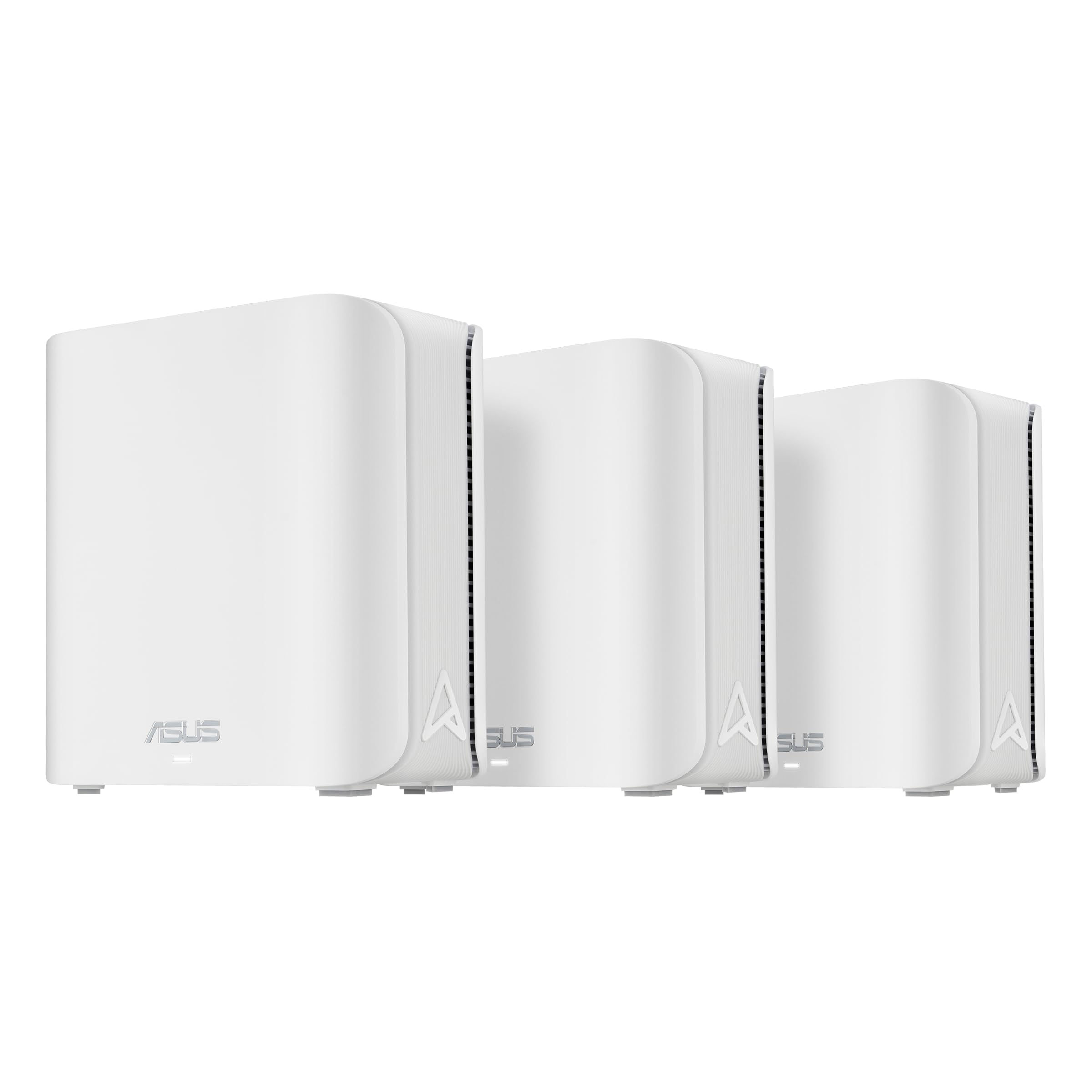
🚀 Elevate your home network to WiFi 7 — because buffering is so last decade!
The ASUS ZenWiFi BD4 (3-Pack) is a cutting-edge dual-band WiFi 7 mesh system delivering speeds up to 3600 Mbps and coverage up to 6500 sq.ft. Featuring dual 2.5G Ethernet ports, commercial-grade security with AiProtection Pro, and smart parental controls, it ensures seamless, secure, and future-proof whole-home connectivity. Ideal for professionals seeking reliable, high-performance networking with easy IoT device management.


| Wireless Type | 802.11.be, 802.11ac, 802.11ax, 802.11n |
| Brand | ASUS |
| Series | BD4 (W-3-PK) |
| Item model number | BD4 (W-3-PK) |
| Operating System | ASUSWRT |
| Item Weight | 1.2 pounds |
| Product Dimensions | 5.5 x 2.8 x 5.5 inches |
| Item Dimensions LxWxH | 5.5 x 2.8 x 5.5 inches |
| Color | WHITE |
| Manufacturer | ASUS |
| ASIN | B0DHWCCL6C |
| Date First Available | November 18, 2024 |
C**R
Impressive Product
I had to return this router because my ISP doesn't allow other equipment, which I had not known. However, I did set it up before I found out. The process was extremely simple and fast- about 15 minutes. Plug them in, connect one to the cable, let them communicate. Then take two nodes and put them where needed. They reconnect and you're about done. Instructions are clear I had it working as a wifi system with perfect signals, with all my devices connected in 15 minutes. The router could not connect to internet, not its fault. I do recommend the product.
A**I
Awesome with no subscriptions and a three year warranty and WIFI7 ready!
I was looking for a good router with satellites ever since my Netgear Orbi RBK50 bricked itself during an update. Great job, Netgear... NOT! And being out of warranty, they delicately showed me the finger. Well, I decided to return the favor. I digress, but I had bought that Netgear with 2 satellites because it had a dedicated backhaul, 2.4 and 5GHz bands and that it is a reputable brand. What I didn't realize is that they nickel and dimed me for full 3+ years for their Netdefender subscription of almost $100 annually! So on top of paying top dollar ($450+ to be exact), I was paying $100 after the first year. That is an average of about $225+ annual cost. Back to this product, Asus is an equally great brand. I was looking for something that allowed me to create multiple SSIDs. For some reason the general market routers do not allow creation of VLANs (or am not aware of. I am not a Networking certified person), so multiple SSIDs was what I needed. I was looking for an SSID for personal use (PCs, laptops, phones), another SSID for my security devices, another for all my IoTs that I enriched Amazon and Alexa ecosystem with and finally one for my guests that I can turn on and off as needed. Another need was that I could control it from anywhere I wanted, not just logging into the network. The pros of this product: - Three pack, great to spread accessibility - Mesh network, apparently it helps have lossless connectivity and though I have no tool to test, I have not seen any disconnect moving between rooms and such - Wifi 7. I have currently only wifi5 or wifi6 devices, but hey am ready for the next gen. - High speed ethernet ports for backhaul and/or wired networking - Great mobile app on Android - Allowed me the SSIDs I needed to set up - Share WiFi with a QR Code (Great for Guests when your password is super strong as it should be) - Automatic Quality of Service (QoS) control if you designate the device in a QoS priority category. - Auto wireless backhaul with optional wired one if you set it up that way - Small size - NO SUBSCRIPTION BS like Netgear. Comes with great protection and a VPN app for phone. HOW AWESOME IS THAT!? Thank you Asus. - Comes with a Three Year Warranty! You hear that, Netgear? CONS: Yes, it does have some. Ok, I will be honest, no it doesn't but they are my wish list. - Only two ports in the back, so you need a switch no matter what if you have more than two devices to attach or use a backhaul. - The switch has to be 2.5GHz capable to use the best throughput, else a 1GHz will not be bad, just if you are moving things thru the network, you will be bottlenecked by that limitation - Wish there is a way to mount it higher on the wall with power cord extensions. I may have to juggle something on my own. - Wish it had PoE to power and backhaul the extenders. I have that set up but cannot use it because of the power requirement to come from an electrical outlet. Sigh. - Ability to create VLANs. That would be so awesome to set up one SSID instead of 4 with a separate password deciding which one is for what. I had created a setup once with Ubiquiti extenders and they have spoilt me bad.
J**R
Really unstable
I just got this tonight and tried setting it up. What a nightmare! It seemed to work great at first. I plugged it into my modem and a switch, and it went through the setup. It told me that everything was working perfectly, but for some reason it immediately gave me a red light, indicating that there was no connection to the internet. I tried restarting the modem. Still no connection. It turned out that it had decided to make the switch the WAN connection, so I disconnected the switch and plugged the modem into that port, restarted both devices, and I finally got a connection. That lasted all of 20 seconds. So I reset the thing to factory settings and tried to start the process again. This time, it connected to the internet right away and I got a notification that there was a firmware update. I let it download and install, and was them met with a red light and no internet again. I tried everything I could think of to fix this, but ultimately had to reset it to factory defaults again and set it up a third time. This time, everything went smoothly. I started getting my devices connected and even got the switch to work. All seemed fine until I did a speed test and got a mere 100 mbps. I was expecting more than ten times that. So I restarted the thing again, and was met with a red light when it booted up. No more internet. But this time, I couldn't even connect to it through the app, and it would start restarting itself every five or six minutes. I don't even know where to begin to troubleshoot this thing anymore. I'm going to contact support tomorrow and I'll update this review based on what happens next, but this thing has been such a huge pain that I thought I should mention it. ---Edit--- I got a new unit sent to me, and I successfully set it up, but that also wasn't without problems. The short version is, for whatever reason, I have to restart my modem every single time the router restarts, even during setup. If I don't do this, the router can't figure out that it has a WAN connection. This took entirely too long for me to figure out, and I don't like it one bit, but at least it works now. I have confirmed that the previous unit is definitely not working this way, and so I really think it's just a broken unit. Now that the new one is working, it is a fairly decent router. Speeds are high, latency is low, and I thoroughly enjoy having a 2.5G wired connection to my switch and NAS. It does take a very long time to reboot, however, and that's definitely not nice when you have to troubleshoot. I also just really can't shake the feeling that this thing could stop working like the first unit did. Fingers crossed, I guess. If you do buy this, just make sure you give it plenty of time to do it's thing during setup. If you get a red light or it seems like it's not doing what it's supposed to, give it an extra 2-3 minutes longer than you want to and try restarting your modem before you do anything with the router. Same with firmware updates. If you think it's broken, give it a lot of extra time and reset your modem before you try to mess with it.
A**R
It wouldn't work with tha Asus AC2900. Asus sites says it came be used outdoors but you can see the boards though the case. Not weather proof. No support from Asus. Item returned.
L**O
Mi peor experiencia, jamás se logró configurar completo el producto. Muchas fallas, perdí mi tiempo y dinero con él. Si pueden busquen más opciones antes de optar por este sistema mesh. 🙁
F**D
Routeur moyen, la maille ne fonctionne pas. Tous les devices se connectent au routeur principal même ceux qui sont juste à côté du routeur secondaire. Le contrôle parental pas fameux. Je vais retourner à mon routeur eero. Je le retourne au vendeur. Pour ceux qui cherchent des fonctions de contrôle parental avancées comme vanté ce n'est pas votre produit.
M**E
Performance is good, just terrible compatibility with other devices. I had to switch back to my old router to provide reliable connections, or just A connection in general.
L**Y
Got this as refurbished, it was in great condition. Added to my home mesh system with another BD4 that was bought refurbished. I get 200+ mbps easily in the corner room in my basement, where I was getting around 100+ before. I moved on from an Orbi system as parental and NetGear Armour was becoming too expensive. This has parental and internet home protection built in for free. The only negative is adding this a node did not work the first time in my basement so I had to move it around a bit to get it detected. Since it is WiFi 7, my iPhone 16 feels way faster now when browsing. Recommended.
Trustpilot
3 weeks ago
4 days ago