Desert Online General Trading LLC
Dubai, United Arab Emirates
Desert Online General Trading LLC
Dubai, United Arab Emirates


🔍 Scan Smart, Live Boldly!
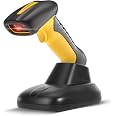
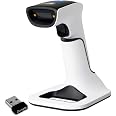
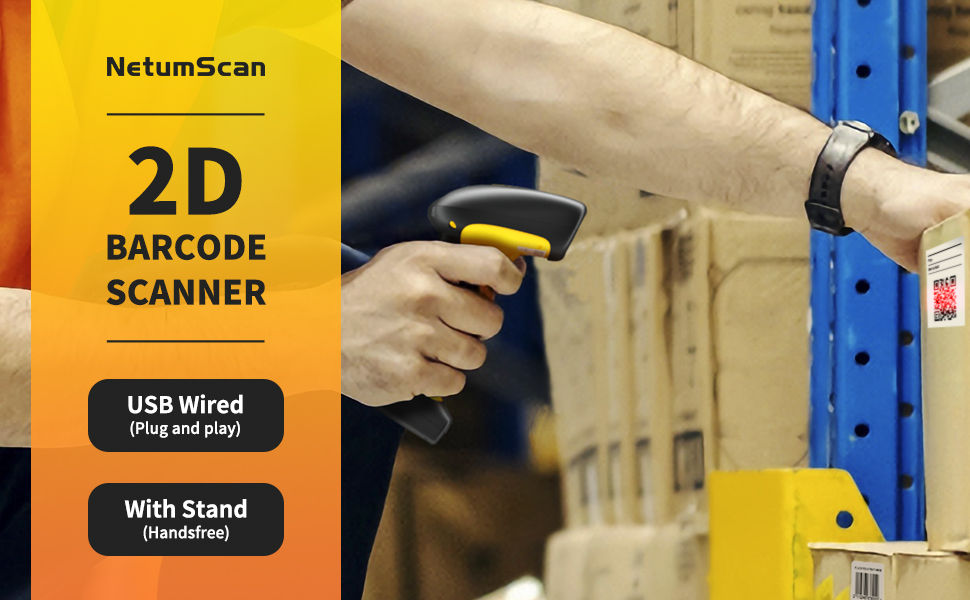
The NetumScan Upgraded Industrial Bluetooth QR Barcode Scanner is a robust, versatile scanning solution designed for demanding environments. With IP67 waterproofing, 7M drop proof capability, and a powerful 2600mAh battery, it ensures reliable performance in various settings, from retail to logistics. Its advanced scanning technology supports a wide range of barcode formats, making it an essential tool for professionals seeking efficiency and durability.


| Number of Batteries | 1 Lithium Polymer batteries required. (included) |
| Operating Voltage | 3.7 Volts (DC) |
| Power Source | Rechargeable Battery & charging Base |
| Connectivity Technology | Bluetooth |
| Compatible Devices | Laptop, Desktop |
| Energy Specifications Met | ip67 |
G**R
Easy configuration and blue tooth connection.
We have bar coded tamper seals at work and wanted a fast and accurate way to collect the numbers. This scanner is easily programmed using included bar codes that allow us to customize how it works. It works so well that we now have two and may get more for our other locations.
E**Y
Great customer service!
I've only been using this scanner for a week but so far it's accurate, fast & durable. It would not process library barcodes, Codabar, until customer service sent me codes to scan to get the proper output. I also needed a code to scan so it would scan automatically, hands free. Tech services were fantastic through Amazon messaging and everything works perfectly now. I'm hoping it lasts longer than our others which never seem to work for more than a year.
S**N
They Scan
Easy to set up and use. All you have to do is just follow the set up steps and in about a minute you are good to go. Can't ask for more.
S**S
It will not auto-scan barcodes and poor customer service
This scanner seems to be a heavy duty scanner but the description on the scanner says it will do auto-scan barcodes. We use the scanner at a library front scanner and we don't want to have to take it off the stand and use the trigger each time. There was no way to put it on the auto-scan in the manual they sent. I contacted the company, and it took three e-mails to answer me and when they answered it took 2 more days to get them to send another barcode to do the auto-scan. I scanned the barcode and it still didn't work. I feel like this scanner is not compatible with auto-scan because it wasn't in the manual. Too much time and aggravation to order a scanner that I had to return because of the description being inaccurate.
M**Z
Exelente compra
Muy bueno y facil de manejar
A**4
Tough versatile scanner
I got this barcode scanner as a replacement and upgrade to my old laser barcode scanner.I primarily use the barcode scanner for inventory data entry.It handled most barcodes that I throw at it really well however I did run into some issues with some things that the listing says it should handle, specifically Aztec codes, Inverted 2d codes and MaxiCode. Other than those few issues it did great at scanning everything else, damaged bar codes, codes on reflective surfaces, partially obscured barcodes, and barcodes on screens, extra small codes, It even handled extra large QR codes well.I did reach out to the manufacture for the above issues and they were able to assist, there appears to be a Netum and a NetumScan and both websites are referenced in the manual that came with the scanner I reached out to NetumScan through their chat and they were able to get me command codes to enable the missing code symbologies however they stated that they did not have a pdf manual for all the command codes when i asked. Elsewhere on the site they had a manual for the NS1202W but that did not work with my unit (Model NS-1202W), however the NSW7-X manual seemd to have the matchig codes to what i was give but results may vary.As for setup, on the pc it was plug and play, for blue tooth setup was easy just scan a code and pair. It also supported more advanced options, by default the scanner works like a keyboard, but you can customize what key it types at the end of each scan as well as set it to act like a serial port for custom programs, so it is not typing when you scan. The Bluetooth typing speed was a bit slower than on USB at the highest setting but this is only really an issue if your scanning very information dense barcodes but it does support queueing so that mitigates the issue.Although it is not relevant to my application i could not help but test its waterproof claims. I was indeed able to scan while under water and as a testament to its signal strength the dock was still able to receive the scan while submerged. Additionally it floats quite well.Overall its a nice tough barcode scanner but looses some points for documentation and advanced setup difficulty.
E**.
Fantastic scanner!
This is a great scanner. Not only does it do 1D barcodes (UPC symbols, etc) but it also does QR codes!It's completely plug-and-play. You just plug the charger/dock into a USB port and you're up and running. Computers "see" the scanner as a keyboard, so it literally *just works* when you plug it in.It works with the dock and USB connection, but it also works with Bluetooth. I tried it with my iPhone, and it works! I haven't quite figured out how to use both the on-screen keyboard and the USB scanner though. (Working on this.)There are a ton of settings that can be adjusted on it as well. In the instruction manual there are a whole bunch of barcodes. You can scan individual barcodes in the manual in order to change/view settings on the scanner! Brilliant! Here are some examples of what you can do with the barcoded settings:• Switch from USB to Bluetooth and back again• Activate COM port emulation• Change Bluetooth speed• Change keyboard language• Check firmware version• Set beep volume levelIn addition to being capable of Bluetooth or USB connection, it also has a standalone mode so you can use the scanner away from any receiving device. That means that you can scan items and the scanner will store the entries in memory.To activate the standalone "store" mode, you scan one of the barcodes in the manual. (I'd advise scanning the manual and saving a PDF copy of it in case the original is lost or damaged.) Then you scan everything, connect your scanner to the desired device, then scan a barcode labeled "Output Stored Data", and the scanner dumps everything that it has stored. Brilliant!The device charges when you dock it. You can set the automatic shutoff interval as well.The device itself feels solid and appears to be well-constructed. It is comfortable in the user's hand.A really nice handheld scanner!
Trustpilot
2 months ago
5 days ago
1 week ago
2 weeks ago