
DOWNLOAD THE APP


Customer Services
Copyright © 2025 Desertcart Holdings Limited
DOWNLOAD THE APP


🎥 Elevate your video presence—because your meetings deserve the best view.
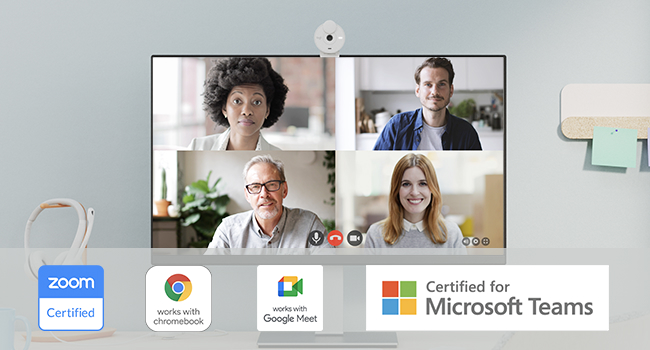
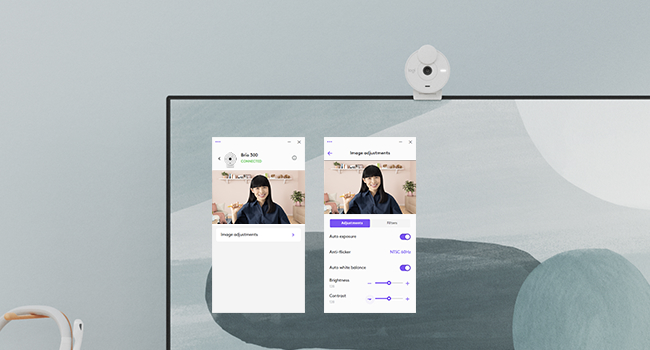
The Logitech Brio 300 is a sleek, Full HD 1080p webcam designed for professional video conferencing. Featuring RightLight 2 technology for automatic low-light correction, a noise-reducing microphone for crystal-clear audio, and a convenient privacy shutter, it’s certified for Zoom, Microsoft Teams, and Google Meet. Its USB-C connectivity ensures fast, reliable setup, while its eco-conscious design incorporates at least 48% recycled plastic, making it a smart and sustainable choice for modern professionals.




| ASIN | B09RGJWVG7 |
| Antenna Location | Calling |
| Are Batteries Included | No |
| Best Sellers Rank | #24 in Webcams |
| Brand | Logitech |
| Built-In Media | Logitech Degas - Off White |
| Camcorder Type | Webcam |
| Color | Off-White |
| Compatible Devices | Desktops |
| Connectivity Technology | USB-C |
| Customer Reviews | 4.5 out of 5 stars 1,040 Reviews |
| Display Resolution Maximum | FHD |
| Effective Video Resolution | 1080 Pixels |
| Exposure Control Type | Automatic |
| Features | Low Light |
| File Format | JPEG |
| Flash Memory Type | SD |
| Flash Memory Video Speed Class | V6 |
| Focus Type | Fixed Focus |
| Form Factor | Compact |
| Has Image Stabilization | No |
| Image Aspect Ratio | 16:19.7 |
| Image stabilization | false |
| Item Dimensions D x W x H | 1.77"D x 2.09"W x 2.58"H |
| Item Weight | 113 Grams |
| Lens Type | Custom Logi 4 element lens with anti-reflective coating |
| Manufacturer | Logitech |
| Maximum Aperture | 2.8 Millimeters |
| Maximum Focal Length | 1.0 |
| Minimum Aperture | 2.4 Millimeters |
| Minimum Focal Length | 1 Millimeters |
| Model Name | 960-001441 |
| Model Number | 960-001441 |
| Optical Zoom | 1 x |
| Photo Sensor Technology | CMOS |
| Screen Size | 2 |
| Sensor Type | CMOS |
| Shooting Modes | Automatic |
| Style Name | Webcam |
| Supported Audio Format | PCM, AAC |
| Supported Image Format | JPEG |
| UPC | 097855179210 |
| Video Capture Format | MPEG |
| Video Capture Resolution | 1080p |
| Video Resolution | 1080p |
| Viewing Angle | 53.13 Degrees |
| Warranty Description | 1 Year Limited Hardware Warranty |
| Water Resistance Level | Not Water Resistant |
| White Balance Settings | Auto |
| Wireless Compability | Bluetooth |
| Zoom | Optical |
V**E
Good Little Camera
When my laptop camera started getting fuzzy around the edges, I needed a separate camera for Zoom calls and Google Meet. This is a good, inexpensive model that works well. You just plug it into your laptop port and balance the camera on top of the monitor part of the laptop. It has a support that you can adjust so it won't fall off under normal use. The images are clear and sharp again, and I use it all the time. Thanks, Logitech.
K**C
Great Quality Camera for Meetings
I wanted to look at my monitor during Zoom meetings but only had my laptop camera originally, so I bought this camera. I think this camera is easy to use and connect, has great video quality, and has a pretty good mic. I love the camera cover, too. I tutor my students online, and they can hear me well when I use the camera mic.
C**Y
cheap, easy to set up, and works well
Great cheap clear, easy to use computer camera, compatible with my gaming computer, small footprint and works like a charm. I use it for discord to chat with my kids and play games with them. Exactly what this old man got it for. Oh yeah, it has a cover as well so can close the screen access pretty easy.
T**C
OK value. Frustrating to frequently open LogiTune to fix zoom, but that's general Logi macOS issue
I purchased this camera to be a lower cost Brio that was less sophisticated than the ones with multiple FoV's while still being full-HD (1080p) and USB-C (to be maximally compatible with my hardware setup). I also liked that it takes up minimal space on the top of my screen (hardly encroaches on my screen's bezel). Generally speaking, it works well -- I am happy with the video and audio quality and how well it fits on top of my screen, and I do not notice any issues with the autofocus (it seems to quickly focus and achieve a good picture, and color looks fine by default but seems easy to adjust using macOS or Logitech tools). I am not sure how much I like the privacy cover-- it's a little weirder to use than I was expecting. I'm always worried that by opening or closing it, I'm going to accidentally adjust the position of the camera. That said, the camera seems to hold its position pretty well, and so this wasn't a problem. The biggest issue so far is an issue I have with more expensive Brio cameras too. On macOS, the zoom/FoV is never properly set until AFTER I open up a Logitech app, like Logi Tune (which I have loaded into my menu bar for this reason). I purchased this single-FoV camera because I thought that might fix this. With my 3-FoV Brio's that I have elsewhere, I always have to go into Logi Tune and force it to my desired FoV (the intermediate FoV) because the camera will frequently reset to a very tight FoV. To my surprise, this single-FoV does the same thing. When I enter into Logi Tune, it fixes what I assume is a zoom issue (because it only has one FoV). That said, my other Brio devices have trained me well, and it's not that much of a headache. But it would be nice if this fixed it. Otherwise, I might have considered another 3-FoV BRIO. The other thing is that the record light is a little bigger and brighter than it needs to be, but maybe some will like that.
S**N
Affordable camera and mic
This is being used with a Mac Mini. I have tested out Teams, Zoom and FaceTime. All work and did not have to install any extra software. Video quality is not bad. It is obviously not a high end, production grade camera - but works perfect for video meetings. I'm using it in a basement with good lighting. Skin tone looks pretty good. Better than my old web cam it replaced by far. The microphone is ok. I'd say it sounds a little "tinny" - but good enough for a video meeting. If you want better audio, I'd recommend a standalone microphone. That said, I will be using the microphone in the camera since I think it sounds fine for meetings.
S**A
Pretty solid, basic webcam
It's small and pretty. It's easy to set up, just plug into your USB C port and it's good to go. The clamp could be much better though since it just relies on leaning against the back of your monitor as opposed to actually gripping on, so it will fall off if bumped. The ability to turn the camera off with the flip lid is also great for added security. The image and mic are both clear and I have had no issue so far. When you preview your image it will only show your image as mirrored and there is no way to change that view however, when you are actually using it, your image is not mirrored. Lastly, the booklet doesn't tell you, and it is actually quite hard to find, that Logitunes is the Logitech program that is compatible with the Brio 300 if you want to sync it to your email or calendar and even then it can only be connected to Outlook. However, that isn't a feature that seems necessary.
D**L
It works.
Works great! I guess I shouldn't be surprised as Logitech has that history. Easy to setup in Windows 11 - probably would be the same for any version of Windows. I've used this about 40 times or so since buying it. I have no concerns about it continuing to work. Oh, the noise reduction seems to work without issues also.
J**S
Pretty much perfect!
I bought this webcam because I needed something better for work meetings. My laptop is just too small to work from directly, so I usually keep it off to the side—and that’s where my only built-in camera is. I picked this one up to sit on top of my larger monitor, and honestly, the quality is amazing. I especially love the design of the privacy cover—it flips up and down so easily, way better than those awkward sliding ones most webcams have. I got the pink color and it’s super cute! It’s simple, works exactly how I need it to, and stays in place. Overall, just a fantastic product.
Trustpilot
2 weeks ago
5 days ago