Desert Online General Trading LLC
Dubai, United Arab Emirates
Desert Online General Trading LLC
Dubai, United Arab Emirates


🎥 Elevate Your Game, Share Your Glory!
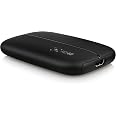
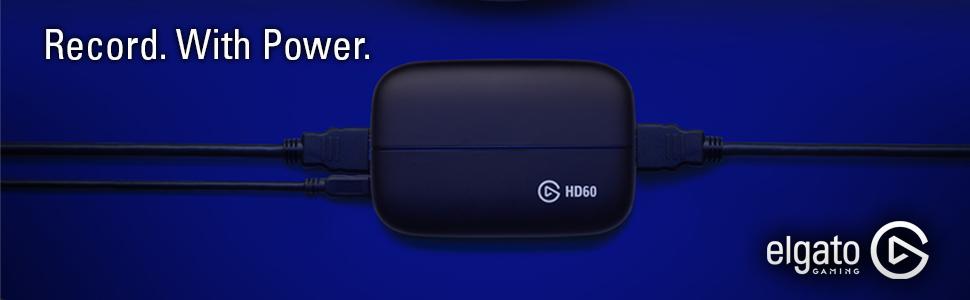
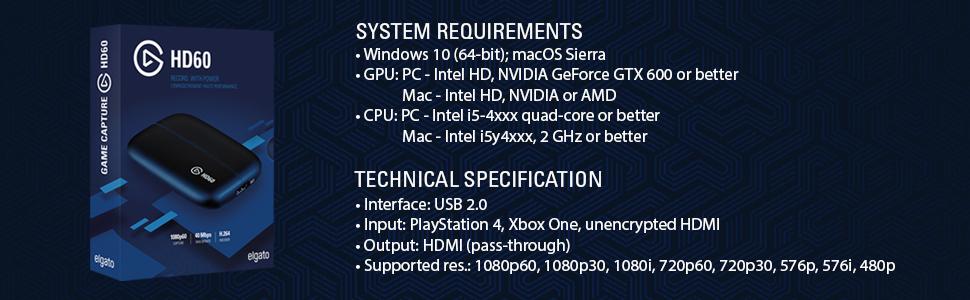
The Elgato Game Capture HD60 allows gamers to record and share their gameplay in stunning 1080p quality at 60 fps. Compatible with Xbox, PlayStation, and Nintendo, it features unlimited capture to PC or Mac, retroactive recording, and easy sharing to social media platforms. With added functionalities like webcam overlays and live commentary, it's the ultimate tool for aspiring content creators.


| Brand | Elgato |
| Product Dimensions | 20.07 x 8.89 x 3.56 cm; 106 g |
| Batteries | 1 Lithium Ion batteries required. |
| Item model number | 1GC109901001 |
| Manufacturer | Corsair |
| Series | HD60 S |
| Colour | Black |
| Form Factor | Video Editing Card |
| Standing screen display size | 15 Inches |
| Resolution | 1080p Full HD |
| Graphics Card Interface | Unknown |
| Number of HDMI Ports | 1 |
| Voltage | 5 Volts |
| Hardware Platform | Other Platform |
| Operating System | Mac OS |
| Are Batteries Included | No |
| Lithium Battery Energy Content | 4.8 Watt Hours |
| Lithium Battery Packaging | Batteries packed with equipment |
| Lithium Battery Weight | 0.6 g |
| Number Of Lithium Ion Cells | 1 |
| Item Weight | 106 g |
| Guaranteed software updates until | unknown |
M**Y
2 Years Later, Still Loving It
I have now been using this Elgato (The newer HD60 version for next generation consoles) for over 2 years and it has yet to disappoint me.First the initial setup:The HD60 is pretty simple to setup upon arrival. You simply disconnect the HDMI coming out your console from the end going into the TV, plug the TV end into the IN port on the HD60, then plug the supplied HDMI into the OUT port then the other end into the TV.After this you plug the USB cable into the Elgato and then into your computer.Thats all the hardware setup, from here you just need to setup the software side of things which Is relatively simple. All you need to do is go to Elgato's website and download the 'Game Capture HD' software that will allow you to get the signal up on your computer.PS4 USERS: (If you get no signal you need to go to your PS4 settings > system then untick 'Enable HDCP'Overall the setup is pretty straightforward and the Elgato has a light bar that will flash to tell you if something isn't setup right, nice and simple.For those who don't want to use the Elgato software to stream/record, you can also download free programs such as xSplit or OBS. You can go to input sources and the Elgato should show up there.Pros:The Elgato captures great quality video without any issue.Its very easy to setup.The Elgato software allows you to stream + record straight from the software.If you use other streaming/recording programs the Elgato video signal can easily be picked up by these programs.The Elgato software also has a time machine like feature, meaning if you have the software open, even if your not recording, you can go back and watch footage that the Elgato has picked up, the software effectively records everything and then if you don't actually hit record/go back and save what its recorded, it deletes it.Cons:Can be pricey, there are other options out there, however in my opinion the Elgato is still the best screen capture device.If your using PS4, you must disable HDCP when you use the Elgato, this means some programs won't be allowed to run, I believe that includes ones like Netflix, so if you use your PS4 as a media centre also, you may need to keep changing settings and changing what cables are plugged in as with HDCP enabled you may not get any signal through to your TV.There's a slight delay between when you make & see an input on the TV, and when it appears on the computer, meaning you still need to use the TV to play the games without the delay,This is a great peace of kit and a good investment for anyone looking to start up streaming or a YouTube channel, its probably one of the easiest ways your going to be able to get a good quality HD image from the console onto a computer that you can then record/stream on.
A**S
Reliable; Consistent: Been using since December 2015.
Before using this Elgato HD60 Pro, I was using a medium/average based capture card device called the Roxio HD Pro. It was very good quality, but lacked product software/support that so many devices struggle with. It was also somewhat of a buggy mess and difficult to get running, but when you did get it running it was great. I also noted that I was throttled majorly by USB speeds.That's why I decided to choose to look for a new capture card and after researching various makes and models I decided to upgrade to this Elgato HD60 Pro and since 2015 I havent looked back. There's been a few moments where the software has been a pain, but the majority both hardware and software has been very reliable, with most problems actually coming from Xsplit, and all that required to fix the problems was a quick reboot. I've used the device consistently for the past five years, with nothing major and it's been a backbone to my gaming life being extremely valuable for both livestreaming and recording gameplay.Elgato support I've never actually had to deal with, so I cannot comment on that side of things.I'm writing this review now because I'm finally upgrading to the Elgato 4K model and wanted to drop in my thoughts and appreciation. The only qualm was one input and one output, so I decided to use a HDMI splitter for my Xbox One, Xbox 360 and Playstation 4.Pros:- Reliable and trustworthy.- Great software from their site which works wonders with Elgato.- Card supports OBS and Xsplit.- PCI-E Slot usage means no throttles or speeds being held back by USB etc.Cons:- Soon to be phased out as the top dog with the 4K model becoming more mainstream.- Requires a PCI-e slot, which some motherboards may not have many slots for capture card, wifi, gpu, audio card.- No Display Port support, only HDMI.- Only one input and one output.- Elgato might soon have a monopoly on the streaming and recording market. (I'm pretty sure they already do.)If you're looking for a great and sturdy capture card, the Elgato Game Capture HD60 Pro is a wonderful choice. Much better than the USB options.
K**S
It works great, when you get it to work
It works great, when you get it to work. I use it with PC, PS4 and Xbox, and it gets confusing to set up, because of audio inputs and outputs, and having to use different headsets. e.g. if u have your mic and headset plugged into the ps4 controller, the elgato will not record it, mic must be plugged into recording pc. I have never got a mic to record plugging it into the legato hd60 device itself! When recording on PC, I have headphones output from the TV, not the PC, because otherwise it does not output sound through hdmi to the elgato. Then I have my mic plugged into recording PC which works fine! Also I did not realise the ps3 would NOT RECORD with it, as most devices were listed I assumed it was a mistake, so the hdmi signal is encrypted with hdcp, however you can bypass this with a hdmi splitter which will allow you too!Most of what I said sounds negative, but that's because it is really confusing. I gave it 4 stars as It records very nicely and you can change all the settings of the recording to optimize it for whatever console or pc you are using! It also has live streaming available on the software, which allows you to stream on things like twitch and youtube, and has cool features including using your webcam to record yourself and put it where you want on the screen, and you can also have your own backdrop if you have a green-screen! All in all great product but confusing to setup on different platforms!
Trustpilot
2 weeks ago
3 days ago