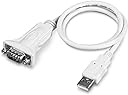
🔗 Bridge the old and new with confidence — TU-S9 keeps you connected and compliant.
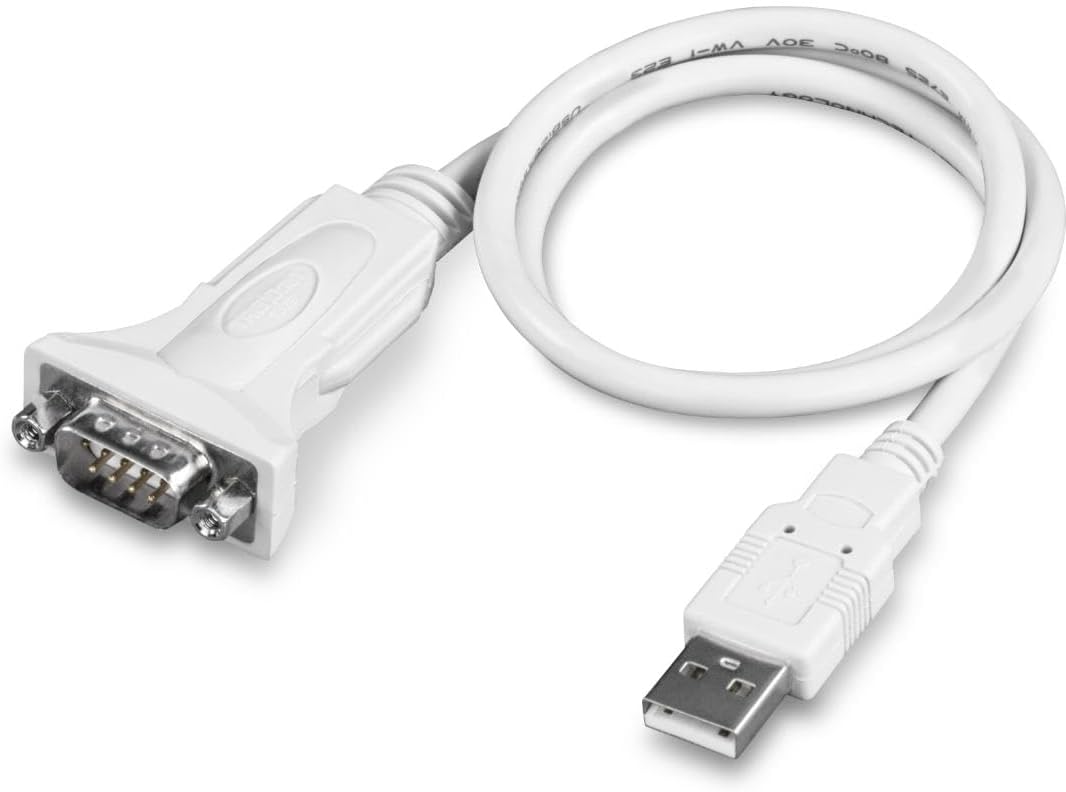
The TRENDnet TU-S9 USB to Serial 9-Pin Converter Cable delivers reliable 6Mbps data transfer, supports USB 1.1 through 3.0 ports, and connects legacy RS-232 devices to modern computers. NDAA compliant for government use, it features a flexible 21-inch cable, broad OS compatibility, and is backed by a 2-year warranty and dedicated tech support, making it the go-to adapter for professionals bridging classic hardware with today’s technology.


| ASIN | B0007T27H8 |
| Best Sellers Rank | #28 in Serial Cables |
| Brand | TRENDnet |
| Built-In Media | CD-ROM (Driver and User’s Guide), Quick Installation Guide, TU-S9 |
| Color | White |
| Compatible Devices | Gateways, Laptop, Modems, PLC controllers, POS systems, Printer |
| Connector Type | USB Type A |
| Customer Reviews | 4.6 out of 5 stars 3,200 Reviews |
| External Testing Certification | CE, FCC |
| Finish | White |
| Global Trade Identification Number | 00710931303209 |
| Input Voltage | 5 Volts (DC) |
| Item Dimensions | 2.56 x 1.38 x 0.39 inches |
| Item Weight | 40 Grams |
| Item dimensions L x W x H | 2.56 x 1.38 x 0.39 inches |
| Manufacturer | TRENDnet |
| Model Number | TU-S9 |
| Nominal Power | 2.5 Watts |
| Number of Items | 1 |
| Number of Ports | 3 |
| Package Quantity | 1 |
| Power Plug Type | No Plug |
| Specific Uses For Product | Serial Devices |
| UPC | 710931303209 |
| Unit Count | 1 Count |
| Warranty Description | 2 year |
G**N
Works Fine and a Problem Solver
I'm trying to get a 20 year old microcomputer back up again. It requires a serial terminal interface which I no longer have (because I stupidly gave away the VT100 type terminal I used to communicate with it). Rather than buy one that would be expensive and of little future use, I started looking for a more modern solution. Having been working in electronics for many years, I have learned that one can get lucky and everything works okay the first time. Failing that, troubleshooting digital hardware can be difficult and time consuming. As a learning experience with new hardware and to simplify getting the basic RS-232 communication link back up, I purchased an Arduino processor board and an RS-232 "shield" to go with it. The shield simply converts the digital levels from the Arduino to RS-232 levels. These Arduino products are great, very flexible, and relatively cheap. Programming software is free and the language used is more or less "C". Plenty of programming examples are in existence. So, I was able to get the Arduino's RS-232 output going (looping output data) which I first looked at with a scope. Next, I brought up an old tower PC running XP. I started using this computer because it had a DB-9 RS-232 port and a terminal program known as "Hyperterminal". After XP, Hyperterminal has to be purchased separately. Hooking up to the PC and Hyperterminal worked just fine. Next, I wanted to get rid of the tower PC and run things from a small ACER netbook portable. This is where the Trendnet product comes in since the ACER doesn't have a DB-9 port. I was hoping the driver for this device would install automatically but it didn't so I had to use the supplied CD. Since the ACER didn't have an internal CD drive, I hooked up and external one through a USB port and loaded the driver without incident. If you don't have an external drive, I imagine you could use another computer to load and then send the file over your LAN. The next stumbling block was that Hyperterminal was NOT installed on my ACER. Rather than try to figure out why, I looked on line and found another (free) terminal program called RealTerm. Hooking the Trendnet to the Arduino DB-9 and an ACER USB port worked fine. The only thing I noticed, which could be a problem for some, was that no "thumbscrews" were provided on the Trendnet DB-9 end. This end stays mated okay with the DB-9 end on the Arduino, but I don't particularly like to leave DB connectors unsecurred to each other. One could use a short jumper cable, but who needs extra work and cost. Over the years, I have purchased several other Trendnet products and found that they generally did what was advertised and were of good quality for the price.
R**5
USB
No problems.
F**D
Great quality. Works with Windows 10/11
My USB to serial adapter was not working with Windows 11 so I selected this as its replacement. The adapter works as expected. Installation was easy as the drivers are part of Windows 11. No issues so far. I recommend this product to people looking for a USB to Serial adapter.
P**C
Device okay, support not so much (Macintosh)
This is for use on Macintosh; I haven't tried to use this on Windows PCs or other types of systems. Pros: Cheap, works fine when it works. Cons: Unhelpful support if it doesn't work, somewhat questionable future-proofing. Summary: Cheap enough to buy and throw out if it stops working. As of today, this works fine on most Macs but not on some: any Mac running a 64-bit kernel will not see the device at all. TrendNet does not seem to think this is a problem. There is a work-around (see below) if you're technically inclined, but this doesn't fill me with confidence in TrendNet's Macintosh support. This device is half the price of its main competition. If you know what you're doing, it's money well saved. If you want "just works" on a Mac, you may want to consider alternatives. On the upside, it actually provides enough power for serial-port-powered devices (such as the GC-IRL) to work reliably. The Technical Detail: The official TrendNet device driver for Mac does not have a 64-bit version. This means that any Mac that runs a 64-bit kernel will simply not see this device. TrendNet support will give you the run-around and tell you it's all your fault (system too old, system too new, whatever they can think of) but apparently won't understand what "64-bit driver" actually means. It turns out that they simply re-package the driver from their chipset manufacturer; if you're lucky, they will finally point you at prolific.com.tw, which has a perfectly fine 64-bit driver for Snow Leopard that works without problems.
N**R
Lynx6 AL5B robot arm now works beautifully in Ubuntu (Karmic RC) Matlab 2009b
We're using Lynx6 AL5B robot arms for class, controlled using Matlab. The Karmic RC of Ubuntu I'm using supports this adapter very well; I plugged it in and by the time I could type "sudo chmod a+wrx /dev/tty" and press the tab button, ttyUSB0 already existed and was ready to use (so yes, I ran the command "sudo chmod a+wrx /dev/ttyUSB0" to give the "other" group read/write access.) From there it was just a matter of changing the baud to match the jumpers on the robot arm's controller (sudo stty -F /dev/ttyUSB0 115200), then using "man stty" to read up on the rest of the possible flags and change them until "sudo stty -a -F /dev/ttyUSB0" would give an output including the following: "-parenb -parodd cs8 hupcl -cstopb cread clocal -crtscts -ignbrk -brkint -ignpar -parmrk -inpck -istrip -inlcr -igncr icrnl ixon -ixoff -iuclc -ixany -imaxbel -iutf8 opost -olcuc -ocrnl onlcr -onocr -onlret -ofill -ofdel nl0 cr0 tab0 bs0 vt0 ff0 isig icanon iexten echo echoe echok -echonl -noflsh -xcase -tostop -echoprt echoctl echoke" (It's possible it'll work even if not all the flags match the above exactly; I just know that this is how I have mine set.) I have to thank my professor for pointing out the stty command's usefulness, and I won't post any of his matlab code. But the point is that this thing works, and didn't require any crazy linux know-how or compiling anything. I'm assuming it would work just as well in Windows or Mac.
M**K
Does what it needs to do with simplicity
One of my few 5 star reviews, but definitely worth it. I needed to connect a VERY old Windows XP laptop to a piece of audio gear that seemed to be failing, and the only access was via an old DB9 com port using the vendor's no-longer-supported software. This cable comes with a driver CD and a simple set of instructions: 1) insert the CD, 2) click on "Install Driver", and 3) plug in the cable. The driver installation was very fast and completed without any problems. The old (and slow) Windows XP laptop immediately recognized the device and loaded the drivers when I plugged in the cable, giving me the "hardware ready to use" message in about a minute. It installed the connection as COM6, so I just needed to swap that with COM1 (which the audio-gear software needed to see) and the software connected with the device and I was able to restore operations. The DB9 end is male, so if you need something longer than 2 ft, a standard DB9 male to female cable connects securely, since this cable has the connection nuts on the DB9 connector which the standard cable can screw into to hold them together. For less than $10 US, this was a bargain and helped me save a church several thousand dollars since they didn't have to replace the hardware. The worst thing about the product was the molded plastic packaging that you have to cut to get to the product.
S**7
Good cable
Good material
L**E
Excellent, inexpensive adaptor that actually works
Amazing Amazon buy! 1) less than 1/2 price as other brands being sold locally (Worst Buy, Radio Su-cks) 2) this is old-school, standard RS-232 that actually works with '80s and '90s serial devices ---- all those new USB-Serial adaptors look cool, but they don't work since they don't follow RS-232 like a Bible. I could see errors reported when I putty into the serial port. 3) The other brands make you install/download all those drivers. What a hassle, when none of them worked! In fact, they interfere with this cable too! I couldn't get this cable to work as-is. Then I realized I still have other USB-Serial driver software on my PC. Once I removed them, Windows 7 automatically find the correct driver for it and installed it, then it works like it should be! I am using it to hook up my TacT RCS 2.0S room correction A/D D/A digital preamp, which requires error free operation (even 1 single error in tx/rx would make the software unhappy). This cable is perfect for this!
Trustpilot
5 days ago
2 months ago