We remain fully operational. Our teams are working around the clock to ensure your deliveries continue safely.

DOWNLOAD THE APP


Customer Services
Copyright © 2025 Desertcart Holdings Limited
DOWNLOAD THE APP
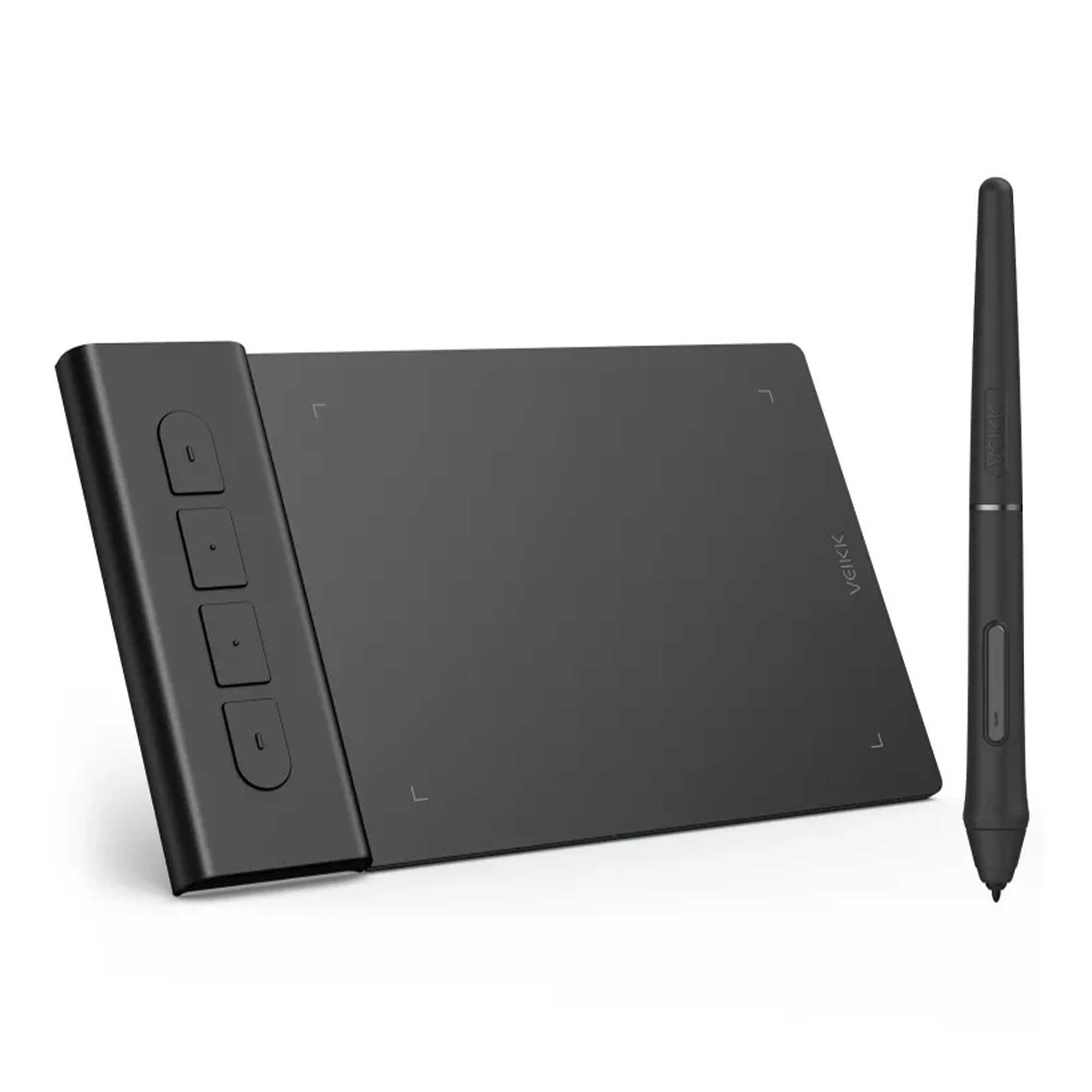
🎨 Elevate your digital canvas with precision and speed—don’t just create, dominate!
The VEIKK VK430 Graphic Drawing Tablet features a high 290+ PPS report rate and 8192 levels of pen pressure sensitivity with a battery-free P05 pen, ensuring smooth, precise input. Compatible across Windows, Mac, Linux, Android, and Chromebook, it supports a wide range of creative and professional applications. Equipped with 4 customizable Express Keys and a reversible USB-C port, it offers ergonomic flexibility for both right and left-handed users. Perfect for digital artists, OSU gamers, remote workers, and educators, the VK430 combines portability, durability, and versatility in a compact 10.16 x 7.62 cm design.


| ASIN | B09TZS1F4Q |
| Best Sellers Rank | #139,682 in Computers ( See Top 100 in Computers ) #447 in Graphic Tablets |
| Item model number | VK430 |
| Manufacturer | VEIKK |
| Product Dimensions | 10.16 x 7.62 x 0.1 cm; 84 g |
E**E
Cadeau pour mon fils il est ravi pour l’instant le produit fonctionne très bien à voir dans le temps
N**I
Drawing tablet for Mac/Chromebook/windows/android This is a fab little drawing tablet and better than I thought it would be for it's little size. This is roughly 16cm x 10cm x 0.5cm, with a drawing area of 10cm x 8cm and 4 shortcut key buttons. These buttons as well as the pen, allow you to customise the drawing tablet to suit you and your style, you can even set it to left or right handed too. It feels well made, sturdy and durable. You have a 155cm USB cable to power it with, this will not work with an extender USB, you need to plug it in directly if you're using a Pc. You can use it with laptops, tablets and your phone too, the phone needs a USB adapter. You have the drawing tablet pen, which has two buttons on, this is roughly 15cm long, this comes with 8 replacement nibs, a nib remover tool and it doesn't need batteries to work, so that's good. The set up is really easy, you need to download the software, which is quick to install and simple to follow. Once you've installed this you have a little app as such, to customise the drawing tablet. In the app you can change the button functions on the pen, you have many options for what you want this to do, I kept one as an eraser, as it's easy to remove small areas. You can change the pressure and sensitivity you want it to have, to suit your own drawing style. You can customise the shortcut keys, I kept one as an 'undo' button, which makes it really easy to erase larger parts you want rid of. Also I kept two as zoom in and out, which helps draw in those tiny areas when necessary. You can map your work area, so you can set it to use all or part of the drawing area, set it to size scale with your screen, use right handed or left handed style and a few more. Using the tablet itself is fantastic. Whilst you're hovering over the tablet, you can see on screen where you are exactly, it won't start drawing until you put that pen to it. It won't pick up your hand leaning on it or anything like that. Drawing away is easily done. You can use other areas of the monitor screen with your pen, so you can change colours, pen line widths, open new pages etc with the pen itself. I would recommend this. I think it's brilliant for a starter drawing tablet, definitely better than I expected it to be. Good quality, works well and easy to use.
J**.
OK, first of all... this thing is tiny! But it works amazingly. It's about half the size of a mouse pad. So, if you're short on room on your desk, this is the thing for you. Set up was a breeze and highly responsive. I mainly use it to mark up screenshots or take notes with Paint. If you are looking for something simple and that works, then I highly recommend this gadget.
T**O
最初動作がなにかおかしい感じがして、OSUをプレイしようとしても反応しなかったりと、かなり焦りましたがメーカーの公式アプリを商品紹介動画と同じように入れると、最新バージョンになったのかすんなりと動作するようになりました!動作自体は何も不自由なく完璧です。質感や肌触りもよく、ちゃんとカーソルも遅延なく追順してくれます
L**O
Nice tablet
Trustpilot
1 week ago
4 days ago