We remain fully operational. Our teams are working around the clock to ensure your deliveries continue safely.

DOWNLOAD THE APP


Customer Services
Copyright © 2025 Desertcart Holdings Limited
DOWNLOAD THE APP

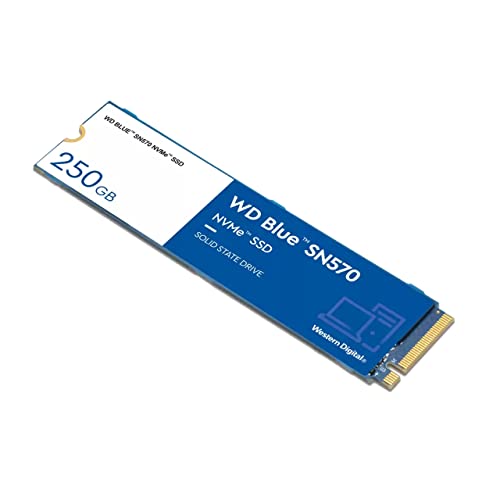
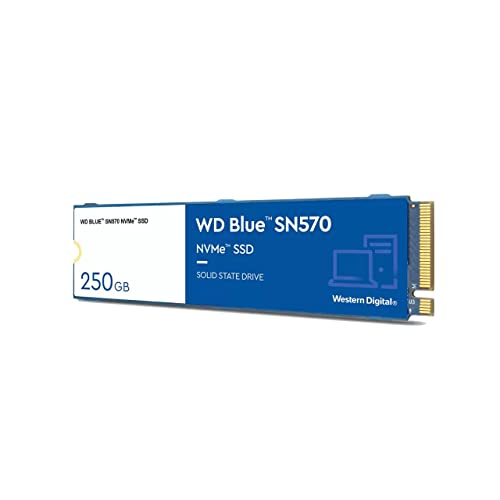


🚀 Upgrade your workflow with speed and style — don’t get left behind!
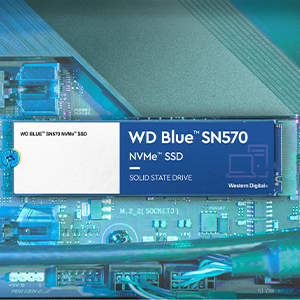
The Western Digital WD Blue SN570 250GB is a high-performance PCIe Gen 3 NVMe M.2 SSD delivering up to 3300MB/s read speeds in a compact 2280 form factor. Perfect for professionals seeking a reliable, fast storage upgrade, it includes a free 1-month Adobe Creative Cloud subscription and is backed by a 5-year warranty, ensuring both speed and peace of mind.





| ASIN | B09HKGGPLR |
| Are Batteries Included | No |
| Best Sellers Rank | #31,070 in Computers & Accessories ( See Top 100 in Computers & Accessories ) #225 in Internal Solid State Drives |
| Brand | Western Digital |
| Colour | Blue |
| Customer Reviews | 4.5 4.5 out of 5 stars (10,973) |
| Date First Available | 4 October 2021 |
| Form Factor | M.2 2280 |
| Generic Name | Internal SSD |
| Hard Disk Description | Solid State Drive |
| Hard Drive Interface | NVMe |
| Hard Drive Size | 250 GB |
| Hardware Platform | PC |
| Importer | RASHI PERIPHERALS PVT LTD.,RASHI COMPLEX A BLDG, SURVEY 186, DONGARIPADA, POMAN, VASAI-E,THANE, MAHARASHTRA-401208 |
| Included Components | WD SN570 SSD |
| Item Dimensions LxWxH | 8 x 2.2 x 0.2 Centimeters |
| Item Height | 0.09 Inches |
| Item Weight | 6.35 g |
| Item Width | 0.87 Inches |
| Item model number | WDS250G3B0C |
| Lithium Battery Energy Content | 2 Kilowatt Hours |
| Lithium Battery Weight | 2 Grams |
| Manufacturer | Western Digital |
| Net Quantity | 1 Piece |
| Number of Lithium Ion Cells | 5 |
| Number of Lithium Metal Cells | 5 |
| Packer | 388 Jiang Chuan East Road, Minhang District, Shanghai, China 200241 |
| Product Dimensions | 8 x 2.21 x 0.24 cm; 6.35 g |
| Series | WD Blue™ SN570 |
| Wattage | 3600 |
T**Y
Best performance upgrade for laptop
I bought this for my Lenovo laptop and i must say this is one of the best and cheapest upgrades that can be done on a laptop or desktop. I know a lot of people will have questions about SSD's. So i will try to explain things a bit. There are basically 3 types of SSD - 2.5 inch SATA (SATA Interface) - M2 - MSATA - M2 - NVME But what's the difference ? Now you might have noticed i have written M2 type two times. That's the catch. They look similar but perform entirely differently. MSATA sticks uses the same communication channels as the 2.5 inch SATA drive. The maximum speeds that can be attained on MSATA is around 550 MBPS. But in NVME you can get close to 2000MBPS or even as high as 3000 MBPS. Many people are unaware of this factor and end up buying M2 MSATA or 2.5" Sata SSDs. You should always go for a NVME based one, if your Motherboard supports it. NVME works on actual PCIE bus and not SATA lines. WD Blue series also comes in 3 variants mentioned above. The MSATA and NVME sticks looks very similar, except that MSATA has 2 cuts (M key) and NVME has only 1(b key). So before you buy just check your M2 slot how it looks. If it has only 1 cut, it must support NVME, go for the NVME variant. Performance and disk size I bought the 500 GB variant and what i get is 3500 MBPS Read and 2400 MBPS Write for Sequential read. How SSDs make the system fast? Many people follow the logic that upgrading RAM is the best way to upgrade your system. But No. If you replace your hard disk, it can actually act as RAM (Page file or SWAP) as well as your internal memory. A lot of new laptops with SSD come nowadays with just 4GB RAM. Still they are fast. Now, how it works ? SSD comes with a considerable amount of transfer speed, especially for small files. Hard disks are really really slow when it comes to small tiny files, average 4K read speeds of hard disks are 3 or 4 MBPS, whole for SSD its 200 to 300 MBPS.Which is like a 100 times faster. Most of the system operations read/write small files, which makes harddisks sluggish. Forget about the 1800 MBPS Sequential speed for large files. That's yet another factor. Which size to choose ? I would highly recommend you to go for 512 or 1 TB as it has double Write speeds of 250 GB version. How to install ? It's very easy. But be careful, use a rubber gloves to prevent ESD. Slide in the Stick to the slot. It will rest at a 30 degree angle to the board. Now you need to insert the screws to fix it in right position. Before you buy .. Make sure that your board supports NVME. Check the user manual. Also check the slot and see it has only 1 cut. Not two How much is the real world results ? I use this on my Lenovo laptop. My Windows OS which used to take 2 minute to boot now takes 10 seconds. This much boost is obtained because my Desktop is i7 and can process too much data. So if you have a good processor you also can obtain similar results. I know my review was bit lengthy, but i hope you found it helpful!!
A**R
WD Blue SN570 250GB: Budget-Friendly NVMe Performance
The Western Digital WD Blue SN570 NVMe 250GB is a solid performer in the budget SSD segment, offering a great balance of performance, reliability, and price. Here are my key takeaways after using it: Performance: The SN570 delivers impressive performance for its price. With sequential read speeds up to 1,500 MB/s and write speeds around 1,200 MB/s, this SSD is more than capable of handling everyday computing tasks. Whether you're using it for booting up your system, loading applications, or gaming, the speed boost is noticeable compared to traditional SATA SSDs or older hard drives. Reliability: Western Digital has a strong reputation for reliability, and the SN570 lives up to that standard. The SSD comes with a 5-year limited warranty, which adds peace of mind. The 250GB variant is perfect for users who need a fast, affordable drive for their operating system and essential applications. Value for Money: In terms of value, the SN570 is one of the best NVMe SSDs you can buy at this price point. For a budget-conscious user, it provides an excellent combination of performance and affordability. The smaller 250GB capacity may be limiting for some, but it's a great starting point for those looking to upgrade their storage on a budget. Installation and Compatibility: Installation is straightforward, thanks to the M.2 2280 form factor, which fits easily into most modern laptops and desktops. If you're new to installing NVMe drives, Western Digital offers a user-friendly experience with their dashboard software, making firmware updates and monitoring the drive's health a breeze.
A**H
Awesome And Amazing SSD 👍❤️😍
Worth It And Awesome SSD In This Range ✌️✌️😍😍 (For It's Warranty Issues.. You Can Check Check In My Cons Review In Details) WD Blue SN570 500Gb SSD I have purchased It 4,000 Rs(In Sale) 2 months ago. (Wait For Sale. You Can Get It In 4K Price) Purchased It For My ASUS TUF GAMING FX504-GD (4363t) And It's Compatible For My Laptop. Here's My Honest Review PROS- 1) Fast Speed Data Transfer (Upto 300-500mbps for 80gb-100gb file & More Fast Speed Data Transfer Depends Upon Gb Data.. The Less The Data File,The Faster The Speed) 2) Smooth Windows 10/11 Startup Within 15secs (startup speed time also depends upon processor speed/graphic card speed performance. So, Startup Time Can Vary) 3) If You Have Purpose For Video Editing, Entertainment And Multitasking Of Anything. It Can Perform Smoothly. 4) For Low End Or Mid End Gaming. It's Superb. Go For It. But For Heavy High-End Gaming (Go For Samsung Black Series SSD) 5) Very Light Weight SSD And Performance Wise Amazing. And Comes With 1 Month Adobe Creative Cloud Membership. 😍 CONS- 1) Sometimes Data Transfer Speed In SSD And SSD Performance Speed May Drop Down But Happens Rarely. 2) Ye Maybe Warranty SCAM kar Rahe Hai WD Company.. 5 year Warranty Mentioned karke 3year Warranty De Rahe Hai. Even Mere Invoice Mein Bhi 5year Warranty Mentioned Hai And Inke Official Website Par Bhi 5year Warranty Mentioned hai(India Region). Atleast Sahi Warranty Toh Provide Karo Jabki Invoice Mein Bhi 5Year Warranty De Rahe Ho. Aur WD ke Mere Registration Portal Par 3year Warranty Show Kar Raha hai, Jabki 5Year Honi Chahiye. IF IT'S ALSO SHOWING TO YOU 3 YEAR WARRANTY. KINDLY CONTACT WD CUSTOMER CARE NO., THEY WILL UPDATE YOUR WARRANTY 5 YEAR IN WD REGISTRATION PORTAL. (I have attached the images of Warranty Details Also) Rather Than It's WARRANTY UPDATE PROBLEM. It's Amazing And Superb SSD. ✌️😍 Must Buy It In Sale. 👍 Bonus Tip- Before Buying This SSD..Must Check SSD Compatibility With Your Laptop (Check SSD Details Of Your Laptop And Check SSD Details Which One You Are Buying.. Do Some Research For SSD Compatibility.) And SSD KISI EXPERT SE INSTALL KARAYE.
A**A
Instruktioner lite små roliga, de vill att man vänder sig till en professionell för att sätta in den. Men bara kolla och att moderkortet är kompatibel och att se en guide och att du har kvar den speciella skruven som följer med till moderkortet. Happy gaming ✌️
P**.
Speeds are as spec say so its a very good budget NVME
R**A
Bom
E**E
Ürün taahhüt ettiği hızlara ulaşıyor.
C**D
Rien à redire, même deux ans apres
Trustpilot
1 month ago
1 day ago