We remain fully operational. Our teams are working around the clock to ensure your deliveries continue safely.

DOWNLOAD THE APP


Customer Services
Copyright © 2025 Desertcart Holdings Limited
DOWNLOAD THE APP



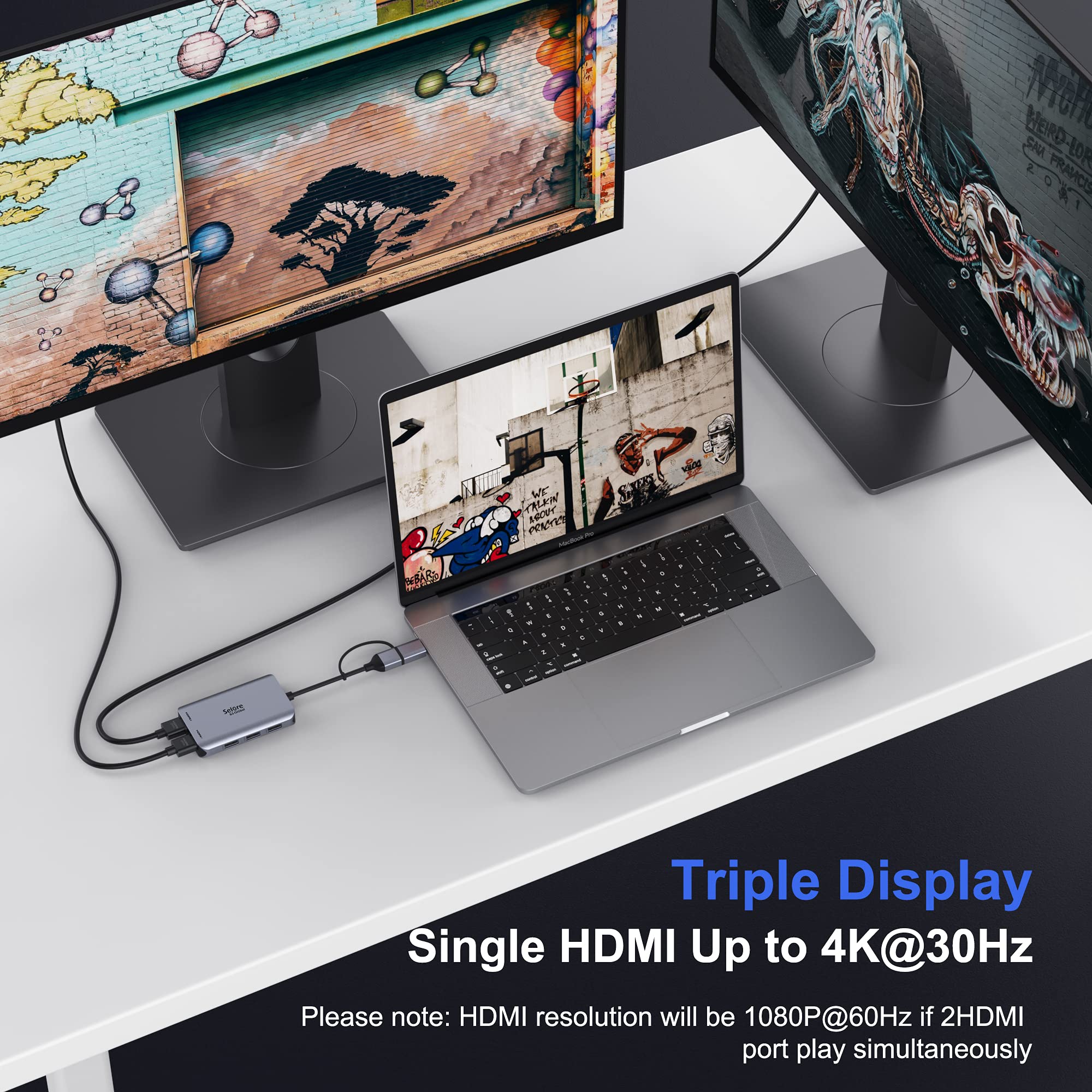

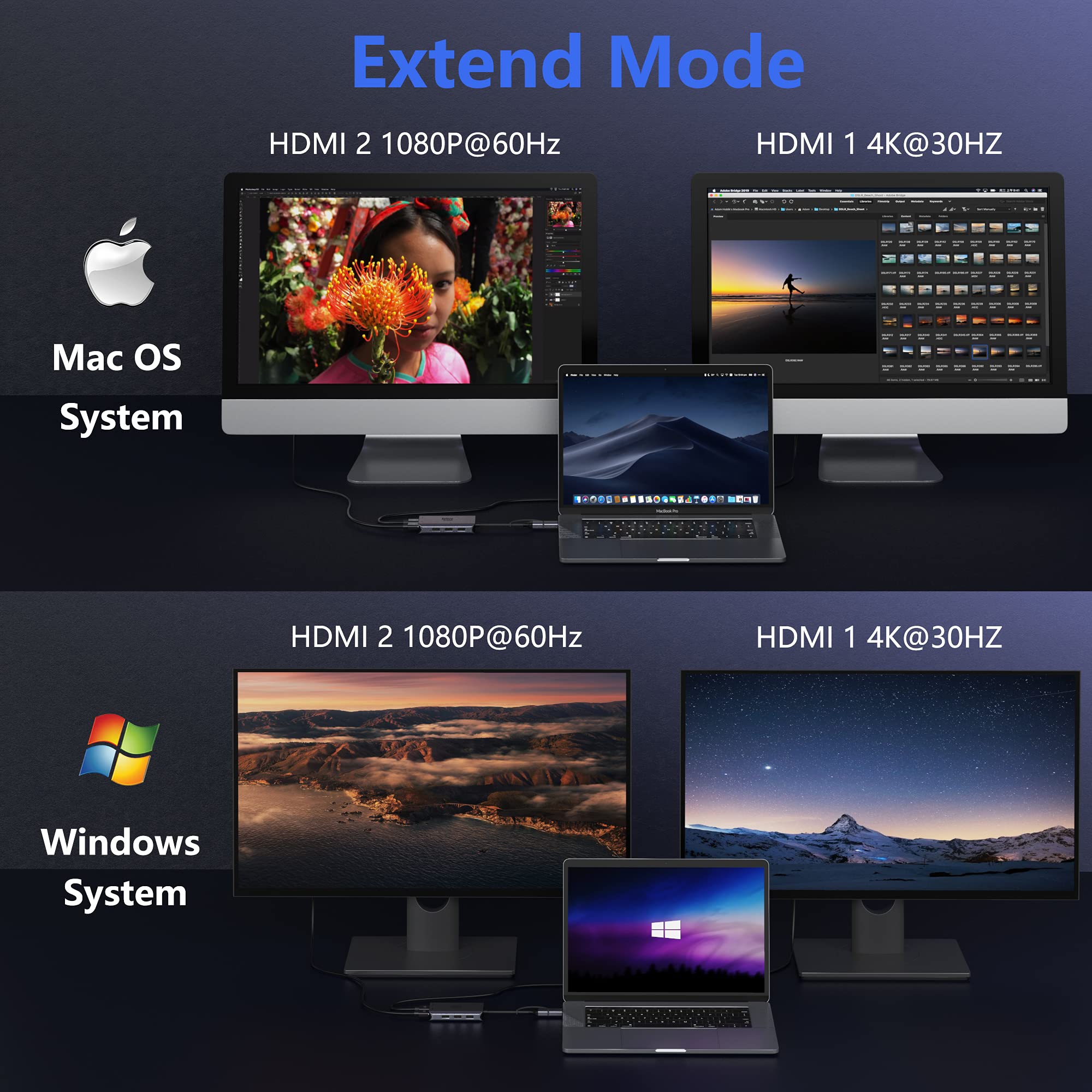
🚀 Double your screens, double your hustle.
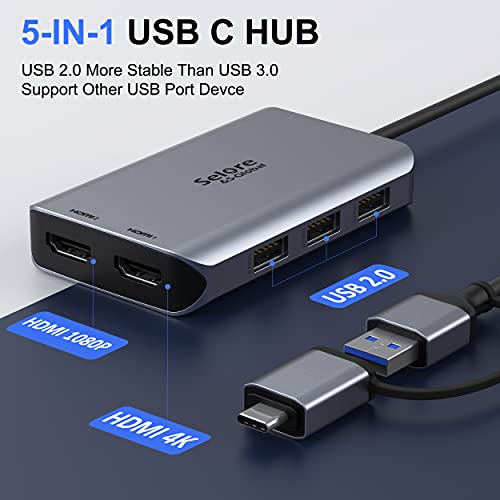
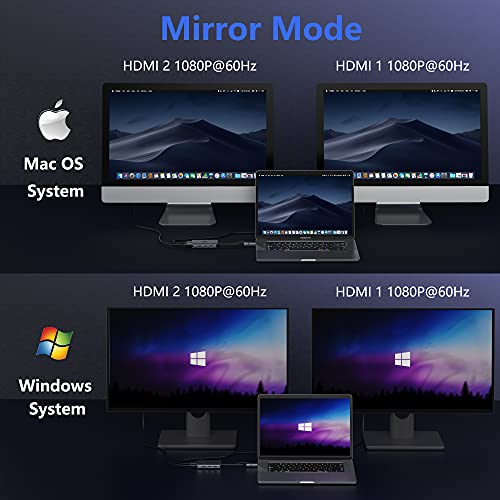
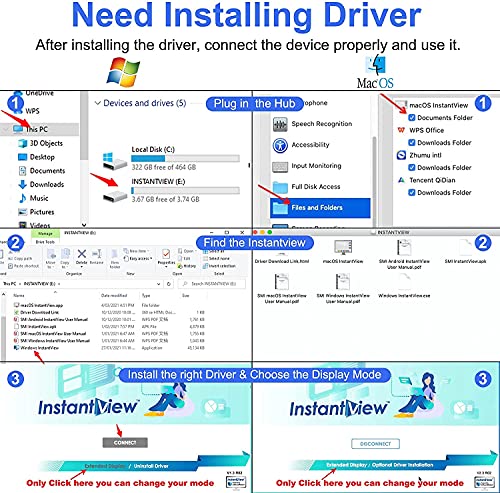
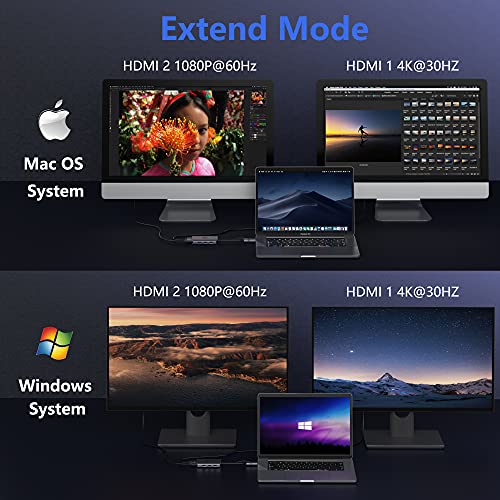
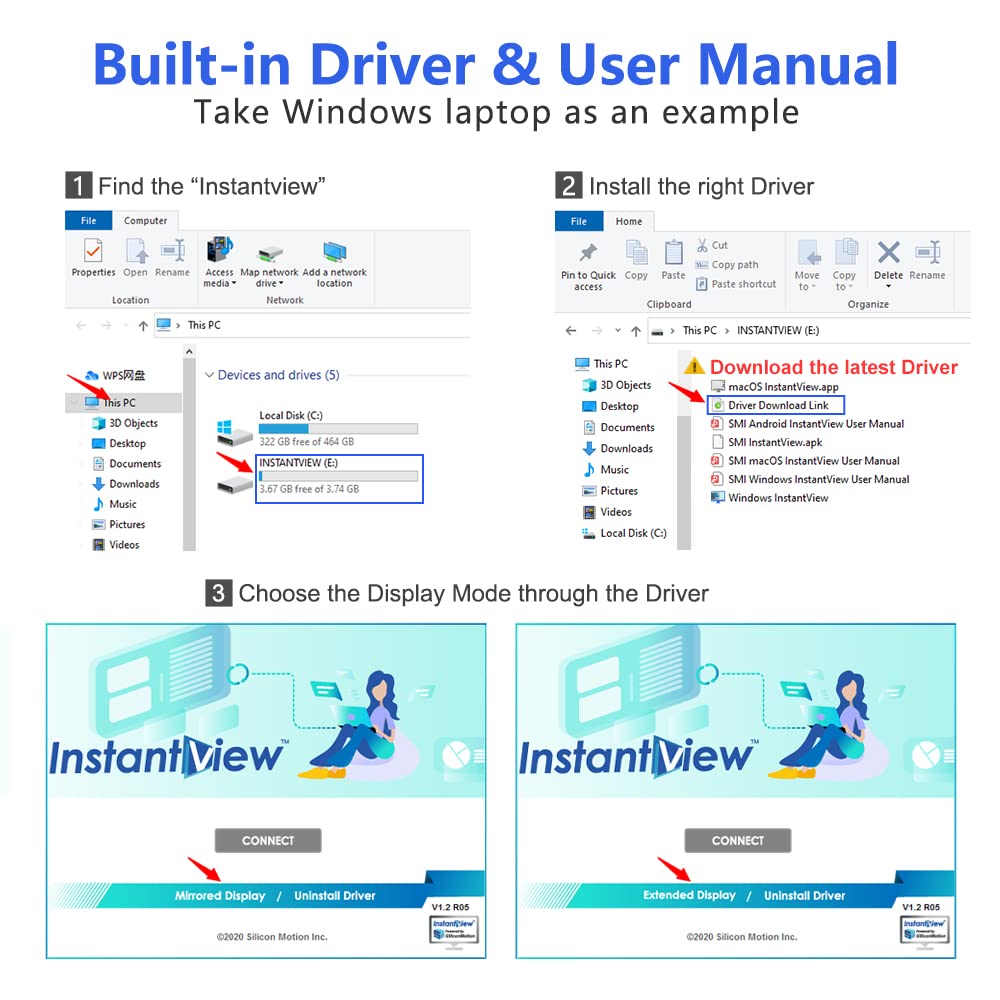
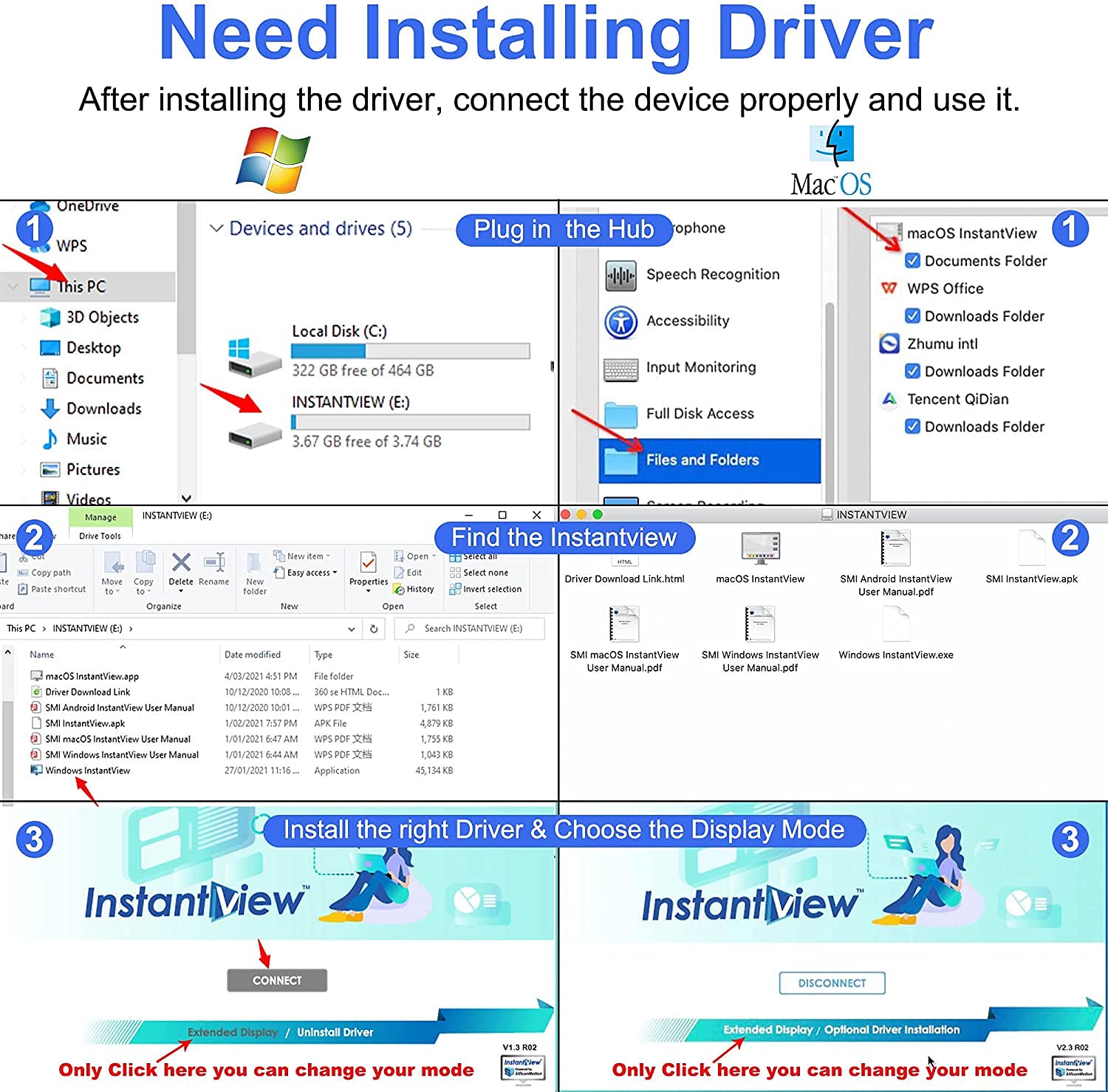
This USB 3.0 Docking Station transforms a single USB 3.0 or USB-C port into dual HDMI outputs supporting 4K and Full HD displays, plus three USB 2.0 ports for fast data transfer. Compatible with MacBook M1, Windows, and more, it requires a simple driver installation for seamless multi-monitor setups, making it the ultimate productivity booster for professionals on the go.


| ASIN | B0972NH3SK |
| Colour | 5 in 1 |
| Customer Reviews | 4.0 4.0 out of 5 stars (148) |
| Date First Available | 10 Jun. 2021 |
| Item Weight | 90 g |
| OS | Windows XP |
| Other display features | Wireless |
| Product Dimensions | 5 x 4 x 1 cm; 90 g |
| Special features | Fast Data Transfer |
J**.
Works with mid-2013 MacBook Air running Big Sur
Runs TWO HDMI monitors from one USB 3.0 socket on my nine-year-old MacBook Air. Don’t ask me how. It just does. (No, I don’t believe it either) This frees up the Thunderbolt 2 socket which, I hope, I may be able to use for a high-speed external drive. I still can’t believe this works. It’s even self-powered via the USB. No power supply needed. Downsides…. Box is metal and it does get worryingly hot, but it’s ok so far after one week of use . (I might but it on a metal plate to help the cooling.) The key to its success could be its built-in driver software. It asks ‘do you want to update?’ which I said ‘NO’ to, just in case the new software was TOO new for my MacBook. It seemed to be the right decision. Once the driver was installed it all worked perfectly. Amazing.
G**G
Replacement sent by company works perfectly
Bought this as I wanted to use two screens at the same time, for about a month or so, the device was fine and both monitors plugged in were fine. For some reason my laptop started to overheat, the company addressed my concerns and sent out a replacement without me even asking which was unexpected. With the replacement dock, everything seems to works as expected. Thanks.
A**Y
Works well
I've been using this for 3 months now and swap between my work laptop (HP) and our home laptops (ASUS & Dell). It's been working very well - the unit does get warm as others have described, but not scalding hot. If you're in the habit of leaving your laptop on overnight it may be worth disconnecting the device to give it a break but otherwise I've not suffered from any of the performance issues a few others have described. All of the USB ports are functional etc and I've not had it chewing through my CPU (my work laptop is put through a lot so I would have noticed if this was causing a problem). Overall, if you get a working unit it seems to do the job very well for a reasonable price, would recommend.
J**.
Brilliant!!
I’d had loads of problems with my MacBook Pro and external monitors, something to do with a different chip. But this one not only works perfectly I have achieved the impossible and have two external monitors; one of them is portrait!! The orientation of the external monitors had to be changed through the monitor software and not the settings app on the MacBook. Am very happy.
S**E
CPU hog & unreliable
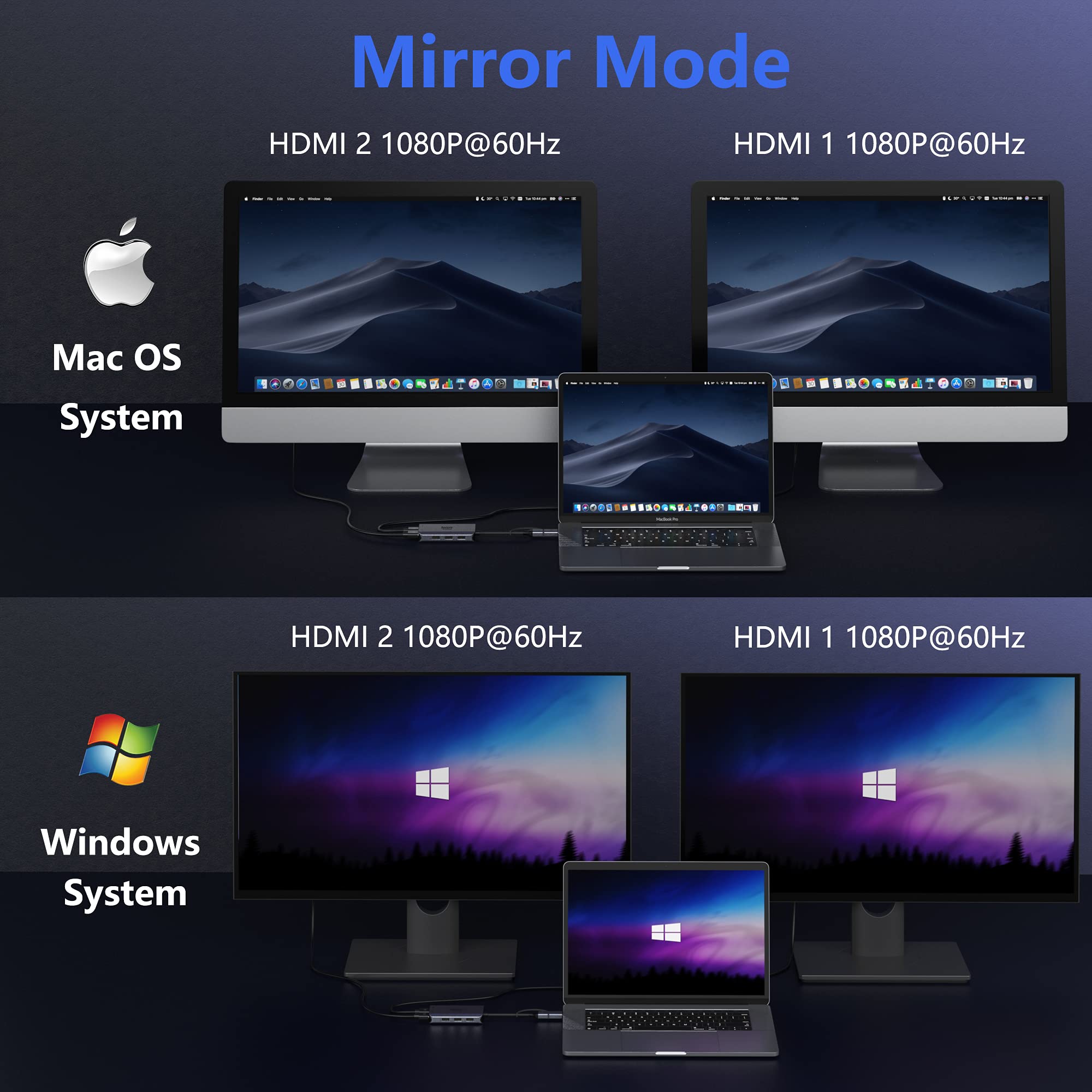
Compact and attractive device, and mirror mode monitor works out of the box. Extending Windows desktop to multiple monitors requires installing the driver, which is on the USB flash drive INSIDE the device - neat. Simple to do, and of course this then needed to be updated - couple of reboots and we're done. Unfortunately the Silicon Motion device also inside the device operates by using the laptop CPU to compress video at the laptop to reduce USB bandwidth. This had a significant impact on my core i7 processor - not so neat. The device also got warm, and after half an hour became unreliable, image coming and going, and Windows getting confused about whether there was a monitor to extend to or not. A few minutes rest, and it would work again for some short time, but not usable. Maybe my 2560x1440 @ 60Hz monitor was hard work for it, but the device is rated 4K, so should be up to it. I probably had a duff unit, but the CPU hit was too great to tolerate. I have returned it, and will not be buying anything based on the Silicon Motion concept.
J**N
Cannot extend display onto 2 external monitors without glitching. Poor quality software.
Doesn't work! Glitching. Unresponsive. Stuttering. No sound. Resolution drops. Unusable.
A**R
Visibly compressed image quality, gets very hot, and finicky to get setup.
Bought this as a cheap alternative to a proper display hub but wish that I had just forked out the extra money for a proper hub. The image quality is visibly worse for the displays that this device extends to. Displays will appear pixilated with poor colour balance and depending on which way around I had my HDMI cable, some icons would show artifacts and visibly shift on the screen. The device would also get very hot after only minutes of use with 2 displays and no USB devices connected. My Personal recommendation would be to spend the extra money for a proper docking station rather going for a half-way house.
T**R
It works!!
My laptop has a USB C and USB 3.0, but the USB C was for charging only. Little did I know and I tried another adapter that did not work. Bought this one for the USB 3.0 not sure whether it would work as it has mixed reviews. I downloaded the drivers as specified in the description and instantly after plugging in the HDMI cables to the hub, it worked instantly. No problems. Only had it 5 minutes, so lets see how long it lasts. But instantly I am very very impressed and happy! Thank you :)
Trustpilot
1 week ago
3 days ago