
DOWNLOAD THE APP


Customer Services
Copyright © 2025 Desertcart Holdings Limited
DOWNLOAD THE APP
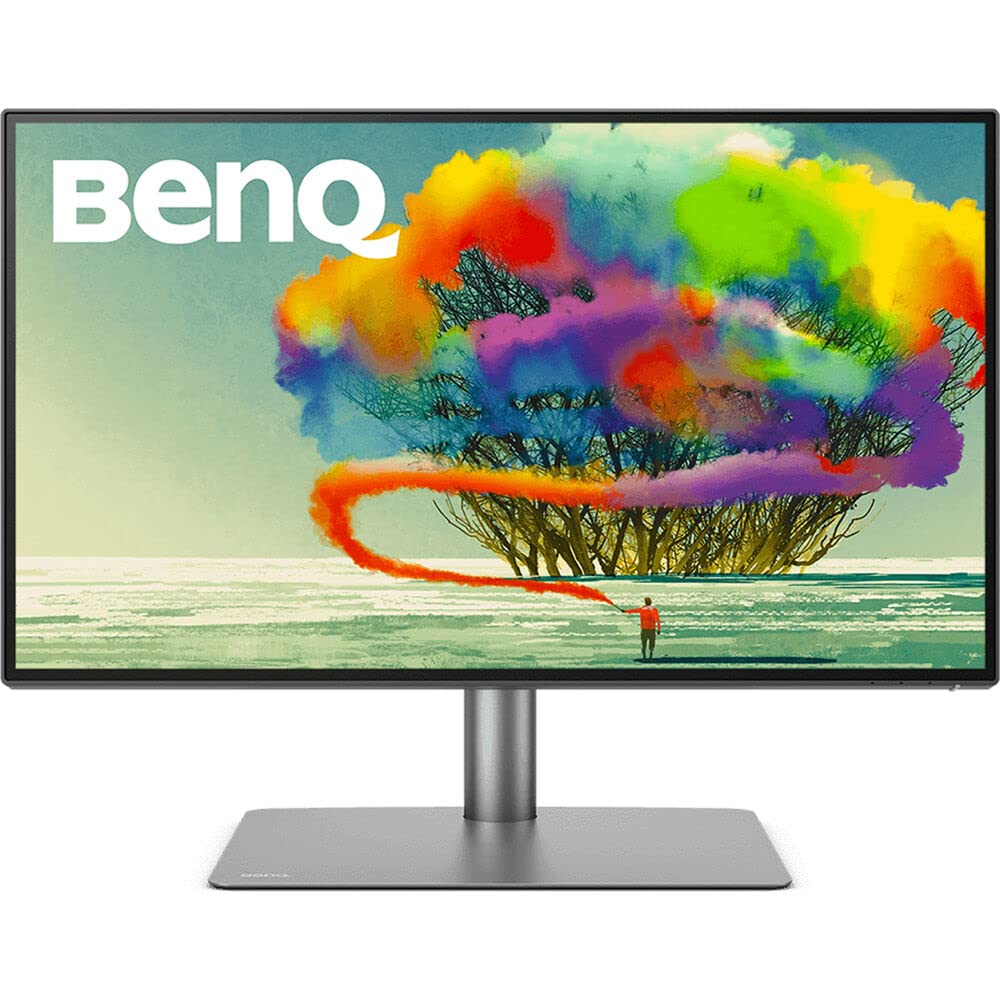
🎯 Elevate your MacBook setup with pro-grade 4K color and seamless multi-device mastery!
The BenQ PD2725U is a 27-inch 4K UHD IPS monitor tailored for MacBook users and creative professionals. Featuring Thunderbolt 3 with 65W power delivery, daisy-chain capability for dual 4K displays, and factory-calibrated AQCOLOR technology covering 100% sRGB and 95% P3 color spaces, it delivers stunning color accuracy and sharpness. Its built-in KVM switch and Hotkey Puck streamline multi-computer workflows, while ergonomic adjustments and a premium aluminum base ensure comfort and style. Ideal for designers and managers seeking a future-proof, clutter-free, and vibrant workspace.


| ASIN | B0918QXTGN |
| Best Sellers Rank | #16,161 in Electronics ( See Top 100 in Electronics ) |
| Brand | BenQ |
| Color | Black |
| Customer Reviews | 4.3 4.3 out of 5 stars (565) |
| Date First Available | March 28, 2021 |
| Item Dimensions LxWxH | 10.8 x 24.2 x 17.7 inches |
| Item Weight | 18.3 pounds |
| Item model number | PD2725U |
| Manufacturer | BenQ |
| Max Screen Resolution | 3840 x 2160 Pixels |
| Number of USB 3.0 Ports | 4 |
| Product Dimensions | 10.8 x 24.2 x 17.7 inches |
| Screen Resolution | 3840x2160 |
| Series | PD2725U |
| Standing screen display size | 27 Inches |
| Voltage | 240 Volts |
P**S
Excellent display quality
This monitor produces excellent display quality. The colors are wonderful. I do not have any testing hardware to calibrate but depend on other review sources and the included calibration data for my unit indicating the color accuracy is good. My unit has avg. delta E of .4982 on the report. Although the unit does not have high brightness as say Apple Studio Display or others but for me, it is bright enough for doing photo editing work with only 25% brightness setting. That is plenty to my eyes. 5K resolution is great and it is perfect scaling for Mac user. Once you switch from lower resolution/pixel density display to this, there is no going back. All of the sudden your old pictures look much better from rich of details that have not seen before and better colors. Text is crisp and easy to read. It also covers many connectivity options - for display daisy chain (or use it for additional port) and many USB ports of which can be switched when connected to two computers or as expansion ports when connected to one computer. This is convenient for those who want to share two computers (e.g., Mac and PC) and for those who just use it for one computer for expanding USB ports. This might be a cost saving as well as space saving especially when connecting to computer with does not have many USB ports (e.g., Mac). KVM function also work well. No issue switching back-and-forth between computers fine. USB ports under KVM are under the display to the left. They can also be used for plugging in USB drive if needed as well. Although, this is a good arrangement to accommodate broader use cases but for switching keyboard and mouse, I prefer to have those ports at the back to hide cables to those devices for cleaner look. This is not really a flaw but my personal preference. Note, there is one Thunderbolt port at the back for daisy chain to another display. It can also be used for USB device as well. However, it is not part of KVM switch. The included puck is also handy especially when your work flows need frequent adjustments or plaining for switching to another computer. It eliminates to use small buttons (which often hidden out of the way) and scroll to the item you need to change. Those buttons typically are located on the monitor frame to the side, under or behind which is cumbersome or inconvenient to reach as well as may cause slightly push the monitor off its angle/height settings or makes it wobble. Puck is useful for this. Its design also aesthetically pleasing and looks premium. Its size is not too big or too small. The construction is solid. The base is strong and broad with good proportion to the size of the monitor (as opposed to smaller which makes monitor looks like it has small foot). There is no wobble at all. The base looks like it was made from aluminum. I prefer this flat base than some monitor that has "V-shape" leg as flat base does not waste space as bases with legged shape (you can't put anything on the legs). Although this monitor is a bit higher price than some in this segment but for its display quality, the included accessories and functionalities, it is a good value for long term use. Normally monitor last many generation than computers it connected to, at least for me.
A**S
Amazing
TL/DR: Amazing monitor. Great picture, Great Features. HotKey Puck - the accessory I didn't know I needed, but can't live without! Wish it had 1 or 2 more USB ports & Ethernet port. I shopped for a monitor for months. I have used dual 27" monitors for at least a decade. I've recently started to have trouble with vision - more than just my eyes getting old, but they are too. I thought getting a slightly larger monitor would be nice. Then my docking station for 2 laptops (built-in KVM) started to fail - and it had been discontinued and there were no replacements available. I had 2 choices, buy 2 docks, plus a KVM and all of the extra cables, or reevaluate my entire setup and consider a monitor with a built-in KVM. Frankly, it was a really tough decision. Lots of monitors with built-in KVM - not many that also have daisy-chain capability. And without daisy-chain capability, I'm back to needing 2 laptop docks and all the cables that would require. This monitor from BenQ was the only one that also let me take advantage of the Thunderbolt connection on my laptop. Another key requirement was 4K resolution capability. The Good: The picture quality is really good and the features are fantastic. The display is plenty bright, without being too bright. It is flicker-free and has settings to minimize blue light. The color calibration is far more than I need. All the various color settings and features are interesting and cool. I don't really use them but did find them interesting enough to check out. There is also a boatload of software that you can download, including eye care software that reminds you periodically to look away from the monitor etc. All good things to help preserve eye health. The Freakin' AWESOME The most exciting feature of the monitor is the hot-key puck. With other monitors that have a built-in KVM switch, the switch to changing computers is usually on the monitor itself - not always convenient or easy to reach. The hot-key puck has a 3–4-foot cord and allows you to navigate the on-screen menu without needing to reach the monitor. You can even customize the buttons (hotkeys). This handy-dandy device allows me to change the computer with a click of a button on the hot-key puck. While the cord is plenty long to be within reach without stretching, I do wish it was a tad bit longer or could use an extension cable, so that I could run the cord under my desk to minimize cord clutter. But that's a really petty complaint for a spectacular feature. The monitor stand is an outstanding feature with a well-thought design. The stand has quite a bit of heft to it - it's downright heavy. It has a flat plate that sits on the desk. It's suitable to place any number of small items you want to place below your monitor. It's almost large enough for my 13" Ultrabook to set on top of, but not quite. The monitor connects to the stand with a quick-release type of connection giving the back of the monitor a very finished look. Putting it together is a one-person job. The meh There is a single headphone jack on the side of the monitor. I made sure to get a right-angle plug to minimize the impact on the monitor alignment on my dual-monitor setup. Most of the connections are on the back of the monitor but facing upward - meaning it's impossible to see the connections with the monitor standing upright. It is much easier to plug everything in, then attach the monitor to the stand. I keep my user guide handy so that I can find the connection diagram if I need to unplug or reconnect anything. The Could-Be-Betters There is no ethernet port. You can certainly use one of those ethernet-to-USB adapters and plug that into a USB port. I found that to be slower than when I plugged the ethernet adapter directly into my laptop. It also uses a USB port. Which leads to.... There are only 4 USB 3.1 ports (3 USB-A, 1 USB-C) for peripherals. 2 of these ports (1 USB-A & 1 USB-C) are on the side of the monitor. Those are easy to reach, but when in use, they prevent smooth alignment with another monitor for multi-monitor set-ups. 4 USB ports are typical of many, if not most, KVM switches, but fewer than I need. I have a USB hub connected to one of the ports on my monitor. I do wish that there were an option for a monitor arm that was compatible with the quick-release feature. It is so easy for one person to attach, and it looks very finished. (One of the new BenQ monitors has an arm like another brand's arm that does fit. I haven't tried the other brand's arm long-term because there isn't enough room for all the cables with the monitor's KVM switch). I do wish that the new BenQ monitor arm was compatible and available to purchase without the new monitor. I would buy it in a second. Prior to researching for a new monitor, I had never heard of BenQ. Given my experience with this product though, they have moved to the top of my list for future monitor purchases.
J**O
Feature-packed, High-quality Monitor at a Fair Price
While not inexpensive, this monitor's quality and features make it near-perfect. My workflow includes photo and video editing and the typical productivity tasks. I also switch between a Mac Studio and a custom PC, which makes the KVM feature super-valuable. Quality: After I purchased this monitor, I performed a side-by-side comparison with my Samsung UC3899, and it was no contest. The most striking difference was viewing 4K HDR video. The color accuracy, brightness, and contrast are all great. And while the pixel density isn't perfect for Mac OS (very few monitors are), the scaling works fine, and the text is crisp and clean. Convenience: My favorite thing about this monitor is the convenience its features deliver. The KVM switch makes it dead simple to switch between computers and have the speakers, microphone, and peripherals follow. The hotkey puck is also great for everyday tasks and adjusting the brightness throughout the day. Construction: This is one of the most solidly-built monitors I've ever owned. I planned on attaching it to the VESA arm already on my desk, but the stand is so well-built (and aesthetically pleasing) that I dispensed with the arm. It has greatly simplified my setup and allows me to easily slide the monitor down to expose the mirrorless camera hidden behind it when I need to turn on the webcam (see uploaded images). Value: I feel like this monitor's quality, features, and build ultimately justify its price tag. I'm very close to giving it five stars, and the refresh rate is the only thing holding me back. If this supported 120 Hz, it would be the perfect monitor (for me).
R**H
Lo compré para una Mac Studio y en verdad me ha gustado mucho. La calidad de imagen es excelente y no extraño para nada el IPS 5K que usaba. Lo uso para Diseño Editorial, Fotografía y Edición de Video. Tiene cosas muy buenas y sus cosas malas; si las malas no afectan tu flujo de trabajo, valdrá la pena como fue en mi caso. Aquí mi lista de PRO's y Contras. Pro's: • #1: La Calidad de Imagen. • El tamaño para trabajar es extraordinario. Cierto, mueves más la cabeza y te tienes que acostumbrar, pero una vez que lo haces, aprecias lo ultra-ancho. • Gracias a sus capacidades de configuración puedes obtener una calibración muy precisa. Recuerda, no es Adobe RGB pero al usar Display P3 estás en un buen porcentaje de precisión. • Descubrí que es mejor trabajar con 2K que con un monitor retina. • La base es sólida, tiene varias conexiones y es cómodo en todo momento. • El hotkey Puck es una buena herramienta. • Destaca más en Final Cut Pro: Cabe todo. Tooodo. En verdad trabajas más eficientemente con este tamaño. Contras: • Por alguna triste razón, si lo conectas por USB-C sólo obtienes 8 bits de color. Debes conectarlo por HDMI para obtener los 10 bits. Por el precio y su mercado, debió traer al menos Thunderbolt 3. • Por este mismo inconveniente, debes conectar un USB tipo A para que funcionen el resto de conexiones con la debida pérdida de velocidad. Es mejor conectar todo directo a la computadora. Eso sí, trae todos los cables. • En ocasiones al prender los equipos, no encuentra la señal de la computadora, por lo que debes asignar manualmente la entrada HDMI para que funcione. Realmente es la única CONTRA que sí me afecta. • Y en verdad, hubiera sido mejor que Benq no le pusiera bocinas: Suenan hooorrible, más feo de lo que estás pensando ahora. Afortunadamente yo uso externas. Observación neutral: Aunque viene calibrado de fábrica, lo calibré con un x-rite i1 para adaptarlo a mi ambiente de trabajo. La calibración fue excelente y de paso conseguí terminar con el problema del brillo. Al conectarlo la primera vez, ví que el control de brillo estaba casi al máximo y me preocupó un poco. Una vez calibrado el monitor, el software de x-rite lo puso a menos de la mitad (44%) y se ve muy bien. He continuado trabajando con ese parámetro sin problemas. Por otro lado y aunque el Display Pilot (el software de Benq) es muy útil, tiene inconsistencias menores. Afortunadamente es software y confío en que se actualice pronto.
A**H
BenQ PD3220U maceram çok kısa sürdü, ürünü teslim aldıktan ve kurduktan sonra monitörün 7 farklı noktasında ışık sızması vardı. Yenisiyle değiştirip BenQ macerama devam etmek istemedim. Birazda şans sanırım.
م**م
⭐⭐⭐⭐⭐ The PD2730S is a dream monitor for professionals! The stunning 5K resolution delivers ultra-sharp detail, while 99% AdobeRGB and sRGB color accuracy ensure every design, photo, and video looks exactly as it should. HDR10 adds depth and vibrance to visuals, and the eye-care technology makes long working sessions comfortable. I’m using it with my Mac, and the compatibility is flawless — true plug-and-play with perfect color reproduction. The build is premium, the stand is fully adjustable, and it looks elegant on any desk. Best of all, the KSA version comes with a full 3-year BenQ warranty, giving complete peace of mind. If you want a professional-grade monitor with excellent Mac support and solid after-sales service, this is the one to get!
L**O
Love this BenQ 27” 5k monitor, I am into photography so I use it mainly for editing and the colours are amazing and it’s not hard on the eyes after hours of editing! I would definitely recommend!
A**O
This is great monitor full professional, colours is amazing and I see all details when use Photoshop, After Effects, Cinema 4D. I’m graphic designer in motion where I use animation mode for animation and VFX. This monitor and my MacBook Pro fit perfect. You can see same picture and quality in my mac 15 inch and this monitor in 32 inch. Only what is not best is what don’t have shading hood like sw321c and maybe this in full resolution is difficult to see text in folders and other from Mac OS you need switch down resolution and then you can see everything great. I just start with this monitor , so I will update later after few months when I know better this monitor.
Trustpilot
1 month ago
2 days ago