
DOWNLOAD THE APP


Customer Services
Copyright © 2025 Desertcart Holdings Limited
DOWNLOAD THE APP

🚀 Elevate your visuals with power and silence — the GT 1030 that means business.
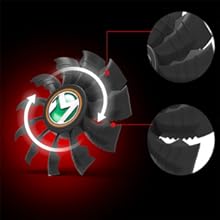
The MAXSUN GeForce GT 1030 2GB GDDR5 graphics card features Nvidia's Pascal architecture delivering up to 1468 MHz boost clock speed, a quiet single fan cooling system, and dual monitor support via HDMI and DVI-D. Its compact ITX design fits most cases, while silver-plated PCB and solid capacitors enhance stability and efficiency, making it ideal for professional multitasking and light gaming.


| ASIN | B08RD5VMNN |
| Best Sellers Rank | #237 in Computer Graphics Cards |
| Customer Reviews | 4.3 4.3 out of 5 stars (692) |
| Date First Available | December 28, 2020 |
| Item Weight | 15.1 ounces |
| Item model number | GT 1030 |
| Manufacturer | MAXSUN |
| Product Dimensions | 7.28 x 4.45 x 1.38 inches |
C**D
Great Card
It's a great card. I am using it in an HP Pavillion with an I5 8400 CPU and a 180 Watt power supply and it does just fine. I've measured power usage with a watt meter and have never seen the watt meter spike over 72 watts during heavy usage, that's the total from the whole system. I think the card uses about up to 30 watts. I'm still thinking about upgrading at some point but there is nothing wrong with this card. I play World of Warcraft mostly and on medium settings with every on low and get 60 FPS solid unless in a major city. All in all I would say it's a great card. I also think I should mention that I play in 720 P on a Vizeo TV with V-game. The picture , graphics , and color are awesome.
B**R
Works With Dell 8900
Review for: MAXSUN GEFORCE GT 1030 2GB GDDR5 GPU. Product arrived on time with typical packaging in bubble wrap bag with no damage or other issues. Got this during the Black Friday sales; good price. Bought this GPU for a DELL XPS 8900 i7-6700K Skylake CPU (yes, for 8900 NOT 8920 or 8930 or any other 89xx) and I have to say It was a bit risky thinking the GPU wouldn't take, but it did. It fits perfect and doesn't overlap on the 2240 M.2 SATA SSD (See photos). After installation NVIDIA program recognized the GPU and updated the software automatically. I'm not using this for games but I am using DreamWeaver, Photoshop, Illustrator etc... as well as ZOOM for online college courses and a couple of other graphics demanding programs. I didn't have to mess with or update the BIOS, it was simply plug and play. Temperature wise it stays pretty cool. The only modification was having to exchange the original GPU bracket with this 1030 bracket. It worked out fine. (See Photos)
J**S
Picked this up as an emergency back up card when I thought my 3080Ti blew its top.
This isn't anything amazing to write home about. It's basic, it's fairly rugged, it's small so it doesn't get in the way of other components (being as I use it as a trouble shooting card when I think something went bad and the GPU is somehow related) It's definitely a light card, The pictures make it look like it's at least one pound but with out weighing it empirically I would say it's in the neighborhood of 6-8 ounces, and yes, its a satisfactorily rugged design. If you need a trouble shooting GPU this a thumbs up technician's/troubleshooting card. Additional info for users being led to believe one must have an nvidia (or any other manner) of account to obtain drivers. Short answer: you don't. [I hope this doesn't get deleted by review process, this took a while to write..] These instructions presume you have at least a basic ad blocker, otherwise you may need to sieve through results to find the correct page, but since these are well known and long lived search targets they should be immediately after any links labeled "paid for" or whatever; I don't even recall what they're labeled, haven't seen ads in years. THIS FIRST STEP IS UNESSESARY, but, I strongly recommend it; if you don't have 7zip (the ideal option) or a similar program, search 7ZIP DOWNLOAD first. 7zip is free under the GNU/GPL license schema and is a legal, legit and well known alternative to pay for options. 7 hyphen zip dot org is their official home. Any website trying to bundle it with something else or sell it is a scam. Most likely you will want the 64 hyphen bit x64 Windows installer. Assuming you did not have it already, or an alternative, after downloading it, select go to/open download location. Install it, if you get the UAC prompts okay/pass/ignore them. (I personally disabled all those annoying things, after over twenty years of building and fixing PCs I've found far less disruptive ways to protect myself with out MS help) Now, whether or not you chose to get 7zip: Go to your search engine and enter "nvidia drivers download" the desired result will literally be named "NVIDIA Driver Downloads". Follow link; you will presented with a list of pull down box options for product type, series, OS, etc. Go past this and select "Beta and Older Drivers" The main difference in results will be you will receive a list. Select product type "Geforce" Series "Geforce 10 series" Product "GT 1030" Operating System (select OS, if you don't know what it is and don't know how to determine what it is you will have to search for how determine that separately, but nvidia's driver download page usually autodetects your OS). Driver type: "DCH" (long story why it has to be DCH, if you want to know you'll have to do research; the reasons aren't relevant here). Recommended/Beta: select "Recommended/Certified" Click search. Click the first result then click download if it doesn't auto download. Once it's done downloading, depending on your browser, select the pulldown next to complete or the downloads list and select GO TO/OPEN DOWNLOAD LOCATION. Do not open the package directly from the browser! Once the folder the package went to shows CLOSE THE BROWSER and any other unessential programs. IF you installed 7zip (or have an alternative) right click the installer (named something like "VERSION NUM desktop win10 win11 64bit international dch whql") 7zip should be in the list, which will expand to a number of options. One will say Extract to "VERSION NUM desktop win10 win11 64bit international dch whql". Select that, and it will extract the contents of the installer to a folder with the same name as the file. If you didn't get 7zip or don't have an alternative this is not a necessary step, it just saves time in the long run, because the installer won't be creating extraction directories which are annoying to find and eliminate after installation. So if you just run the installer package it will create a "temp" directory it won't delete afterward, but the extract first method bypasses the temp folder creation step, and makes post install cleanup easier since you know where the installation folder is, the same place the install package was downloaded to. So if you went 7zip extract first method, go in to the folder the same name as the download and run setup. You'll get more UAC nags to ignore. If you went installation package route, it'll probably throw a UAC nag for extracting the files and a second for starting the setup. After this, it will do a compatibility check, then give two options: NVidia Graphics Drive and NVidia experience or just NVidia graphics driver. SELECT NVIDIA GRAPHICS DRIVER (no NVidia experience). Then Express or Custom. Select CUSTOM. In the list only Graphics Driver, HD Audio driver and PhysX Software should be selected. If you're only installing drivers for the first time, under current version should be all None. If you previously installed drivers, or windows update auto installed drivers, the list might already be populated, and the one you DON't want "NV GF Experience" will probably be populated too. In this case you're going to want to back out and look up how to disable windows update installing drivers. Then you're going to want to go to "Programs and Features" and specifically uninstall Nvidia Gefore Experience (the four components are installed discreetly). This may require a reboot. Then you can go back to setup, follow the same selections, and NV GF Experience should read "none" and you can install/update the latest drivers sans GFE. This will eliminate any nags to create an nvidia account. If you rely on Windows Update for other driver updates, I would advise checking for and installing nvidia updates as described above before enabling driver updates via Win Update manually, and on a schedule of your choosing and convenience (once a month perhaps). Windows update won't supersede nvidia driver installation preferences, since as far as I am aware it will not download the windows update catalog version of the nvidia drivers unless it detects the primary driver (the graphics driver) is out of date. I hope this helps anyone frustrated by nvidia drivers seeming to bother or beg for the creation of an nvidia account; that's Geforce Experience producing those nags, not the actual drivers, and NVGFE does not improve performance, it's yet another drag on system resources if the system is already on the weak side. But some people will argue vociferously the opposite is the case with no objective evidence. I've done the tests. I know for a fact it does add overhead. But the decision of its utility versus its performance cost is up to the end user. I hope this helps some people out there, and I hope it isn't rejected by customer review control..
G**E
Worked great
Worked great
N**L
It Works...
OK, it arrived on time, but that is sort of an issue. When I purchased this product, Amazon guaranteed delivery on Sunday Feb. 6, 2022. On the 6th, I woke up to an email that it would be delayed until Monday the 7th. No problem, we had a blizzard and people have been digging out. BUT, it was delivered on Sunday and just left outside, in the freezing cold and snow, without me knowing or expecting it was going to happen. Luckily, a friend stopped in for five minutes, and by coincidence that's when the package was left in the cold and snow, so it wasn't there when he came up the porch, but it was there when he went down and my package got to me safely. The seller bears no responsibility for this, as it was fulfilled by Amazon, but for some reason, Amazon doesn't let us write reviews for the customer service, so here it is. You can do better, Amazon. As for the product itself, it's not really as bad as my "stars" would suggest. It arrived in what appears to be brand new packaging. I can't find any evidence that the anti-static bag was ever opened before. I installed it in my aging Dell Inspiron 3700 (with an i5-8400, and 12GB of RAM) hooked it all up, turned it on, and after about 5 minutes of some installation process (at which time there WAS video) my screen automatically reverted to the display settings it had prior to the install, and it works just fine. I installed Nvidia GeForce and, after one more driver update it was over. The entire process was from start to finish was less than 20 minutes. This was the first time I have ever installed a GPU, and I can only assume that that is EXACTLY how it is supposed to work. As for the value for money, NO GPU has a good value to money ratio. Crypto-miners and the pandemic have seen to that. As for gaming, this just is NOT a card built to plays today's most advanced games. I got this card because PGA 2K21 can only track one profile at a time, so two people with two profiles need two copies of the game to track their stats in co-op. Now, my aging Dell could manage about 25 FPS in "potato mode," a number that made it unplayable. With this card, on low settings (one step up from potato mode), this card and the i5 deliver 90FPS steadily at 1080p quality. The problem there, is that 2K21 is really "The Golf Club 3" with 2K's marketing slapped on the box. As such, the entire install from Steam was just 6.6GB. And as every modern gamer knows, the 5-15GB game file size was lost to any game above the 'indie" classification when the games went 4K. Which means that the game would have to still be in potato mode if 4K textures even existed in the files for processing. The only other "modern" game I have on the Dell is Kerbal Space Program. And that, with low settings turned on, and the FPS locked to 80, this card and the i5 can get maintain a steady 60 in the assembly buildings and launchpad, and dropped into the 40 FPS range during the launches I tested. But that is normal. KSP can make even monster PC's cry for mercy if the user launches a big enough ship. The limitation there is far more CPU dependent than GPU dependent as the game tries to simulate physics, heat, and gravity calculations on hundreds of individual parts simultaneously. As for video streaming, honestly, I don't see very much improvement over the streaming quality of just the i5, but there is no LESS quality to the streaming, and that's what matters. My monitor is a 32" 1440p, with a 144 Hz refresh rate. I do, however, have a couple of issues with this card. On the product description page, there is clearly a picture of the various output I expected to find on this card. And if I remember right that picture had a display port, an HDMI port, a 24 pin DVI port, and a VGA port (I might be wrong about the VGA port). The card that arrived at my house, does NOT have either a VGA port or a display port. So, if your monitor has either of those, BUYER BEWARE!!! I was only ever going to use the HDMI port, so I'm not too fussed. My bigger issue is the plastic shroud on the GPU itself. The card doesn't cover the same amount of area that the plastic shroud does, so I have several square inches of exposed plastic shroud inside my PC, acting as a "bowl" to catch any dust flying around. And while the Dell has a paper filter the covers the main air intake, and a sort of cone directing the CPU exhaust directly out into the room and that has kept the amount of dust inside my case to a minimum. But now there is the GPU fan sourcing air from an unfiltered area, and just exhausting the air inside the case. So, ALL bets are off as to how this plays out in the remaining life left in my aging Dell. That is just BAD design all the way around. It uses more material than is strictly needed meaning the manufacturer is paying more than is strictly necessary for each card manufactured, and it CAN'T be good for the PC to have an actual dust catcher inside a machine that you work hard to keep dust free. And I can PROMISE the manufacturer, that if my aging Dell suddenly dies six weeks from now, I know EXACTLY who I will blame. I won't get a refund, but THEY won't get a return customer. And for that reason, ultimately, I will give this GPU a 3-star rating with a serious "BUYER BEWARE" due to the misleading product photos, as well as the poorly designed fan shroud.
G**S
La compre hace 3 meses y vengo a decir solo una cosa: La recomiendo muchisimo, pues como bien comente la compre hace 3 meses y no me a dado problemas y ademas, puedo jugar a muchisimos juegos, 5 estrellas si señor!
M**J
Setup a 4K TV downstairs for the family. Didn't want to give up my new gaming PC upstairs :). This card did the job of resurrecting an old PC to use the family's 4K TV's to its full potential. Mission accomplished lol
M**E
So using this only for a 3d printer and basic cad edits at time of printing. This is by no means a gaming card... Yes it might play some games well like rtc or sonic etc, or maybe cod on lowest basic settings but this is not going to even complete with an xbox 360. What it can do is be a graphics output for a none output board or (like me) give you good enough processing for 3d printers and design spaces. I would recommend to the none gamers out there
P**O
Ottimo prezzo, per ora fa il suo dovere senza problemi. In un sistema vecchiotto é ideale, prestazioni ad un prezzo basso.
J**2
J’ai acheté cette GT 1030 de chez Maxsun pour une petite configuration ITX, et elle remplit parfaitement son rôle. Le format compact s’adapte facilement à n’importe quel boîtier, et malgré sa taille, elle reste silencieuse grâce à son ventilateur efficace. Les performances sont très correctes pour une carte d’entrée de gamme : idéale pour la bureautique, le multimédia, et même pour du jeu léger ou rétro. Elle est bien plus rapide que les anciennes GT 730 ou les versions DDR4 de la 1030. Le fait qu’elle soit équipée de GDDR5 fait une vraie différence. Aucun souci de surchauffe, la stabilité est au rendez-vous, et les composants semblent de bonne qualité (condensateurs solides, PCB plaqué argent). Bonne connectique avec HDMI et DVI-D, installation sans problème, et drivers officiels NVIDIA pris en charge. Parfait pour ceux qui veulent un GPU simple, fiable et abordable.
Trustpilot
2 weeks ago
2 weeks ago