
DOWNLOAD THE APP


Customer Services
Copyright © 2025 Desertcart Holdings Limited
DOWNLOAD THE APP


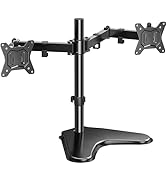
🖥️ Elevate your dual-monitor game — because your workspace deserves the upgrade!
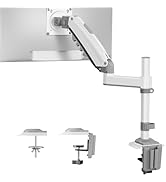
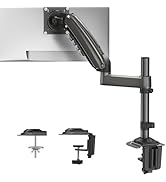
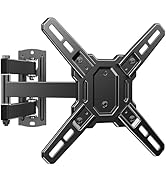
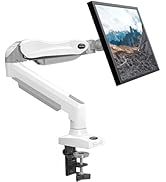
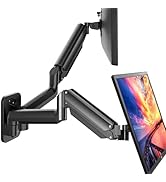
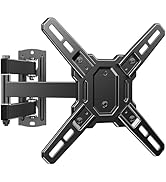
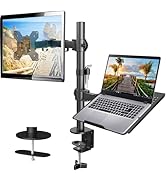
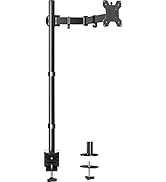
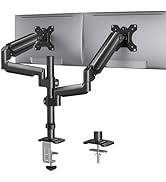
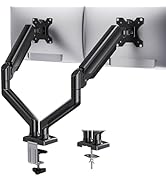
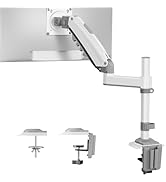
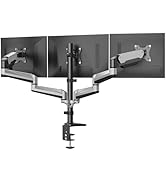
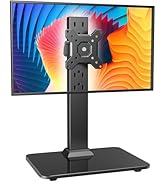
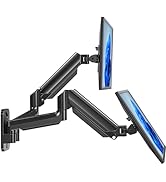
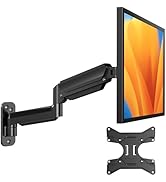
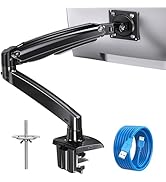
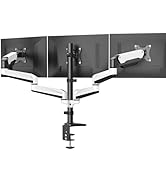
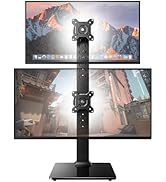
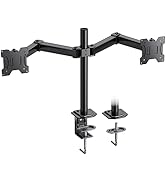
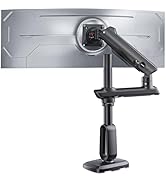
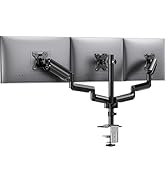
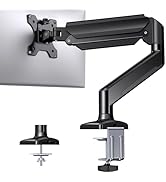
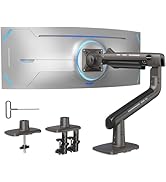
The HUANUO Gaming Dual Monitor Wall Mount supports two 17-32 inch monitors up to 17.6 lbs each with VESA 75x75/100x100 compatibility. It offers full ergonomic adjustability including tilt, swivel, and 360° rotation, while securely mounting on wood studs, concrete, or brick. Designed to maximize desk space and improve posture, it installs quickly with included hardware and cable management for a clean, professional home office or gaming setup.











| ASIN | B08CZJ6468 |
| Best Sellers Rank | #139 in Computer Monitor Arms |
| Customer Reviews | 4.4 4.4 out of 5 stars (2,410) |
| Date First Available | March 17, 2020 |
| Is Discontinued By Manufacturer | No |
| Item Weight | 6.82 pounds |
| Item model number | HNWDS1 |
| Manufacturer | HUANUO |
| Product Dimensions | 14 x 9 x 4 inches |
T**R
Sturdy mount, mildly annoying mounting hardware
I have previously owned a desk-mounted Huanuo monitor arm and needed to switch to a wall-mounted setup. I owned the desk-mounted arm throughout the interminable Covid pandemic and it was great, so naturally I chose to stay with Huanuo for the wall mount. The arm itself is excellent and I recommend it---it's just as good as the c-clamp desk mounted version. I have two 24-inch monitors attached. Installation was fine. Given the reviews, I was expecting to need to draw my own template and purchase additional mounting hardware, but as it turns out they have added a precut template and more mounting hardware to avoid these issues. That was a pleasant surprise and I am glad to see Huanuo responds to customer feedback. I experienced two issues: One of my own making and one inherent in the product, First, I did not realize this mount was not compatible with steel studs. Many new build apartment buildings use steel studs instead of wood studs because of their fire resistance (along with other nice features). Because steel studs are typically narrower than wood studs, and because toggle bolts require approximately half inch holes to mount, I did not see a way to sturdily attach the mount to the steel studs without an uncomfortable chance of accidentally cutting one face of the stud in half with the drill bit. This was my own fault. Instead I anchored a 4.5 foot fence post to a concrete block and fastened the monitor arms to post. This, while not the prettiest thing I've ever made, is working fine. In doing so, I discovered that the provided lag screws are not of great quality. The manual recommends installing with them a socket wrench, but this would be a giant PITA, so I first used a socket adapter in my drill to get them most of the way in and then hand-tightened at the end. There is no way you'd be able to use a standard Phillips head drill bit without stripping the provided screws. Even with the socket adapter, the provided lag screws barely got in---the screws are quite soft and the indent that marks where the screws are fastened means you get maybe a quarter inch of grip on the head to drive it into the wood. This is a pain but not a disaster---I would recommend just buying your own lag screws of comparable size (size given in manual) and use those instead. Additionally, a very minor annoyance is that one of the thumb screws meant to keep the monitor in the bracket was a little too large (the other fit perfectly). I think its something like a #6 machine screw; I had something lying around that fit and used that instead. No biggie. tl;dr: great mount, subpar mounting hardware but that is easy to get on your own.
R**N
Solid - perfect for my home command center
So I read a crap-ton of other reviews of this and other products. For context, the setup I was after (and what I was able to do), was run two laptops into two Dell D6000 docks with a USB/KM switch to the two docks so I could bounce back and forth my keyboard, mouse, webcam, etc. between the two computers at the push of a button and this setup was perfect. The desk I have cannot handle the weight of a huge stand plus (4) monitors. Bought two of these so I could mount the two monitors for each computer. Setup was honestly pretty easy. You'll note, and I think other reviewers have noted, that if you're going for my look, the monitors WILL be off the wall a solid foot, and there's nothing you can do about it, at least with these 22" monitors. Perhaps if you were using two very large monitors you'd have to push the arms back to get them side by side but as you'll see in the pictures, this is what it took to get me setup. For me, I could care less about the extension distance from the wall. I got the setup I wanted. Somehow I was able to do the install by myself. Use a stud finder if possible, otherwise, I used 16 OC from the whiteboard above and up from the electrical box below. Intersected the lines and no issues. When installing, try and get them completely level but don't freak out if they aren't level because you can adjust the monitors rotate left/right a little bit if it's an issue. I used a drill bit in one hand, pinned the mount on the wall with a level on top with my other hand, and then scraped the three holes so I knew where to drill. Drilled pilot holes and then set the screws and mounts in place. After a little bit I HAD to use a ratchet to snug it up and get it all the way to the wall as the impact/drill just couldn't keep going. Make sure you get the mount all the way to the wall and it's snugged up nice. The lag bolts were perfect, thankfully I nailed my pilot holes so all (3) holes for each mount were exactly on the stud (thank God). All in all, very very sturdy. I made a few minimal adjustments to the tension screws for the monitors. The cable management for the mounts was pretty nifty, I still need to velcro down all my cables for everything else but I might wall mount my docking stations and laptops, so we'll see. In all, you'll be glad you got this. I do a lot of IT work and wondered if I needed a painted plywood backer board on the wall and that's completely unnecessary. All in all, great gear, and I'm thrilled to have my dream setup.
J**.
Does the job good enough
This is my first vesa mount so my problems could be the same with others. Pros Cheap Good wire management Good build quality Easy to set up Cons Screws are garbage stripped very fast luckily I had the correct socket so I diddnt need to go out and buy new ones Micro adjustments suck I cand get my monitors in the exact position I want This is a cheap vesa wall mount so I understand why I can't get perfect placement. Thr only reason why it's 4* is due to the screws I understand they are trying to save money but I'd be fine paying another $5 for better quality screws and possibly heavy duty drywall anchors.
R**J
Absolutely Perfect. I read what others write and decided to hang mine a bit higher on the wall and let the arms adjust down so that I could hide the mechanism behind the monitors. One monitor did seem heavy ( 32 inches), but using the allen wrench they provide and tightening up the arm solved that in no time. Was really easy to install, and my desk has never looked this good!
P**C
Great product overall, it does have plastic trays that are there to help wire management, although I find them easy to pop out if you have really sturdy and thick wires.
M**6
The HUANUO Dual Monitor Wall Mount, designed for 17-32 inch screens, provides a sturdy and adjustable solution; however, aligning the screens side by side is a bit challenging. The design may require additional adjustments to achieve a seamless parallel arrangement. While the build quality and versatility are commendable, the assembly process could be more user-friendly for achieving optimal alignment. Overall, with some patience and effort during setup, the mount offers a reliable solution for wall-mounted dual monitors, ensuring a flexible and ergonomic viewing experience once properly adjusted.
S**E
Braccio veramente ottimo, sorregge bene i monitor fino ad 8 kg da descrizione ma non andrei oltre i 4kg per monitor, i miei due pesano rispettivamente 3,2kg e 4,1 e li sostiene molto bene. Prima di montare se come me avete un terzo monitor a parete dovete prendere bene qualche misura, altrimenti vi troverei in difficoltà,il braccio non rimane troppo vicino al muro, ma nel mio caso poco male. il meccanisco una volta regolato è perfetto e stabile, non vibra e si muove molto facilmente se necessario, molto comoda la piastra del vesa che può agganciarsi in un secondo momento così' si riesce a posizionarla sui monitor senza troppe difficoltà. possibilità di muovere su, giù avanti e indietro e con possibilità di ruotare veramente comoda. Unica accortezza, vi consiglio se decidete come me di attaccarla al muro di usare una punta da 8/9mm per trapano e non una da 10 come suggeriscono loro, rimane comunque ancorato ma a prima vista e per come sono entrati i tasselli avrei preferito un pò più di aderenza, ma per ora è ancora qui al muro.
Y**T
Biri ortada biri sağda iki monitör kullandığım için ortaya değil daha sağa doğru taktım ve soldaki kolu masanın ortasına gelecek şekilde uzattım. Kurulumu zor değildi ayarlaması da zor değildi birkaç aydır da hiçbir sıkıntı çıkarmadı. Sadece kollar biraz daha uzun olsa süper olacaktı ama bu hali ile bile gayet kullanışlı.
Trustpilot
2 weeks ago
1 week ago