🎨 Elevate your digital canvas—where precision meets play.
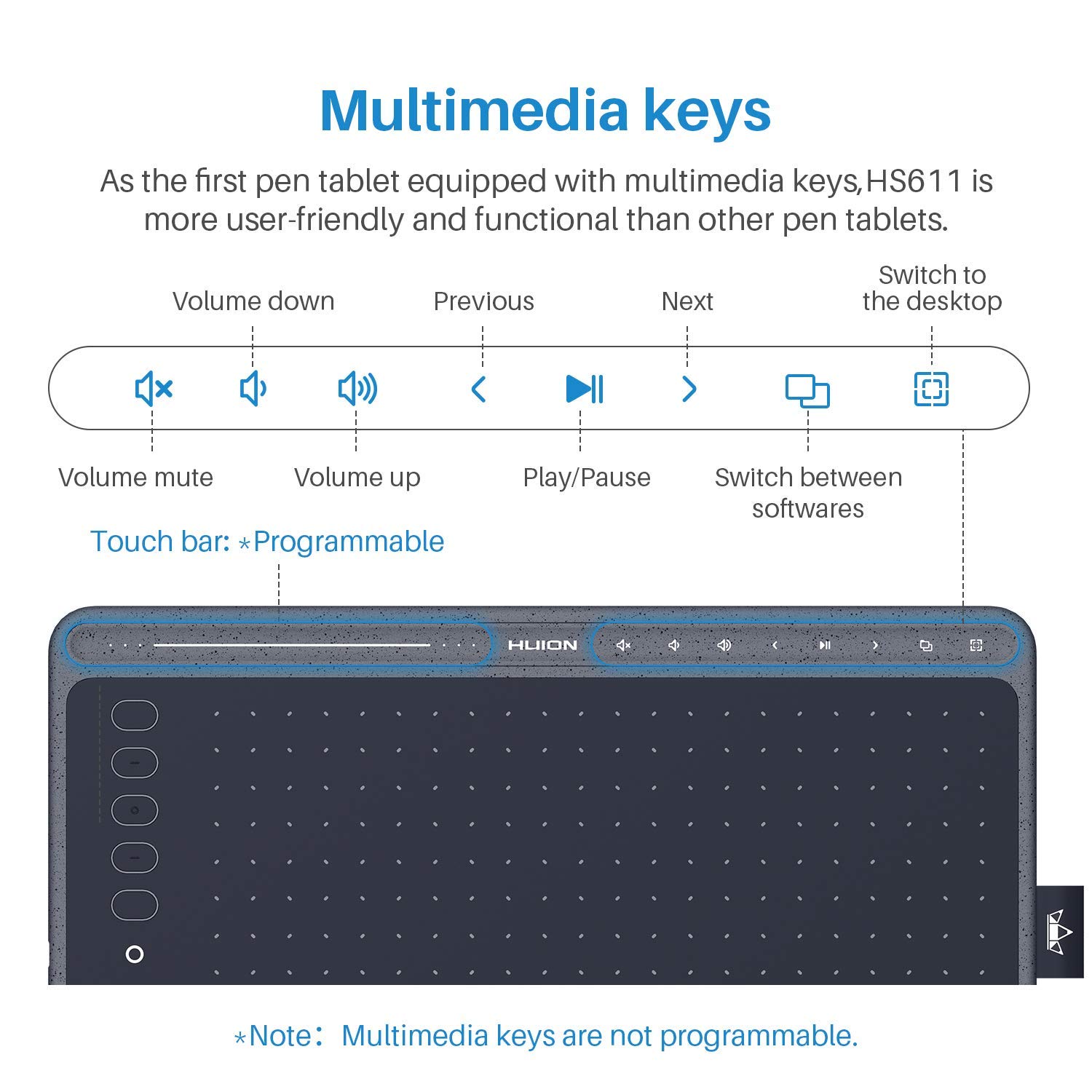
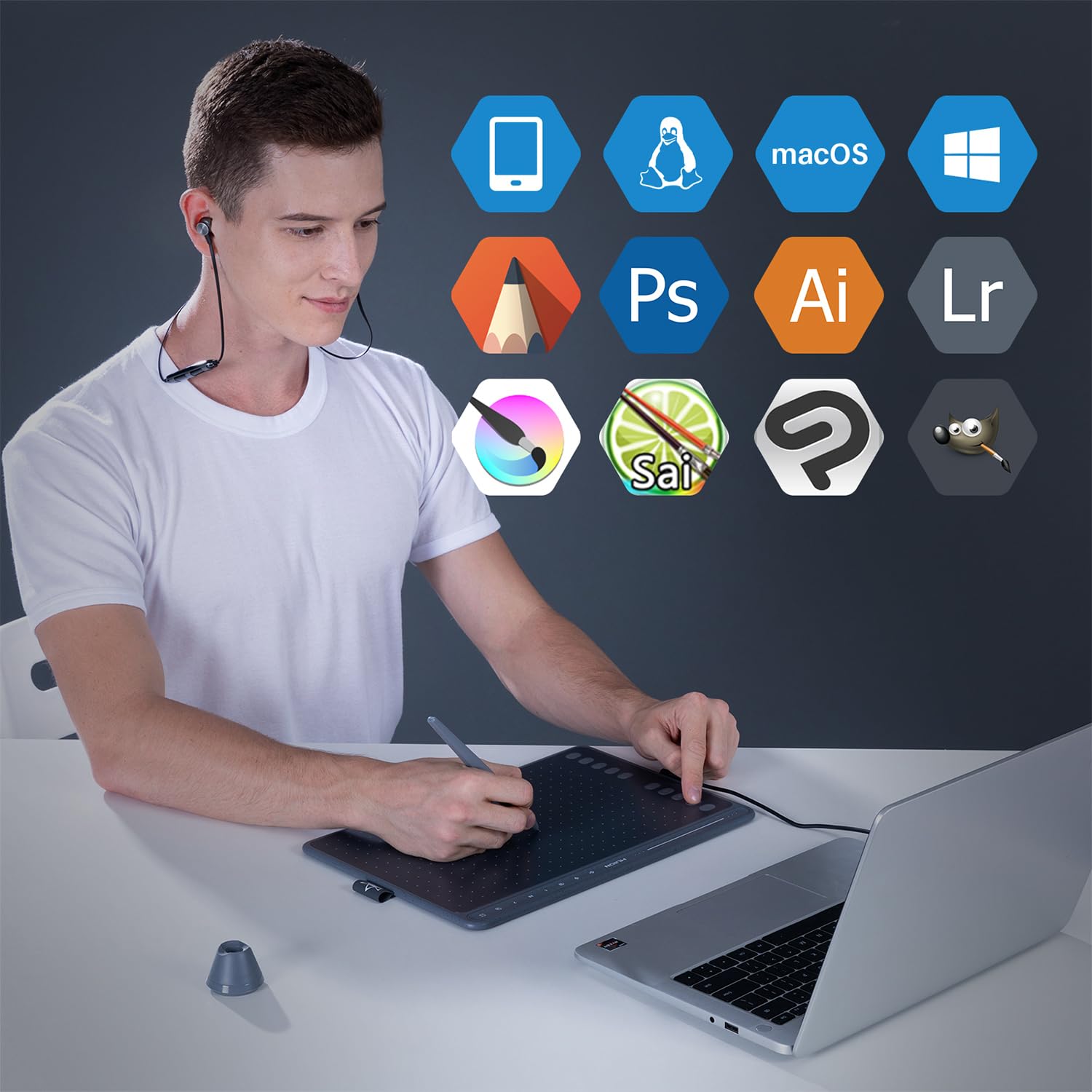
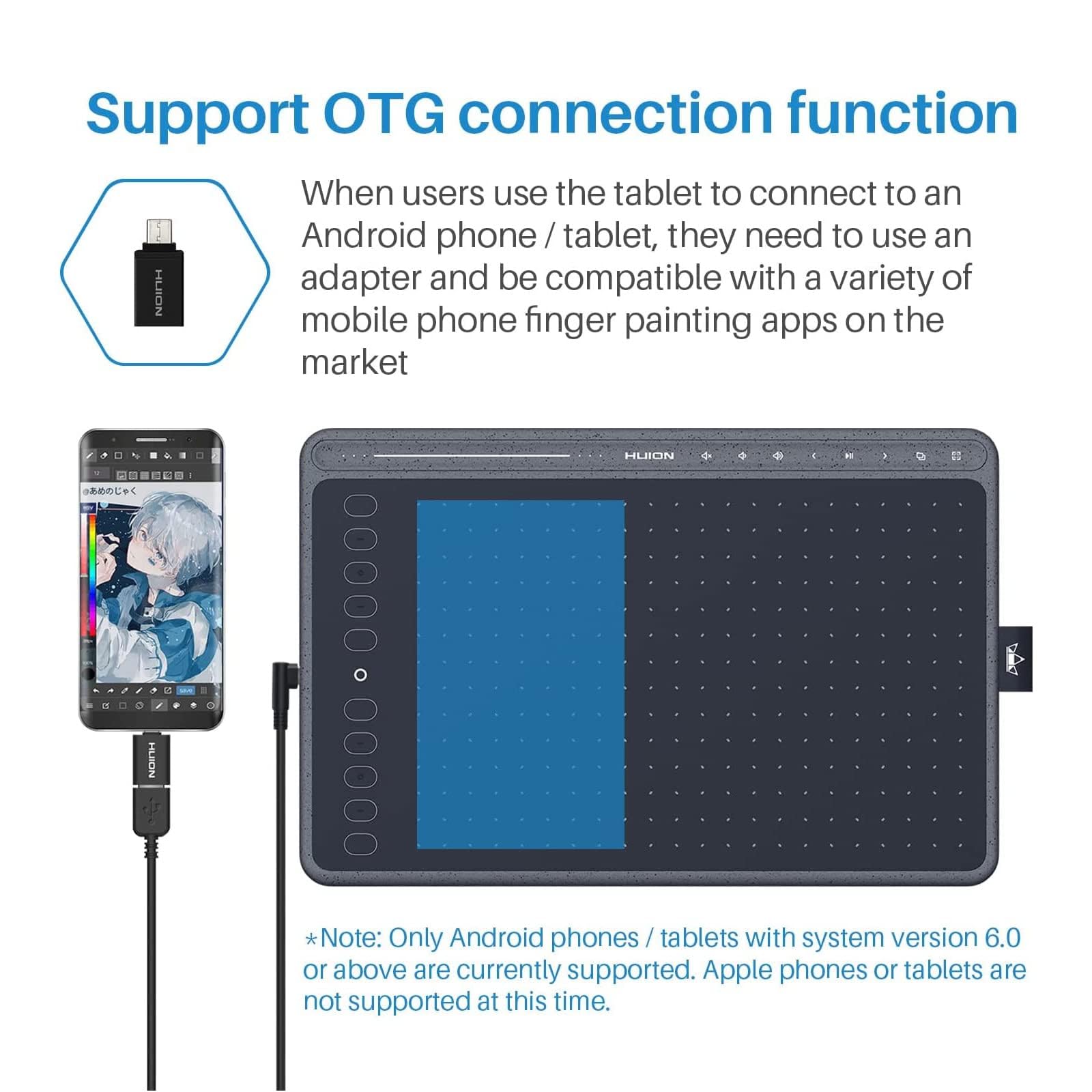
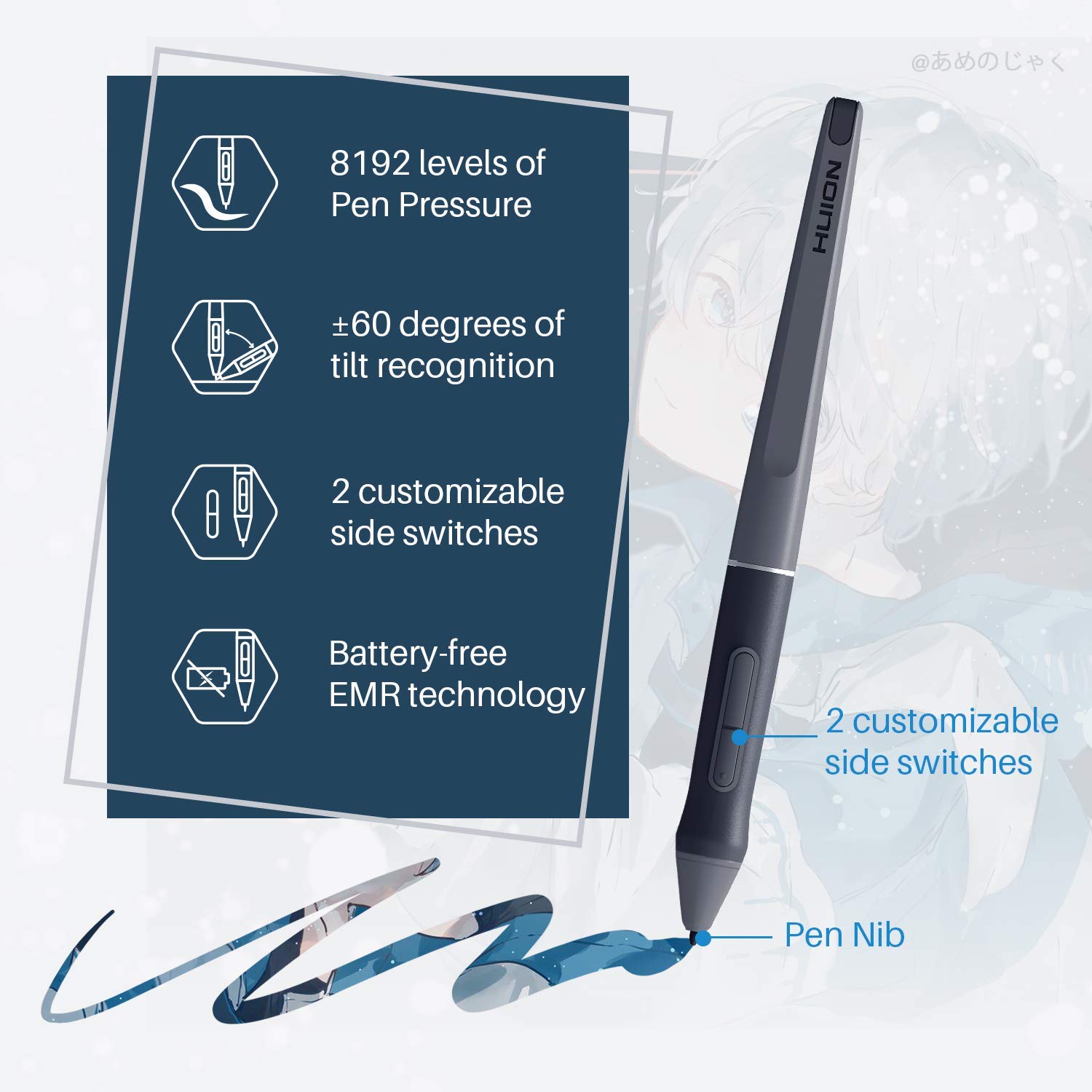
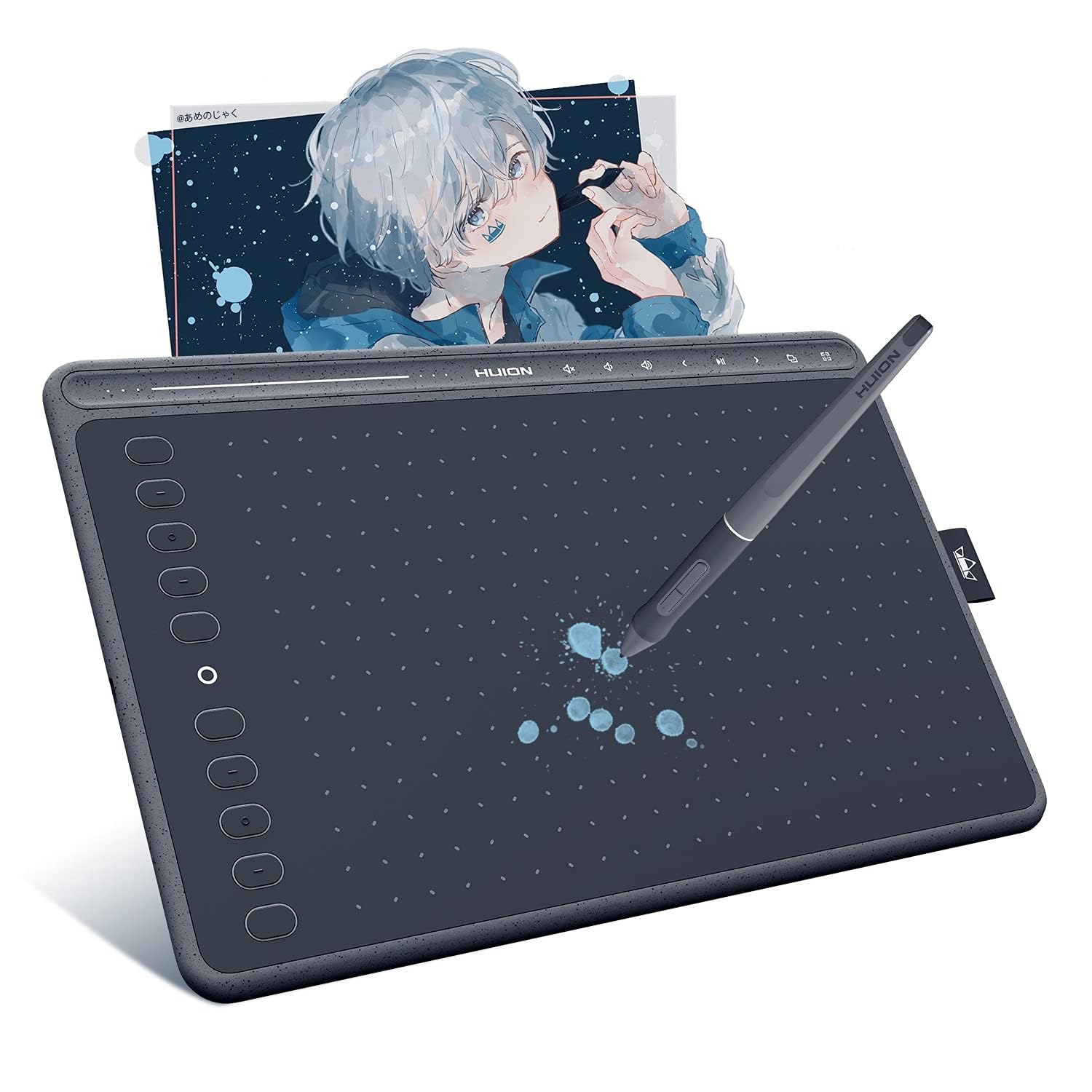
The HUION HS611 is a professional-grade drawing tablet featuring an expansive 10.2-inch active area, 8192 levels of pen pressure sensitivity, and a battery-free PW500 stylus with ±60° tilt support. It uniquely integrates an 8-icon multimedia touch bar for effortless control of volume, music, and desktop functions, enhancing workflow without distraction. Compatible across Windows, macOS, Android, and Linux with OTG support, its sleek 7.3mm thin, 550g lightweight design and refined Space Grey finish make it ideal for creative professionals and digital artists seeking precision, portability, and style.


| ASIN | B082S8LDC6 |
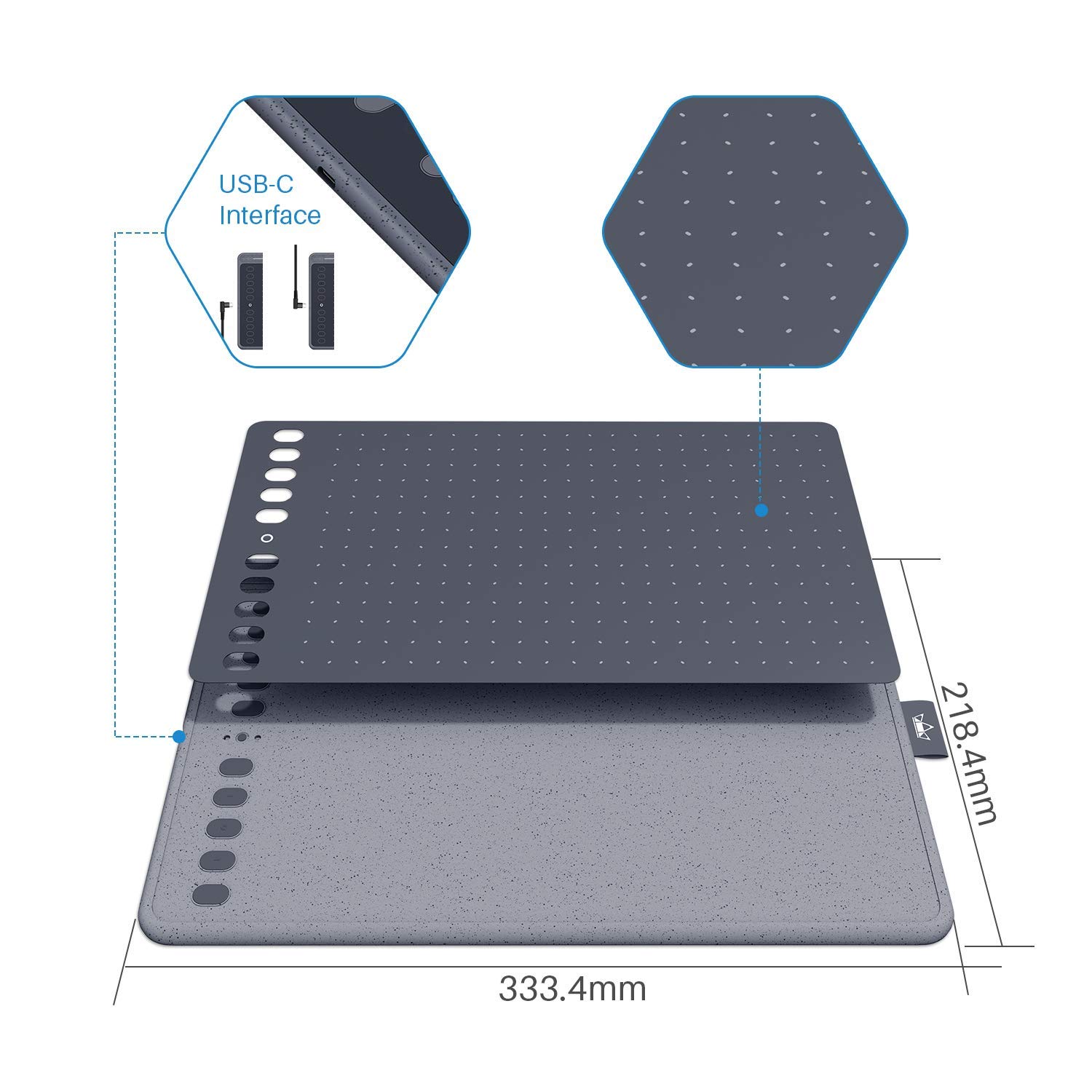
| Active Surface Area | 258,4 x 161,5 mm |
| Best Sellers Rank | 3,874 in Computers & Accessories ( See Top 100 in Computers & Accessories ) 10 in Graphic Tablets |
| Box Contents | Pen Tablet HS611; Battery-free Pen PW500; USB-C Cable; Pen Holder PH03; 8×Pen Nibs; USB-C Adapter; Quick Start Guide |
| Brand | HUION |
| Brand Name | HUION |
| Colour | Grey |
| Compatible Devices | Common Computer Devices |
| Connectivity technology | USB |
| Country of Origin | China |
| Customer Reviews | 4.1 out of 5 stars 9,756 Reviews |
| Display Type | LCD |
| Item Dimensions L x W | 21.8L x 33.3W centimetres |
| Item Weight | 550 Grams |
| Item height | 0.1 centimetres |
| Manufacturer | HUION |
| Model Name | hs611 |
| Model Number | hs611 |
| Model name | hs611 |
| Native Resolution | 5080 LPI |
| Network Connectivity Technology | USB |
| Operating System | Windows 7 or later macOS 10.12 or later Android 6.0 or later, Linux |
| Operating system | Windows 7 or later macOS 10.12 or later Android 6.0 or later, Linux |
| Pressure Sensitivity | 8192 Levels |
| Pressure sensitivity | 8192 Levels |
| Product Features | Battery-Free Pen; Multimedia Touch Buttons; Support OTG |
| Screen Size | 10.2 Inches |
| Special feature | Battery-Free Pen; Multimedia Touch Buttons; Support OTG |
| Specific Uses For Product | Animation;Designing;Drawing;Editing;Gaming;Painting;Teaching;Writing |
| Target Audience | Artists & Designers" or "Young Digital Creatives |
C**A
The best gadget ever for the children and not only .
My youngest(10years old) found it I don’t know how and he wanted it for Christmas. The only thing I can say is that this is AWESOME! One thing I don’t know is what is that sticky paper that comes with it?🤷🏻♀️ Apart from this very nice and easy to use. I think I’ll get one for myself as well.
T**S
The disk was unnecessary, as windows has native tablet device support
Functions perfectly plugged in straight out of the box. The disk was unnecessary, as windows has native tablet device support, and the Huion420 seems to work with that just fine. The drivers just made my experience worse. The shipping itself was mostly fine. Package took about twice as long to arrive than estimated, the exterior packaging was busted up pretty roughly around the edges, but It was thick solid cardboard, so the product box was mostly intact, except for a moderate bump on the bottom of the box, all of that, however, is a non-issue. As for the tablet itself, it's a very solid tablet for the price, much more so than I expected. The input is very responsive and feels easily comparable with my low latency gaming mouse in delay time. The input resolution is phenomenal, as I'm only using about 1/4th of the tablet active area for my entire desktop as the full area is too tedious to swipe around for desktop use, and It's not too difficult to hit a tiny task-bar icon, which on the active area measures about 1/4th of a millimeter! I mainly bought this tablet for playing 'Osu!' with, and it just feels.. 10/10. I mean, it's something you'd expect from a tablet after playing with a mouse. Again, comparing to a 2ms latency mouse, the 3ms of the tablet feels negligible, it's exactly the same. And to add on top of that, 'Osu!' has native Huion420 integration, as in, scaling up the mouse sensitivity option scales down the active area, pretty intuitive! I'm not too much on the artistic drawing side, but I've tried writing and sketching a bit, and it just feels finicky. The area feels too small to draw consistently, as any amounts of shaking on the hand get well exaggerated, again, by the small area. However as mentioned, point to point motion is where this tablet shines at. Disclaimer: in my opinion. Osu!? - Get this tablet, drawing? - get something with a larger area.
S**Y
A very nice piece of kit
The HUION 2023 New Huion Note Smart Notebook has proved to be a very useful piece of kit. Firstly it looks and feels just like a regular notepad because it is. It links to an app on your phone, in the app you can change the colour of the ink being recorded. It has quite a few other features that I have yet to explore, but one tool I can't see that would be a real benefit is OCR - this is why my overall rating 4 & not 5. One other thing to be aware of is that you can only write on one side of the paper, to get around this, you could use loose-leaf paper and simply turn it over then click on the next page icon. Other than that if you are looking for a smart notebook, and this does look smart, and to have real paper notes, the Huion is a great product at a reasonable price for what it does; recommended
A**X
A steal for the price, Wacom beware...
I have been using a Wacom Intuos Draw tablet for a couple of months, before eventually deciding to go for something larger. Deciding where to spend my money was a tough decision, as the market is full of similar looking products from quite a few brands at various price points. I ended up choosing Huion h610pro v2 and after a month of heavy use I'm ready to share some thoughts. To begin with, I absolutely LOVE this tablet. I find ridicoulous the fact that it is similarly priced with my previous one from Wacom, when it can easily be compared with the Intuos Pro, at least feature-wise. Here are some great things about it straight out of the box: - 8000 pen pressure levels. I can only compare it to my Intuos Draw, but boy it makes a difference. - Battery free pen, 8 extra nibs safely kept on the pen holder. - Very nice drawing feel, good quality plastic overall - Companion software is very nice. Works straight away as expected, even the buttons are already set to the default options, which I find ideal - Tilt support that works great. - I used to encounter a problem with my intuos, where all shortcuts (even keyboard ones) would stop responding after a couple of hours at photoshop (some windows 10 users may know what I mean). No such problems anymore! - Mini usb connection. You can get a cheap replacement cable if ever needed. I didn't find any serious flaws, but here are some questionmarks: - The pen tip movement has quite some travel compared to my Intuos. It took me a couple of days before I adjusted to it. Nothing unbearable, just something to consider if you are a Wacom user. - The zoom in/out buttons on the tablet feel like they could break or get stuck. I haven't had any problems yet, but makes me feel unsafe. - The tablet itself doesn't sit totally even on the desk. Again, not an issue when drawing, I noticed it by accident while cleaning my desk. - Software doesn't allow you to set up the buttons for multiple apps like Wacom. You have to go with a universal setup. Considering all the above, it seems my next upgrade will only be for a draw-on-screen tablet. I just wanted a larger surface to be more comfortable, was even willing to pay the almost £200 for a feature-less Wacom, until I found out about this one. All the features that are considered "premium" and "pro", Huion sells them to you at a starter pack price. I think this product is a sweet spot for most consumers out there and I can't recommend it enough.
E**E
Didn't work on Windows 10 for me!
I bought this in a Lightning Deal as my old Wacom graphic pad did not work with the version of Windows 10 on my new computer, though it was fine on Windows 10 on the old one! It was fairly easy to install and get running and works to a large extent, but it does seem to have some bugs in the software, such that sometimes it freezes and no changes to key functions can be made from its control panel, while in software such as Photoshop or Affinity Photo it keeps failing with individual tools and just moves the whole image as the pen moves, instead of the action required (e.g. dodge, burn, select etc). The only way to get it back working is to restart the computer, so not happy as this is a bit annoying. It is cheaper than Wacom but may prove to be a false economy. In view of the other good reviews it may be that I have a faulty unit or that I am doing something wrong, I will update the review if necessary. UPDATE: Having had continuing problems, it is too frustrating to be worth persevering with, and still having received no response from my email to Huion, I have reluctantly decided to return the unit and try another brand!
P**B
Embarrassing for Wacom
This tablet is embarrassing for Wacoms overpriced alternatives. The Huion is superb for the money, really well made, easy set up, great value…
A**R
A decent cheap graphics tablet, but not good for anything detailed
I bought this graphics tablet because I was going to be doing some online tutoring for subjects including maths. It started off okay, but it is not very precise at all. It can be hard to make any fine movements with it. Then over time (a year or so) the quality seemed to get worse and worse and I barely use it now because it doesn’t function well at all.
R**R
Wow, just wow
This product is outstanding. It’s very easy to use and battery lasts for hours. Really functional and smart design and size. The picture is mapped easily on the paper or drawing pad and converts to your tablet almost instantaneously. I would not hesitate to recommend this drawing pad. Honestly amazing!!
Trustpilot
2 weeks ago
1 week ago