
DOWNLOAD THE APP


Customer Services
Copyright © 2025 Desertcart Holdings Limited
DOWNLOAD THE APP
🌐 Stay connected, stay comfortable—control your climate from anywhere!
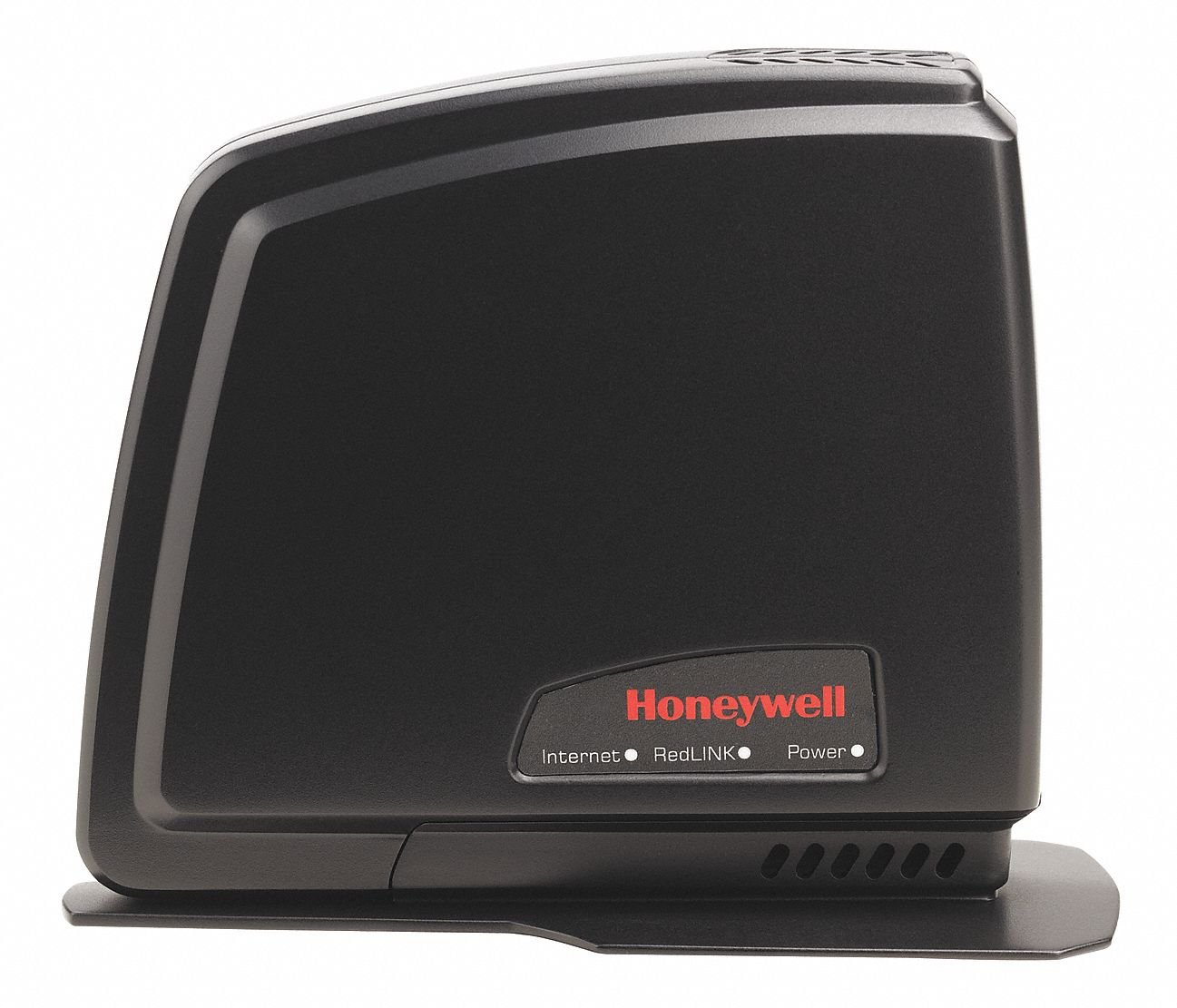
The Honeywell THM6000R1002 RedLINK Enabled Internet Gateway is a compact, copper-built device that wirelessly connects your RedLINK thermostats to the internet. It enables remote temperature and humidity control and monitoring via a dedicated mobile app and web portal, with real-time alerts to maintain optimal indoor conditions. Designed for easy installation, it integrates seamlessly with home or business routers, empowering users with smart, convenient HVAC management.
| Manufacturer | Honeywell |
| Part Number | THM6000R1002 |
| Item Weight | 12 ounces |
| Product Dimensions | 1 x 1 x 1 inches |
| Item model number | THM6000R1002 |
| Is Discontinued By Manufacturer | No |
| Size | 1 |
| Color | Black |
| Material | copper |
| Item Package Quantity | 1 |
| Special Features | RedLINK enabled communication, Web portal and mobile app control, Temperature and humidity alerts, Thermostat compatibility |
| Included Components | Honeywell THM6000R1002 Red Link Enabled Internet Gateway |
| Batteries Included? | No |
| Batteries Required? | No |
T**F
Works as described,Easy setup.
This unit is a great addition to any existing redlink system.To bad there are so many greedy HVAC contractors out there that want to charge $800 to $1000 to install this simple unit. They could probably sell loads of them at a resonable price when the technicians visit customers home for preventative maintenance visits. Ten extra minutes of tech time could get them many more sales at maybe $120 or so. I set up this unit on my 2 zone focuspro th6230r system with 2 EIM's and truezone board.The installation paper work says you must hook to the router first and then sync to the stats. On focus pro the wireless setup funtion is on the EIM module at the HVAC equipment. In my case this required me to raise a ladder on the outside of the building to a roof enclosure. I took the unit up the ladder with me and powered the unit up from a outlet I had placed there for maintenance use and paired the unit to the EIM's with no problem.Just push the wireless setup button on the EIM,and then the botton on the unit. When the unit light stays solid green you are done, Just push the button on the EIM again to place the EIM back in operational mode. No need to reprogram any other equipment currently on the system. Ten more minutes on the computer inside and it was up and running,no muss, no fuss.So you do not need to be hooked to the router first to sync the stats. Even for folks out there that are not tech or HVAC wizards, this unit can be installed easy by themselves or by any handyperson for hire that has a basic understanding of HVAC.
S**Y
Honeywell Internet Gateway
I had wanted internet connectivity to my newly installed Honeywell Prestige 3 thermostat but the heat pump installer wanted about 3 times the price of the Gateway. Of course part of that was for installation and set up. The info on the Gateway implies that a professional installer should install it but it was very easy to do. Just follow the simple directions - plug in the plug to AC - connect Gateway to router. The directions are not clear about this but at this point you should have a solid green power LED, a blank Redlink LED, and a flashing green internet LED.Next go to thermostat and enter the Wireless Setup mode and press Add DeviceThen go back to the Gateway ( mine was about 40 feet away in another room ) and press the connect button on the bottom of the Gateway. The Redlink LED should begin flashing green and after a moment - 1 minute or so - it will turn solid green. Then the Gateway in linked to the thermostat.Finally go to mytotalconnectcomfort.com web site and create an account - this has to be validated (this can be done before installing the Gateway). After you have a validated account - sign in and register the Gateway - you 'll need the MAC ID and MAC CRC found on the bottom of the Gateway.At this point you can access the thermostat on line or with the phone/tablet apps.This may seem a bit complicated but it's really fairly easy to do.I've had it for a few days but it does work flawlessly as advertised.
M**T
Works great, need a 24v power supply wired to the thermostat to work though
I just put in a new HVAC system at our house, and the company threw in an upgraded thermostat with the package. After reading up on the thermostat model I saw that it was Red Link enabled, and all I had to do was buy the gateway for remote access to my homes heating and cooling system. This is a nice feature, but Honeywell missed the boat on what they could have done. I only bought this because I had to, other thermostats now connect directly over WiFi so this gateway would not be needed. However, if they would have integrated some home automation components to this Red Link system it would have been great. Either way, $90 and you have a thermostat controller on any mobile device and computer so long as you have a thermostat that needs the gateway. I like it. The other issue is that when they installed the new thermostat, they used the existing 4 wire connection (no power) and just put batteries in the unit. I had to wait for 2 weeks before they finally sent someone out to run the new wire since the thermostat wouldn't connect to Red Link unless it had a 24v power source, not battery power. So, all in all, it does exactly what it said it would do. Just left me wanting more, but they never claimed to give so I can't complain.
C**D
No luck in my case. Dead on arrival.
I must be the only one having issues with this device or online reviews are not to be trusted anymore. After trying to connect this thing a 100 times to the internet from both home and work (different ISPs, different OS (MS & Mac), different ethernet cables, different routers, direct plug to the modem, etc) the green led light keeps flashing and flashing and cannot connect to the web. OK, I thought, let's try to connect it to my THX9321 Prestige HD following the instructions. No luck either. I'm right in front of the thermostat and both devices can't see each other. Tried to reset the Gateway, and again, "no wireless device found". I'm right in front of the Prestige saying I have 15min to sync the Redlink Gateway, pressing the button at the bottom and nothing happens. I also have a Remote and an Outside Air Sensor and in both cases (same procedure) setup took 2 minutes. Called tech support and their answer was "maybe" it's defective and that I will have to send it back, wait 45 days and they'll let me know how the whole picture is gonna end. Yeah, right. "Maybe" I'd buy a Nest next time.
A**R
Five Stars
Very easy to set up. Works exactly as it should
D**E
Five Stars
Installation is simple.. works great
R**K
Five Stars
Product arrived and is working to my expectations.
O**E
Works well, only option to get redlink internet enabled. Easy setup. Aging software.
Overall it does what was advertised. Connects to the totalconnect service well and configuration was pretty simple to connect with the redlink system in my home. What needs improvement is that the software seems dated. The mobile apps and the web interface are all aging compared to their competitors.
N**E
but is a completely unnecessary product that should not exist
Does the job, but is a completely unnecessary product that should not exist. It's proprietary garbage put out by honeywell to make even more money off their customers (not cheap at all). The software is not great, you have to create an account to use this and it plugs into your home network to provide two way communication with honeywell. Not cool! Was so happy to rip this junk out of my furnace and replace it with something more modern that works over standard wifi.
Trustpilot
1 month ago
2 months ago