



🎬 Elevate your media game—switch smarter, watch sharper!
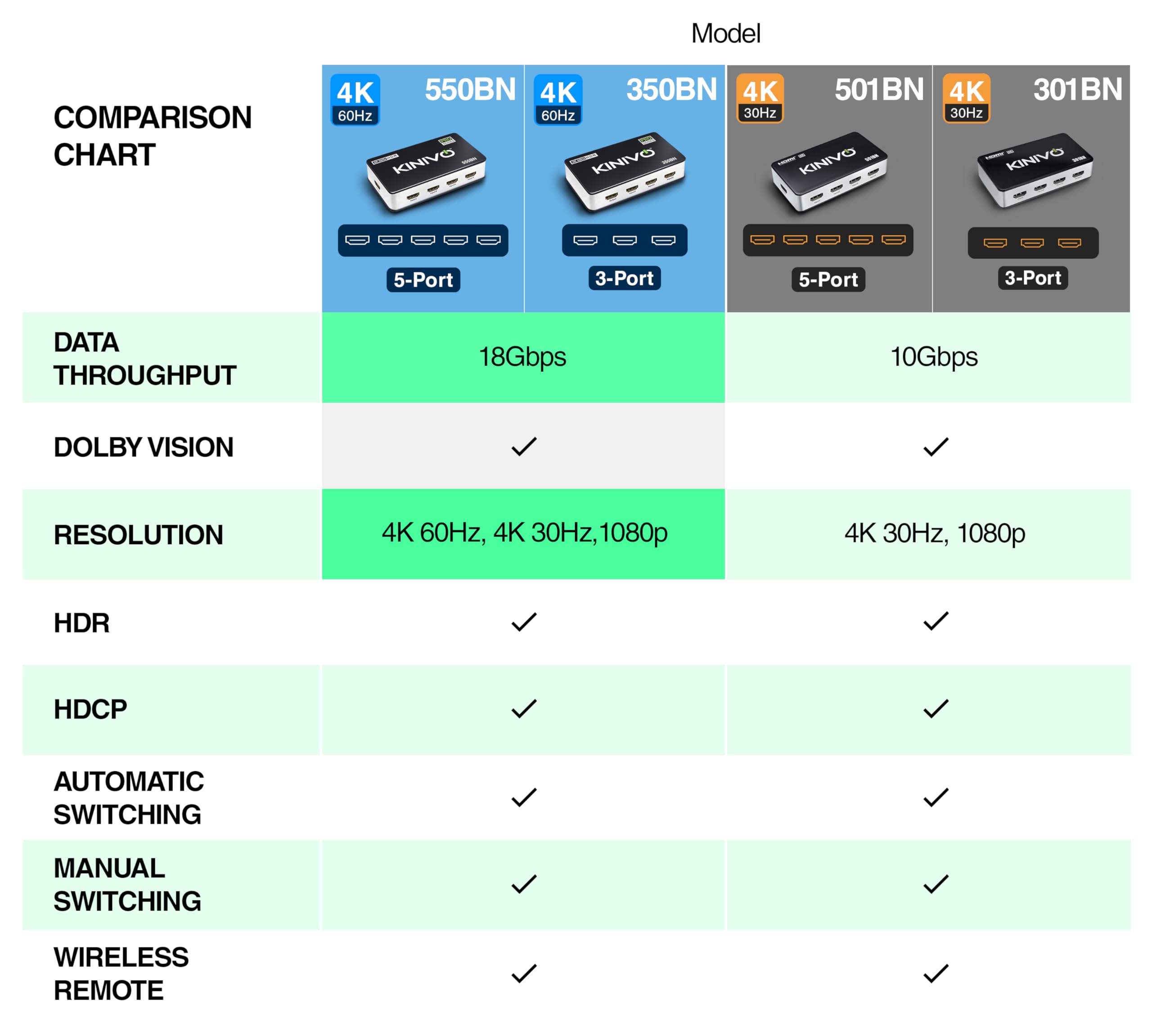
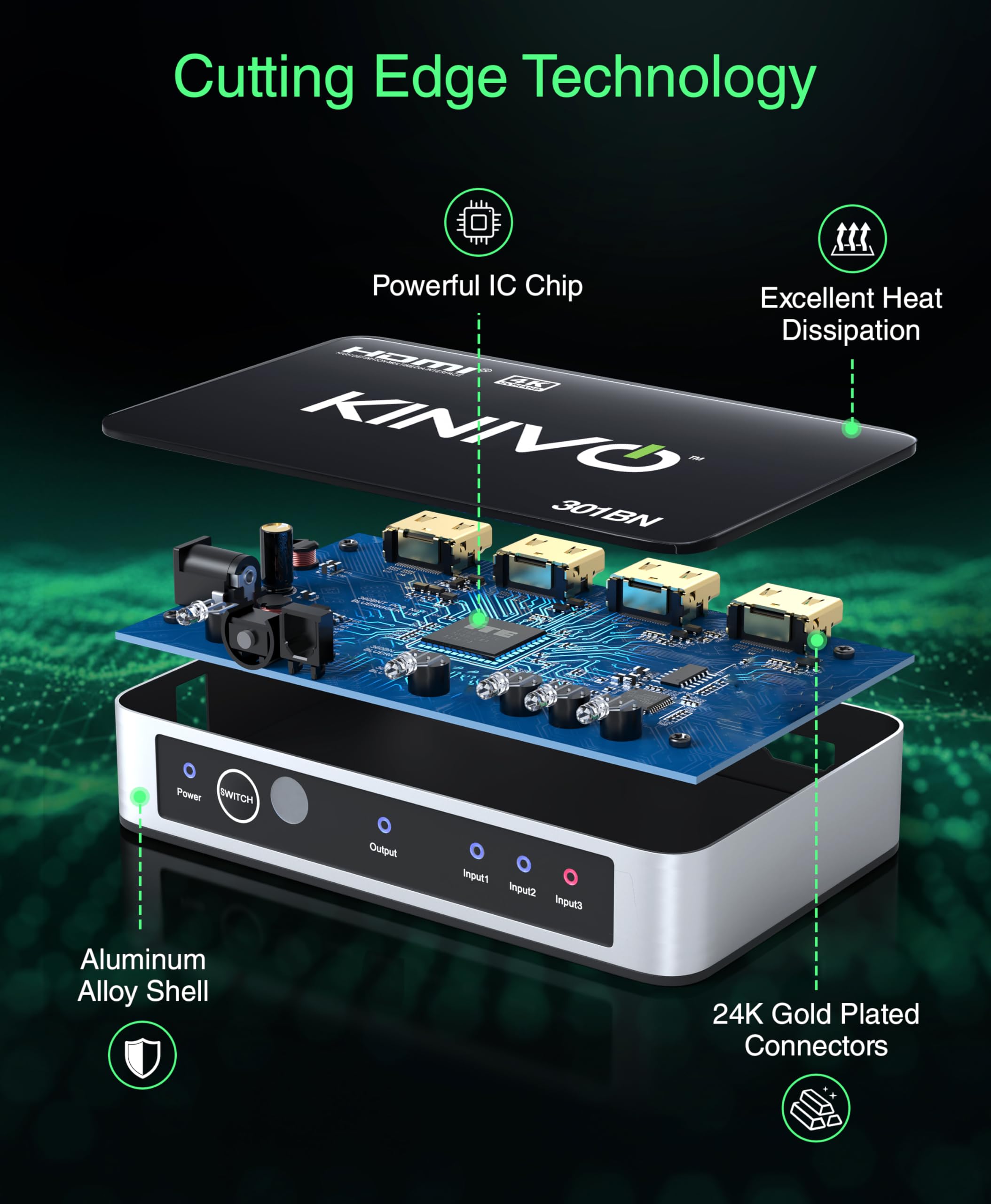
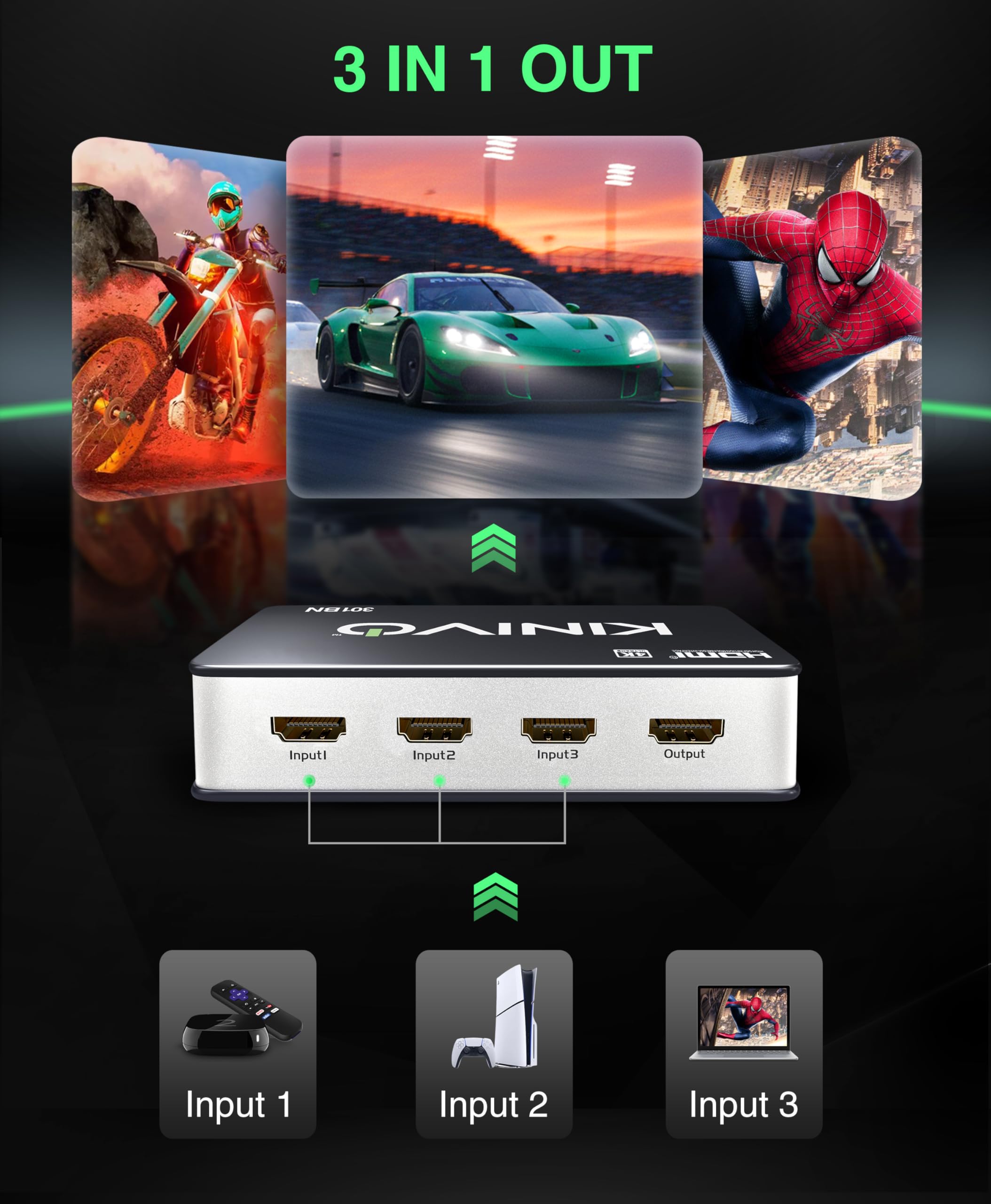
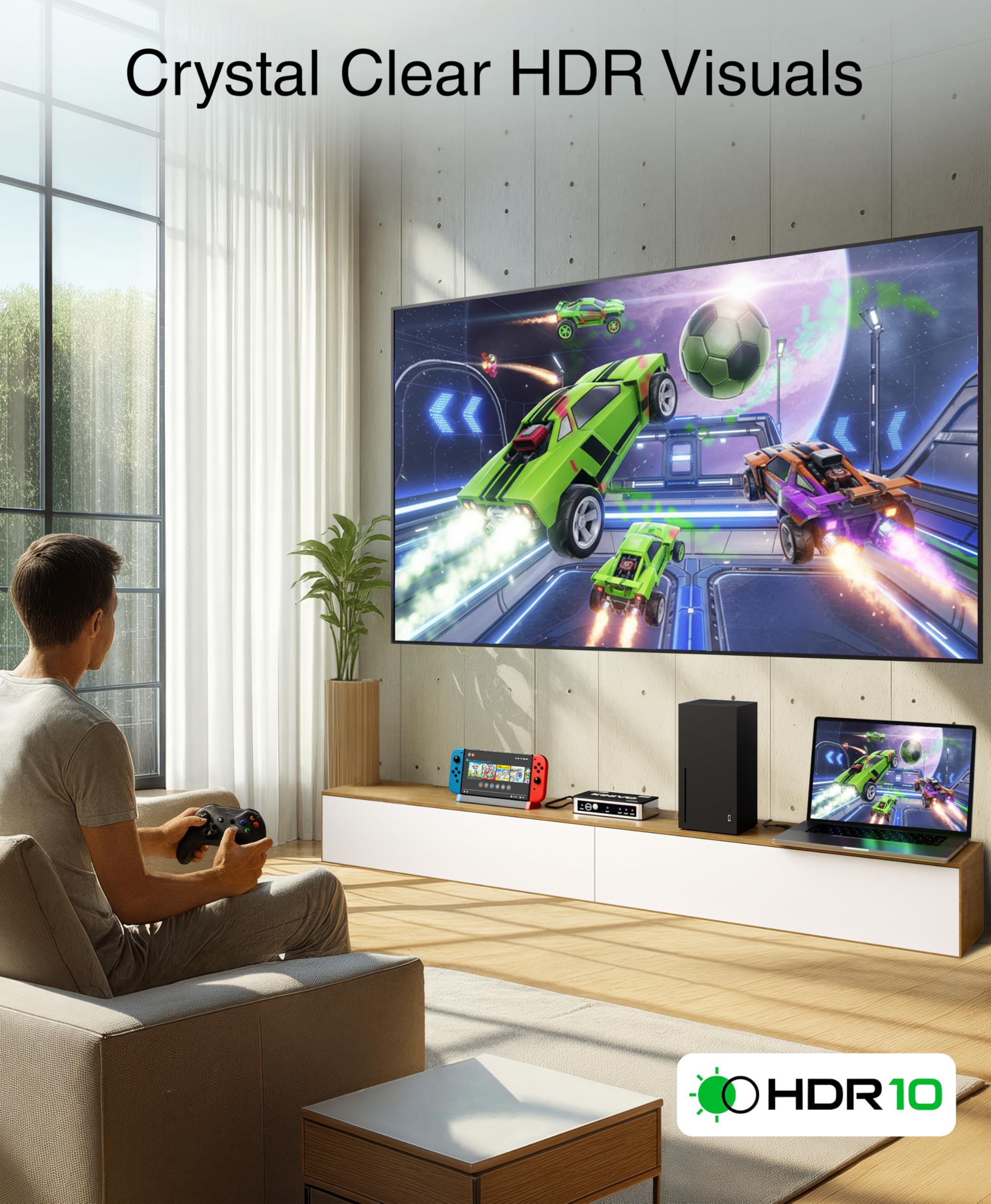
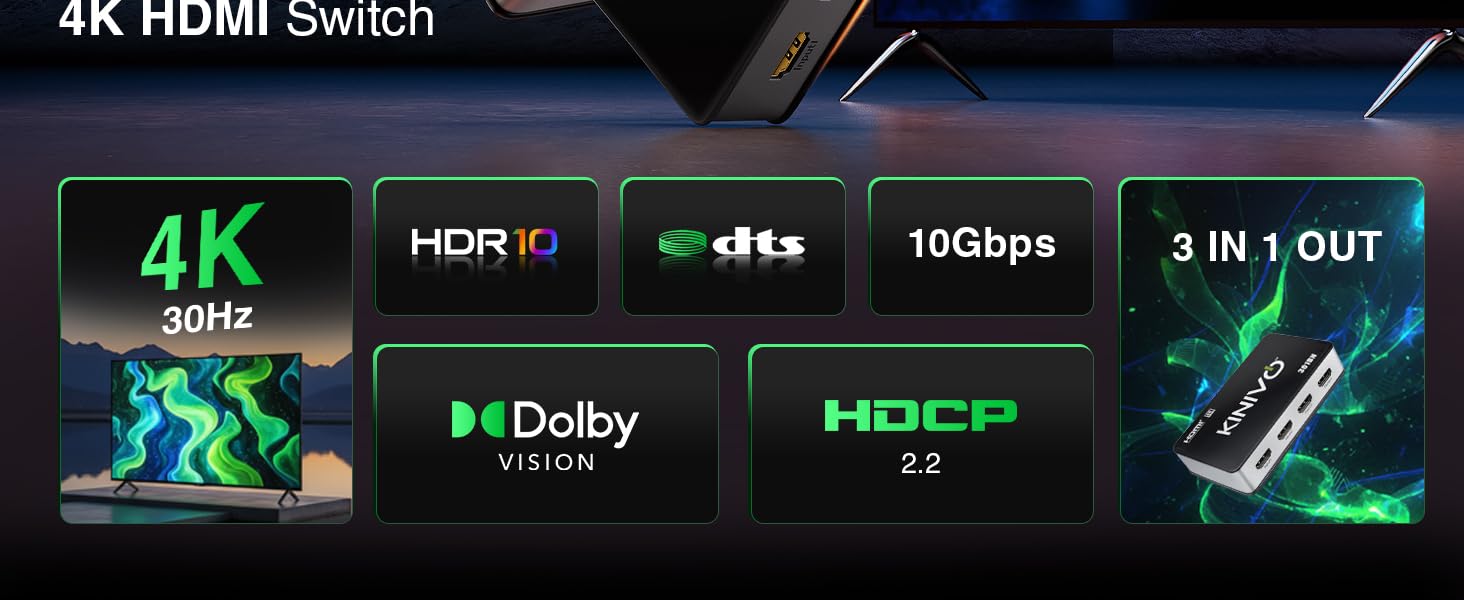
The Kinivo HDMI Switch 301BN is a compact, high-speed HDMI switcher that supports 3 input devices and 1 output with 4K@30Hz resolution, HDR10, Dolby Vision, and HDCP 2.2 compliance. Featuring smart auto-switching and a versatile IR remote, it streamlines your entertainment setup by reducing cable clutter and enabling seamless transitions between devices like PS5, Xbox, Roku, and Apple TV. Built with a durable aluminum body and backed by a 2-year warranty, it’s designed for the modern media enthusiast seeking convenience and premium visual quality.




| ASIN | B0049S6ZUS |
| Batteries | 1 Lithium Metal batteries required. |
| Best Sellers Rank | #327 in Audio & Video Selector Boxes |
| Customer Reviews | 4.3 4.3 out of 5 stars (17,017) |
| Date First Available | October 29, 2010 |
| Is Discontinued By Manufacturer | No |
| Item Weight | 8 ounces |
| Item model number | 301BN |
| Manufacturer | Kinivo |
| Product Dimensions | 7 x 2.5 x 1 inches |
B**T
Auto-switch can be an unnecessary feature sometimes; Great product otherwise
NOTE: This product is currently unavailable as of the time I'm writing this review. This is odd because I literally just bought and received this on Friday 8/21/2015 and it showed no signs of running out of stock anytime soon. Now, I'm writing this review the very next day (8/22/2015) and it is currently unavailable. Weird...anyways onto the review. ~Added two pictures: One of the device itself, another of the device next to my gamecube controller so you can see how small the Kinivo actually is~ This product does exactly what I wanted to do, and at a great $39.99 price as of the time I paid for it. There are a total of 5 HDMI input ports that you can hook into it, + one HDMI output port that you would most likely be connecting to your HDTV. Personally, I'm only using 4 of the 5 as of now because I only have 4 devices that need HDMI: my Wii U, PS3, PS4, and AT&T U-Verse TV box. All of them work great with no glitches, quirkiness, reduced quality, or any of that. Each of the 5 inputs are labeled 'Input 1', 'Input 2', 'Input 3', and so on up to 5. There's a button on the device itself called "Switch" that you can press to sequentially switch through all of your available connected devices. However, this product also comes with a very cool and small remote that lets you control the switches from it via Infrared signals. The remote has up/down arrow buttons that respectively increment and decrement the current HDMI input device you're on. However, it gets a little bit better as there are also 5 other buttons on the remote (numbered 1-5) which map to your 5 HDMI input devices. This lets you freely control which HDMI device you want to display without having to use the linear up/down arrows or the 'Switch' button itself on the device. There's also 1 more button on the remote called "Memory". When you press the Memory button, Kinivo remembers the current HDMI device that is being displayed, such that whenever you turn your HDTV on, Kinivo will automatically switch to the remembered HDMI device. I haven't tried this feature yet so I can't comment on how good it works but it sounds promising. Last thing I want to touch on is what I mentioned in my review title. This device has two interesting auto-switch features that can be either handy or annoying depending on the context of your usage. Firstly, when you turn on a device that is connected to your Kinivo, Kinivo will recognize this and automatically switch the currently displayed HDMI device to the new one that was just turned on. i.e. You're currently watching TV, and you turn on your game system that's connected to your Kinivo. Kinivo will automatically switch to displaying the game system. As I said above, depending on the context of your usage, this feature can either be very useful or very annoying because maybe you didn't want to play your game system at that point in time. Maybe you were just turning it on now in order to play it later. Secondly, if you turn off the device that is currently being displayed on your HDTV, Kinivo will recognize this and automatically switch to the next available sequential HDMI input. Using the above example, let's say your TV box was Input 2, and your game system was Input 3. If you're currently watching TV, and you decide to turn your TV box off, Kinivo will automatically switch to the next available sequential HDMI input, which in this case would be Input 3, the game system. Again, it largely depends on the context of your usage, but this can also be either very useful or annoying. All in all, I'm still giving this 5 stars because the auto-switch features aren't that big of a deal. Even if Kinivo auto switches to an HDMI device that you do not want displayed, you can always just whip out your remote and change it back. All of which takes a few seconds.
U**Y
Great Product for a GREAT Price!!!
The Kinivo HDMI switch is an awesome product! I recently bought a couple of items that required a HDMI input for optimal use. I have never heard of any type of switch before so I started to research them. I first looked on Amazon and this one seemed like the best "bang for the buck". After looking on Amazon, I went to my local Best Buy store to see what they had. An employee told me that they only had 1 item and it was over 100 dollars!!! I thought this was outrageous for a fairly simple product. So needless to say I walked out of Best Buy and got right back on Amazon. This Kinivo switch is as good if not better than the switch that Best Buy offered. It seems well built and does the job without any flaws. The only decision I had to make was to buy the 3 port or spend an extra 7 bucks and buy the 5 port. Since my TV only has 3 HDMI ports I thought this one would be sufficient. I kinda regret not spending the extra money just incase I get more electronics that need HDMI. However, after setting it up I think I might be able to use 5 HDMI ports after all. First off set up was a breeze! I took it out of the box and within 5 minutes it was ready to go. 1st Step: Take a HDMI cord and put one end in your TV and take the other and plug it into the OUTPUT port on the Kinivo. 2nd Step: Take another HDMI cord and put one end into your game console and the other into the INPUT 1 port on the Kinivo. 3rd Step: Take a HDMI cord and put one end into your DVD/Blueray player and the other into the INPUT 2 port and so on. (You don't necessarily have to use this order when plugging your appliance into the INPUT ports. That is the the directions say) 4th Step: Plug the Kinivo into an A/C outlet and you're ready to go! In the description it says that it can be used by the supplied remote or it will automatically detect which input your TV is on and it will switch to it. However, I had a different experience. I followed the directions so I had my XBOX in INPUT 1 and my Roku player in INPUT 2 on the Kinivo. On my TV I had the Kinivo connected to HDMI #1. So my TV doesn't detect that there is anything in HDMI 2 or 3. This is the reason I believe I could connect 2 more HDMI appliances directly to the TV itself ontop of the 3 on the Kinivo. When I turn on my TV and go to HDMI 1 it will go to either the XBOX or the Roku. If both devices are on the XBOX will override the Roku because it is hooked up to INPUT 1 on the Kinivo. To use the Roku all I have to do is turn of the XBOX and the Roku will automatically pop up on my TV. I don't have anything in the INPUT 3 port on the Kinivo but I assume that it would be the 3rd default in this process. PROS: Well built Affordable Works as advertised Set up was a BREEZE Allows me to use a total of 5 HDMI electronics (3 on the Kinivo and 2 on my TV alone) Lightweight and small Looks GREAT with all your other electronics! CONS: Kinda confused on the Kinivo automatically detecting the input Remote is VERY small and could easily get lost
E**S
Reliable HDMI Switcher for Multiple Devices
Reliable HDMI Switcher for Multiple Devices I’ve been using the Kinivo 301BN HDMI switch with my TV setup, and it has made life easier when juggling multiple devices. Between a Roku, Xbox, and cable box, I used to constantly swap cables. This switch eliminates that hassle—just plug in up to three HDMI sources, and it outputs cleanly to the TV. Setup was straightforward: HDMI in from each device, one HDMI out to the TV, and it worked instantly. The picture quality holds up well at 4K resolution, and I haven’t noticed any signal drop or lag. The included remote is handy for switching inputs from the couch, though there’s also an auto-switching feature that detects when a device powers on. That worked most of the time, but occasionally it would stay on the last input until I manually changed it. One thing to keep in mind is that while it supports 4K, it’s limited to 30Hz. If you’re gaming on a PS5 or Xbox and expect 4K at 60Hz, this isn’t the right fit. For streaming and casual viewing though, it performs well. The compact size also means it tucks neatly behind the TV without adding clutter. Bottom line: A reliable, easy-to-use HDMI switch for everyday setups with multiple devices, as long as you don’t need 4K at 60Hz.
M**E
Assez étonné de certains commentaires que j'ai pu lire, pour moi le switch fonctionne parfaitement! Facile à installer, l'appareil reste assez joli dans l'ensemble, il ne devrait pas gâcher le visu de votre installation. Par contre, les leds sont très lumineuses, prévoyez un petit morceau de scotch Au niveau du fonctionnement rien à redire. Détecte automatiquement les appareils branchés une fois mis sous tension, pas d'interférences entre les appareils. J'ai par exemple tester de laisser trois consoles en même temps, pas de soucis pour switcher de l'une à l'autre sans interférences. Ne reste plus qu'à voir sur le long terme
A**E
Works flawlessly, had it for a few months now and never had a problem. Would highly recommend it and for the price it is an amazing value. I would recommend this for anyone that needs 3 HDMI inputs to their TV or for anyone that's lazy like me to flick through the Video Source button on your TV to get to the source you want. Pros: + Easy set up + IR Remote to switch between active devices + Auto switches between devices when you turn one on or off + No degradation of video quality + Does not heat up Cons: - Has a bright blue power light that is always on (another blue light for current input as well); You could just black tape over the light if it is annoying. Does light up a room a night. - No mounting screw holes; Device is lighter than my HDMI cable so it slides to the edge of the stand. Could easily fix by double sided taping it down I currently have one input to my PVR, one to my PS3 and one to my Laptop. There is a precedence for the inputs, so which one you plug in matters. For example, my PS3 has the highest precedence then laptop then PVR. If I have my PS3 on it will not switch to any of the other inputs. I could switch it manually with the switch button on the unit or the remote if I want, but I use my PS3 for Netflix, so I don't want the tv to switch to another input if I accidentally turn on my laptop or my PVR. I use a wireless keyboard/mouse for the laptop and putting it to sleep turns off the video input and it would switch back to TV. The IR for the remote is a plus because I was easily able to program my Logitech universal remote to control the HDMI switch, so I can use one remote to control all my devices.
P**H
El producto me funciona bien con los siguientes aparatos conectados todos a la vez: PS4 (1ª edición, gorda, 500gb), Xbox One (1ª edición, gorda, 500gb), WiiU, Steam Link. De uso normal tienes todo apagado, lógicamente, y cuando enciendes una de las consolas (y en tu televisión tienes seleccionada esa entrada de HDMI) automáticamente te cambia a la encendida. Si enciendes una 2ª, te conmuta a la nueva entrada. Viene con un pequeño mando a distancia (pila incluida) que funciona perfecto. Viene con sus botones para seleccionar cualquiera de las 5 entradas disponibles, y uno para cambiar hacia una entrada superior o inferior (de la 2 a la 3, de la 2 a la 1, etc). Como única pega, le pondría que no tiene interruptor de encendido y la luz de Power se queda siempre encendida con un led azul brillante. No pasa nada, pero prefiero que no se vea nada. Estuve un poco reacio a la hora de comprar otros aparatos por los problemas que parecen dar muchos de ellos, como mala señal o falta de detección de la entrada, entiendo que es por la falta de alimentación. Recomiendo su compra.
B**N
Works pretty well. Auto switches to whichever device you turn on. If you turn off the current device, it will go back to the previous device that's been left on. As another reviewer suggested, use port 5 for Sky or any other set top box as it searches for a device in order 1-5. So when everything else is turned off, it will default to 5. There are some issues with this though. The PS4 does not work very well with it. Not sure if its's the PS4 or the box itself. But it never reverts back to the PS4 in the same way as described above. Even if you turn everything else off, and even if you use port 5 it never seems to go back to it after you have turned on and then turned off any other device. If you put your PS4 in standby, the problem is even worse as it doesn't change inputs at all [No longer applies, see update below]. It might be because the PS4 is still sending some sort of power signal to it so it doesn't know that it's effectively off. It also comes with a remote. Not the best build quality, but suprisingly responsive. Another issue I had was with HDMI cables. It seems to be quite picky about which ones it will work with. Never had this problem with any other similar device. I had to use new cables. UPDATE After using this switch for many months, I have to say I like it more than I did initially. The issue with not switching after putting the PS4 into standby no longer seems to be an issue (the issue with not reverting back to the PS4 remains though). I don't know why, but putting the PS4 into standby mode is suddenly considered as an "off" signal, and so the box will switch to the next powered device in the chain as expected. It was clearly an issue with the PS4 itself. How it resolved, I don't know. This is a good switch box, with reasonably well implemented auto switching.
A**O
Solución ideal si tienes varios dispositivos en el salón o en cualquier parte de casa y tan sólo tienes una o pocas entradas HDMI en el monitor, tv o proyector. Al ser autoalimentado, la pérdida de señal es apenas inapreciable (si nos ponemos sibaritas, y hacemos una medición de pérdida de calidad en la señal quizá saquemos conclusiones, pero para un uso normal y casero yo no he notado pérdida ninguna a simple vista). El mando es ligero, pequeño y delgado, con un diseño superminimalista justo con las funciones para lo que está diseñado. Hay un detalle que me encanta, y es que cuando enciendes un dispositivo enchufado a una de las entradas, se cambia la señal automaticamente. Por ejemplo, si tienes conectada la xbox y enciendes el tdt, el conmutador automáticamente cambia la señal al TDT. Es un pequeño detalle que rezuma comodidad, ya que ni te tienes que molestar en cambiar la señal con el mando. Yo lo tengo puesto a una xbox, a la gráfica de un pc y a un TDT HD para un proyector EPSON (para un monitor PC con una sola entrada HDMI es ideal también) y en un par de meses de uso va perfecto. Por poner algún pero, el alimentador es americano, pero viene con su adaptador europeo, tampoco es gran problema. Compra más que recomendable. El envío en perfecto estado y rapidísimo, como casi todo con Amazon.
Trustpilot
3 weeks ago
2 weeks ago