Buy anything from 5,000+ international stores. One checkout price. No surprise fees. Join 2M+ shoppers on Desertcart.
Desertcart purchases this item on your behalf and handles shipping, customs, and support to Hungary.
❄️ Stay cool, stay ahead — the Hyper 212 PRO ARGB means business.
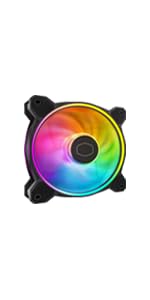
The Cooler Master Hyper 212 PRO ARGB is a high-performance CPU air cooler featuring four copper heat pipes and a 120mm PWM fan capable of speeds up to 2500 RPM. Designed for compatibility with the latest AMD AM5/AM4 and Intel LGA 1851/1700 sockets, it offers easy installation and quiet operation at just 32.8 dB. Its sleek ARGB lighting and top cover design make it a stylish yet efficient cooling solution, trusted by thousands for reliable temperature control and silent performance.


| ASIN | B07H22TC1N |
| Air Flow Capacity | 70.7 Cubic Centimeters Per Minute |
| Best Sellers Rank | #2 in Computer CPU Cooling Fans |
| Brand | Cooler Master |
| Brand Name | Cooler Master |
| Compatible Devices | Desktop |
| Cooling Method | Air |
| Customer Reviews | 4.7 out of 5 stars 10,451 Reviews |
| Global Trade Identification Number | 00884102048661 |
| Included Components | Heat Sink, Fan |
| Item Dimensions L x W x H | 4.9"L x 2.9"W x 5.9"H |
| Item Weight | 1.54 Pounds |
| Manufacturer | Cooler Master |
| Material Type | Aluminum |
| Maximum Rotational Speed | 2500 RPM |
| Model | RR-212S-25PZ-R1 |
| Noise Level | 30 Decibels |
| Number of Items | 1 |
| Part Number | RR-212S-25PZ-R1 |
| Power Connector Type | 4-Pin |
| Product Dimensions | 4.9"L x 2.9"W x 5.9"H |
| UPC | 884102048661 |
| Unit Count | 1 Count |
| Voltage | 12 Volts |
| Warranty Description | 2 Year Manufacturer |
| Wattage | 2.4 watts |
R**D
Admirable performance for the cost, but it is tall
TLDR: you can get better cooling from an AIO, but the price and performance of this tower perfect for your average user on a budget. Make sure it fits in your case. The mounting system is secure and makes good contact with the CPU die. The included thermal compound is good enough to not require another purchase as well. My issue with the mounting bracket was that it required more force than I anticipated to align the screws and I had to remount the cooler to ensure even pressure because I had missed that one screw was not threaded into the bracket. - perhaps it could have used slightly taller standoffs. Otherwise installation was easy and the fan mount looks nicer than clips would for this styling. RGB is bright and the selection of colors and modes are fun. I appreciate that I can pick a plain white light or just leave it off. In terms of performance, I see ~20C difference above ambient from my stock cooler (wraith stealth) and the noise is potentially blower under load depending on your fan curve. Under heavy load with a slight OC my temps are stable below 75C and idle around 35C. The main downside to look out for is it's height from the GPU. My case is wide and accommodates the cooler, but if you have a narrow case I would look for another solution.
T**S
Sturdy and Effective Cooling with Appealing Aesthetics
This fan was selected for use in my new desktop computer, and my experience with it thus far has been positive. It looks good, with attractive color accents that enhance the overall appearance of my new desktop. Beyond aesthetics, the fan exhibits a robust and sturdy construction, instilling confidence in its long-term durability. Most importantly, it performs well, and moves a lot of air, which is crucial for maintaining optimal system performance. The fan's sturdy build is a notable advantage, suggesting resilience and longevity. Additionally, the appealing color scheme adds a welcome visual element to the computer's internal components. Its capacity to move a substantial amount of air is a critical pro, ensuring efficient cooling and contributing to the overall stability and performance of the system. At this time, no drawbacks have been identified. In conclusion, this fan proves to be a solid choice for a computer build, offering a combination of effective cooling performance, durable construction, and pleasing visual design. Its ability to move a significant volume of air, coupled with its sturdiness and attractive colors, makes it an excellent choice.
G**T
This product is amazing.
So prior to this purchase I bought a msi mag 240mm(garbage). Troubleshot this AIO for 2 months before finally rma'ing it at the time of posting this. Playing games was 80+, prime95 tests/cinebench 80-90c and specifically destiny two sometimes I'd see 93c, apex 75-85c. I installed the 212 black argb last night. The temps are absolutely amazing. Once I played for about an hour to get an accurate reading I didn't even hit 70c most of the time i was under 60c even at 100% cpu loadwith this thing on my 5600x at stock with a -25 curve. Bang for buck this product is amazing especially when it is on sale, it is a huge value and works amazing for a 65w chip. Only thing that sucked was the mount on the back of the motherboard. I had to take 8 or 9 screw out of my motherboard to get enough clearance for the bottom left screw on the backplate. It wasn't hard just an extra step. The fan is not addressable rgb(which I am just going to replace it). I just used the little switch it comes with for the time being. If you add another fan for a push/pull I'd imagine temps would drop a little lower even. If you're like me and research until your crazy on pc parts. Just buy this thing. Just make sure you're not on a like 12900k it won't cool super high wattage cpus but for mids like the 5600x. Absolutely amazing. 1 weird thing I want to add just in case anyone else has this issue. First boot up even with the stock fan plugged into the cpu fan pwm. I got "cpu fan error!" The workaround for this is just to turn off the monitor on the cpu fan in bios. Super weird, I didn't care much since I am replacing that fan anyways, but just so you know! Even if you disable the monitoring of the fan, works fine
N**G
Fastest USPS DELIVERY EVER and well
One of the fans the Bourgeoisie is not controlling it’s price and it’s one of the best consumer rated CPU cooler out there.. was going to go double fan (Push<>Pull) but this one likely can be converted into that. I don’t know so PLEASR don’t Take my word for It. 🙏🏼🫡
D**W
The fan clips are impossibly stupid
The cooling performance on the Cooler Master Hyper 212 PRO ARGB is genuinely impressive for an air cooler. Combined with my front radiator, it keeps my processor very cold even under load. The 120mm PWM fan is quiet and the ARGB looks great once it's actually running. However, the installation of the fan onto the heatsink is incredibly frustrating. It uses thin metal wire clips that you have to snap into place. In a smaller case, trying to get these wires to seat correctly is a major headache. I would have much preferred a solid bracket or screws. If you have the patience for the clips, the cooling results are worth it, but be prepared for some frustration during the build.
J**N
The Legend Gets a Glow-Up
The Hyper 212 has been the go-to budget air cooler for years, and this RGB Black Edition is the version that finally looks the part too. The gunmetal anodized finish, brushed nickel fins, and RGB fan are a genuine upgrade over the original's industrial look. The SF120R fan runs between 650 and 2000 RPM with PWM control, so it stays whisper-quiet at idle and ramps up sensibly under load. Temperatures are excellent for the price class, easily keeping mainstream CPUs well within safe ranges under gaming loads. Installation takes more patience than a boxed cooler, mostly because the universal bracket system covers so many sockets. Read the included instructions once before starting and it goes smoothly. The fan snaps onto the tower after mounting, which is a nice touch. One heads up: the RGB controller works standalone or integrates with compatible ASUS, Gigabyte, MSI, or ASRock headers. If your board is not on that list, the included Molex controller still works fine. For mid-range builds where value and thermals matter more than a massive tower, this is hard to beat.
T**A
Great Value
Cheaper than some better than most. Cooler master 212 Pro is the newest variation of the venerable hyper 212. easy install, easy to plug both 4 pin and 3 pin connectors... argb work great, I was using a competitor's single fan, the 212 pro is now in the same price range, I will switch over on future builds. LGA 1700 Asus Tuf B 760 motherboard, rx7600 Asrock steel legend, 1080p Runner, mostly for my racing simulators, and flying games, Elite Dangerous, I am 78 years old and love gaming, our grands, don't mind have 3 pcs in the house to play with either.
I**W
Works amazingly well, but mounting was confusing.
I've built several computers, and swapped parts in and out of each of them, so I consider myself fairly competent at working with these sorts of things. But this was an exercise in frustration getting it installed. The instructions have no text, and rely on very vague pictures to show you what to do. This made figuring out exactly which part to use somewhat annoying, but not overly difficult. The biggest difficulties I had where both while attempting to actually mount the cooler. First, the AMD mounting brackets you attach to the cooler itself gave no indication to which position for the screws is for AM3 and which is for AM4. I had to take the cooler back up to figure it out, which was annoying as I'd already put the thermal paste on. Even then, it was another inordinately long time of fighting with it, only getting 3/4 screws to go in tightly before I ended up taking it up yet again. That was when I realized I had one of the brackets on backwards, because there's no real indication of which way they're supposed to go. I was honestly surprised it even went on wrong, as on the other side the holes only lined up if it went the right way. Once that was sorted out, though, it did go on smoothly. The quality of the build is excellent, and it works great, it's really just a matter of having horrible instructions for installation. Final result, though, was a massive drop in temps over the stock cooler I was using, and an even bigger drop in noise. The stock cooler was using a 40mm fan, which sounded like a jet engine when it had to do anything. From an aesthetics standpoint, it works really well with my new P350X case, and the included RGB controller is very welcome. Overall, I'm supremely happy with the look, sound, and performance of this unit! The directions just need to be slightly more idiot-proof, or they should at least provide an installation video for reference.
P**H
This is a legendary cooler for you RIG really.
My CPU temp above 95 with stock cooler. after installing this now it is contant 65-75 during game and stream. sometime spike 90 but this not any issue. on idle it cooled my PC at 38 ambient temp is 30.
G**.
La mejor opción calidad precio y vaya calidad!!
Increibleeee!! Fácil de instalar! Y es una maravilla no hace nada de ruido! Y woooow como baja la temperatura solo con un ventilador!!, estrese el procesador al 100% con CPZ y antes de instalar me arrojaba los 89/90 grados a punto de reventar después de 10 minutos y una vez colocándole este junto con pasta termina artic woow estresándolo por 20 minutos no pasó de los 70 grados y utilizándolo normal no pasa de los 47/49 grados uuuuf una maravilla!! Además de que el rgb lo controló con la motherboard!! Gran producto! Recomendado!!
H**A
Perfeito
Cumpri o que promete
K**A
Perfect cooler
It's really good cooler, yes it's not a good looking and it's not 100 quite but i really recommend everyone to buy this products temperature went from 87 to 60 on load
M**O
Brought down the temperature of my Ryzen 5 3500 from 95c to 82c on prime95 max power stress test!
On stock settings with the AMD Wraith Stealth that comes with the CPU, temperatures reach a maximum of 95c on the prime95 max power stress test. Idle temperatures are at 50c to 55c in an ambient of 30c. On gaming loads, temperatures hover around 60 to 70. With this cooler, the max temperatures are at most 82c on the same prime95 max power stress test and idle temps are down to around 43c to 45c. The cooler comes in a nice packaging and includes a tube of thermal paste for your convenience. Installation was easy but you do have to read the instructions carefully though as it was a little confusing for me at first. Installation did require the removal of my Gigabyte B450 AORUS M motherboard however. The heatsink itself is in a matte black finish and the fan has a nice RGB light which is vibrant. Also included are brackets to install a second fan behind the heatsink for a dual fan push-pull configuration. While pretty, the fan is slightly louder than the original Wraith Stealth, but it is not too bad. It really only becomes very audible at around 70% full speed. Overall, this is a great cooler at a great price. Definitely look into this if you want a cost effective upgrade from the original cooler that comes with your CPU. While there are other coolers that can perform better, it will be hard to beat this at its price point and don't forget, you can always add a second fan if you wish to on this one as the brackets are already provided.
Trustpilot
1 month ago
5 days ago