Desertcart purchases this item on your behalf and handles shipping, customs, and support to Hungary.
🖋️ Elevate your digital canvas with TCL NXTPAPER 14 — where creativity meets productivity!
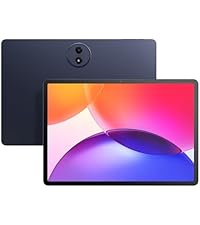
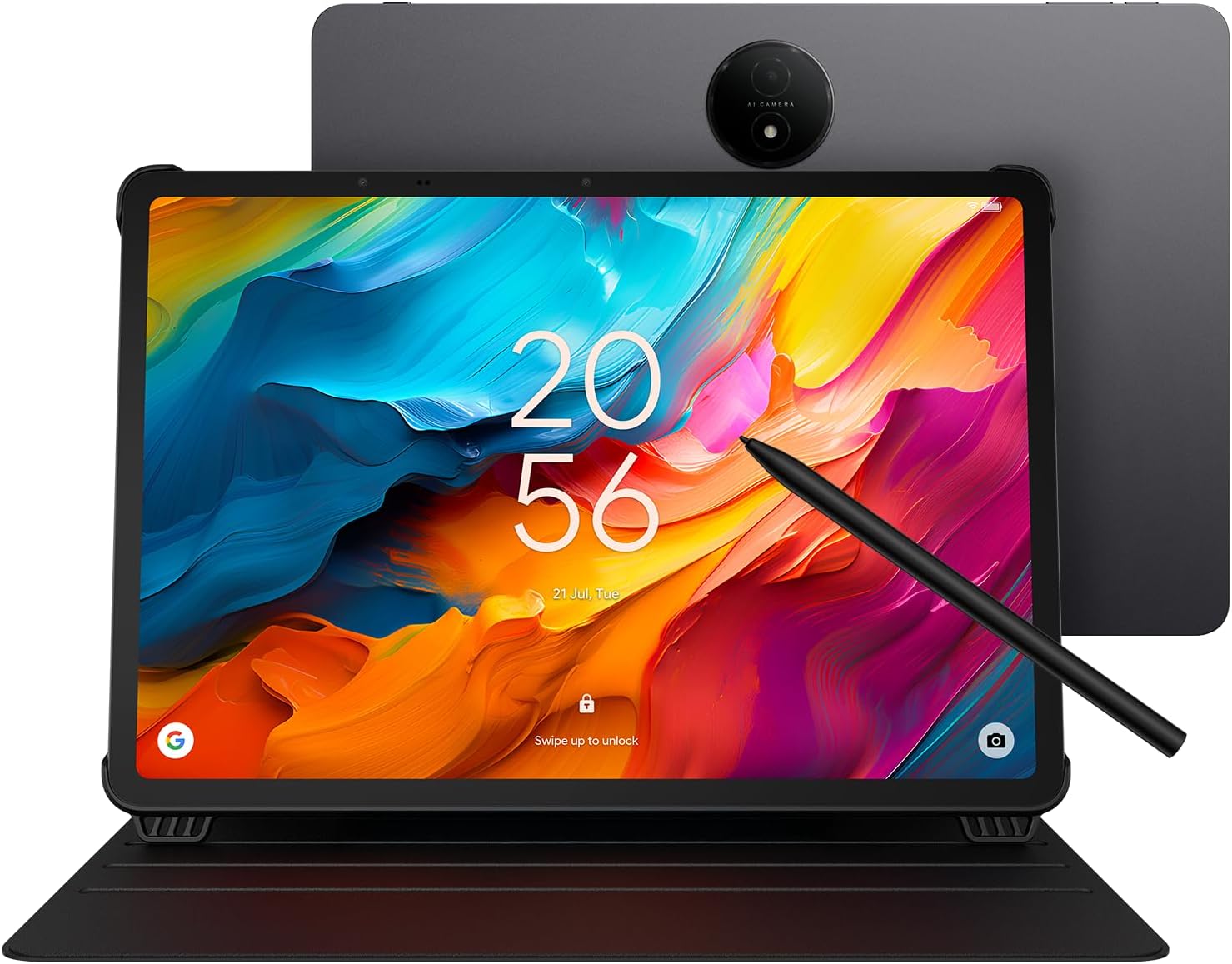
The TCL NXTPAPER 14 is a versatile 14.3-inch Android 14 tablet featuring a 2.4K paper-like display with NXTPAPER 3.0 technology for eye comfort, a 4096-level stylus for precise input, and powerful MediaTek Helio G99 processing paired with 16GB RAM (8GB onboard + 8GB expandable). It offers 256GB storage, a robust 10,000mAh battery with fast and reverse charging, dual front cameras, and a slim, durable metal design with an included flip case stand—ideal for artists, students, musicians, and multitasking professionals seeking a premium all-in-one digital notebook and creative tool.


| ASIN | B0H1BHF57W |
| Aspect Ratio | 16:10 |
| Battery Average Life | 10 Hours |
| Battery Capacity | 10000 Milliamp Hours |
| Battery Cell Type | Lithium Polymer |
| Battery Power | 10000 Milliamp Hours |
| Best Sellers Rank | #4,324 in Electronics ( See Top 100 in Electronics ) #101 in Computer Tablets |
| Brand | TCL |
| Built-In Media | Flip Case, Stylus, TCL NXTPAPER 14 Tablet, USB Type-C Cable |
| Camera Description | Dual front cameras (13MP + 5MP), 8MP rear autofocus camera |
| Color | Matte Gray |
| Compatible Devices | Flip Case, Stylus |
| Connectivity Technology | Bluetooth, Wi-Fi |
| Customer Reviews | 4.4 out of 5 stars 362 Reviews |
| Display Refresh Rate in Hertz | 60 |
| Display Resolution Maximum | 2400 x 1600 Pixels |
| Display Type | LCD |
| Graphics Description | Integrated |
| Hard-Drive Size | 256 GB |
| Hardware Interface | USB Type C |
| Human-Interface Input | Touchscreen with Stylus Support |
| Item Dimensions L x W x Thickness | 8.74"L x 12.69"W x 0.27"Th |
| Lithium-Battery Energy Content | 39.86 Watt Hours |
| Manufacturer | TCL Communication Ltd. |
| Memory Storage Capacity | 256 GB |
| Model Name | TCL NXTPAPER 14 |
| Native Resolution | 2400x1600 |
| Operating System | Android 14 |
| Operating System Family | Android |
| Other Special Features of the Product | Fast Charging, Split Screen, Stereo Speakers, Stylus Support |
| Processor Brand | MediaTek |
| Processor Description | MediaTek Helio G99 |
| RAM Memory Installed | 8 GB |
| RAM Size | 8 GB |
| Screen Size | 14.3 Inches |
| Set Name | TCL NXTPAPER 14 Tablet Essentials |
| Size | 14.3 inches |
| Specific Uses For Product | Entertainment |
| Style Name | Sleek, Professional |
| UPC | 889063536219 |
| Unit Count | 1.0 Count |
| Video Capture Resolution | FHD 1080p |
| Warranty Description | 1 Year Manufacturer |
| Wireless Technology | Bluetooth, Wi-Fi |
D**R
Very nice.
Really good for keeping your library of music all in one place. Very easy on the eyes. Very close to reading a paper score. Has been very reliable with good battery life. Didn't come with a charger, just a cord. Excellent for the price. And it's a good size for music. It is lightweight and should work on any music stand or piano stand, even those flimsy plastic stands on an electric keyboard. Works great with a foot pedal to change pages.
J**D
This is a surprisingly good large Android tablet at a good price
Happy with the purchase, and a bit surprised at how well it works so far. The large size makes it easy to read documents, the "paper" modes are a nice addition, and the battery lasts for hours of use. I was able to install an email program (not Google) and it worked right away. Other Playstore apps work on it too (I have a few favorites to install). The cover is also nice, although I don't know why the included a felt-loop stylus holder - the magnetic attachment is great; maybe the loop is for those who don't want to use the case. A couple of things to note: 1) the description says the device works only with the stylus. This is not exactly correct. Finger touches work, and I was able to quickly connect a small Bluetooth keyboard (which makes emailing much easier). 2) However, attempting to use a small plastic pointer and an old PDA stylus did not work for me, so perhaps that is what TCL means about working only with their stylus. 3) The device works with stylus, fingers, or BT keyboard with or without a screen protector. The pointing accuracy is best with the stylus, of course. 4) Although a spare stylus tip is included it seems likely that replacements will be needed over time. I hope TCL makes them available at a reasonable price. 5) Due to the inability to use an alternate stylus, I hope TCL also makes spare stylus pens available a reasonable price too. 6) I purchased a screen protector (I use them on all my touch devices) and noticed that the camera "bump" and two other sensors along the edge of the screen made it impossible to get a perfect fit. This is not TCL's fault, it is more likely due to the rather rigid screen protector. And it does not affect functionality - the slight detachment is outside of the actual screen area. However, it seems possible that the slight separation could get snagged and detach over time. A Zag protector (if available) would undoubtedly do better. I'll leave a comment about that on the screen protector review (not a TCL product) 7) Related to the previous point: the screen protector attached well to the screen (I use rubber gloves and a small rubber squeegee to apply them smoothly), but when the power is off there is a "ripple" effect that appears to be inconsistencies in the screen protector plastic itself. I tested with all three paper modes of the TCL, and with power on the ripple is not noticeable. Note: these are definitely *not* air pockets between the glass and the protector, but rather, appear to be inconsistencies in the protector film itself. Annoying but not a serious problem for the TCL. 8) It would be nice if the TCL had a smart card or microSD slot. For simply viewing PDFs and such, 128 GB may be fine, but with a few apps installed, another 128-256 GB, on microSD, would be a very welcome addition (and Android already handles SD devices, so this amounts to a small case change, a small PCB change, and a $0.50 connector. I hope TCL will consider adding an SD slot on future releases. After a few days use I'd buy this again. Nice design, really easy on the eyes, surprising screen mode "paper" options, good battery life, and it was delivered fast and *very* well packaged. Five stars.
G**M
Samsung needs to take notes
First off, YOU SHOULD HAVE A TOP QUALITY CHARGER AND USB CABLES IN YOUR LIFE. I will tell you why later. If Samsung copied this Screen Finish on their entire lineup, they would own all of the market. I'm not kidding when I say this matte finish really makes this screen look better when consuming media around the house. Almost a surreal effect. HUGE and useful real estate btw, and not as heavy as other Mid grade XXL tablets. The pixel density is great, do not get yourself fooled a 1080p on a 14inch or greater Tablet matters. You will see the pixels. The extra resolution is needed. That said I think the fact it is a LCD helps soften the most harsh pixelation as it looks amazing and really gives Movies that Pleasant viewing experience. The Pen Lag is there, not the worst but you're just taking notes with this response time, and the pen is not intuitive, there is a reddit post of people just trying to figure out how to use it. Ask me how I know... The builtin storage Capacity is kind of a non question for me as I stream my data through Media Streaming services and Plex home server. So all the apps to do so barely take a lick of space. Also what this is advertising for (books) those don't take any space. The charging and battery run time is gonna be a thing for those who are use to Apple and Samsung battery magic. Now not bad by any means, but watching a 2 hour movie will run your battery 30% using the Speakers. Granted it's pushing a larger screen and quad speakers. Speakers.... they match the vibe. They will be enough for media. There is no glowing review on them. They will be beat by every Bluetooth speaker because you simply can not get a great sound stage on these form factors. There is a Volume Plus mode if it's not loud enough but you will try it once and never again dear god that was horrible. TCL remove that feature because you're asking for warranty claims. My testing shows PEAK 24watt charging speed at 2.5a/9.6v which is confusing given its supposed to be a battery Economy mindful chipset with the Hellio G99 that's found in other mid grades like the Samsung S9 Tab FE. Cameras are unremarkable and to be honest I would of taken a downgrade on the rear for a flush camera. Just enough to make sure a once and awhile QR code that's needed to be scanned is clear enough. Selfie cam is..... there. UI is vanilla Android, I immediately ditched it for my Launcher of choice so No opinions past that. In all. A great Deal. Tablet is great. Case is useful. Pen is a dud.
D**G
Perfect for reading e-books.
Really great Android tablet. Best size for reading e-books. Fantastic display. Comes with stand and rechargeable pen. Probably great for drawing but I am not an artist, just an old man who needs a large screen to read. Cons: Speaker sound tolerable but not great, no keyboard, no slot for micro SD card, no earphone jack (needed as antenna for radio app). Must use bluetooth devices.
A**T
A bang for the buck big tablet.
Is a superb quality tablet very adaptable for any task, fast and competes with any tablet of higher price. It's more than 13 inches screen gives you plenty of space for work, gaming and reading. Easy to use in spite of the size,and batteries runs a long way.
S**L
Fabulous tablet for sheet music!
I am using this tablet for my sheet music, particulary the mobile sheets software. So it is a limited use case, no watching videos or playing games. For sheet music this tablet is absolutely fabulous: - the battery life is good enough to go through many hours, probably 8 or 10. My longest session so far was 4 hours which only got it down to like 75% of charge. - The screen is quite nice, the anti reflective surface is nice, little to no glare - It is quite snappy. Swiping, roating the screen, zooming in and out are instant. - For my use case it has ample storage capacity although I have a real large collection of sheet music. - The size is quite pleasant, I can even put two pages on the screen side by side and still see them both sufficiently. Although for such a case it would be even nice to have that tablet as a 16 inch or more. - It charges really fast And yes, like many mentioned - it does not come with a wall plug, only a USB-C cable. Not a big problem, since I have a wall plug for all the other USB-C devices. It is actually nice to not yet get another thing I don't need. - The stylus works great. And others mentioned - there is no good place to attach it, really. The back of the cover perhaps. So I pass on that and carry the stylus in my purse. The stylus charges quickly. - The protective cover is nice and will help it to withstand drops. - Someone mentioned that this tablet does not update Android. Mine updated the Android version, system, security when I started it the first time, it had a mesage saying that it wsa not updated for 32 months. So it updated but it only to Android 15 which is not the latest and the security updates are outdated too. For my limited use case this is probably not too big a deal. I will add a Norton 360 though, just to pad it a bit extra. -Someone metnioned that it would run in loops and not start. I once had the situation where I had shut down the tablet entirely and had it on the charger. In this case it was not possible to start it up and it ran into this loop. Once I disconnected the charger, it started up right away. It has a deep sleep setting to save battery which I am using now instead. The price for such a device is fabulous. Now I just hope that it will last. If not I'll update this post but so far I am very happy and quite impressed - for my specific use case.
I**T
First update installed unremovable bloatware
At first things were going well. I liked the screen, the tech in general. It was responsive and looked good. There were a few annoyances to sort out in settings. Then it prompted to "finish setting up", to install updates. When it was done there were about half a dozen new icons for things I didn't want on the desktop. The only one that could be deleted was the LinkedIn app--which is an insane thing to push on any device, but at least it could be removed. The rest of the apps couldn't be removed at all. At best they could mostly disabled and reduced to a minimal install, but I believe each was over 100MB of wasted space. That's over half a GB devoted to having things on my machine that I don't want and didn't ask for, and don't trust to not be secretly phoning home. When I'm not allowed to remove something, it makes me suspicious of why I'm not allowed to. What I do know is they aren't integral to the operating of the tablet. Even if it wasn't obvious from what they were, they weren't there when the device first booted up and it was running just fine without them. Additionally, perhaps most importantly, it declares a willingness to push bloatware the end user is forced to host on their machine post purchase. It's bad enough when a device comes with apps you can't remove that are there when you first boot them up, but doing so as part of an update crosses a significant boundary. It's an invasive pattern of behavior. I will not tolerate it, and I encourage others not to tolerate it either, especially since many of these apps are given fingers into your account by default.
A**I
Superb choice for active musicians, whether we're on a budget or not
As a professional musician, I adore this tablet. Its intuitive interface allows for quickly learning the android platform for those of us who are working on escaping the apple ecosystem. There are multiple sheet music software apps that perform extremely well (honestly better than the iPad native software so many people in my industry are beholden to), and the battery life seems to be superior to the iPads I've used in the past. With consistent daily practice sessions I have only had to charge this tablet twice in the near month I've owned it. Its screen provides a very paper-like experience in pretty much every way I need even when in full tablet mode, and as a leftie writing on this device is cleaner and more predictable than writing on an iPad. Something that makes this device truly unique is that with a push of a button the tablet can go into colored paper mode, which has been the best for me as a musician who struggles with looking at a screen due to eye problems. In color paper mode, the music looks nearly identical to orchestral score quality physical paper. The screen size ratio is nearly the same as A4 paper, which for those of us who want or need our music to be full-sized, this tablet is ideal. I much prefer this screen in every way over the industry standard iPad. The bluetooth and wireless connectivity are reliable and wifi speed is solid as is the speed of the processor. Pedals connect with ease. The tablet works well off both traditional wifi and mobile hotspot wifi, which is a convenient workaround to the lack of normal cellular activity. The storage capacity is a good value for the price, and the tablet arrives with google software suite (including google drive) preinstalled, which enhances storage space and connectivity amongst devices across platforms. The tablet also charges really quickly, and the usb-c charging port feels sturdy; not flimsy like old lightning ports of apple products. The tablet as a whole is the right mix of light enough weight to be practical despite the 14.3" screen size, but heavy enough to feel secure. And it looks sleek enough to confidently bring to a gig without worrying about looking unprofessional. The case it comes with is really basic, but sadly there's not a lot of 3rd party case options for this tablet. But that it comes with a case at all is a nice feature and the case is both serviceable and convenient, just kind of bland. Would love to see TCL or a third party come out with some nicer case options. The stylus it comes with is comfortable in the hand and does everything I want it to do as someone mainly using this as a music reader tablet. For folks coming out of apple land, the lack of tap to turn on (like an Apple Pencil) might be a temporary minor inconvenience to adjust to, but the side button on this stylus is easy to reach without adjusting one's grip and is also just the right amount of responsive. I was hesitant to buy a tablet for several years because of the limitations and cost of the industry standard iPad Pro.... This tablet is a premium option at a budget price point, and if you're a musician on the fence about going digital due to the chokehold apple has on our industry, definitely give this thing a try. I'm an oboist who is notoriously not a fan of technology in my craft, and this has fast become one of my favorite tools beyond my instruments themselves. I'm genuinely so glad I got this one over the competition.
M**.
Muy buena tablet para practicar dibujo, leer y revisar tus archivos básicos como de diseño
Cumplió muy bien con lo que queria, sobre todo para practicar dibujo digital de forma básica, gran pantalla tanto en tamaño como calidad. Obviamente hay mejores tablets, pero si encuentras esta TCL de oferta vale mucho mucho la pena para cosas básicas y una que otra que requiera alta potencia.
J**H
TCL
Quite a good tablet. Big screen, 👍.
I**A
Buena tablet, relación precio calidad.
Buena tablet con relación precio calidad, tiene algunos bugs pero nada grave, eso si la pantalla está excelente, y la batería dura mucho, yo si la recomiendo.
C**G
No charger !!!!
There is no charger !!!! It is supposed to include a 33W charger.
Trustpilot
2 months ago
2 months ago