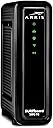
![ARRIS (SBG10) - Cable Modem Router Combo - DOCSIS 3.0 16 x 4 Gigabit & AC1600 WiFi, [Check with your provider for compatibility]400 Mbps Max Internet Speeds](https://m.media-amazon.com/images/I/51cZX1MBpSL._AC_SL3840_.jpg)


Desertcart purchases this item on your behalf and handles shipping, customs, and support to Hungary.
🚀 Own your speed, control your space, and never miss a beat!
The ARRIS SURFboard SBG10 is a DOCSIS 3.0 cable modem and AC1600 dual-band WiFi router combo delivering up to 400 Mbps internet speeds. Designed for homes up to 1400 sq ft, it supports 16x4 channel bonding for reliable connectivity and includes two Ethernet ports. Certified for most US cable providers, it offers easy app-based setup, real-time network monitoring, and parental controls. With a compact design and a 2-year warranty, it’s a cost-effective solution to eliminate rental fees and upgrade your home network.


| ASIN | B07H42QXF1 |
| Antenna Location | Gaming, Home |
| Antenna Type | Internal |
| Best Sellers Rank | #1,594 in Computers & Accessories ( See Top 100 in Computers & Accessories ) #7 in Modem Router Combos |
| Brand | ARRIS |
| Built-In Media | And 2-Year Warranty Card, Arris Surfboard Sbg10 Cable Modem, Power Supply, Quick-Start Guide |
| Color | Black |
| Compatible Devices | Personal Computer, Smart Television, Smartphone |
| Connectivity Protocol | DOCSIS 3.0, Wi-Fi 5 |
| Connectivity Range | 1400 Square Feet |
| Connectivity Technology | Ethernet |
| Control Method | App |
| Controller Type | App Control |
| Coverage | Up to 1,400 sq ft |
| Customer Reviews | 4.3 out of 5 stars 15,581 Reviews |
| Data Transfer Rate | 1600 Megabits Per Second |
| Frequency | 5 GHz |
| Frequency Band Class | Dual-Band |
| Global Trade Identification Number | 00612572215388 |
| Has Internet Connectivity | Yes |
| Has Security Updates | No |
| Is Modem Compatible | Yes |
| Item Dimensions L x W x H | 6.77"L x 1.97"W x 6.58"H |
| Item Type Name | Cable Modem & Wi-Fi Router |
| Item Weight | 1.96 Pounds |
| LAN Port Bandwidth | 1000 Mbps |
| Manufacturer | CommScope |
| Maximum Upstream Data Transfer Rate | 131 Megabits Per Second |
| Mfr Part Number | SBG10 |
| Model Name | Surfboard |
| Model Number | SBG10 |
| Number of Antennas | 1 |
| Number of Ports | 2 |
| Operating System | Arris |
| Other Special Features of the Product | Access Point Mode, Parental Control |
| Router Network Type | Cable |
| Security Protocol | WPA2-PSK |
| Special Feature | Access Point Mode, Parental Control |
| UPC | 612572215388 |
| Unit Count | 1.0 Count |
| Voltage | 120 Volts (AC) |
| Warranty Description | 2 years |
| Wireless Communication Standard | 802.11ac |
| Wireless Compability | 802.11ac |
K**N
Stable Internet, Small Footprint, Works Flawlessly
After struggling with spotty internet for several weeks, being told from Comcast that our service lines were not being worked on or suffering outages, and having our cables checked, I realized that the $200 modem/router combo we bought last year was the culprit of our internet woes. Why I didn’t suspect our router first...it’s a $200 router for cryin’ out loud! Sadly, that stupid router was the problem and was long out of return period, just out of warranty period, and I really couldn’t be bothered with repairing it. The Arris Surfboard was half the cost, but worked great - if not better - than our old router/modem. Setup was straightforward and easy - I was able to setup my new router without having to call Comcast even (you can active a new router by plugging in a computer via Ethernet cable and going directly to Comcast’s site - it will load). The internet has been flawless and the unit has two channels (2.5 ghz & 5.0 ghz) so I am able to split up devices in the house depending on location and speed requirements. We have at least 17 devices on the WiFi, and they all run flawlessly. There are two slots to have Ethernet wired items, if you so choose, as well. You can keep track of the devices on your WiFi via app, locate suspicious devices getting on your WiFi, and even run speed tests from various rooms in your home. The unit has a small footprint, operates silently, and keeps our internet running. Overall, if you don’t want to pay for modem/router rental fees, or need a small reliable modem/router combo, this is a good one to consider.
K**M
Excellent Replacement for Comcast Modem/Wi-Fi Router & Cheapest
This is an excellent replacement for the Comcast Modem/Wi-Fi Router. It is also probably one of, if not the cheapest replacement ones available at 115 bucks. It will save the 13 bucks I was paying to Comcast every month and therefore will pay for itself in 8 months. We have noticed no reduction in performance from what we had with the Comcast unit and we have 4 smart phones, 2 streaming big screen TVs, 3 laptops and a desktop computer in a 2 story, 2500 square foot colonial house with many of those devices operating simultaneously at times. Also, despite what some have wrongly stated, it also has 2 ethernet ports where you can connect a desktop computer directly to it as I am doing. After 30 years with Comcast, I finally dropped cable TV and a landline (which had degenerated into just telemarketer calls all day). The landline was replaced by 4 cell free Samsung smart cell phones with unlimited data for 100 bucks a month including all fees from T-Mobile via Metro PCS. I have what I consider the ultimate package to replace cable. I got YouTube TV for 49.95 per month including all fees and the perfect channel line-up, incredible sport package, 6 different accounts, and unlimited cloud storage for recording. I combined it with Amazon Prime where for 115 per year (only 9 bucks a month) I get free shipping, free music on all my devices and Amazon Prime Video with as many movies as Netflix, but obviously a way better deal getting all 3 things and for less money. I also took a chance and reduced the internet speed from Comcast from 400 mbps to only 60 to save even more money. Guess what? I noticed zero difference in performance and we got those 4 phones on wifi, 2 TVs streaming, 3 laptops going plus the desktop. Next I bought this router to replace the Comcast router and got the same performance. I reduced my Comcast bill from 230 per month to 75 with all these changes. When you include the cost of YouTube TV, the total bill was reduced from 230 to 125. I also researched the 3 WiFi adapters - Roku, Amazon Firestick and Google's chromecast. I found Firestick to be the best but then found out Google's chromecast blocks Amazon's Prime video and Amazon's Firestick blocks YouTube TV. Therefore in the end, I had to go with Roku. Bottom line: Dump landline and go with T-mobile via Metro PCS 4 phone deal. Dump cable and go with the combo of YouTube TV and Amazon Prime which essentially gives you movies for free from Amazon Prime Video. Buy a Roku for your TVs to pick up the WiFi signal. Dump Comcast's modem/wifi router and buy this Arris Surfboard. Reduce your internet speed from Comcast down to 60. If that happens to not work for you, simply go back up to Comcast's next speed up which I think is 150, but of course costs more.
R**A
DOES NOT POWER ON, BUT.......I'm upping my stars and satisfaction!
Okay folks, I reordered this item since the first one was a DUD (see original post below) and, to be fair, I'm giving a revised review since, once I got it working, it's great! Easy to set up and having a gateway vs a modem and router is much easier. It was also a GREAT feeling to take an armload of equipment back to Cox Cable and save almost $100/mo on tv. We are using the gateway to stream our TV services through Hulu/YouTube TV (still deciding) which to keep. This gateway runs 4 streams seamlessly. Two HD tv's and two smart phones. No buffering, no blackouts, no delays. I would, at this point, revise to 4 stars (only reason I don't go 5 is because the "quick start" instructions are written in a confusing manner regarding what order to hook up and what order to contact your cable provider. That chewed up some time on the phone with both Arris and Cox, but once connected, no issues. Original Review: Mine did not even power on! Arris customer service tech spent an hour running me through hoops because he thought I meant it would not "connect" rather than power on. I finally asked AGAIN if this (spanish/indian) rep understood that it had no POWER? Response?...."oh". Very disappointed. Would not recommend.
W**1
Works great and will save $$ on monthly rental from Comcast
I called Amazon customer service to make sure I was picking a router the would work for me and the plan I have from Comcast. The rep was very helpful and informative in helping me understand the different features of the router and why they would or wouldn't be good for my needs. She went above and beyond and volunteered info I didn't even think to ask. If you are not sure, I recommend to call them The install was not difficult, but due to my lack of technical expertise, it was probably a bit more convoluted than it might have been. I called Comcast support and the tech said she had to deactivate the rental Gateway from my service and then enter the info from my new unit. I should have been online at that point but wasn't. Tried restarting the router (unplug>wait 10 sec>plug back in) but NG. The rep then said she could see the router on her end but couldn't see the status or why I wasn't online. I tried logging into the router itself (I got to the login page) but was having trouble, so we both thought calling Arris would be a good next step, thinking that maybe they need to activate it. I mentioned the log in problem to the Arris tech and he took the serial number and MAC address and helped me to log into the router so I could review the security settings and apply my own network name and password. We did not discuss whether he activated it or not, I think he just took the info to register it for warranty. After finishing with Arris, I was able to get the Comcast activation page, followed the prompts and shortly after I was online. All good here. Although this model was among the most economical of the compatible combo units available, the speed is every bit as good as the rental Gateway and was a good choice for the usage it will get. ADDED INFO: on the label of the SBG10, (there is also a duplicate label attached to the quick start guide) there are 2 MAC addresses, the only difference being the last letter. One is for phone and the other is for internet. I may have inadvertently given the Comcast tech the wrong one, which may be why the activation didn't go through initially. That may have been corrected when I followed the online activation page after I hung up with the Arris rep.
T**O
Worth Buying
Solid product and great price. Work like a gem before XFinity kill it. Never use with XFinity
S**D
Not a stable Cable Modem. Don't be fooled by speed tests!
Update: This CM keeps losing connection to Xfinity. There is a known issue with this modem due to it using a specific Intel chipset for CMs. From: approvedmodemlist_dot_com/intel-puma-6-modem-list-chipset-defects/#modemlist Intel Puma 6 Defect Explained Do Not Buy Intel Puma 6 Modem List Do Not Buy Intel Chipset Modems Intel’s Puma 6 chipset included in several cable modems is defective as it allows high spikes in network latency quite often (slow web page loading, for example). These severe network latency spikes interfere with online gaming, streaming video, or simply surfing the web. Network jitter (variable latency) also causes problems. The Puma 6 modems suffer from both latency and jitter. Some firmware updates have only temporarily fixed the problem and it seems Intel has no real fix for the issue. Consequently, these bad internet connections landed cable modem maker ARRIS in trouble with a pending lawsuit filed in California. Puma 6 Defect Lawsuit The Schubert Jonckheer & Kolbe law firm has begun an investigation into the issues and has filed a class action lawsuit for consumers of affected modems. If you own one of the affected modems (listed below), you can file your issues and get alerts to any possible legal action against Intel and the cable modem brands (particularly ARRIS). On the Schubert Jonckheer & Kolbe Puma 6 Chipset Defect page, you can check out the full lawsuit details. On top of it losing its WAN connection whenever this happens the LAN side of the router drops out as well so you can NOT manage it. This is unacceptable. I wish I would have done more research before purchasing this CM since the return window is now closed and I am stuck with an anchor. Furthermore, this CM suffers from 3 major issues: 1) Connection to the Xfinity drops out approximately 5-6 times a week for about 5-20 mins each time. One needs to go through one or two power cycles of the CM to restore service. From the status LEDs you can see the CM has not even ranged yet. 2) The connection between PC and CM drops out. This happens about 2 times a day. Need to unplug and plug in Ethernet cable. The last issue is its week WIFI range and sporadic drops. I use both the wired and wireless connections to this CM on the "private" network side of this CM (i.e. the CPE side). Figured with the Arris name it would have performed better. My really old Xfinity CM never had these issues. I upgraded since I wanted to utilize more of the BW I was already paying for from Xfinity. May go back to older, more reliable CM at this point. If you are looking for a stable CM, where your connections are going dow everyday then my suggestion is to look elsewhere.
V**A
First upgrade in a decade - what a difference
After a decade my modem and router were starting to have problems connecting to the internet. I wasn’t having any issues streaming movies, video chatting, or data mining so I figured I didn’t need anything better. Then my internet started dropping out and I would have to do the turn it off and turn it back on procedure almost every week. When I checked the speeds on my old dual band router I was at 25 & 40 Mbps download. With this new router I am at 90 & 230 Mbps download which is a closer match to my Xfinity internet plan of 200Mbps download speed. I’m also excited that two devices are now one device! I have so much more room on my bookcase! Install was okay. If you are using your mobile phone and not in a good service area, I recommend downloading the SURFboard app and your internet provider’s app prior to disconnecting your old modem. For Xfinity my steps were: 1. connect the device to cables/ power 2. give Xfinity the device’s HFC MAC ID (device is restarted remotely by company) 3. give SURFboard app the 2.4GHz name and Wi-Fi password 4. login to SURFboard app’s WiFi management using admin & password then set your own 5. change the names and passwords for the different network frequency bands It was simple outside of the waiting time for everything to load on one bar from my cell phone. The biggest observable difference for me has been the map loading speed on Google maps. It’s not instant but it takes a few seconds to load now vs half a minute like before. The second best part is that I got it used for only $43. What an amazing deal!
S**S
Good..at least for the first 6 months, but wait.
Speed was on par with my hugely unnecessary modem/router from before. Something like 1/6th the efficiency comparatively so to the XFinity choice but it still holds true to the same speed. Well, it held true and it might have been slowly getting bogged down over time, but covid and internet buying may be the culprit for the issue I've had recently. I made an appointment and continued troubleshooting anyways of course(plenty of free time). Fixed the issue (fully unscrewed the coax going into the box). Cancelled appt. Wifi dies again. Unscrewed the coax cable and the two respective coax cable that are downstair connected to a splitter. Wifi works again. Not cancelling appt this time just in case(fool me once....). Which brings me to MY main point. My grandfather has recently started using our tv downstairs and this issue happens almost in tandem with my wifi issue. I suspect that this router/modem is aware if all the coax cables(even the ones connected to the tv) are fully twisted on. Because I had checked the old dusty coax cable behind the tv that no one ever touches and found it to be slightly loose (Never confirmed this to have fixed the WIFI, sorry folks). This is just a guess. If your wifi goes down, check the connection of the other coax cable (the one that hooks into the tv too) Most people probably think to just unplug one and done..my recent and slightly suggesting discovery has be questioning if this is truly the case. I'm NOT going to test that theory. haha. Other than that, the speed is fine (after 10 months of owning this Arris bg whatever modem/router, I'll start saving about 168$ a year) Good luck!
Trustpilot
2 weeks ago
1 week ago