Desertcart purchases this item on your behalf and handles shipping, customs, and support to Hungary.
โก Elevate your desk game with silent speed and sleek style!
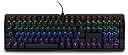
The CHERRY MX BOARD 3.0 S is a premium wired mechanical keyboard featuring authentic CHERRY MX Red Silent switches for ultra-quiet, smooth keystrokes. Its rugged textured aluminum housing and screw-in metal legs provide unmatched stability and durability. With over 16 million customizable RGB lighting options and wear-resistant keycaps, itโs engineered for professionals and gamers seeking precision, comfort, and style in one sleek package.


| ASIN | B08YRRLV25 |
| Amazon ๅฃฒใ็ญใฉใณใญใณใฐ | ใใฝใณใณใปๅจ่พบๆฉๅจ - 168,233ไฝ ( ใใฝใณใณใปๅจ่พบๆฉๅจใฎๅฃฒใ็ญใฉใณใญใณใฐใ่ฆใ ) ใใฝใณใณ็จใญใผใใผใ - 7,194ไฝ |
| ใใใใๅบฆ | 5ใคๆใฎใใก4.6 333 ใฌใใฅใผ |
| ใซใฉใผ | ใใฉใใฏ |
| ใญใผใใผใใฎ่ชฌๆ | ใฒใผใ |
| ใญใผใใผใใใใฏใฉใคใใฎใซใฉใผใตใใผใ | RGB |
| ใญใผใใผใใใฌใผใ็ด ๆ | ใขใซใใใฆใ |
| ใญใผใใผใใฌใคใขใฆใ | QWERTY |
| ในใคใใใฎใฟใคใ | ใชใใข |
| ในใฟใคใซๅ | ใฏใฉใทใใฏ |
| ใปใฏใทใงใณๆฐ | 7 |
| ใใผใ | E-Sportsใ |
| ใใใฏๆฐ | 1 |
| ใใฉใณใ | Cherry |
| ใใฉใณใๅ | Cherry |
| ใใญใปใใตๆฐ | 1 |
| ใใฟใณๆฐ | 109 |
| ใกใผใซใผๅ | CHERRY |
| ใกใผใซใผๅ็ช | G80-3874LWAUS-2 |
| ใขใใซๅ | CHERRY MX BOARD 3.0 S |
| ใฆใใใๆฐ | 1.0 ๅ |
| ไธไปฃ | ็ฌฌ3ไธไปฃ |
| ไบๆใใใคใน | ใใฝใณใณ |
| ไปๅฑๅ็ทๆฐ | 1 |
| ๅฉใๆ | ๅทฆๅณๅ ฑ็จ |
| ๅๆขฑๅๅ | USBใฑใผใใซ |
| ๅ็ฎๅฏธๆณ๏ผL x W x H๏ผ | 43้ทใ x 14ๅน x 3.6้ซใ cm |
| ๅๅใฎๆจๅฅจ็จ้ | ใฒใผใใณใฐ |
| ๅๅใฎ่ฟฝๅ ่ชฌๆ1 | ใใใฏใฉใคใไปใ |
| ๅๅใฎ้้ | 2.26 ใใณใ |
| ๅๅๅค่ฃ ็ด ๆ | ใใฉในใใใฏ |
| ๅๅ็จฎๅฅ | ใกใซใใซใซใฒใผใใณใฐใญใผใใผใใ |
| ๅ็ช | G80-3874LWAUS-2 |
| ๅฏพๅฟใใใชใใฌใผใใฃใณใฐใทในใใ ใใกใใชใผ | Windows |
| ๅฏพๅฟใใใคใน | ใใฝใณใณ |
| ๅฟ ่ฆใชๆๅฐใชใใฌใผใใฃใณใฐใทในใใ ใใผใธใงใณ | Windows 1 |
| ๆฅ็ถๆ่ก | USB-A |
| ็นๅพด | ใใใฏใฉใคใไปใ |
| ่ฃฝๅใฎๆจๅฅจ็จ้ | ใฒใผใใณใฐ |
| ้ไฟกใปๆฅ็ถใคใณใฟใผใใงใผใน | USB-A |
| ้ต็คๆฐ | 109 |
| ้ปๆบใฎใฟใคใ | ้ปๆบใณใผใๅผ |
I**N
Most luxurious keyboard I've ever owned!
I broke down and bought this keyboard because three low-end models in a row had been pieces of crap, and this model was rated #1 on a "best of 2023" list for silent keyboards. So far, I love it, but it's taking some getting used to. All keyboards are slightly different, but the font on the letter keys is a sort of "NASA" space style font which is a little harder to read than your standard sans-serif keyboard letters. Even more different are the numbers and symbols on the number keys being reversed, so the symbols on each (! on the 1 key, @ on the 2 key, etc) are below the numbers rather than above. There are indicator lights for caps lock, scroll lock and number lock, but talk about subtle--I just found them! But I love the feel, I love the solid construction, I love how quiet the keys are, and I can type really fast on it. It's heavy and it doesn't slip or move while you work. I'm not using it for gaming, but I'm a writer and publisher, so I really need a good keyboard. The keyboard not only glows in rainbow colors, the colors continuously cycle in a slow pulse, which is definitely funky. When I get stuck on writing something I can take a break and watch the keyboard change colors while I think. :-) It works fine with my older Lenovo desktop, I just plugged it into an USB expander and zoom, it was good to go. The delivery was blindingly fast, it arrived the next day. The packaging...not so great. The keyboard had just been tossed into quite a large box with a couple of packing pillows. It arrived just fine (it didn't spend very long in transit!) but the manufacturers might want to know that Amazon is being a bit casual with their product.
M**G
MX Red --> Silent <-- Switches, different from MX Red Switches
pros: - as the name advertised, very quiet keyboard, the linear key switch does not make noise when fingers touch the surface; this mechanical keyboard makes less noise than Cherry's own membrane version - the linear switches have right amount of resistant, do not require too much force to press down - fancy key labels, they look too pretty that I don't want to use customised key caps, but a few of them are not aligned very well (e.g.: brightness up and down, not sure if that's intentional but very ugly) - backlight, and fancy reflection of RGB LEDs from each key to the aluminum frame having a cyber feeling - full sized arrow keys - wired! keyboard (and the USB head has a keyboard mark to distinguish this device without tracing the wire) - wired keyboard with onboard memory! -- both backlights and key maps are stored onboard, persistently -- backlight setting can be configured without software -- the Cherry Utility Software ONLY changes the onboard memory configuration, no Windows background process nor registry alternation (however, the software cannot load the onboard memory, meaning if you delete the software, or running the first time, it will overwrite the existing configuration) - having all these features I care, this keyboard is surprisingly cheap cons: - minimum brightness is still too high; it's possible to use the software to change the HSV to dimmer the colour, but the main problem is the gap between key caps - there is a lighting mode called Single key, which turned off all backlight, and light up whenever a key is pressed, meaning the hardware is capable to adjust each key's brightness, instead of only the HSV value; also wish there is a mode works similar but keep all keys light up but changing their HSV or even only the brightness on press - pretty much the only real annoyance of this keyboard is the Cherry key's location -- between ESC and F1. My left hand looks up F2 and F4 by searching the gap between ESC and F1, so this was almost a blocker issue, but I found three workarounds: -- 1. first I take the Cherry key's cap off and mounted it upside down, so my finger can recognise it, downside of this method is there are more light leaking from the other side of key cap -- 2. mod the keys so Cherry key can act as F1, then F2 ...... but then there is no gap between ESC and F1 -- 3. good thing the Cherry key switches support key caps customisation, a low profile cap can help my finger to navigate around that area, and still keep the functionality of that key neutral: - there are 3 very bright LED indicators (for CapLock, ScrollLock, NumLock), located between DELETE END PAGE and arrow keys, cannot be disabled, cannot adjust brightness; I have to tape them to save my eyes, but to be fair, most keyboards have these annoying indicators - rectangular RETURN; and the label is just an arrow, how can we tell which one is RETURN which one is ENTER? - FN key is not at left bottom, but right to ALT key; mixing feeling of: volume controls are F1&F2&F3 (cannot mute with a single hand for average people), but CTRL is the left bottom as it should be; I mod the key right above NUM to mute and unmute(no idea that label meant for and don't care losing that function), so it's acceptable - the alternative function of keys are labelled counterintuitive (! is below 1, ; and : on the same line, where is the ? mark) - profile linking with applications does not work very well and require the software being running, I rather to manually switch profile than having a hidden Windows process
G**J
The type for me
The keyboard is sturdy and easy to use. Would recommend.
J**R
It just works. No BS software or gimmicks
As a previous owner of multiple Razer, Steelseries and Corsair keyboards, this thing is like a breath of fresh air. The cherry red switches are as quiet as a membrane keyboard and I find myself making far less typos while speeding through typing. I honestly didn't think I would be nearly as impressed as I am with this little keyboard. No extra software, macro keys or any of that nonsense. Plug and play. The way it should be
M**N
Quiet, responsive, great for gaming
I've always hated the aggressively clicky sound of mechanical keyboards, to the point where I eschewed them for membrane keyboards, despite knowing that those tend to be less responsive than mechanical ones. Well, cue my surprise when I learned that silent switches exist. Obviously, I knew that they wouldn't be truly silent and would still make noise, but if they were comparable to the noise level of membrane keyboards, that would be sufficient for me. I'd say these are indeed about as loud as a membrane, albeit with a different type of sound - more snappy than the mushy sort of sound that membrane keyboards generate. Sometimes, I can hear a spring being released after a keypress, but it's really not loud at all. Regardless, the Cherry MX Silent Red switches definitely have a pleasantly subdued volume, so I'm totally happy about my purchase already. But perhaps more importantly, is the performance good? Absolutely! It's very responsive and has NKRO, making it a worthy fit for gaming (I've been playing a lot of sidescrolling platformers, and it works great). Cherry's software is also thankfully very unobtrusive, and gives you control over the keyboard's functions and RGB (I always turn it off, haha). I suppose some people might not like the futuristic sort of font on the keys, but I don't really pay attention to that kind of stuff.
Trustpilot
2 months ago
1 month ago