

๐ฎ Level up your Pokรฉmon Go hustleโcatch more, scroll less!
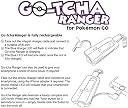
The Datel Go-Tcha Ranger is a rechargeable, OLED touchscreen accessory for iPhone and Android that enhances Pokรฉmon Go gameplay by providing animated alerts, vibration feedback, and auto-catch/auto-collect features for Pokรฉmon and PokรฉStops across Generations I to III.
H**R
Hands free and more Pokรฉmon opportunities
Pros Catches Pokรฉmon even while Iโm driving 45 mph Can catch Pokรฉmon and/poke stops & gyms with manual selection (I suggest using controls on phone for this as it is much easier then messing with Gotcha after you setup initial settings). This is thru settings on your device in the Pokรฉmon game app, scroll down and select Pokรฉmon Go Plus, and check mark either or both nearby Pokรฉmon and/or PokรฉStop. Can use Gotcha on either my phone or iPad ( just need to forget the device in settings under Bluetooth called Pokรฉmon Go and pair again on the game app each time you switch. Battery lasts an average of 9-10 hours of use and we have 7 of these devices, all functioning about the same. Have collected shinys The game and Gotcha can still run in background and collect for you even if screen is off to save device battery Collects stops even when in a battle at a gym Cons Gotcha only runs for about an hour or less so have to keep reconnecting. Gets a little annoying since the game can still run in background and would be awesome if the Gotcha could run until itโs shut off. Uses only red balls and if you are out of balls, Pokรฉmon are full or run out of backpack space and have selected to collect both Pokรฉmon and Stops it will not collect Stops. It gets stuck on collecting Pokรฉmon first so donโt forget to have plenty of red balls when selecting to catch Pokรฉmon. Love this and makes it hands free especially when driving.
L**O
Great when it works
Gotcha Ranger is a big help for Pokemon Go. It will notify you if a pokemon is nearby or you can turn on the auto catch feature. You can turn on auto spin for Pokestops as well, which saves you a great deal of time if you're in an area with lots of stops, or just lets you spin stops without having to have your phone in your hand (game must be open). Pros: 1) Works great when it connects 2) Catch options and pokestop options are toggle-able so you can customize exactly how the Gotcha Ranger functions with your game. 3) Works surprisingly well as a spare battery, able to charge my phone and increase battery % despite the strain PoGo puts on the phone's battery. Cons: 1) On occasion my Gotcha will flat out refuse to connect to my phone. Restarting the phone, removing it from blutooth devices, restarting PoGo... nothing seems to fix this issue when it occurs. 2) Due to the Gotcha's design, the screen is very easily scratched. This can be remedied by putting a piece of clear tape over the screen as a makeshift screen protector, but most people won't think to do this until their screen already has a few scratches (if at all). Honestly, the connection issue may in part be an issue with PoGo, as my Pokeball Plus occasionally has connection problems in the game as well. There seems to be two different connectivity issues with the Gotcha, the first being what I just mentioned which would not be a fault on the product's side, but on Niantic's part. I think some people confuse Niantic's Go Plus settings, which will automatically disconnect your device after one hour of play, with a faulty product when this is not a fault of the product at all. When PoGo disconnects my devices due to this one hour limitation I often have to restart PoGo in order to reconnect them. The issue I listed in the cons section, however, is different as the device often will not connect to my phone at all until it eventually just decides to work again. It seems as if the product is simply not sending out any signal to nearby devices so they can detect it. This has only happened to me once, but has also happened to a friend of mine. In both cases, it took several hours for the device to start working again and neither of us knows what we might have done to get it working again.
F**O
So far so good! Will update as time goes by
Ive been using it since June 1st and now is June 11th! And so far I love it! Ive been using it here in New York at Central Park it catches every pokemon I walk by and spins all the Poke stops. I use the "Battery Saver" feature in Pokemon Go's Settings and it works wonders connected to Go-tcha. I get to walk around Central Park and enjoy the scenery and by the end of the day I get to see what I caught! A Shiny Lileep and Shiny Anorith! What I love most is being to do other things in game like checking Pokemon IV's and the Go-tcha catches pokemon and spins stops if youre next to one! A great multi tasking device. If you did not know you do of course need to have enough Pokemon Storage Space and Item Space because if you don't it wont spin or catch. Also it ONLY uses standard Pokeballs so make sure you have enough and would suggest if you catch pokemon manually use greatballs or ultraballs first and keep the regular pokeballs to Go-tcha. The charge lasts all day! then of course at the end of the day i use a External battery pack to charge it. When it is fully charged the blinking blue light will be turned off. In comparison to the Gotcha Watch. This is far superior in terms of battery life and usage, have not used the flashlight or compass but who knows maybe it will come in handy. To troubleshoot the connectivity if per se your'e having a hard time connecting to the device. Make sure you tap the "Eject" symbol to the right of "Pokรฉmon GO Plus" under Available Devices if it shows up. Close the game, re-open the game, then Tap the red button "once" on the Gotcha Ranger then tap Pokemon GO Plus under Available Devices and it should be successful! I would recommend this device. The screen can also get easily scratched so i would recommend putting a piece of wrapping tape on it to prevent damage. Will update again after a month use. Hope this helps!
M**N
Ridiculous Connectivity Issues
Let me preface all of this by saying that if you can manage to get this to connect (AND STAY CONNECTED), then I'm sure it probably works just fine as long as you have reasonable expectations. I recently got back into Pokemon GO and while I prefer to play manually, there are times of my day when I'm out and about doing things so I figured that I would buy a product to help me continue to progress in the game. After doing a bit of research, it seemed like the Go-Tcha Ranger would be the best fit for me since I was looking for something with good battery life, ability to Auto-Spin Pokestops, and ability to Auto-Catch as well. I was well aware that it only uses the standard red Pokeballs (all of the devices do) and I am completely fine with this as I think it's a good balance in exchange for not actively playing. I was also aware that this device, like all of the others, would disconnect every hour or so and need to be reconnected. I figured that I was going in with managed expectations, but was I ever wrong... Right out of the box, it took me 4 tries to get the device to connect to my app. This was after making sure it was updated and following all of the instructions. I threw up a Lure Module and Incense to immediately test the device and it seemed to be working fine. As expected, it was unable to catch the majority of Pokemon that came, but I could see that it was attempting to catch them. Then about 15 minutes in, the Go-Tcha Ranger disconnected and that's when the ridiculousness began. Simply put, it would not re-connect. I looked up the issue online and it seems that this is a relatively common issue. I tried just about every set of instructions that I could find and while it did re-connect once, it quickly disconnected again within 5 minutes and the same process didn't work a second time. After several hours of trying to troubleshoot this problem, I'm just done with it. No amount of automation is worth the headache of dealing with this kind of connectivity problem. I'm sure it is a fine product for those who can get it to work and there are many happy reviews that seem to suggest that this isn't a universal thing, but it's just not working for me and I feel like I put more than enough time and effort into trying to solve the problem. I will be returning this and just buying one of the two first-party solutions (probably the ball). Even if they don't have the ability to Auto-Catch and they're louder looking products, I suspect that they'll be more reliable than this nonsense. UPS will be coming by my house to pick up this paperweight and send it back to the seller tomorrow. :/ Should you buy this product? I don't know. I would at least give it a try because it seems that the people that can get it to work are happy with it. That certainly means something. This review, however, is based off my own experience with the product and I am obviously not one of those people as much as I wish I was.
A**.
Update item
This worked great until the USB charger port decided to come off and I 2anst able to charge it anymore. Would like for it to stay connected for longer than an hour
M**R
BEST PLUS TOOL OUT THERE (I have them all)
Well let me say first and foremost this is the best auto-catch tool on the market as well as far better than the pokeball plus or poke-plus every one of them including the go-tcha wristband. Many people complain about connectivity and it not working.... yes just like the plus and other devices if you have your bluetooth set to auto-connect to other devices it can mess with the connection of this device this is not an issue with the product but rather the software. If you have horrible gps signal or lose net connection on pokemon go ALL the devices can stop sending notifications leading to not catching or spinning stops. It is delayed slightly over the intended products on spinning stops and catching pokemon so driving by stops can be missed but this is to be expected it does not have the instant reaction time you may have with a pokeball plus which is the only retail option i suggest... which even it has a delay and misses stops or pokemon at 20mph. The phone also makes a difference older the phone or more apps you have running the slower its response if you have apps that consitantly search for bluetooth devices it can slow down its response not the devices fault but rather user error. Now that being said I LOVE THIS THING while catching one pokemon on community days I have it catching others while raiding I have it catching others... while driving for work I have it passively spinning stops... I also love the charging and battery life compared to all the others it is amazing... only design flaw is i want a 10k mah version and a usb charge port so if do not always have to use the short charge cable. Other than that ran it for work today drove 30 miles or so and in that time caught 22 of the 31 pokemon it seen and spun 7 stops while I was driving.....
G**U
Works great so far! Read if you had issues with yours.
After reading some reviews about the screen getting scratched up quickly I put some packing tape and used a razor to CAREFULLY cut it to size as a cheap and effective screen protecor that is working well. These things disconnect from GO about every hour or two; but I believe this is due to the latest game updates as my Pokรฉball Plus does the same thing. IF YOU USE MULTIPLE DEVICES READ: I originally had one Gotcha that I had paired with my S8+ and XS Max and would connect which ever one I wanted to use that day. I ended up getting another Gotcha and noticed weird anomolies when attempting to pair to one that already had one paired. Screen turning off on the gotcha and wouldnt stay on while attempting to pair. I discovered you must go to your devices bluetooth settings and forget the first one, then attempt to pair the new one. Now, I have a device my wife carries around with which ever phone I didnt want to use that day, a spare powerbank, and I have one. I noticed that if I accedentally leave capture all on I run out of balls quick (about 100 - 200 a day) so my advice would be to only have spin/new captcha's on unless you shelling out wads for balls.
L**T
Works great when it works
A reviewer claimed their Ranger could snag items from a Pokestop while they were driving 45 mph but that definitely doesn't work for me. I have to go no more than 22 mph to have it collect from stops. I don't mind that at all, though. It's nice to be able to collect things without as much effort. Some notes: #1 Charge the Ranger #2 Download the Go-Tcha app, connect to the ranger (by pressing the little red circle, not the black button) and set it up the way you want it. I have mine set to catch New Pokemon Only so that it doesn't waste all of the red balls on ones I may not want, and to automatically collect pokestops. *Note that it will prioritize catching Pokemon over collecting Pokestops! But do not change the setting in the Go-Tcha app. It is a pain in the butt turning that off and on. Instead, when you need a break from auto-catching Pokemon, you will turn the feature off in the Pokemon Go app so for now just choose whether you want it to collect all or just new ones when you do have the feature on. Simply close all the way out of the Go-Tcha app once you've chosen your settings; there is no save option. Make sure you are completely closed out of it so that it will pair in your PoGo (Pokemon Go) app. If you are having trouble connecting it to your PoGo app, this could be the problem. #3 Open the PoGo app. Tap the shaded pokeball under the navigation arrow in the top right. As soon as you've done that, tap the red circle on the Ranger and wait for it to connect. Since you've already set what you wanted the Ranger to do by using the Go-Tcha app, you don't need to do anything except double check the settings in the Pokemon Go app. Tap on the settings icon and scroll all the way down to tap on Pokemon GO Plus. Here is where you will choose whether or not it auto catches Pokemon/collects Poke stops. I have the auto catch off most of the time and the auto collect stops on all of the time. Using auto collect it will only use the red balls and there is no setting to change it so I tend to use the great and ultra balls when catching them manually, saving the red ones for the Ranger to use. Issues: I have found that it occasionally just will not connect within the PoGo app. I've not found a reason, it seems arbitrary. When I completely close out of PoGo and walk out of range of the Ranger and then come back in range and open the PoGo app it will usually connect just fine again. The Ranger will disconnect from the PoGo app if it is left without any activity for awhile (an hour-ish). Sometimes the Ranger takes a few extra seconds to collect items from a stop even though it's been well within range for a few seconds. Annoying, but not too terrible. I just drive slower when no one is behind me and that helps. I love this and I'm really glad I got it but its only getting 4 stars for the occasional problem connecting and collecting. Still worth the purchase, though!
Trustpilot
1 month ago
3 weeks ago