Desertcart purchases this item on your behalf and handles shipping, customs, and support to Hungary.
⚡ Elevate your workspace with the ultimate 14-in-1 Thunderbolt 5 powerhouse!
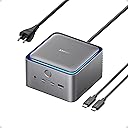
The Anker Prime TB5 Docking Station is a premium 14-in-1 Thunderbolt 5 hub designed for professionals seeking ultra-fast 120Gbps data transfer, dual 8K@60Hz display support, and powerful 140W charging. Featuring a comprehensive port array and an advanced cooling system, it seamlessly integrates with MacBook and Thunderbolt 5/4 Windows laptops to deliver a clutter-free, high-performance workstation.


| ASIN | B0DSVVJXK5 |
| Best Sellers Rank | #487 in Computers & Accessories ( See Top 100 in Computers & Accessories ) #49 in Laptop Docking Stations |
| Brand | Anker |
| Color | Gray |
| Compatible Devices | MacBook with M4 Standard/Pro/Max; MacBook with M1/M2/M3 Pro/Max; Thunderbolt 5/4 Windows Laptops |
| Customer Reviews | 4.1 out of 5 stars 465 Reviews |
| Hardware Interface | Thunderbolt |
| Item Dimensions L x W x H | 4.56"L x 4.56"W x 2.95"H |
| Item Highlight | 120Gbps Max Data Transfer, Up to 8K, Dual Display, 140W Max Charging, Ethernet, SD/TF, Cooling System, for TBT 5/4 Laptops |
| Item Weight | 2.4 pounds |
| Manufacturer | Anker |
| Mfr Part Number | A83B51A1 |
| Minimum Required Operating System Version | Mac OS 15 Sequoia |
| Model Number | A83B5 |
| Number of Items | 1 |
| Number of Packs | 1 |
| Number of Ports | 14 |
| Product Dimensions | 4.56"L x 4.56"W x 2.95"H |
| Total Number of HDMI Ports | 1 |
| Total USB Ports | 8 |
| Total Usb Ports | 8 |
| UPC | 194644289171 |
| Unit Count | 1 Count |
| Warranty Description | 24 month Manufacturer |
| Wattage | 140 |
B**D
Best Dock I’ve Used for My MacBook Pro
This Anker Prime TB5 Docking Station is easily the best dock I have used with my MacBook Pro. It feels like a true desktop replacement setup instead of just another USB-C hub. The biggest advantage is how much it handles through one connection. Monitors, accessories, storage, networking, charging, and other peripherals can all stay connected to the dock, so when I sit down at my desk I only have to plug one cable into my MacBook. Performance has been excellent. Transfers are extremely fast, everything connects reliably, and I have not had issues with devices randomly disconnecting or needing to constantly unplug and reconnect the dock. The Thunderbolt 5 bandwidth also gives this a lot more headroom than most docks I have used before. Build quality is fantastic as well. It feels substantial, premium, and made to stay on a desk rather than slide around every time you plug something in. It is definitely expensive, but if you use a MacBook Pro as your primary computer and have a full desk setup, I think this is one of those accessories that actually justifies the premium. Tons of ports, excellent performance, and an incredibly clean one-cable setup. Best dock I’ve owned so far.
D**E
Fast, Reliable, and Expensive
I’ve gone through a few docks over the years, and the Anker Prime TB5 Docking Station is easily the most capable one I’ve used so far. Setup was straightforward, and it immediately handled everything I threw at it — dual displays, fast data transfer, and consistent charging without hiccups. If you’re running a modern setup (especially with a newer MacBook or high-end laptop), this dock actually feels like it’s built for it, not something you’re trying to “make work.” What stood out most: • Performance: No lag, no weird display issues — everything just works • Ports: Plenty of flexibility without needing extra hubs • Build quality: Feels premium and solid, not plasticky • Power delivery: Keeps my laptop charged even under heavy use Also really appreciate how it helps clean up the desk. One cable in, everything connected — exactly what a dock should do. A couple minor considerations: • It’s not cheap, but you’re paying for performance and future-proofing • Make sure your laptop actually supports Thunderbolt at full capability to get the most out of it Overall, if you want a high-performance, no-compromise dock, this is one of the best options out there right now. Worth it if your setup demands it.
W**B
140W charging w/ ample peripheral connectivity at cutting edge speeds.
This is a very good product, albeit expensive for a docking station. I chose it because I needed the 140W charging capability for my workstation laptop and very few other docks offer this capability. As for the other core functionality, it has worked as advertised. It has ample ports to connect a variety of peripherals. Through the dock I use a wireless mouse via USB dongle, 3440x1440 monitor via the display port, a 2.5GbE wired connection, audio port for desktop speakers, and a Logitech USB-A camera. All of it was plug and play and I didn't have to "fiddle" with any of it to get it working properly. Having the ability to run all that through a single cable and get the 140W charging makes it ideal for my office setup. The unit is well made and quiet (I don't notice it throughout the day). It fits under the monitor and the LED light ring is a nice touch as well (you can turn it off with a press of the front button if it's not your thing). The only issue to report is that I had only been able to achieve 1Gb download speeds on the 2.5Gb NIC. (I have a 3Gb Google Fiber internet connection.) There is a great 4-star review by another buyer that explains where to get an updated driver directly from Realtek that fixes the issue and allows the NIC to perform close to spec. He's got screenshots and a detailed explanation of what to do. All in I'd recommend this to others if you are a power user that seeks the full complement of capabilities a Thunderbolt 5 dock offers.
K**Y
Great docking station
Love this docking station. Has ample usb ports and allows me to use connect my Thinkpad to the monitor as well as charge my device at the same time. The shape is decent like a cube, reminding me of a tesseract. Weight is substantial; it’s heavy so it won’t easily be knocked over by a curious cat or careless human. This means it stays put on my desk. I’m curious why the power button exists to turn off or on for this blue light; not a very useful feature but it’s aesthetically pleasing at least. This thing seems heavy duty with a nice smooth finish which is nice on the fingers. I’m glad there’s no digital display screen here and buttons instead.
D**E
Works well with TB4/TB5 Windows 11 laptops
I was initially worried about dropping this much money on a dock that needs to work with two different Windows laptops (a Dell and an Alienware). I needed something that could power the Dell and drive video to two monitors, but also support peripherals. (For the Alienware, I didn’t care about power delivery.) I have to say, it was easy to set up and worked without a fuss. The only “fuss” was needing to find a USB-C to Displayport adapter since there is only one HDMI/DP output (and you have to choose), but I didn’t need to do any fiddling to get the USB webcam, mouse, two monitors, keyboard, and SSD connected to either laptop. Anker has pretty much cornered the market for me on peripherals, chargers, and power banks. I think if I were needing to connect more monitors, I would be very annoyed with the limited options, but as I knew what I was getting ahead of time and only need the two displays (plus the laptop screens), I don’t feel like it warrants knocking a star off for that. The build quality feels solid and looks stylish, which is par for the course for Anker, and i love the way it looks. A bit steep of a price, but it sure beats the pants off of the old Dell TB dock I was using and feels more premium, too. I haven’t had any issues with heat or noise, and while it’s a fairly chunky unit, it sits rather securely in the desk and doesn’t take up much real estate.
M**S
Great idea, but unfortunately poor execution
First off, I realize my use case may be a bit of an edge case since I wanted to use this with a few different Apple devices -- M5 Pro MacBook Pro 16 (Thunderbolt 5), M3 Max MacBook Pro (Thunderbolt 4), and an M1 Mac mini (Thunderbolt 3). Despite that, I wasn't asking much of this device-- just two displays (1x 4K, 1x 1440p) and an ethernet connection. While this works perfectly fine for Thunderbolt 4, it just could not handle backwards compatibility with the Thunderbolt 3 device, despite the description claiming it was compatible with M1 devices. On my M1 mini, it can only handle a single display and ethernet. The second display doesn't register at all which is extremely disappointing given that my 7 year old CalDigit TS3+ dock can handle 2x 4K displays, 1Gb ethernet, and a bunch of USB devices all on just Thunderbolt 3. I expected this would handle this with ease, but it did not. That's not very versatile, and definitely not what I expected based on the advertised capability. Also, in terms of noise and heat, this dock definitely can get a bit toasty and the fan will spin up. I also was rather disappointed by is that the fan is always running constantly, even when nothing is plugged into the PC Thunderbolt port and nothing is charging off it. I get that the active cooling is needed when it's in use, but this feels ridiculous and unnecessary. Granted, the fan is pretty quiet, but even with it about 2.5 feet from me, I can still faintly hear it constantly spinning in a semi-quiet room. Despite that, it's decently compact which is great, but it's a bit chunky compared to the CalDigit docks that I'm used to-- probably because this uses active cooling. I'm normally a big fan of Anker's products and have been for years, but this dock just isn't the one for Thunderbolt 5. I'm returning it because it doesn't perform as advertised and as a result is just a poor value for the price.
M**N
Great Docking Station for Gaming Laptop
I have a TB4 port on my laptop. This was plug and play. With my gaming laptop, I need at least 125W to charge while gaming and this dock supplies up to 140W. I appreciate the number of ports on the rear of the dock as it helps keep my desk tidy. I do wish that this had a port on the back for a speaker connection - there is a headphone jack on the front - but you can get a USB-C to headphone jack for a speaker connection or use the USB-C port directly if your speakers support that. I am running a UQHD 240Hz 4K monitor with no issues. Video and games run fine and images are as clear as if the monitor was plugged directly into the laptop. The dock has active cooling which I have found to be very quiet (meaning I don't hear it at all). I did find that when using the front headphone jack, there was a low-level hum when the port was idle. Sound was clear when anything was playing through the port though (no hum). That said, I would like Anker to address this issue. Overall, this dock works great. One TB4 connection from my laptop to the dock to charge and replicate ports. Could not be more simple.
J**T
DO NOT BUY IT.
I bought this device when it first published last year because it supports multi-screen output through Thunderbolt ports, as long as many different type USB ports. The device quality is premium, feels good to touch, looks good on desk, and matches my DAC/pre-amp combo with silver colorway, and it would be nice if there is a black version to match MAC Book space black colorway, (or at least custom color as requested, but it's not mandatory). Everything works as described in the description until you disconnect it. The reason I only give this 2 stars are the re-connection between the hub and my PC/laptop. After 1 year of using, I STILL HAVE TO TURN IT OFF/ON AND RESTART MY PC/LAPTOP TO HAVE THEM RE-CONNECT TO EACH OTHER, EXTREMELY EXTREMELY ANNOYING. -For example: When I start working, I turn both the hub and my PC on, have them connect to each other, it works fine as is. However, if I disconnect the hub (no turn off), then re-connect the hub to my laptop, it doesn't work or even re-connect it back to my PC. I HAVE TO RESTART BOTH DEVICES TO MAKE IT WORK TOGETHER. Same when connect it to my laptop first, then PC. -Another example: If I have a storage device such as flash drive, which connects through the hub, and I safely ejected it. I CANNOT RE-CONNECT THE DEVICE TO THE HUB AGAIN, unless I have to restart both devices. My old $20 USB hub can do better than this. -Another example: When I have my laptop connect to multiple screen through the hub, if I disconnect my laptop, as you can guess now, I have to restart both the device to have to link together again. The hub comes with many new features, but seen like it forgets it has those features at all after you eject it. I kept it pass the 30 return days because I thought there will be some firmware update to make it function better due to it too new at the time, but seem like I put my trust in the wrong place. I should not because it has been 1 year already. With this price tag, the least functionality should be the connection, not the speed, not how many ports it carries, or how much power it can deliver to charge other devices. RECOMMENDATION? NO, ABSOLUTELY NO, I don't usually write review, but this makes me want to do it. I made mistake, I hope you don't do it.
C**X
Must have for the work professional
This is a must have, I use it for a few different laptops I have (personal, work), the docking station works amazing, tooka bit of tinkering as there is only really one display port and i had to use one of the USB c ports on the back to connect a secon monitor up, but in the end once i did a bit of research and got the correct cable, it works amazing.
T**K
Recommended
Works as advertised and great. I also have the UGreen and this dock is more reliable than it.
J**Y
Great but some compatibility issues
It’s great so far and it works perfectly with my M4 Pro Mac mini. However it doesn’t work as well with my 13” M4 iPad Pro cause sometimes my Studio Display turns on and sometimes it doesn’t. It is listed as being compatible with USB4, but when I tried it with my Asus ProArt P16 laptop I got last year with the RTX 4090, it doesn’t work at all. I’m wondering if mine is defective.
T**A
No more cable mess
I switch frequently between a personal and a work computer, using two external screens and speakers. This simplifies the process, one cable only for everything.
T**R
Solid TB5 dock
Great little device the first month-ish of use so far. Seems like one of the more affordable TB5 docking stations out there at the moment and has enough hubs to let me run my work setup without any real issue with the entire front to spare for plug n play devices.
Trustpilot
2 months ago
3 weeks ago