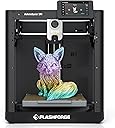

🚀 Print smarter, faster, and sharper—join the 3D printing elite today!
The FLASHFORGE Adventurer 5M is a high-speed FDM 3D printer featuring a 280°C direct extruder with a detachable nozzle, fully automatic bed leveling, and a max print speed of 600mm/s. Designed for precision and ease, it includes vibration compensation for smoother prints and supports firmware mods and network connectivity, making it ideal for professionals and enthusiasts seeking reliable, versatile 3D printing performance.


| ASIN | B0CPSZ9PGS |
| Item model number | Adventurer 5M |
| Manufacturer | Zhejiang Flashforge 3D Technology Co., Ltd |
| Product Dimensions | 36.07 x 37.59 x 41.15 cm; 10 kg |
J**N
TL;DR: A good printer, but be aware it is from China and some of the parts may not be of great quality. It is overall a fairly precise 3d printer at a decent price. Some components may wear faster than expected as a result. But decent overall. If you are looking for your first 3d printer, this has good potential but be aware you may have to repair and/or tinker with it every so often. Alright, picked up the AD5M in June of 2025. As of this review August of 2025, it is still going well. Overall, I am satisfied with the overall capability of the printer out of the box. It was dead simple to get going, get it on the network and start sending print jobs to it. If you are new to 3-D printing, this could be a great first printer. As of this review, it is fairly easy to mod / run a custom firmware. After getting the printer going and printed off the enclosure, I started running into issues during assembly. The filament tube does not line up with the sensor well. Additionally, the sensor if using the manufacture 3mf/stl files; needs to be reversed/installed upside down. There is a tiny > on the top showing the filament direction. There are many options available on thangs or printables to install it 'correctly' I also picked up the LED light strip for this, installation straightforward. Worked no surprises. However, the factory firmware cannot control the LED light strip on an AD5M. So you can't dim or otherwise turn the LED off. Installing / Using the forge-x firmware mod lets you control the LED light strip. The rear plate carriage broke within the first 100 hours of use. I was able to print off a centering part to re-center the carrier on the lift screw. Have not had an issue since the fix. You can detect this if you gently attempt to lift up on the carrier while watching the lift screws; if it lifts without turning the lift screw or attempting to turn it; inspect on why. The bed springs were over tightened from the factory. I did not catch this until ~450 hours on the machine. I ended up replacing the springs with "Prime-Line SP 9700 Compression Spring, Spring Steel Construction, Nickel-Plated Finish, 0.035 GA x 1/4 In. x 1/2 In. (6 Pack)". I have not had an issue with this after replacing the springs. I noticed this when the bed would not keep a consistent z-height. Outside of the issues above, I've not really had any other issues with the machine. My machine is connected via hardware network line. Wireless seemed to work okay, your milage may vary. The stock firmware does work okay, I wanted more control over the printer remotely so I loaded up the Forge-X mod -> https://github.com/DrA1ex/ff5m by DrA1ex. Follow the guides and try not to skip ahead to printing without updating the configuration in Orca-Slicer. For the 'Interface' I run the 'feather' variant to free up additional resources on the machine. Additionally, after I switched to the Forge-X firmware mod, I also switched my slicer to Orca-Slicer instead of Orca-Forge. With Forge-X it gives me additional control over the machine remotely.
M**S
The first day I got it, I thought it came broken, I watched a video, took it all apart and put it almost all back together (I ended up with 2 extra screws). But then, after some education, this thing has been phenomenal. Printed so many gadgets. I would 100% buy it again. Now that I know (more or less) what I'm doing, I absolutely love this thing.
S**.
I got this 3D printer for my 8-year-old son. He seems to like it. Overall it prints 3D items. It takes a while. It only prints one color. I think my biggest issue with this particular 3D printer is the lack of instruction or resources on how to use it that are provided by the manufacturer. You got to download this orca circa app. Which works once you finally get it on your computer, but it took forever for me to pair my printer. There is very little clear instructions and I was unable to download the app directly from flashforge website because the flash forge version of the orca app won't download on my Mac. The Mac operating system gives you an error message that it's untrusted and won't let you bypass it even by pressing control or command. It won't let you bypass it. I got more help from Facebook and joining some 3D printing groups and I did from the manufacturer's website. There's a few free 3D modeling apps my kids downloaded on their iPad that seem to work well with printing and overall for an entry level printer. It's pretty decent. If my kids ever really got into 3D printing like seriously into it modeling their own complex things, I might consider buying a more expensive printer, one that maybe had multicolor prints and could print things like carbon fiber and other stuff. But if you're just looking to print a few things here and there and I'll have some fun in the family. This printer for the price is worth it. Just know that instructions are not very clear. It will be a little frustrating to learn how to use the 3D printer, but once you get the hang of it and figure out it's little nuance is, it's actually a pretty decent printer for the price.
D**O
This printer works quite well but as it is sold it is not that good. The first issue is the screen and how weakly it attaches to the printer. This can be fixed by using strong two face tape the kind you use t hang pictures with will stick in to the printer well. The second is the supplied spool holder and feeding tubes as stock are built to fail. The friction you get from the tube to feed the filient and the edges on the spoolholder jam frequently and the spool spins off hte spool folder. But if you feed the filamant from above all those problems will be solved, look at the photo. I havent had any issues with the printer since I made that spool hanger. (see photo) Teh spool hange will help other printers work better too.
C**N
As described. Not a big fan of the app but the device itself is easy to use (my son is 10). I have been so impressed with the stuff it makes. We purchased the one with the camera.
Trustpilot
3 weeks ago
1 month ago