Desertcart purchases this item on your behalf and handles shipping, customs, and support to Hungary.
⚡ Print Fast, Print Smart, Print Bold — Own the Future of 3D Creation!
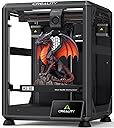
The Creality K2 SE is a high-speed 3D printer featuring a robust die-cast aluminum frame, CoreXY motion system enabling up to 500mm/s print speeds, and compatibility with Creality's CFS multi-color filament system. It offers a large 220×215×245mm build volume, direct drive extruder with quick-swap nozzles, and fully automatic bed leveling for effortless setup. Integrated with Creality OS and Cloud, it supports advanced slicing, remote monitoring, and multi-printer control, making it ideal for professionals and hobbyists seeking fast, reliable, and versatile 3D printing.


| Best Sellers Rank | #11,072 in Industrial & Scientific ( See Top 100 in Industrial & Scientific ) #21 in 3D Printers |
| Brand | Creality |
| Color | K2 SE |
| Compatible Devices | Personal Computer |
| Customer Reviews | 3.9 out of 5 stars 1,760 Reviews |
| Item Weight | 12.5 kg |
| Product Dimensions | 13.98"D x 13.96"W x 18.98"H |
| Supported File Format | 3MF |
V**A
Excellent 3D printer for hobbyists
Had this thing for two weeks now after I bought it to replace my old Ender 3 which broke. This thing is one awesome machine for someone who loves to make DIY projects! The print quality is very good, about the same if not better than my local library’s 3D printers. The prints are very smooth without much of the layers showing, which is incredible for such a fast printer. The speed is also just insane, as it can knock out a big print in just under 5 hours, which my old Ender 3 would normally print a file that size up to 15-24 hours. The features it has like the creality cloud app to track prints real time is a great thing for peace of mind. The temperature control is great on it, it keeps the temperature around the set threshold as needed to melt filament quickly for fast printing speeds. For the filament I use, the nozzle needs to be at 220-240 degrees and the bed needs to be at 40-60 degrees. The nozzle temperature might spike by a couple degrees when it initially heats up, but the machine automatically turns the fan on which helps stabilize the temperature and keep it rock solid on 220 degrees. The bed temperature hovers at the set threshold just fine, while also might spike initially. The printer comes with everything you need to tune it and do maintenance on it. It comes with several wrenches and a little bit of white filament, and other tools. Speaking of maintenance, you won’t need to do much as it has auto bed leveling, and it levels the bed before every print and also cleans itself which is a major upgrade from my Ender 3 as it needed a ton of maintenance, the bed was a pain to adjust, and all for a very slow printing speed that took forever and the print quality was poor. The bed adhesion on this printer is also very good and even without applying glue! Overall it is worth the money, especially for a casual user who doesn’t need a large printer like the K2. Very well worth the upgrade from my Ender 3, would highly recommend if you are looking for a good budget printer that is very technologically advanced and will do large prints in just a few hours.
I**K
Not the biggest kid on the schoolyard, but plays a solid ground game.
The K2SE is an excellent printer for users who are still interested in learning and growing within the 3D-printing ecosystem, but who no longer want to spend the majority of their time troubleshooting basic hardware issues. While it may not be a flagship, top-tier machine by today’s standards, it represents a significant step forward—especially when compared side-by-side with older platforms like the Ender 3 Pro. Out of the box, the K2SE delivers a level of refinement that once required extensive upgrades on earlier printers. Features such as automatic bed leveling, filament runout detection, a sturdier frame with vibration-dampening feet, and a properly supported raised Z-axis bed all come standard. The addition of cloud access and a fluid web interface—complete with optional root access for advanced users—bridges the gap between a consumer-friendly machine and a system that still rewards technical curiosity. My first print, a simple Kirby model, was intentionally done with minimal tuning to get a baseline feel for the machine. The results were impressive, especially coming from years of compensating for aging components on my Ender 3. With that printer long overdue for a new extruder, I had grown accustomed to managing variables that simply don’t exist on the K2SE. The consistency and reliability here are immediately noticeable. Although I didn’t have the budget to add the multi-filament CRT system at launch, the printer’s upgrade path is clearly well thought out. Planned expansions like an enclosure, camera monitoring, and multi-material support make it easy to justify future investments. I would also welcome a firmware or hardware update that introduces Bowden extruder support, as it could further improve filament switching speeds and overall print performance. As someone who has stuck with the same Ender 3 since long before touchscreens, CR-Touch, and modern quality-of-life upgrades became commonplace, it’s refreshing to see Klipper remain a core component of the K2SE. For users who are on the fence about moving away from heavy DIY builds, this printer strikes a compelling balance—offering reliability and speed without sacrificing control. Perhaps the most underrated benefit is time savings. The K2SE is noticeably faster than older models, and its intuitive touchscreen interface makes it accessible even for non-technical users in my household. After setup, my wife and children can confidently start prints on their own, which speaks volumes about the usability of the system. Print quality alone justifies the upgrade for patient users. While some may find the stock cooling fans slightly underpowered, the machine compensates with excellent compatibility for multi-tool and threaded expansion systems—an advantage over many Bowden-dependent designs that require significant modification for production or multi-material workflows. And as a final bonus, despite being scheduled for February delivery, the K2SE arrived weeks early. Getting this machine ahead of schedule was the perfect way to confirm that the upgrade was absolutely worth it for the value price point.
F**N
Ender 3 V3 SE Defective.
I received a defective unit. I Spent days researching and diagnosing a defective printer. Wasting my time and money, burning through a roll of filament trying to fix this thing. It was a big headache, like many have said, on top of a hassle of a return, still waiting by the way. First I immediately noticed the bed wobble in this unit, this was off putting as it is the foundation of all of your prints, this is unacceptable. The linear bearings had too much slop, barely touch the bed and it wiggles. During operation you could hear it stuttering as it didn't move smoothly. Next the extruder was very loud and kept making loud clicking noise, finding out that it was worn extruder gears, they didn't align properly causing loud snapping sound every time it retracted. Worst of all was the machine would malfunction during print and my prints would be ruined, this took me a long time to figure out, wasted an entire roll of filament trying to configure my settings. But finally realized it was the machine, it kept randomly changing its feed rate mid way through my printers. It would change speed abruptly and start moving erratically. It was basically unusable, it couldn't even finish a simply square box.
S**S
The K2 SE is a great entry level printer. Don't let the naysayers get you down!
I bought the K2 SE because it was inexpensive and I wanted to get into 3D printing. I had a Creality laser engraver that worked well, so I figured I'd go with the brand I knew. I bought the additional enclosure because I was planning to use this in the garage where my wood shop is, and I wanted to keep some dust out. I have been pushing this thing pretty hard for three months now and it has not so much as looked at me cross eyed. It takes everything I throw at it. The quality seems to be there, as nothing is wearing out. I have a little superlube oil and grease to keep up the maintenance, and I suspect any failures people report have been on unmaintained machines. If you're the type that drives your car without changing the oil, 3D printing is not for you. A quick note on 3D printing, for the uninitiated. When you see the one and two star reviews for the K2 SE, make sure you read why the reviewer is leaving the low rating. "Doesn't come with filament" - if you're not buying a combo with filament, none of the printers on the market come with filament. "Makes bubbles and pops when printing" - this is wet filament and not the fault of the printer (dry your filament). 3D printing is not a set it and forget it proposition, at least not at first. It requires a little skill (that can be built), a little knowledge (the U of Tube), and a little patience while you learn how to use the machine. Now for the machine itself... The print quality surprised me as a first time 3D printer user. I have purchased 3D printed items in the past and the lines were not something that impressed me. The K2 SE prints pretty much the same quality as the higher end Bambu Labs printers. The speed is all I could ask for, and I have fed this thing all kinds of PLA, PETG and TPU from Creality, Sunlu, Polymaker and AnyCubic without a problem. Any issues I have had have been the fault of the operator (me) not knowing I had to dry PETG before I use it. I have a Creality filament dryer now and dry my PETG right out of the package, then store it in an airtight container with dessicant. I have two printers running dried PETG sitting behind me right now and they're doing great. If I have a single complaint about the K2 SE, it's the bed size. At 215 x 220 it's smaller than the industry "standard" of 256 x 256, and if you get some of the larger prints that are designed for a "standard" sized printer, they won't fit the build plate. But I knew that coming into this, because they advertise the size right up front. Overall, I'm happy with the K2 SE. It was an excellent entry level printer and I have learned a lot from using it. I may even buy a second to add to my growing farm.
H**T
One - Month Review
First - I wrote a out of the box review - I do not know if this review will replace the old review or compliment it. Just in case this review replaces the old review - I will repeat a few of the important points from the previous review. I must also say it helps a great deal if you are already familiar with Ender because about 80% or more of the machine is built the same way as the older models. If this is your first Ender - read the instructions and check to make sure you have all the parts. Placing the parts where you can easily tear open the bags and not having to search for a part cuts down the assembly time. While the assembled printer takes up a small footprint - give yourself room to work. This is my 3rd printer - my first one I made from scratch. It took about 2 weeks to get it assembled and another two weeks to get it to print properly. Most of that time was spent modifying the Martin software so it would run my machine! My second one was an Ender V1. It took me about 90 minutes to assemble and about 30 minutes to get it to work. Over the years - I modified it to the point it was virtually impossible to tell the difference between it and a V3. I replaced it because a least one of the motors was going bad and I did not want to do the repairs. I picked this printer for 3 reasons 1) it was on sale, 2) I am now wheelchair bound and needed a printer that did not require too much assembly, and 3) I had worked with Ender before and knew how they worked. I was able to keep some of the old parts from the old machine (but threw most away). Everything was packaged well, but the small parts are in plastic bags that you have to tear or cut open - so be careful you do not lose any parts! There are only three parts to be assembled. They are the base, the frame, and the screen. I had no trouble getting the machine together - did have some trouble getting it to work. I was never able to reach customer service which ranged between "Who are you Kidding?" and "Did you really expect any?" I did some internet searching (there is lots of stuff out there - many are good YouTube videos). I found I needed to do an update - it got a bit complicated here. Part of the update was done using the hidden slot on the LEFT side of the removable screen and part was done using a SD card on the LEFT side of the Unit. (Ender does NOT tell you this on their website!). I was already angry when I tried their slicer and it did NOT work - after not being able to get customer service again. I deleted their slicer and used my Cura. After doing a few prints using Cura (which works fine) a couple days later, I reinstalled their slicer and did some troubleshooting - I found I had a setting wrong. I use both Cura and their slicer now because of the differences. Each one has some features the other one lacks. One example: The Cura has a large number of preset configurations, and it is easy to save a custom configuration. The Creality titles the g-code with a filename that includes the estimate print time. I tried customer service and actually someone! They did give me the manual settings for generic Pla - when I asked how to save those settings they send me to a useless link. I will research how to save one day - but will use my Cura for generic pla until then. What I like about the machine. 1} While it is nosier (a trade-off for higher speed) - it is still much quieter than the original Ender I had before modifications. 2)The new ribbon and print head are a big improvement. The filament is easier to change, and you can easily make prints with different colors! I do not miss the bowden tube and individual wires at all! 3) I like to put my prints on a card. The old machine used a micro-SD card - and I quicky bought an adapter! The new machine takes regular SD cards and no adapter is needed! 4) I really like the automatic leveling feature. There have been times I have spent hours getting my manual table set the way I wanted. So far - it has worked great. I have only made about 50 prints - so I cannot tell you how reliable it is in long term use. 5) The quality of prints is much better than my old machine. I am not sure whether this due to being a better machine or the stepper motor needing replacement. What I do not like: 1) The SD card has to be put into its slot upside down. 2) The controls and the SD card slot are all on the left side of the printer. I think putting the computer connection and the SD card would have been much better on the front of the machine. 3) Updating is like putting up a Christmas tree. The firmware is done with a hidden C connector on the left side of the detachable screen (this is like putting up a Christmas tree). Fine details on display etc. are put in using the SD card (this is like putting the lights on the tree). Once you figure out what goes where - it is the easiest printer to update I have had. 4. This one is a mixed bag. I do not give their customer service good marks - but the fact I found solutions on the internet was a good thing.
R**B
Fast, Reliable, and Stunning Print Quality — Best 3D Printer Value!
The Creality Ender 3 V3 SE is an absolute powerhouse for the price! At 250mm/s print speed with CR Touch auto leveling, this thing sets up fast and prints reliably right out of the box. The Sprite direct extruder handles flexible and rigid filaments with ease, and the print quality is stunning. Whether you're prototyping custom parts, printing jigs and fixtures, or cranking out creative projects, this printer delivers every time. Best 3D printer value on the market — period!
T**O
A truly amazing machine readily upgradable.
I have been an advid user of the Creality ender 2 series printer and spent some time upgrading it. All that time spent to unbox this machine and watch it be ready to go in under 5 mins. Connecting it via the app on my phone and controlling it wireless from there or my pc is amazing. No need for a wire or usb transfer. Already looking at teh CFS system to making multicolor printing easier. Super happy with the purchase so far with the ease of set up and how easy is was to start printing the things i was struggling with due to faulty bed leveling. Only wish i upgraded sooner but happy i got the experience from the series 2 with the manual build and successfully upgrading it with parts easy found! Meaning i can now take that knowledge to easily upgrade my new K2 SE. Cant wait for my K1 camera to arrive!
S**Y
Customer Service is bad.
Customer Service is at best, bad; it is only through chat with someone who is “learning on the job”. Did all the calibration the Manuel said. Have a problem with it not centering the piece on the file from a USB. It starts off-center and then after beginning the print stops and gives an error telling me that the object is outside the dimensions. Well, that is what happens when the printer centers near the edge! Only way to communicate with Creality is by chat; if you chose the AI it will give MUCH contradictory information and then you will spend a lot of time looking for features that this model doesn’t have, trying to fix sensors that are imaginary. After pressing the “real person” feature you will wait another long time, and then be told that you have to do the trouble shooting for them. I am now repeating that whole irritating process so that I can send them a video of the printer making the mistake….. WHY??? Will that tell them anything? The video is not going to change the centering abilities of the printer, this is a software problem. The person on the chat clearly does not understand the problem and this is extremely frustrating. They should know their own error codes and what the problem is. Would never recommend this company. Trying to “send a video now, which requires going back and suffering all of this nonsense again
E**S
Ottimo
Mai più senza
J**B
Prima product
Makkelijk te installeren. Zorg wel dat je als je alles weer in elkaar zet de x-as waterpas vast zet, dit voorkomt problemen met het bed.
P**R
Zum Aufrüsten ein Top zubehör
Ich hab die zweite z achse mit z spindel in meinen Ender 3 v2 Eingebaut , der Aufbau war nicht unbedingt sehr schwer und die teile fühlen sich sehr hochwertig an . Jedoch kommt die z spindel nicht geschmiert an .
J**R
Material
Note la mejora de impresión con este doble eje , va genial y los materiales son bastante buenos , el montaje se me dio bien pero hay videos en internet para ver algunas posibles dudas
N**D
Bra
Bra grejer
Trustpilot
1 month ago
3 weeks ago