Desertcart purchases this item on your behalf and handles shipping, customs, and support to Hungary.
🎧 Elevate your stream with pro sound & style—don’t just play, perform!
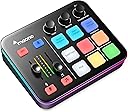
The MAONO G1 Neo is a compact, versatile gaming audio mixer designed for streamers and content creators. Featuring a professional XLR input with 48V phantom power, 4 customizable sound pads, Bluetooth connectivity, and 12 RGB lighting modes, it delivers studio-quality audio and immersive customization. Compatible with PC, phones, and consoles, it simplifies live audio management with intuitive controls like one-click mute, noise reduction, and loopback, making it an essential upgrade for any serious streaming setup.


| ASIN | B0CZDPKPX5 |
| Audio Input | Microphone, Bluetooth, Computer, Smartphone |
| Best Sellers Rank | #1,608 in Musical Instruments ( See Top 100 in Musical Instruments ) #3 in Unpowered Recording Mixers |
| Brand Name | MAONO |
| Connectivity Technology | Auxiliary, Bluetooth, USB |
| Customer Reviews | 4.3 4.3 out of 5 stars (1,180) |
| Frequency | 20 KHz |
| Item Dimensions D x W x H | 6.29"D x 2"W x 5.19"H |
| Item Weight | 1.2 pounds |
| Manufacturer | MAONO |
| Manufacturer Part Number | G1NEO-BK-VC-EU |
| Model Number | G1 NEO Black VC-EU |
| Number of Channels | 4 |
| Number of Items | 1 |
| Number of Packs | 1 |
| Output Connector Type | 3.5MM, USB-C |
| Power Source | Corded Electric |
| Unit Count | 1 Count |
| Voltage | 5 volts |
| Warranty Description | 1 year. |
J**.
Simple and Useful Mixer!
I've been using this mixer both through bluetooth for my iphone as well as on my desktop, and I gotta say, it's been pretty great for my streaming setup. To start off, the packaging and unboxing experience is very nice and simple. It comes with the two cables that you would need, and I keep mine plugged into my desktop even when I use it via bluetooth for Tiktok streaming. The voice-changing feature is a blast, but I don’t use it too much to be honest. It advertises custom sound effects, but because you have to set it up through the mixer itself instead of a software on the computer, it’s a bit of a hassle, but still very doable. The most useful one was probably the noise reducer, since it works pretty well actually, I would say almost as good as the discord noise suppression options. I'm not the most crazy about tech aside from streaming, but setting up and using this mixer was very straightforward. The interface is intuitive, and I love the one-click mute and loopback functions since they make managing my audio during live sessions so much easier. The Bluetooth input is a neat addition too; I can easily add background music or other audio sources without a hassle. I used my crinacle zero:reds plugged in with an iem cable that had a microphone and I had no issues with using it. Aesthetically, the mixer fits right into my gaming setup. I have it next to my stream deck, and the Maono is much bigger, but still looks great aside it. I'll have a photo of the size comparison to my small stream deck. The RGB lighting is customizable, adding a nice touch without being too flashy. Despite it being much bigger than the stream deck it still doesn't take up much desk space, and it also feels solid and well-built. The rounded buttons are super cute and they feel squishy yet tactile when pressing down on them. All in all, this is a pretty solid addition to my streaming gear. It’s really simple to set up and relatively cheap! If you're looking to up your streaming game without breaking the bank, I'd definitely recommend giving this mixer a shot.
G**O
I highly recommend this mixer!
This mixing console is an exceptional investment in terms of sound quality and construction, standing out for its sensational vocal treatment and ability to enhance vocal performances for both professionals and beginners. It includes effects such as voice changing, noise reduction, and sidechain, each meticulously designed to improve the performance. Its robust construction and modern design make it ideal for both studio and live performance environments. Additionally, its intuitive interface and comprehensive features make it accessible for beginners and advanced users alike. It is a valuable tool for any studio or live performance setup, offering performance and reliability. However, as points for improvement, the button to mute the microphone is better that makes it abruptly and not in fadeout mode, and the power button should be on the front, turning on with a single press and turning off with a prolonged press. in General, I Recommend for both daily practice and professional projects, this mixing console is an investment that elevates the audio experience to new heights.
S**O
Really good, but a few issues.
I recently took over the gameday announcer duties for our local middle school football team. Wanted to spice things up a bit with music and sound effects, without spending my entire stipend check … and bought one of these. From a value standpoint, this mixer is great. It’s well built and I appreciate the fact that you can change the LED color schemes. The feature set is also a positive. 1-press muting, sidechain volume reduction so I can talk over music, programmable touch pads, Bluetooth, phantom power — all great. And I was able to run it for hours on a portable power bank without issue, which is a major plus. I have 3 major complaints: 1. The volume faders. I appreciate the visual level indicators, but there’s a point at which the volume drops out well before you get to the bottom of the fader range. 2. No XLR out. And I get it — I’m not exactly using this the way it’s intended, but XLR in and out would be a massive improvement. As it is, I was able to make it work with a passive 1-channel DI box from Kopul that connects to the 3.5mm jack… but that was another $40. 3. Annoying announcements. When you turn on certain things like the sidechain feature, there’s an audible announcement about it. This is also true of the voice changer modes (not that I use them) … and it doesn’t seem like there’s a way to turn that off, which is frustrating. Otherwise, the reverb is fine enough and the noise reduction is generally helpful. Overall it’s a solid little thing, but not quite perfect. 4 stars.
K**L
A versatile budget audio interface. Great overall quality and easy to use.
This is a great budget and beginner friendly USB audio mixer, 5/5 in the sub-$100 audio mixer category. I have been testing this unit for just under a month and have not encountered any bugs or lost audio (input & output). I own and am a huge fan of the Maono mic (PD200x) and wanted to try this interface as my work/gaming unit. Setups used for testing: 1) PC w/ Mic (Maono PD200x), Headphones (ATH-R70x, 470ohm imped.), IEM (Letshouer S12) 2) Apple iPhone w/ 10000mah power bank plugged into the interface), IEM, Mic (Shure PGA48) For full disclosure I currently use the Minifuse 1 for instrument and MIDI controller inputs but due to the limited controls on the unit I wanted to try a interface with better accessibility and controls. The volume and and mixing sliders feel good out of the box but the knobs felt a bit light, the buttons are soft rubber with slight feedback (like an oversized remote control button). Overall the unit feels good and heavy enough to stay in place but is by no means compact. For audio quality, I found that the unit drives my IEMs just fine but it definitely could not handle my high impedance headphones, with loses at both high and low ends. By comparison I run the headphones on the MF1 at the 11oc position while I needed to run the Maono mixer at the 3oc position for the same volume. As for the IEMs, the volume runs very similar with audio quality loss below 8oc and above 3oc as compared to the MF1. The voice changer was incredibly fun to test and worked on Teams and Zoom. I don't think this is a feature I would ever need but it worked flawlessly. For the portability test I was able to connect this unit to my iPhone with a power bank supplying the unit. Was able to record and listen to playback without any issues. Overall I highly recommend this unit if you are in the market for a budget audio interface for simple recording, work calls, or gaming.
T**R
Budget Gaming Audio Masterpiece
First Impressions: The MAONO G1 NEO is an absolute beast for its price. Right out of the box, it feels premium, and the feature set is insane for what you pay. Coming from the FIFINE SC3, this feels like a massive upgrade—more polished, more powerful, and packed with tools that actually elevate your audio game. Standout Features: ✅ Sidechain Compression (Ducking): This is a game-changer for streamers. The G1 NEO lets your voice automatically lower background music (like a DJ effect), keeping your commentary clear without manually adjusting sliders. Perfect for professional-sounding streams. ✅ Built-in Noise Reduction (Low/High Modes): The noise suppression is shockingly good—even with an XLR mic, it eliminates background noise (keyboard clicks, AC hum, etc.). A huge step up from the SC3, which lacks this entirely. ✅ Vocal Reverb & Voice Changer: The reverb adds depth to your voice (great for immersion), and while the voice changer is fun (not Roblox-level but decent), it’s a nice bonus. The SC3’s "electric autotune" feels dated in comparison. ✅ 4 Loopbacks & Easy Controls: Flexible routing for multiple audio sources (game, music, mic, etc.), and the physical knobs make adjustments intuitive. No software headaches! Why It’s Worth It: For the price (especially during sales), the G1 NEO punches way above its weight. It fixes the SC3’s shortcomings (no reverb, no noise suppression, no sidechain) while adding pro-level features. If you’re on a budget but want "premium" audio control, this is it.
V**Z
Worst soundboard for PS5
1-Star Review Worked perfectly fine earlier in the day, then suddenly started cutting in and out constantly. I tried different USB ports and connection options on my PS5, but nothing fixed it. For something that should be plug-and-play, this was way too frustrating. Returning it.
S**L
A QUALITY VERSATILE AUDIO MIXER
The Maono G1 NEO is truly a versatile audio mixer, clean sound with unique features I need to make my audio feed seamless and professional. The overall build is tidy and solid. The connection inputs and build are solid and firm. There are no drops from the line’s inputs. It works off USB power and functions flawlessly. I produce education training videos and I’m constantly making and updating these. This has helped me to improve the audio by adding sound effects and music. I’ve had this for a week and here is the test: pre-recorded voice narration is connected to the iPhone via the G1 NEO Bluetooth and the music/sound effects are connected to a Mac desktop. Monitor headphones are connected to the G1 NEO. The audio is recorded on the MacAir. (I’ll use the audio to overlay a video in iMovie). The audio feed is clean and since I’m inputting two sound sources, each device’s controls the volume level: voice is consistent and music/sound effects are adjusted. Monitor headphones are connected to the G1 NEO. PROS: The versatility of the G1 NEO is perfect for my needs. Bluetooth connects flawlessly. The Reverb is excellent and added just enough depth for the narrative track recorded separately. There is no lag in monitored sound. In fact, the sound quality and depth of tones are crisp and clear. CONS: Not really a con but I don’t have the need for the changing light patterns. It has a “cute factor”, and I turned it off to be less distracting. In the future, I plan to do live voice overs while adding a music/sound effects working on video productions. Although I haven’t had time to test it out, I plan to use an XLR microphone and an external power supply. I’ll update this review when it all happens. In conclusion, the Maono G1 NEO is an excellent device to blend audio sources for a more professional presentation on an instructor’s budget. Have fun!
J**R
Need more improvement.
I once to love it but,Once big problem is the Bluetooth!! i’ll play music on my iPhone to the G1 neo and when I join a party chat room people can hear the music off my phone when I use Bluetooth on the G1 Neo that not good.I wish that it was separate from the gaming room chat and Bluetooth audio. and a mute on the mic it delay by 3sec,no cut right away that a problem too.and one more thing the voice changer got a delay too and only 4 voice to pick from wish is was more option that the Con. Now pro on this product is the Sidechain,the no cancellation is A big hit love the noise cancellation.I’ll playing game and I turn on the noise cancellation when the kids watching TV beside me no background at all that very good. all in all it’s a good product. I gave it a three star.
C**N
Super
Je l’ai acheté juste par curiosité pour remplacer une go xlr. Et bien je la trouve 100% plus pratique, sans bug de logiciel … elle s emporte facilement vu sa taille et elle est même compatible ps5
B**B
Easy to use
Easy to use, can connect via bluetooth only to receive music so it can be streamed while chatting. I'm using a 48V mic, and the sound quality is very good.
E**S
Maono G1 Gaming Mixer - Funktioniert doch
„Mama ich möchte ein Gaming Youtubevideo machen. Kannst du mir helfen?“ So startete für mich vor ein paar Tagen eine Reise an der ich euch jetzt etwas Teilhaben lassen möchte. Etwas Neues Ausprobieren? Etwas lernen und Erfahrungen sammeln? Dafür! Direkt eine Bank ausrauben müssen, um die in eventuelles Hobby überhaupt mal ausprobieren zu können? Dagegen! Ziel ist es vorhandene Hardware zu verwenden und mit möglichst geringem Kostenaufwand zum Ziel zu kommen. Qualität ist zweitrangig. Es ist gut möglich, das Kind nach eine, Video sagt: „Super das Video hat Spaß gemacht. Hacken auf die Liste, brauche ich nicht mehr.“ Vorhandene Hardware - iPad 10 Generation - Nintendo Switch mit Docking Station - Ugreen Video Capture Card - Kostenlose App Camo Studio Yay, Switchgameplay wird erfolgreich übertragen und aufgenommen. Nicht ganz so yay, das iPad kann nur eine Audioquelle. Es gibt also entweder den Game Sound oder die Mikrofon Aufnahme. Blöd! Bevor jemand sagt, am PC geht das aber, weiß ich. Kind hat aber keinen PC sondern nur das (Schul) iPad. Wie also bekommt man Game Sound und Micro als eine Audioquelle ins iPad? Mit einem Audio Interface oder Mixer. Auf dem Papier hört sich der Maono G1 Gaming Mixer toll an. Headset Port (ein paar EarPods gibt es hier im Haushalt auch noch) und wenn später gewünscht kann auch ein richtiges Mikro angeschlossen werden. Audio in über Bluetooth oder Aux Port. Bietet Sidechain, Soundpads, Noise reducer, Mute Buttons für Musik und Mikrofon, Funktioniert ohne Treiber an iOS, Android, Windows und Mac usw. Egal ob mehr Videos gedreht werden und die Hardware nach und nach aufgerüstet wird, oder ob später einfach andere Sachen Podcast, Hörspielaufnehmen usw getestet werden, auf dem Papier hat man für kleines Geld einen guten Start Punkt zum lernen ausprobieren und Kreativ sein. Ja, alle diese Funktionen funktionieren auch. Aber! Zumindest das Gerät, das ich bekommen habe brummt. Ich habe verschiedene Kabel getestet, verschiedene Mikrofone, habe es an mein iPad, meinen privaten Mac und an meinen Firmen Windows Pc angeschlossen, habe als Audioquelle die Switch, die Stereoanlage, das Handy sowohl über Lightning Adapter, als auch Bluetooth getestet. Ich habe den Mixer über den Powerd Hub, als auch direkt angeschlossen. Mit extra Stromkabel und ohne. Wir haben uns sogar einen Ground Loop Isolator geliehen und es damit getestet, um das Brummen in den Griff zu bekommen. Keine Chance. Das Ergebnis ist immer gleich. Ein Absolut nervtötendes Brummen und Knacken. Ich weiß nicht, ob mein Gerät einfach nur defekt ist, ich zu wenig Ahnung habe um es richtig zu bedienen oder ob es wirklich so schlecht ist. Wir schicken es auf jedenfalls zurück. Update 07.06.2024 Der Maono Support hat sich super schnell mit mir in Verbindung gesetzt. Nachdem wir noch einmal durchgegangen sind, was ich bereits getestet habe, wurde mir ein neues Gerät zur Verfügung gestellt. Und siehe da, angeschlossen und der Ton ist da. Ohne Störgeräusche! Funktionier am iPad und am Mac. Mit Windows konnte ich noch nicht testen. Audio in Bluetooth funktioniert in allen Kombinationen. iPhone und Sterioanlage funktionieren über den Auxport wunderbar. Bei der Switch gibt es über den Auxport ein minimales Rauschen. Den Ground Loop Isolator hatte ich bereits zurück gegeben, ich bin mir aber sicher, das der das Problem in den Griff bekommen würde. Das die Switch bei der Ausgabe über Externe Lautsprecher manchmal Probleme macht, ist allgemein bekannt. Ich hoffe, das ich mir den im laufe der Woche nochmal ausleihen kann. Der Test wird dann ergänzt. Als Micro konnte ich gestern nur unser altes Klinken Headset testen, da ich alle Leihgeräte für den letzten Test bereits zurückgegeben hatte. Der Sprache war für mich klar verständlich. Bei der Funktion Noise Reduktion hatte ich ich dieses Mal deutliche Aussetzer. Das mag aber am Mico liegen. Auch hier würde ich sobald ich nochmal ein andere Micro zum testen habe, die Ergebnisse nachreichen. Ob die Soundqualität für anspruchsvolle Profis dauerhaft reicht, kann ich nicht beurteilen. Mein Ziel bei der Auswahl war es, ohne großen Kostenaufwand zu Starten und nur bei langfristigem Interesse des Kindes nach und nach die Hardware aufzurüsten. Ein Familienausflug in den Zoo oder ins Kino ist teurer, und der Mixer bietet als Sommerferienprojekt jede Menge Möglichkeiten, kreativ zu sein und etwas Neues zu lernen! Und bevor jemand fragt, warum ein Kind schon YouTube Videos machen muß, ich helfe lieber jetzt, wo er fragt, und wir können zusammen Regeln durchgehen und festlegen, als das ich Nein sage und dann wird es heimlich ohne Aufsicht gemacht.
S**S
Increíble calidad y versatilidad para creadores de contenido
Recibí la Maono Maonocaster G1 Neo para mejorar la calidad de mis grabaciones y transmisiones en vivo, y no podría estar más satisfecho. Es un producto compacto, fácil de usar y con una calidad de sonido impresionante. Lo que más me ha gustado: Excelente calidad de audio: El sonido es limpio y profesional, ideal tanto para podcasts como para grabaciones musicales o streams. Controles intuitivos: Todo está al alcance y es muy fácil de ajustar, incluso si no tienes experiencia con mezcladoras. Efectos y presets: Los efectos incorporados son un plus para personalizar tu contenido y darle un toque único. Portabilidad: Su diseño compacto permite llevarla a cualquier lado sin problema. Además, la construcción es robusta y se nota que han cuidado hasta el más mínimo detalle. La recomiendo 100% a cualquier creador de contenido que quiera dar un salto de calidad sin gastar una fortuna. ¡Un producto excelente con una relación calidad precio muy buena!
ا**ل
ممتاز في قراءة القران
Trustpilot
2 weeks ago
1 month ago