Desertcart purchases this item on your behalf and handles shipping, customs, and support to Hungary.
🎧 Your ultimate music companion—stream, play, and vibe without limits!
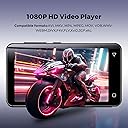
The innioasis 160GB MP3 Player is a powerhouse Android-based music and media device designed for kids and music lovers alike. Featuring a 4-inch HD touchscreen, dual-band WiFi, Bluetooth 4.2, and massive storage expandable up to 1TB, it supports popular streaming apps like Spotify and Audible. With 25 hours of battery life, parental controls, and versatile media playback, it’s the perfect blend of entertainment, safety, and convenience.


| ASIN | B0C5T1JGRS |
| Additional Features | Built-In Speaker, Equalizer, FM Radio, Touch Screen |
| Battery Average Life | 25 hours |
| Best Sellers Rank | #3,928 in Electronics ( See Top 100 in Electronics ) #15 in MP3 & MP4 Players |
| Brand | innioasis |
| Built-In Media | 128GB SD card x 1, Mp3 player x 1, USB-C cable x 1, User manual x 1, Wired headphones x 1 |
| Color | Black |
| Compatible Devices | Car Audio System, Earphone, Headphone, Laptop, Personal Computer, Speaker |
| Component Type | Battery, Digital Signal Processor, Display, Memory, Speakers |
| Connectivity Technology | Bluetooth, Wi-Fi |
| Customer Reviews | 3.6 out of 5 stars 3,577 Reviews |
| Display Technology | LCD |
| Item Dimensions D x W x H | 0.33"D x 2.36"W x 4.33"H |
| Item Weight | 128 g |
| Manufacturer | INNIOASIS |
| Memory Storage Capacity | 160 GB |
| Mfr Part Number | G3 |
| Model Name | G3 |
| Model Number | G3 |
| Number of Items | 1 |
| Screen Size | 4 inches |
| Special Feature | Built-In Speaker, Equalizer, FM Radio, Touch Screen |
| Supported Media Type | Micro SD, Micro SDHC, Micro SDXC, SD Card, SDHC |
| Supported Standards | AAC |
| Unit Count | 1 Count |
| Warranty Description | One year warranty |
G**A
Probably the best value in an MP3 player.
UPDATE: I've had this unit since July of 2025, it's currently July of '26, not one issue. It simply performs well whether it's in my car or using it somewhere else. I finally started using Bluetooth headphones along with my always wired output to my car, and though others have apparently had wireless difficulty, I have had nothing but success. I purchased a Bluetooth wireless remote control for this player to give me steering wheel controls, and the setup works flawlessly! The control was asin number B0DC685617, "Bluetooth media button remote control" by a company called "GLOBELEC". I left a review of that product as well. Place the control on the BACK - SIDE of a steering wheel spoke where your fingers naturally fall and you get unobtrusive buttons to control the player. The connection to the control will eventually timeout, so I have the Bluetooth connection screen from settings always active and simply hit the little square "recent apps" button to quickly access the connect screen. Tap it twice again and I'm back to the music. Read on for my original review... I use this player mostly in my car, as I like my phone to do “phone things” and not be tied up with music. If you are looking to do the same, read on as I will give you my tricks and tips for this unit, which is an excellent media player for your car (or anywhere, really) if you set it up correctly. I have vehicles that HAVE very good aftermarket stereos, but after getting this new version of the Innioasis player, I am thinking about using one in all of my cars, as this unit gives capabilities you can’t get without spending a ton of money, like a customizable 10 band equalizer AS WELL AS a customizable 10 band PARAMETRIC EQ with Q settings. Digital signal processors for car audio that do the same thing are about $300, and this comes with one built-in. I had a previous generation of this Innioasis MP3 player and was impressed with its performance and features, but a few things annoyed me. This was entirely because of the version of HiByMusic it came with, NOT the player itself. With this new version of HiBy 4.3.1, I have almost no complaints. The only thing I wish it did was give me steering wheel controls using USB tethering, as my phone is connected via bluetooth. I have the player magnetically mounted within finger reach of my steering wheel, so honestly, it’s not that much of a drawback. The hardware itself is top-notch, and I can think of nothing to gripe about there. My old unit lasted nearly 2 years in my vehicle, but finally died as the battery swelled up and popped the screen out. Considering I left it in the car year-round, baking in the heat and freezing in the winter (I won’t do that to my new one), I’m very happy with it’s longevity. Like most techie things, taking some time to experiment and learn what the unit does will pay off later. This is a VERY good player. Quality hardware coupled with an intuitive user interface that can be customized to the users liking. After my experience with my last Innioasis player, and testing of this new one, I simply cannot see why anyone would NOT like these players. One of my biggest annoyances with my previous version of this player was that the text was so small as to be very difficult to read without glasses. This version fixed it: simply set font size to “Largest” in the unit’s system settings (Settings/Display/Font Size), then in HiBy settings, choose “System Defined” as your font size (HiBy Settings/Font size settings). This made the song titles and other things actually readable while driving, and honestly it’s a whole lot easier on the eyes even if you aren’t using the player in your car. Having set this parameter so you can actually see the thing, here are some other HiBy settings I find very useful, for driving or any other use. This is written with tablet novices in mind... TRACK TRANSITIONS: I set mine to gapless, as I have many albums that one song flows right into the next one. Most music will have some silence at the beginning and end anyway, unless one track flows right into the next. This will let more of your music sound like you expect. I have aftermarket head units that will not let you choose this simple feature. DRIVING FRIENDLY MODE: You don’t need to be driving to appreciate this one. Turning this ON will allow the system “Back” arrow to be used to help navigate folders and playlists in HiBy. Just turn it on, you’ll be happy you did. PLAY THROUGH FOLDERS: Personally I prefer this as this will allow you to continue on to the next album in a folder and keep the music going. My music is arranged in folders by GENRE, ARTIST, then ALBUM. Any miscellaneous songs I may have by that artist are just sitting “loose” in the ARTIST folder. This makes for probably the easiest way to find your music. “Play through folders” continues playing alphabetically through all folders after finishing the songs in the folder you started with. OTHER SETTINGS: You can change the color of the HiBy app in the “Custom themes” menu. I find black to be the best for the car, particularly at night, but experiment to see what suits you. By the way, if you are driving at night and the screen is too bright, the “Night Light” feature of the Android system may be useful – adjust it to your liking in settings, then activating it can be as simple as one swipe downward from the top of the unit and hitting the little crescent moon icon. You can even schedule it to activate at night. If you don’t like the yellowish cast it creates, swiping downward TWICE will let you easily access the screen brightness setting, and just tap anywhere on the slider to position it. Easy to do while driving with minimal distraction. You can change the order of the items in the “menu bar”, the bar that contains “Album”, “Folder”, “Artist”, etc. (also works in the playlist menu bar). Click the drop down arrow on the right side of the bar and you will be presented with a list of possible sort options. While this allows you to choose how you sort music, you can also tap and hold a particular item, then re-arrange it, thus changing the order on the bar. I prefer to have “Folder” show up first on the bar as that is how I typically want to see things. I cleaned up the desktop area of the unit by combining all the apps except “Music” and “Settings” into a common folder (tap and hold an icon, then move it on top of another icon, repeating as desired). Then, tap and hold the “Music” icon, and a menu will appear. At the top of this menu will be an icon with four little boxes – click that button and you will be presented with an option to create a “Widget”. Touch and hold the menu then drag to the desktop. This makes a functioning “Player widget” as well as creates a nice big target of an icon to tap while you are driving, should you ever end up outside of the app. I placed mine at the top of the screen, the “Music” and “Settings” icons as well as the folder containing all the other apps at the bottom of the screen. A ten band equalizer is accessible from the main playing screen by tapping the three vertical dots at the top-right of the screen. You can now save your own EQ settings as presets that you can name, and access them from the first button on the left of the EQ screen. There is a reset button at the top of the screen as well, allowing you to quickly “zero” all the sliders and start over. HiBy also has a ten band PARAMETRIC EQ located in the main settings (Look for “PEQ” just below the “Equalizer” settings). This is a very powerful tool...set up correctly, you can fine tune your audio to compensate for acoustic deficiencies in your vehicle or its speakers. This is expert level, and if you don’t understand it, just leave it alone. Bottom line, this is a tremendous value added to the system. Playlists are easy to create and manage as well. Be sure to backup your playlists...I didn’t, but was lucky enough to get my old unit powered up. HiBy was able to export and properly import a relative path M3U file from my old player. Exporting a playlist can be done by going to your playlists, long-pressing the playlist you wish to backup and selecting one of the backup options. There is a “Mandatory landscape” mode in HiBy settings/HiByMusic Laboratory, if you want everything oriented that direction. If the player ever dies, you can pry up the screen to get to the micro-sd card that holds all of the information and music you have. I always keep my music on an external micro-sd card, so I never have to worry about loosing it if the unit dies. Even so, when it does finally quit, there’s a memory card in there if you want one. Consider getting the pack of tempered glass screen protectors the company also sells. Easy to apply and saves on scratches and cracking. Moving mine around as I do, I managed to crack my glass... thankfully it's just the protection screen. When it gets really annoying, I'll just pry it off an put on the spare that came in the pack. That’s it. If you want one, buy this one. I doubt you can do any better, even for MORE money. P.s., I finally CORRECTLY organized all of the ID3 tags in my mp3 collection, getting EVERY file in an album and tidying up all that data. When all of that is done correctly, searching my files is not only breeze, but I now have created my own radio stations (essentially) by simply playing a genre and hitting the shuffle button. If you haven't done this with your collection, get the free application "Mp3Tag" to make the job easy. I wound up consolidating some genres for my own taste, keeping artists in VERY broadly defined genres, but it makes it workable.
S**N
2nd Innioasis purchased--Very Disappointed
I have had a previous model which worked very well. My cheap ear buds worked perfectly with it for over a year, then suddenly one day, would not connect. I thought it was the ear buds, but when I tried them with a totally different device, they still work perfectly. My old model had been dropped numerous times, and the battery life, which wasn't great to start with had really gone way down. So I decided to buy another innioasis. My mistake! The ear buds I own would NEVEr CONNECT WITH THE NEW MODEL, EITHER. i HAE USING THE WIRED BUDS. The battery life in the new unit is worse than the current life of the old unit. Plus, both units are now doing the same glitchy things, which never occurred before. I can no longer easily access podcasts at all. the listening tab at bottom just disappears at will and even turning the unit off and on numerous times may not bring it back. Plus it is virtually impossible to look at podcast episodes any longer. It just wont' show/change episodes. It's even hard to open a book already downloaded on the unit, no listening tab, and the same chapter will just keep on repeating. with the listener tab gone, I cannot access the chapters to change them or even back it up thirty seconds to catch what I just missed while someone is talking. I believe the programming was changed to make things different, I can't see why they would both change operating ways I am VERY familiar with, at the very same time. So I think these things happened in a product update I was unaware of. NOT HAPPY!! Plus I went to hospital for a long unexpected stay and missed the return window or I would have returned th new unit.
A**R
Fully Compatible with Apple Music
I did a lot of research before buying this mp3 player. I was looking for a player that was compatible with apple music, had a good shuffle option, supported playlists, decent battery life and good Bluetooth compatibility. This particular mp3 player has delivered. For this price point, it is a great deal. I had no issues at all getting my apple music onto the device and the files play seemlessly like any other format. Other players I had to do work arounds or change file type to get apple music files to work. Not an issue with this device. If like me you have had iPods for years but now have to switch as apple stopped producing them, the ability to easily access and play your iTunes library is probably one of your number 1 concerns. Let me save you hours of frustrating research and let you know this player is setup ready to play apple music files. The shuffle options are comparable to iPods. You can transfer your playlists relatively easily and there isn't a limit on how many you can have. You can also create new playlists directly from the device if you like. The battery life is probably my only issue with this player. It is decent, depending on how often you are using the screen interface, it will last for a full day of use but you likely need to charge daily. In comparison my iPod, before its battery started to go, held a charge for about a week or so before needing another charge. However this player will get you through a long day, particularly if you are just letting it do its thing and play tracks without manually changing it a lot. Seems using the screen interface drains the battery significantly faster. Finally the Bluetooth. Some of the reviews mention that the Bluetooth connection is subpar and causes the audio to cut in and out at times. I have ran into this a couple of times, however it only seems to happen when I am switching between multiple Bluetooth devices a lot. Like from the car to headphones, ect. And restarting the device has fixed the issue Everytime. I have had this player since July and I think this has only happened 3 times and easily fixed itself with a restart. As far as connecting to Bluetooth, I actually find that this device connects easier than my phone and other devices. It will stay connected to whatever device you last connected too and will need to be manually switched to another device but this is quick and easy to do. The only other note for me is podcast files are treated like any other music files so you do have to search for podcasts instead of having a separate podcast section. Though this might be a product of the media player I use as it does seem to have a podcast option separate from the music library so if you really want those separated there is likely a way to do it. I am just too lazy to figure it out lol Over all I think this mp3 player is an excellent choice for the price range, especially for iPod refugees. Hope this review helps anyone else looking to switch over now that iPods are leaving the market!
N**E
Plays all Audible and Library audiobooks
I waited to write this review because I wanted time to use the device. The first week I almost returned it, but the pros outweighed the cons in the end. There were three things I was looking for in a new MP3 device -- a sleep timer (because I use it a lot at bedtime), access to the Audible Plus Catalogue (those books are not downloadable to an MP3 player like the Sansa models), and access to the audiobooks from the Library. Of course size and weight are always an issue -- smaller and lighter always better. 1. Size and weight. Think of this model as a small telephone without call, recording, or camera capabilities. It is definitely larger and heavier than my Sansa models at 4.3 x 2.4 x 0.4 inches (more with the protective clear case) and 4.5 oz. That has taken some getting used to, but not a deal breaker. 2. Sleep timer. Does it have one? Yes and no. This MP3 works with apps (as does your cell phone). If the app has a sleep timer, then it works. This means that audiobooks from Audible and the Library (Libby) has a sleep timer, all of the music apps (Amazon Music, Pandora, etc.) do not. The other downside is that the device does not shut down -- only the app stops. When on and inactive, the device does not use much power however so about 20% is lost overnight. 3. The apps are pre-downloaded. I LOVE THIS. Use what you want. 4. Yes to the Audible Plus Catalogue. Finally, I don't have to use my phone or a tablet to listen to these audible selections. 5. Yes to the Library audiobooks. Using Libby, the layout is easy to understand. With effort, I still can download onto my older MP3 models, but the books are in sections and hard to find the Chapters. 6. Sound quality. I was delighted that there was a speaker. It is not the greatest, but for audiobooks it works. If using the AUX earbuds or a bluetooth hookup, then the sound is very good for music and for audiobooks also.
M**N
Good bare-bones digital music player.
This is essentially an Android phone that can't make calls. I got it because my phone broke & all the new ones got rid of the SD card slot. All-around I'm happy with this purchase, since it does what I need it to: high capacity (SD card up to 1TB), car play, bluetooth. I only listen to MP3s so I took all the streaming apps off the front page. You can't add any apps, but the built in music app, HiBy, works good. I used to use Pulsar on my old phone and this is comparable. I use a 512 GB SD card (that's nearly full) and the app takes about 10 minutes to scan it. If you have a large digital music collection, the only major expense using this will be buying a big enough SD card, which is still cheaper than buying a modded iPod. Pros: - Bare bones, simple, don't even need to turn on WiFi to use it. - Slightly smaller than a regular phone, which means I won't be accidentally grabbing it instead of my actual phone. - Long battery life. - Easy to add files to - The SD card is a little tricky to get in and out. Why is this a Pro? Because there's very little chance you'll accidentally pop it out and lose it. If you have a long fingernails or a pair of tweezers, that'll help getting it in and out. Cons: - Small screen, at least for my fat fingers. - If the screen goes to sleep while scanning the SD card, the scanning pauses. I deal with this by changing the screen sleep setting to Always On. - There's 2 scanning modes, Everything and Incremental. Incremental is supposed to only look for new files, but I've noticed it's missed some. Just do Everything scan every time and all the music you've added will be there. -Can't add or remove apps. There's no Play Store, and if you want to remove an app you have to completely uninstall it. To de-clutter the main page, I moved all the apps I don't use to the next pages. Here's how I added my music: - Put SD card in device - Reformat SD card (this will come up when you install it) - Use USB cord to plug computer into laptop (MP3 player will automatically switch to USB File Transfer Mode) - Plug external hard drive with digital music collection into laptop - Make a new folder on the SD card called Music - Copy & paste files form external hard drive to SD card. - When done, on the MP3 player swipe down and under the USB options choose Charging Only, and unplug device from laptop.
S**U
Not worth the price, awful as mp3 player.
Given the price, I really thought it'd be something good. But it does not even have a music player. Just an installed app for you to try. It cannot sort by name, or sort by title in the correct order. Wish I used this earlier so I could return this. The earbuds are awful, wish they didn't include them, it'd be better. Given how expensive this was, I should've bought a 10$ mp3 player and it'd be much better. The battery burns through very quick, does not feel like it's new. The sound quality is average; will need to test it out with my own headphones instead of the earbuds that came with that majorly hurt my ears. Who ever designed those buds never listened to music before. Do not recommend. Edit: The seller offered me refund without needing the item back, I refused. But I will give them 2 more stars (now at 3 stars) for good customer service. Recently Amazon customer services have been bad, but at least they work with the sellers to ensure better services and customer experience. However, this is not a cheap item; offering a full refund just that, without needing to return the items, how much less profit or loss can these small business take? Amazon has offered me, I suppose with the sellers, $100s of dollars of refund already, some of them were 3 stars to begin with. What are they doing? That is a lot of money back without getting the product back... Wouldn't that hurt the small businesses? What's the purpose of offering these refunds? I can't just change honest reviews just because they offered refund, the product was still bad. Like one product has damage/a somewhat deep scratch, it was heavily bubble wrapped, so it was not caused during delivery, and it was just the product was bad. Just because they suddenly offered me a refund, it does not mean that I can just give a 5 star review for these products. I believe I rated this one at 3 stars because it was still usable, and I believe that was more than reasonable. I refused their refund on this item because I was still able to use it, it was cheap; there was little point for me to take advantage of a small business like that. These are the reviews for the products; the customers look at the reviews, most likely without being able to read all the details from every review, and determines if the product is good or bad, or what the chances are they would receive a bad/faulty product. Another product could not charge properly (tested 5 times, it always produced that little issue, but it still was usable), plus its warranty could not let me register, plus there was another mechanical issue which made it a bit difficult to use (had to use it in a certain way; it was a while back, can't remember all the details now), I think, and it was rated 3 stars, and I think that was a fair rating. I am more than forgiving, often if a product has a tiny little issue and it works fine, I would give a 5 star. And just because they suddenly offered me a refund does not mean the charging and other mechanical issues would just magically disappear. I would not accept the refund, but I still needed to give an honest review based on what the product actually is and my experience with it. I could not change the 3 star review. Raising it to a 5 star just because they offered (or and I accepted) their refund would be confusing and defeats the purpose of the reviews. These are Product Reviews. This mp3 player was really a bad experience. Tried 20 minutes to sort the music in the way I need them and could not do it. And tried to delete all the music and then download them again with their titles sorted, still no go. Their default music player can only play one song at a time, so they Do Not have a default music list player. The other one is that can play the list is for trial only, and it does not play the list in the correct order which all my other mp3 players can do. Their earbuds sound quality is bad and ended up hurting my ears bad. These are small issues, if the prices was not so expensive, I'd give it a 3 star. But giving it high price (my other LCD screen mp3 players range from $20-30, and work much better), I had much higher expectation, and hence why the beginning 1 star rating. So, 3 stars is the best I can do.
U**E
Ipod Equivalent Yes, Replacement No.
As a standalone MP3 player, the G3 functions well but for modern day use via bluetooth, the G3 performace can only be categorized as abysmal. The G3 bluetooth is completely unstable an it displays the message 'the bluetooth app keeps stopping' and gives you the option to restart or quit; neither of which is useful for music streaming. I was able to use a wired connection or a seprate bluetooth trasmitter via the 3.5mm phono connecftion but these options don't allow you to control the player (Album, Atrist, Track selection etc. remotely). You have to do everything using the G3 screen which is almost impossible in a car if you don't have a passenger to act as your DJ. After spending so much time tidying and reorganizing my music library, it was intensely disappointing to find that I couldn't enjoy my music 'on the road' due to the lacklustre bluetooth implementation of the G3. My advice to buyers; try to test the bluetooth before buying or ensure your supplier has a good returns policy.
L**E
Android Update Bricked the Device But Manufacturer Made it Right
I've had this device for roughly a year now. I use it exclusively to listen to Pandora music while I exercise on my elliptical. I was on the verge of expanding my usage horizon to include Amazon Music when I got notified of an Android software update. I accepted the update (as I always do) and the device became bricked. At this point, I can't even get it to boot up anymore. Bottom line: While it was working, I really loved it. Now, I know of no way to fix it or make it work again, so it's dumpster food. Since my original review, the manufacturer has been in contact with me several times and has really "gone the extra mile" to make things right. They sent me detailed instructions for reloading the software in the MP3 Player. And when I told them I couldn't follow the instructions, they sent me a brand new one at no charge. I cannot imagine better customer service, and would gladly buy from them again should the occasion arise.
M**.
Para quem quer aceder a Apple música sem outras redes sociais 👍🏼
Não queríamos oferecer um iPod que era caro e não o queríamos colocar nas redes sociais (Whatsapp e YouTube). Como é um leitor que dá para remover essas APPs foi a melhor opção!
M**B
Lecteur MP3 très bien
Lecteur MP3 parfait pour des enfants qui adorent la musique. Utilisation avec une appli musicale pour éviter l'écoute sur un téléphone ou un ordinateur. A coupler avec une petite enceinte ou un casque audio. SAV Innioasis parfait à l'occasion d'un problème de charge finalement vite résolu.
J**K
For music and reading lovers out there!
My 12 year old girl loves it! She listens to Spotify music and also used it for audio story books!
T**O
INSANE value, excellent little device
I cannot believe how well this thing works. It is a full fledged Android device running Oreo, that's locked down just enough to feel like a dedicated media player. The device is fast, responsive and has an excellent battery life. It comes with a built-in speaker, headphone jack, microphone, and SD card expansion slot. When I purchased the mp3 player, it included a pair of pretty decent braided earbuds, a USB C cable, a cleaning cloth as well as a 125GB SD card. Incredible inclusions for something that was less than $100 CAD. The device is preloaded with a number of apps including Spotify, Chrome, Tidal, Apple Music, Audible and much more. There is even an included radio app that uses your headphones as a receiver to pick up local radio stations. Unfortunately if you are looking to add apps for additional functionality, the device does not include the Google play store and does not support sideloading without being rooted. The device may not be exactly audiophile quality, but it more than makes up for it given the cost. The hardware feels solid and well crafted, and has everything you would need functionally in an mp3 player. I have nothing bad to say about it; serious kudos to innioasis.
D**L
Déçu, dommage
Difficulté à la mise en route, explication peut claire. Possibilité de mettre les appli deezer et spotify, mais impossible de se connecter à Spotify et impossibilité d'avoir le mode hors connexion internet avec deezer. Enfant malgré tout contente, mais déçu par le produit qui se veut facile en utilisant notamment sur le contrôle parental.
Trustpilot
4 days ago
2 weeks ago