


🚀 Compact Powerhouse: The Android Mini Pro that keeps you ahead, anywhere, anytime!
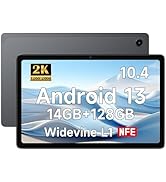
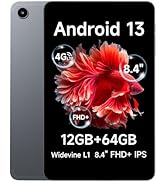
The ALLDOCUBE iPlay50 Mini Pro is a sleek 8.4-inch Android 13 tablet powered by the efficient MTK Helio G99 processor, featuring a vibrant 1920x1200 FHD+ display and a robust 16GB RAM with 256GB internal storage expandable up to 512GB. Designed for professionals on the move, it offers versatile 4G LTE connectivity, Bluetooth 5.2, and a long-lasting 5000mAh battery with fast charging. Lightweight and compact, it balances performance and portability, making it an ideal Android alternative to premium tablets without compromising on speed, storage, or connectivity.










| ASIN | B0CG31J44J |
| Age Range Description | Adult |
| Aspect Ratio | 16:9 |
| Battery Capacity | 5000 Milliamp Hours |
| Battery Power | 5000 Milliamp Hours |
| Best Sellers Rank | #170,092 in Electronics ( See Top 100 in Electronics ) #2,199 in Computer Tablets |
| Brand | ALLDOCUBE |
| Built-In Media | 1 x 64GB Micro SD Card |
| CPU Model Number | MTK 6789 G99 |
| Camera Description | Front, Rear |
| Cellular Technology | 4G |
| Color | Gray |
| Compatible Devices | Devices with 4G LTE, VoLTE, Dual-band Wi-Fi, Bluetooth 5. |
| Compatible Flash Memory Type | SD |
| Connectivity Technology | Cellular |
| Customer Reviews | 4.2 out of 5 stars 667 Reviews |
| Display Refresh Rate in Hertz | 60 |
| Display Resolution Maximum | 1920 x 1200 Pixels |
| Display Type | LED |
| Flash Memory Supported Size Maximum | 512 GB |
| Frame Rate | 60-120 fps |
| Front Photo Sensor Resolution | 5 MP |
| GPS Geotagging Functionality | GPS+GLONASS |
| Generation | Android 13 |
| Graphics Coprocessor | Mali-G57 |
| Graphics Description | Integrated |
| Hardware Interface | 802.11 ac/b/g/n, Bluetooth, Sim Card |
| Headphones Jack | 3.5 mm |
| Human-Interface Input | Touchscreen with Stylus Support |
| Item Dimensions L x W x Thickness | 7.98"L x 4.96"W x 0.3"Th |
| Item Weight | 0.6 Kilograms |
| Lithium-Battery Energy Content | 19 Watt Hours |
| Manufacturer | ALLDOCUE |
| Maximum Display Brightness | 320 Nit |
| Memory Slots Available | 1 |
| Memory Storage Capacity | 16 GB |
| Mfr Part Number | ALLDOCUBE |
| Model Name | iPlay 50 mini Pro |
| Model Number | T811MA |
| Model Year | 2023 |
| Native Resolution | 1920 x 1200 pixels |
| Number of Rear Facing Cameras | 1 |
| Operating System | Android 13 |
| Operating System Family | Android |
| Other Special Features of the Product | Expandable Storage |
| Photo Sensor Resolution | 13 MP |
| Processor Brand | MediaTek |
| Processor Description | ARM Cortex |
| RAM Memory Installed | 16 GB |
| RAM Size | 16 GB |
| Rear Facing Camera Photo Sensor Resolution | 13 MP |
| Screen Size | 8.4 Inches |
| Sensor Type | [POSSIBLE] GPS Sensor, Accelerometer, Gyroscope |
| Set Name | iPlay50 Mini Pro NFE |
| Size | 16GB+256GB Android 13 |
| Specific Uses For Product | Business, Creative, Entertainment |
| Supported Audio Format | MP3, AAC, FLAC |
| Total Usb Ports | 1 |
| Video Capture Resolution | FHD 1080p |
| Video Processor | MediaTek |
| Warranty Type | Limited |
| Wireless Compability | 802.11ac |
| Wireless Provider | Unlocked for All Carriers |
| Wireless Technology | Bluetooth, Wi-Fi |
W**Y
Not to big, not too small, this is the one after testing them all
As a frequent traveler, I was looking for something that was light, and have enough storage to carry all my music or download videos to watch during flights without sucking up the memory on my phone. I had iPad mini generation 3 through generation 6, and while they were great, after losing my last one, I decided to try something less expensive, especially since I have numerous apps and needed at least 512G of storage and cellular capabilities. The latest Mini with that configuration is over $1100! I've tested all the various Android versions from the super cheap ones from unknown brands, ranging from $75 to $250, ordering from Aliexpress and Temu and here on Amazon. I did a ton of research and a couple things worth noting for those still deciding: * Android 14 or later was key that is an AUTHENTICATED version, mainly because of security concerns * Devices from China have a ton of bloatware and, more importantly, spyware that was built into the system and could not be deleted despite trying uninstaller apps. I found out the hard way after installing my Google accounts, and shortly after, I found out I was getting spam and attempted hacks since my contacts had been downloaded into the device. Luckily, I had 2FA set up for my accounts. I would not install anything sensitive if you bought a device from Aliexpress or Temu with bloatware that can't be uninstalled; check hidden files in settings. * Battery life has to be at least 5 hours or more; some claim high battery life only to find out that the battery drains much faster than described. I would not get any device with less than 6000mh battery. * I didn't want to spend more than $250 After numerous devices, I got the Teclast M50 Pro mini and thought I had found the right one. It was good, reasonably fast with minimal bloatware, and cheaper than this Alldocube. It was fast, had a good interface, and had better screen resolution than others I had tried. Then, I discovered it was incompatible with T-Mobile, my wireless carrier for the last 20 years, and I wasn't going to change my family's wireless plans. So I returned it. After more research, I came across this Alldocube for about $200, which was higher than what I wanted to spend. It's the one! Why I liked this device: * Good screen resolution * Just the right size and weight, not too heavy for reading (I use the Libby app to check out books from the library) * Battery life is sufficient, and the processor is zippy! * No bloatware, I didn't find any apps or spyware (I will update if I do) * I bought the 256G internal storage version, and external storage capability said it could accept up to 512G microSD card...I installed a 2Tb card, and it seems to recognize it perfectly fine * Sound quality is what you'd expect from a little device -- not so great, but I always use Bluetooth earbuds anyway, so it was not a factor for me. * Camera -- didn't test it, didn't care. I may use the device for Zoom/Team calls and don't need anything super high-resolution; my iPhone 16 pro is my portable camera, this device isn't meant to be a camera replacement. This is it if you want an Android replacement for your iPad mini, but sacrifice on sound quality unless you use headphones or earbuds.
T**N
Great tablet for the cost
This is a great tablet for the cost. I went from a Samsung Galaxy Tab S6, which had its glass come out of the bezel, and went shopping around for something smaller and with a better price point, and came upon this tablet... Ordered it in December and it made it to me over the holiday. At first, I thought the size would be a little small, but I find it easier to handle one-handed, and easier to stash away in my jacket pocket, than a larger 10-11" tablet... The GUI is basic Android, which took some minor re-learning after using Samsung's canned GUI for so long, but was not rocket science... After restoring and installing apps from my Google cloud account, I started plugging away... For the most part, it runs every app I throw at it (except for some proprietary Samsung apps). I've used the tablet for normal content consumption (streaming media, playing MP3s and movies of all formats)... Also used the tablet with an external bluetooth keyboard and mouse with MS Office.... I have a 512GB micro SD card in the slot, which works fine. (I have not experimented with a phone/data SIM yet.) It does everything I need it to do, with no problems or lag. Photo quality of the camera is fine for most applications. The screen is bright and pretty well defined, with no artifacts or framing issues. The touchscreen is responsive with no lag, and reasonably calibrated, as far as I can tell... The only minor issue is the sound quality, as its a single, low-wattage output speaker. While it is audible, its gets static at high volume. I have since started using wired and bluetooth headphones/speakers, to supplement the tablet. Battery life, I get about 3 days of use out of the battery, including some moderate stand-down time. (Usually streaming 2-3 hours per day, along with some e-reading.) It charges very quickly via USB-C (roughly 2-3 hours, depending on the output of the adapter), and is not finicky. In short, its a small, compact and inexpensive tablet. It performs nearly as well, as higher cost tablets, and is fully capable...
H**R
Good Tablet - User Interface Basic
Review for the Alldocube iPlay 60 Mini Pro. Overall, a great little tablet! It is a nice size, with good specs: reasonably fast, good clear screen, good build, good memory and storage capacities and fun to surf the internet with. Unfortunately I had problems getting it to connect to AT&T's network, but eventually succeeded and it has been stable with no issues since. The UI is lacking in many respects, being very basic. Of note, the tablet does not come with a manual, so we're left to muddle our way through setup etc. However, once this is done and changes made to your liking it is a fun little tablet to use. Of significant note, the seller was quick in shipping a nicely packaged pristine tablet, mfg approximately 3 months ago, with a 98% charge on the battery. Overall, I'm very satisfied and can highly recommend this tablet and seller. At this price point, I don't think I could have made a better choice. "My Thanks!
C**P
Great tablet that won't break the bank
I wanted a new tablet. I’ve been a true-blue Android guy since it was invented, but after hearing so much raving about the greatness of Apple and its tablets I decided to give Apple a try. I popped $850 to buy the latest and greatest iPad Pro. I really thought I’d love it. For sure, the iPad Pro is a quality, well-built product, but I just didn’t much care for iOS to the point that, after two months of disappointing and declining use, I sold it. Also, I found the iPad Pro (with case) to be annoying heavy and clunky - not exactly the portable experience I wanted in a tablet. So, now I still needed a tablet, but, for sure, it wouldn’t be Apple. However, shopping for a decent Android tablet is an eye opener. Manufacturers are simply not interested in the tablet market and it shows. From reading reviews, there are a lot of low-end junk Android tablets out there and a lot of disappointed buyers. (Yes, Samsung make good tablets but they’re very pricey.) I was disillusioned and almost decided to forget about buying a tablet after all when I stumbled upon the ALLDOCUBE iPlay 50 Mini Pro on Amazon. I was impressed with the specs. For the price, you get a lot of bang for the buck. The processor, RAM, memory capacity and standard features on this tablet blew away competing tablets by far. My order was delivered quickly. I can honestly say I enjoy my iPlay 50 Mini Pro much more than the $850 iPad, although I still shake me head when I see the name ALLDOCUBE at boot up. (Note to marketing: Spend more time on a name!) I’m not a gamer, but for my everyday needs, the iPlay 50 Mini Pro is very responsive. The unit is lightweight, but still feels sturdy. The screen is bright and clear. Battery life is excellent – much better than the iPad Pro. The tablet came with Android 13 installed and it works fine. I’ve had no issues. The setup process simply cloned my apps and data from my Android phone and the tablet was in use immediately. (Note: If you happen to use the Nova Launcher, Nova will exactly duplicate your home screens, icon positions, backgrounds, etc. on your new tablet! Highly recommended over any stock launcher.) Of course, there are a few minor gripes with the iPlay 50. The power and volume buttons are frustratingly too close together and very hard to differentiate. I’m constantly groping and always pressing the wrong one. Also, there is only one speaker and the audio quality is only fair. Bottom line, this tablet has a lot to offer and I’m happy I bought it. I have a great everyday tablet and it didn’t break the bank.
B**D
Crippled Version of Android 13?
To start with, there is a lot of bang for the buck in this device, but whiles saving $$ for a good CPU, lots of memory, and a crisp display, other features suffer. Most notably the cameras and the sound are mediocre at best, so if these are important to you, look at other (more costly) options. The device came with a matte finish screen protector installed. An attached tab asked that it be left in place until "AFTER application completed", which I presume means the device is setup. This was excellent at preventing finger prints and streaks from marring the view and I considered leaving it there, except for the ALLDOCUBE logo in the middle of it which partially obscured the screen's contents. So now I have a shiny screen adorned with finger prints and swipe streaks, sans the logo. Transferring from my old Android device was more challenging that it should have been. The wired connection option requires a USB cable with each end fitting its respective device. In my case this meant a USB-C connector on one end and micro-USB on the other. I don't think I've seen any USB cables in that configuration. My experience with USB adapters to change the "shape" of one end or the other has been spotty - OK for charging, but unable to transfer data. So, then there's wireless, using Bluetooth, which in the end is what worked. The good news is that the Android transfer program is very friendly and easy to follow. Once up and running with all my apps and data transferred, I found several Android features that I thought were standard, but even on this new Android 13 device, are not present (even after updating to the latest Android 13). It feels as though the Android version installed on this tablet is somehow crippled... There is no flash for the cameras, and as you might deduce from that comment, no flashlight app. I have 5+ screens of apps and for awhile found no way to view them alphabetically or to search by name. Eventually I found that switching from the default Standard Mode Launcher to Drawer Mode enables an alpha list of apps to be displayed by swiping up from the bottom of the home screen. Unfortunately although there is a Search bar at the top of the Drawer Mode screen, tapping it only returns to the Home screen, without allowing any app name search to occur. When grouping apps into a single home screen icon, when the group opens, it auto-sizes to fit the icons, but each with only 1.25 lines of the apps' names displayed. For example, with Proton Mail, Proton VPN, Proton Calendar, Proton Pass, and Proton Drive in the same group, I see "Proton" 5 times with about 25% of the next line beneath each occurrence. I've not found a way to resize the group window to allow more text to display vertically or allow two lines to expand to one, and there is no option to edit the app names. Fortunately each app has a unique icon by which it can be identified. The Messages app offers no option for copying OTP codes without copying the whole text message. My 3 year old phone has a newer messages app than this new tablet and the phone does offer OTP copying. Google Play offers no option to update the tablet's version of the app - I presume this is due to something in the installed OS preventing it. There is no single button to switch between sound/vibrate/silence for notifications. Vibration can be turned off in Settings, and if you want silence, it's necessary to manually reduce the volume to 0, or use Do Not Disturb mode. Not a huge deal, but a feature I've used on other Android devices for years. Heck, my old tablet running Android 7 has this feature! There is a wake on movement setting which when enabled, should wake the tablet upon picking it up. Sometimes it works, sometimes it doesn't. When it doesn't work, the only other option is to use the Power button. What? You can't tap the screen a couple of times to wake it up? That's right, there is no option for this. Again, I have a very old Android phone which responds to a double-tap to wake it up. This tablet is very thin, and consequently very lightweight. Again, a nice feature with a cost... once placed in a case, due to the thin nature of the device the case by necessity makes the power button awkward to reach. And makes the lack of double-tap to wake all the more frustrating. "Smart Lock" is an oxymoron. It's supposed to stay unlocked in trusted locations which I've defined. Sometimes it does, often it doesn't. But to be fair, this works as well as Smart Lock on other Android devices I've used. Just be prepared to unlock it manually, then occasionally be pleasantly surprised when it works. There is no manual for this tablet, included or online. There is a numbered diagram indicating the purpose of various buttons/locations around its exterior. One of the labels is SIM/TF - this is where a SIM card or perhaps more memory can be added. There are two cutout placeholders in a pull-out try at this location. Neither my SIM nor micro-SD card from my old tablet fit into the cutouts provided, and there is no documentation to indicate a SIM type or memory card type that is appropriate. The Settings in the OS shows support for 2 SIM cards, but the cutouts are different sizes, so I'm not sure that is correct. Or, if 2 SIMs can be used, I wonder if the memory really is expandable (like the Amazon page for this indicates)? Kinda hard to tell with zero documentation. If I were not budget conscious, I'd return this device. But my old tablet really needed an upgrade, and I am budget conscious, so I'll live with the limitations I've discovered, for awhile. In the meantime, I hope this helps you decide on purchasing this or not, with more awareness than I had when placing my order.
M**O
Good tool between laptop and smartphone
Looking for device to read technical ebooks (ePub, PDF, Kindle), watch videos, listen to music, do note-taking (Obsidian), carry every day. This 8-9" tablet cohort is between a laptop and phone in size, having much more screen area than a phone except the very expensive folding ones. The larger screen in landscape mode allows reading two pages of an eBook at a time, very helpful. Sometimes need to hold in one hand while writing or tapping with other. This definitely fills the bills better than larger predecessor Lenovo M9 which is wider and heavier. 8.4" FHD+ screen very nice and sharp, speakers adequate except no bass, battery lasts several hours, actually works with capacitive pen or voice dictation for note-taking. I do carry this to work every day and use it at home and work instead of or alongside laptop for news, videos, music, notekeeping (latter with BT keyboard). Disappointing that listing claims 16 GB of RAM. There is actually 8 GB of physical RAM with provision for swapping to/from another 8 GB of flash (virtual memory). 8 GB is fine to have several apps open. Predecessor M9 had 4 GB RAM and 64 GB flash, this has a more comfortable 8+256.
W**R
Read before buying!
Lots of fancy graphics and specifications of the tablet. And by in large it does meet those descriptions. Except for one thing. One important thing. While i like the tablet I discovered a hugely important issue for buyers in the USA. Warranty. There is none. I repeat there is no warranty. Yes you have 30 days from Amazon in which to return the tablet. But Alldocube provides absolutely no warranty. None. Zero. Nada. This is my Fcebook chat with an Alldocube representative via their FB website when I inquired about their warranty. Me: "What is the duration of the warranty on my tablet?" Alldocube: "The warranty duration can vary depending on the platform where the tablet was purchased, as each store or dealer may have their own policies. Since the store is managed by a third-party dealer, I recommend contacting their customer service directly for specific details about your warranty." Alldocube "Based on your description, it seems like the issue may be related to the screen itself. I would suggest considering repair options." Me: "If there is no warranty then a repair would probably cost me more that the tablet did! And it appears that you are telling me that Alldocube does not provide any warranty for their products sold by Amazon in the USA." Alldocube: "This means that warranty support is provided through the seller, not directly by Alldocube. If you’re experiencing issues, you should contact the dealer or platform’s customer service for assistance." Uh so there you have it. The Alldocube tablet is kind of an orphan. At least in the sense that they do not stand behind the product. So no warranty. Nada. They do not even offer the option to pay them to have it repaired. Their response was "go find someone to fix your tablet" I don't know but I suspect it also means that an Alldocube tablet with Android 13 will never get upgraded to Android 14 or 15. There is no after sale service. Keep this in mind before buying the tablet My recommendation is a) find another brand that does stand behind their product or b) purchase the extended service contract offered by Amazon. Purchasing a warranty will increase the price of the tablet proportionally. You may want to consider that price increase in your decision. The tablet may or may not be much of a "deal" if you have to buy your own warranty. Or you can always just roll the dice and see if you win. Keep your fingers crossed that your tablet is not a 90 day disposable. Unfortunately I've experienced intermittent screen issues with my Alldocube talblet. After it has been on for about 10 minutes the screen is no longer responsive to finger gestures or touches. I did a complete factory reset. Problem still exists. I started the Alldocube up in safety mode. Problem exists in safety mode. I installed a Nova launcher. Problem exists even with a different launcher. So it is not a software issue - it is a hardware issue. I am stuck with a tablet that works great for about 10 minutes and then turns into a frustrating headache. Too bad as it is a pretty nice tablet ---- when it works.
D**A
Quality little tablet I use as an e-reader
To say it upfront: I only bought this to use as a dedicated e-reader. I have a 10" Samsung tablet that I was using as an e-reader but it's just a bit too heavy, especially when reading in bed. I didn't want to go with one of the popular e-readers because of the issues you hear about and whether or not you control your own content. This 8" tablet got decent reviews so ordered it with the 256gb of storage. It's lightweight but feels sturdy. The back is metal and the construction seems decent. No obvious gaps in the frame. Doesn't come with bloatware, which is nice but you don't have the ability to remove the Google apps like Keep, YouTube, etc., you can only disable. The initial updates took some time and I recommend plugging it in while you're using it for the first day or two so it can work through them. Or plug it in and let it sit for a bit to get through them. It boots up very quickly and the initial setup was fast. I've only loaded two apps, my e-reader program and the app for my home server. So far, it's been a great experience. It's very responsive but I'm not doing anything graphic or system intensive. It's got your basic Android features but some extra ones I like, especially being able to schedule a shut down time. Power consumption seems ok. For me, it's using more power than an e-ink display but nothing too crazy. I probably lose 10% if I have it on for an hour. I can't speak to the camera, sound or video playback but overall this is a solid tablet so if you are looking for something for the kids or doing low intensity tasks, this is a very good deal from my point of view.
R**T
Super Great tablet!
So far this has been a fantastic purchase. I have had absolutely no issues with this tablet. The screen has a thin screen protector that came with it and I really like that. No scratches and the tablet came beautifully packaged. I read reviews of some customers complaining of not getting a good tablet, but in my case, I had a very good experience so far. The tablet is extremely responsive, battery life seems perfect. I have actually transferred all my photos, apps etc from my email account and the storage has plenty of space. This tablet also has the capability of adding a sim card for much more storage but at this time, I don't require that. Absolutely love the fact that I can hold this tablet in 1hand as it is small and comfortable, compact, but big enough to surf the Internet and still type and see anything without eyestrain like on my phone. Honestly, so glad I purchased this. It is lightweight and I love it. I just have to figure out a case because I really don't want to accidentally scratch it. You won't go wrong purchasing this tablet. Aldocube 8.4 iplay 60 mini pro Android 14 16gb+256gb🙂
P**L
Good value for your money...
Super tablet, met 4g LTE ondersteuning voor een heel acceptabel bedrag... Aanrader als je het mij vraagt...
A**R
Désactiver Google
Pas du tout FHD, cette tablette a de gros problèmes de lenteurs et elle pixélise. Gros manque de fluidité et de performances contrairement à la promesse vendue : FHD
P**S
bon rapport qualité prix mais.....
Mais contrairement à sa petit soeur, la 50 Mini qui est Widevine L1, cette tablette n'est que Widevine L3. Elle fait néanmoins le job à condition de savoir ce qu'on va en faire, c'est à dire regarder des vidéos, Mycanal et Netflix passent sans problème mais en 540p, relever ses mails, surf internet et des jeux que je n'ai pas testé mais je pense que le processeur Hélio G99 est suffisamment véloce pour fornite et autres... Son écran de 8,4 '' LCD full hd est incroyable malgré un petit manque de luminosité, d'ailleurs elle n'a pas de capteur de luminosité. Pas de traitement anti rayure, je conseille d'apposer un verre trempé, moi il n'y en avait pas. Elle est suepr réactive, ça me suffit amplement. De plus, on peut ajouter 8 Go de mémoire vive virtuelle prise sur les 256 Go. Cela ajoute de la réactivité. 8 + 8 du coup. Son appareil photo avant suffit tout juste pour de la visio, oubliez celui de l'arrière mais est-ce bien l'essentiel à ce prix ? Enfin, le son est passable mais sans plus ! Normal là aussi mais elle a une prise jack pour y brancher des écouteurs filaires. Elle est 4g, très légère et maniable pour les transports en commun par exemple en tablette de divertissement. Je ne sais pas si elle est en plastique ou en métal imité mais elle fait quali même si elle a l'air fragile, je conseille un etui que l'on trouve assez facilement en cherchant un peu. Bref je suis pleinement enchanté de cette tablette qui me suit au boulot pendant mes pauses déjeuner.
L**O
Comodo, facilmente portatile, lunga durata della batteria
Molto veloce e comodo per le misure 8 pollici sono un ottimo compromesso tra smartphone e tablet. I giochi ed i video sono fluidi, per ora nessun problema. Risoluzione ottima e si vede bene in tutte le angolazioni e tipi di luce, batteria dura molte ore anche sotto uso intensivo. Non sò se verranno rilasciati aggiornamenti sw come per le altre marche più famose.
Trustpilot
2 weeks ago
3 days ago