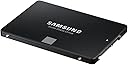
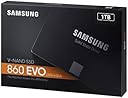
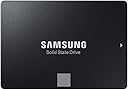
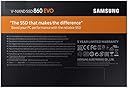
Desertcart purchases this item on your behalf and handles shipping, customs, and support to Hungary.
🚀 Upgrade your workflow with speed and space that keeps you ahead!
The Samsung 860 EVO 1TB SATA 2.5-inch SSD delivers up to 550 MB/s sequential read and 520 MB/s write speeds, ensuring rapid data access and transfer. Designed for mainstream PCs and laptops, it features a compact form factor and broad compatibility with SATA 6 Gb/s interfaces. With 1TB of storage and Samsung’s reliable 3D NAND technology, this SSD is ideal for professionals, gamers, and everyday users seeking a high-performance, durable storage upgrade.

| Asin | B078WST5RK |
| Best Sellers Rank | 15,080 in Computers & Accessories (See Top 100 in Computers & Accessories) 101 in Internal Solid State Drives |
| Box Contents | 2 |
| Brand Name | Samsung |
| Cache Memory Installed Size | 1024 |
| Color | Black |
| Compatible Devices | Laptop, Desktop |
| Customer Package Type | Standard Packaging |
| Customer Reviews | 4.8 4.8 out of 5 stars (23,239) 4.8 out of 5 stars |
| Data Transfer Rate | 550 Megabits Per Second |
| Digital Storage Capacity | 1000 GB |
| Enclosure Material | NAND or 3D NAND |
| Form Factor | 2.5-inch |
| Global Trade Identification Number | 08806088934884 |
| Hard Disk Description | Solid State Drive |
| Hard Disk Form Factor | 2.5 Inches |
| Hard Disk Interface | SATA 6 GB/s |
| Hard Disk Rotational Speed | 2 |
| Hard Drive Size | 1000 GB |
| Hardware Connectivity | SATA 6.0 Gb/s |
| Hardware Platform | PC |
| Installation Type | Internal Hard Drive |
| Item Dimensions L X W X Thickness | 10L x 7W x 0.7Th centimetres |
| Item Type Name | Samsung 1 TB 860 EVO Sata III 64L V NAND Solid State Drive |
| Item Weight | 62 Grams |
| Manufacturer | Samsung |
| Manufacturer Part Number | MZ-76E1T0B/EU |
| Media Speed | 520 |
| Model Name | MZ-76E1T0B 860 EVO |
| Model Number | MZ-76E1T0B/EU |
| Network Connectivity Technology | SATA |
| Number Of Items | 1 |
| Product Features | Portable |
| Product Warranty | Warranty Period 60 Months. Warranty period varies by model. For details about Samsung products specific warranty terms and conditions please visit the Samsung website; semiconductor; minisite; ssd; support; warranty |
| Read Speed | 550 Megabytes Per Second |
| Specific Uses For Product | Business,Gaming,Personal |
User
Samsung SSD 860 Evo 1 TB SATA3 - The best consumer 1TB SATA SSD - Great for Playstation 4 as well
Samsung SSD 860 Evo 1TB SATA3When it comes to SATA3 SSD’s, there were only 2 brands for me which I looked at – Samsung and Crucial.This time I opted for this Samsung SSD 860 Evo 1 TB SATA3 to replace a standard HDD as a secondary drive in my laptop – there was already a Nvme SSD as a primary drive for system, etc, but I was fed up with speeds of traditional HDDs.Installation was super easy – I simply replaced a HDD with SSD. Nothing complicated at all – just swap and connect.After powering on, my computer detected SSD without any issues and the only thing required was to format it to to desired format. All done within 30 minutes.Did the swap change anything?Abuslutely yes. My games load several times faster, searching my photo collection is superfast as well as access to my music library. Video editing, encoding and audio editing are absolutely hassle-free.SSD does not also generate any noise and generates less heat, especially with normal usage.I tested my Samsung 860 Evo with AS SSD and CrystalDiskMark – results are great, as expected (disk is half full/half empty) - please see the photos attached.A few details about Samsung 860 Evo 1TB SATA3 (different models may have different specs):- NAND: Samsung V-NAND TLC (aka. 3Bit MLC)- Controller: Samsung MJX Controller- Cache: 1GB LPDDR4- 5 years warranty or 600TBW- SATA3Would I buy it again?Absolutely yes.I cannot imagine going back to HDDs, especially not for tasks I use it for. I used Samsung SSD 840 Pro previously, so I knew what to expect from Samsung SSDs (although I could not justify spending extra for Pro series this time).I understand that the price of this disk has not changed for years nearly at all, but the reason for is that it is probably the best SATA3 SSD, which can be purchased.It is also a great disk for PS4/PS4 Pro, although neither Xbox One nor Playstation 4 make a full use of SSD technology. Loading times are still better though, sometimes cut by half. Tested with PS4 Pro out of curiosity.10/10 score and full recommendation.Warning: Please do not make a mistake and do not buy Samsung QVO SSDs unless you are absolutely sure you want QVO series for some, unknown to me reason. They can be slightly cheaper (but sometimes can even be slightly more expensive), but their performance and reliability due to use of QLC NAND in comparison to Evo and Evo Plus (TLC NAND) is a lot worse. They are still good SSDs in comparison to other brands QLC SSDs but in my opinion there is no reason to buy them as Evo SSDs are a lot better and for similar price.
User
Very impressive performance
Was a little dubious before purchasing, as there is usually too much hype surrounding these types of disks.HOWEVER, cast away any doubt you may have !!Adding one of these units is like upgrading from a nissan micra to a ferrari !!I was about ready to throw my PC in the bin, as the original platter based HDD were getting slower and slower with the frquent windows 10 update ( no issues with Windows 7 ... ) .Given that my machine has an 8 core AMD Black edtion CPU with 32GB ram, this was clearly annoying.It got to the point where it take several minutes to bring up the login screen. Once logged in, the disk drives were going flat out and unresponsive for at least 10 minutes ( go and make a cup tea literally and another one to follow) . Apps were then slow to respond. Being a developer, many of the development tools were taking several minutes just to OPEN....Thought I would replace the Windows drive with one of these SSD from Samsung, as a last ditched desperate measure.UNBELIEVABLY IMPRESSIVE !!The machine now responds faster than I can.Whole thing boots up in under 2 minutes ( BIOS is the slow aspect now, as that takes over a minute) .Once logged in, the machine responds instantly , certainly faster than I can.The apps now open up instantly. The developer apps that used to take several minutes, now open in under 3 seconds and are responsive immefiately. Wooo Hoo .NOTE - You only need to replace the windows Boot drive for the performance gain. All my apps still run on a separate platter based HDD. Just proves that it was the OS that was causing the bottle neck ( that is windows 10 for you )As a measure of metrics, copying a very large file ( 7.5GB ) from a hard disk drive to the SSD achieved sustained transfer speeds over 200MB/s , with a total transfer time just under 50 seconds.However, on repeated copies of the same file, the transfer speeds demonstrated significant improvement, which would suggest a level of read buffer/caching implementation. The second copy of the same file took 20 seconds.I am definitely buying a few more of these.
User
Gives new life to an elderly laptop
Okay, so this will be a review of the 1Tb Samsung 860 EVO SSD and how to clone the drive.First some background.I had a 13-year-old VAIO laptop that was running Windows 7 (from a clean install). The laptop gradually got slower and slower (you know the 3-5 mins to boot up, 2-3 mins to shut down kind of thing) so I decided to go the SSD route.Initially upgraded the laptop with a 500Gb Crucial MX500 SSD but then saw a good offer for the 860 EVO. The Crucial SSD had Windows 10 on (clean install using the Windows 7 key) and all of my usual programs (M$ Office, Gadwin Print Screen, VLC Media Player) and my WiFi printers configured so all I needed to do was clone this drive to the new Samsung Drive.Plugging the 860 EVO into an external USB interface allowed me to clone the MX500 to the 860 EVO. I have used Acronis True Image for years but encountered a problem last year where it wouldn't detect a second internal m.2 SSD in another laptop and I was directed to use Macrium Reflect 7 (which is free). No problem sorting out the m.2 cloning. Anyway, back to the 860 EVO.Macrium Refelect allows you to easily (using drag and drop) to move the partitions from one drive to another. This is important if upgrading from a smaller to larger hard drive - and this is why. If you make sure that the C: drive (or whatever drive/partition is to be used for data) is the LAST partition (i.e. the right-most one) with empty unallocated space to the right, you can extend the partition (either during the cloning procedure or later on in Disk Management) which enables you to use the whole of the new drive (i.e. you are able to use the extra space that you've paid for).IMPORTANT: Before undertaking the cloning procedure, use Macrium Reflect to make a Rescue Disk *FIRST*This will enable you to sort out a boot problem if after cloning you find that your new SSD won't boot. (go to Backup Tab.Click on the 'Other Tasks' tab, click Create Rescue media --> select your device (CD/DVD or USB) --> 'Advanced' --> Click on 'Choose Base WIM' tab, click on 'Windows 10 PE (WADK)', click 'OK' click 'Build'. This puts a 'lite' version of Windows on the rescue media (Windows PE for those interested) and the various drivers for your pc.One final note, it takes quite a while to make the Rescue Media so be patient!Cloning:To clone the MX500 to the 860 EVO took around 45 mins in total.Swap the drives over (the internal MX500 --> external USB and the 860 EVO --> internal) and re-boot.It *should* boot into Windows fine. If not, shut down the pc, insert your rescue media (see above) and boot from the rescue media into Macrium Reflect (note this may take several minutes of looking at a black screen!) Once booted, select the 'Restore' tab then 'Fix Windows Boot Problems'.I bought two of these 1Tb 860 EVO SSDs - one cloned without a problem and happily booted into Windows at the first attempt whilst the second (in a different machine) needed the 'Fix Windows Boot Problems' noted above.Now to the drives themselves.They are fast(*) and have a large capacity. You can download (from Samsung) the SSD Magician software which allows you to monitor the state of the SSD and optimise it for your use. *DON'T use this software to clone your existing drive* Make sure that you click on 'Over Provisioning' in the Magician software and set the OP to 10% (this will increase the life of the SSD dramatically).*Benchmarking this drive (using Crystal Disk Mark) showed that the main 'bottleneck' was the interface in these older laptops - so you won't get the advertised 550/520 MB/s speeds - except in recent pcs that use the SATA III interface. Both the Crucial MX500 and 860 EVO topped out at 284/266 MB/s which is about right for SATA II.Whilst this is a review of the 1Tb Samsung 860 EVO, I have given detailed instructions as to how to clone your existing installation to help others.There's not much to say about the drive itself other than it is large and fast and I can thoroughly recommend it.
User
My fourth Samsung SSD. All good.
What am I meant to review? You can look up performance tests and apart from that, an SSD is an SSD. Physically installing it is the same as any other. This is the fourth Samsung one I’ve bought to upgrade my desktop system drive, my wife’s laptop, my desktop main data drive and now now my Samsung laptop.Truth is I have hated my Samsung laptop since just after I got it when I upgraded to Windows 10. Yes, it’s quite old. I like to maximise use of kit and only upgrade when there’s a point. The Windows 10 upgrade made the laptop unreliable and slow to boot. I spent hours trying all possible fixes (I’ve been working professionally with Windows since before it existed). The main issue was that the laptop had a very small (8 GB) SSD from new working alongside the magnetic spinning hard disk. There was clearly some driver issue and although I improved things, it was never “fixed “.So, why the long story? Really just to say that putting in this SSD transformed the laptop and eradicated that problem. It now boots or resumes from hibernation in a few seconds despite its age and is perfectly fine for all normal duties. It’s a road pc for email, docs, and also does duty when I need a PC to hook up to my car or in car stereo [lots of tweaking!].These SSDs are pretty cheap now (i bought a 256 GB for desktop system drive originally, but even 1 TB is cheap now), so well worth a go if you have a laptop you need for this sort of thing and which doesn’t have other limitations (I upgraded RAM at the same time for fun although that was only really needed for a bit of light Lightroom and Photoshop stuff on the road).I didn’t try the Samsung cloning software this time. I just grabbed Macrium Reflect. Worth perhaps saying that if you clone over a USB to SATA adapter, that’s fine, but don’t expect to be able to boot from the drive on USB. It can be done, but you’ll end up doing a bunch of fairly tedious and complex stuff which can be avoided by swapping the drives physically. It’s not a time saver.
User
Another top quality SSD from Samsung and a worthy successor to the 850
I've purchased several of Samsung's previous generation EVO 850 drives over the last couple of years for various PCs and laptops. I've also had great success with all of the drives and never had any problems with any of them.I was looking to purchase a 1 TB Samsung EVO 850 when I noticed that the 860 EVO was now available and was also £40 cheaper so decided to read up a little on the drive before biting the bullet.On paper the 860 EVO has been improved in nearly all areas however the most significant improvement is to the endurance TBW (TeraBytes Written) of the drive's flash memory which has essentially been doubled. In the unlikely event that you would come close to the TBW rating of the 850 EVO in normal daily use then it will take you twice as long with the 860 EVO. The drive also has a newer Samsung MJX controller and additional cache memory which improves the performance of the drive. The 860 also consumes less power than the 850 which should benefit laptop users, if only a slight improvement to battery life.Performance-wise there is very little difference between the 850 and 860, however in my experience so far the 860 is marginally faster, if only by a few MB/s in various benchmarks. The problem is that these drives are already pushing the SATA interface to the limit and no single SATA SSD is really going to perform much better. If you really need much higher performance you need to look at NVMe drives instead as they eliminate the SATA bottleneck, however, older PCs and laptops will not support these types of drive.One thing I noticed with the 860 was that it arrived in a smaller box that the 850 and as a result it doesn't ship with the CD that the 850 comes with. The CD came with the Samsung Magician and Samsung Data Migration software which is really useful if you are planning to clone your drive onto the new SSD and check the health of your Samsung SSDs etc. I would however always recommend downloading the latest version of these programs from Samsung's website if you plan to use them as the ones on the CD are normally a few versions behind. Not to mention that a lot of systems these days don't even have a CD/DVD drive!Is it worth upgrading an 850 EVO with a new 860 EVO of the same capacity? Probably not. But if you are buying an additional drive, replacing a hard disk or upgrading from a smaller capacity SSD then I would definitely recommend buying the 860 over the 850.I'm really impressed with the 1TB 860 EVO from Samsung. They appear to have improved again on what was already a brilliant product in the 850 EVO - I just hope the reliability and durability of the drive lives up to the claims
User
Happy with the product and performance
I decided to buy this Samsung Evo 860 1TB SSD in this occasion to upgrade a HP 15 ay laptop (SATA3 port) and the result was great. It was very easy to clone (I used Macrium Reflect 7) and install ( I suggest checking a video installation guide on YouTube if you are not very confident with the upgrade).Before installing and opening the Samsung Magician app, the performance was good enough, about 520 MB/s writing and 500MB/s reading (about 16 sec to show the system desktop when switched on).PS about the SSD data transfer speed: Just to remind to the reader of this review that the SSD reading and writing speed is negotiated from the SATA driver and the motherboard to avoid crashes. Some systems also using a SATA3 internal port may reach the maximum SATA3 data transfer rate while others may not.However, after enabling the Turbo option from Samsung Magician app (It is called Momentum cache with Crucial Storage Executive if you own a Crucial SSD) , the speed jumped to about 4000 MB/s and 3600 MB/s (about 10 sec to show the desktop when switched on).I suggest using the turbo future if you have minimum 16GB of RAM installed as otherwise you may have not enough RAM left for the apps and the OS.The over provisioning future didn't work in my case from Magician, but it is not a problem as the SSD itself have already some unassigned space so that the controller can use it in case of needs (large transfer files). In addition, if you prefer, you can manually shrink the volume of the mean partition from Disk Management in Windows and set how many GB you would like to leave unassigned. In this case the controller will use any unassigned volume as required.I also suggest to set the power setting to never turn off the hard drive while the system is on so that the operating system would TRIM the SSD avoiding problem with it.
User
Fast drive but installation issues
I needed to add extra storage to my PC and decided to continue m,y faith in Samsung SSDs. The new drive was straightforward to physically fit but driver installation a bit more of an issue. I already have two Samsung SSD's installed and Samsung Magician. My new drive was not recognised and Magician reported the new disk as not a genuine item. I clicked on the Magician application to check for updates and it reported that I had the latest edition. I rebooted my PC but still the same issue.Although the Samsung Magician application reported as being up to date I noted that the copyright of the application was dated 2016 so I decided to visit the Samsung site to confirm. On the site Magician was at 6.0, my version that was reporting up to date was 5.0. I downloaded the latest edition and hey presto all working.Basically hardware is great but software could be better if you have previous versions installed
User
Installation on Samsung Notebook Series 3 - NP370R5E-A05UK
Day after installation: Beautifully snappy system as a result of the upgrade. Best thing I did for it. Not sure how I managed to deal with the HDD for so long! I'm convinced the FPS on the games I can play has increased by approximately 10.This laptop has only one storage drive, so I did a fresh install of windows. Instructions for those with the same laptop (there's a lack of clear instructions for old Samsung Notebook S3 Laptops BIOS with Windows 10 (from Microsoft free upgrade)) - bare in mind that my Windows was up-to-date and had larger ram modules. And of course, this is just advice from non-professional experience, you do this of your own free will and not mine or other's responsibility etc:1) Do all your preferred prep-work and do an extra check that you definitely saved everything you want.2) Completely shut down the laptop, detach everything. Replace your HDD with SSD. It's straightforward on this laptop as it has a slide opening and some screws. Remember to detach the cable on the motherboard first. Reverse the order to put the SSD in and secure it.Boot/Bios3) Reattach only the power cable. Turn on and when the Samsung logo appears, press F2 a few times or hold to get into BIOS. If you have problems with F2, try selecting the FN button on the keyboard before restarting the process to try again. Change these settings to the following:- Advanced > Fast BIOS Mode: Disable- Boot > Secure Boot: Disable.- Boot > OS Mode Selection Sub Option: UEFI OSBe warned: UEFI has been known to brick certain systems, my own did not which is why I emphasised what I have. Please check for forum posts first.Windows 10 installation4) Insert the USB. Save Changes and Reset (last tab in the BIOS). This time as the logo pops up, press F10. Select your USB from the list. Let the computer do its thing, it might freeze up briefly but keep waiting. Follow instructions. My personal advice is to refuse the auto-connection to the internet, just let it go through the OS installation then update later. I used the advanced set up, selected my new SSD, and carefully read those pesky "we want to record your activity for advertisements and diagnostics" statements when they popped up to select the ones I wanted.Last stageMake sure you detach your USB flash drive and shut down the computer. I installed all the extra updates first but refused the auto-restart. Turn on the laptop again, and go into the BIOS with F2, Return your settings to what they previously were. Save changes and reset. If you downloaded the updates first, the computer will continue once reset, otherwise attach your ethernet cable and have fun!
User
No Hard disk in the original box
I received the box of my Samsung 860EVO and i'm really not happy about it. There is no hard disk in the original box, but I have two playing card in chineese in this box. That's really not funny. I was preparign my computer today to change the hard disk. Here is a message to the appropriate people of this company. Somebody in this compagny replace the hard disk in the box to put playing card and keeping the hardikd for him. It was a big inconvenient for me.
User
Vuela.
Había oído lo de dar una segunda vida a tu PC con un ssd, pero no imaginaba hasta qué punto. No he tenido ningún problema con este ssd y no he hecho pruebas de benchmark, pero puedo garantizar que vuela literalmente. Tengo un HP All In One y me encanta su diseño, pero estaba cansado de esperar en cada arranque, en cada búsqueda y en cada programa. Con este Samsung Evo he estrenado ordenador, por lo que animo a todo el mundo a actualizar sus discos hdd, que en mi caso era un hdd de 7200 Rpm, pero es que no se acerca a estas velocidades ni por asomo. La instalación es súper sencilla, con un adaptador de 2.5 a 3.5 y la conexión Sata es la estándar, para el que no tenga mucha idea. El sistema operativo se instala muy rápido y muy fácil con un pen drive o cd, descargando los discos de recuperación de la página oficial de Microsoft, al encender el ordenador con el disco ssd recién instalado, arrancará automáticamente del pen drive y se instalará Windows sin problema. Muy sencillo y muy rápido, y si previamente has hecho una copia de seguridad de tus archivos, la instalas posteriormente muy rápido y tendrás tu ordenador tal y como lo tenías antes. Recomiendo encarecidamente este ssd, es excelente.
User
Bilgisayarı hızlandırdı.
Eski laptoptan HDD yi çıkartıp bu ürünü taktım. Bilgisayarda gözle görülür hızlanma oldu. Yuvasına tam oturdu hatta biraz daha ince olduğu için hafif boşluk havalandırma için daha iyi olur gibi geliyor. Paketleme çok komik ama sağlamdı, paketi elime aldığımda boş sandım çok hafif. Alırken ürün kodunda yazan harflere dikkat edin, bir çok versiyonu var. Tıpa tıp aynı ürün 50-100 ₺daha ucuz ama yazmayan o iki harf performansı epey etkiliyor. 12 laptopta win ve linux sorunsuz şekilde çalıştırıyor.
User
Beaucoup mieux qu'un overclooking...
J'ai remplacer mes HDD de 1 To sur mes deux portable ASUS X751 par ce SSD Samsung Evo 860 1 To et le résultat est époustouflant, je suis habitué à ce genre de manip, mais je suis surpris du résultat à chaque fois. 11 secondes pour arriver sur l'écran d'accueil ou je rentre le code depuis l'allumage et accès instantané au bureau...Voici comment booster un PC portable afin qu'il soit aussi rapide voir plus qu'un PC de bureau. Avant il me fallait de longues minutes avant de pouvoir accéder à mes programmes et il y avaient beaucoup de ralentissements au cours de l'utilisation, alors que ce sont des PC optimisés et dédiés à une seul Appli musicale. Maintenant c'est de la bombe et je peux bosser en toute sérénité pendant toute une soirée sans avoir à couper les appli les plus gourmandes qui tournent en tache de fond... Pour assurer la migration sans souci, un petit conseil de pro, il faut faire un clonage complet du disque à transférer pour garantir le redémarrage lors de l'installation du SSD en lieu et place du précédent, sinon c'est le code erreur assuré avec impossibilité de réparer le boot même avec le CD de Windows10. N'écouter pas les mauvais conseils de ceux qui assurent qu'il faut tout réinstaller dans ce cas là, c'est de la pure bêtise... Utiliser un programme de clonage de disque tel que ACRONIS True image ou autres il faut environ 2 à 3 heures pour cloner un HDD de 1 TO, et redémarrage sans souci... Pensez à activer AHCI dans le Bios ainsi éventuellement le nouveau disque, désactiver la défragmentation et l'indexation des fichiers dans Windows et votre SSD aura une longue vie et une efficacité sans comparaison avec un HDD... Vu le prix actuel de ces SSD Samsung, je ne regrette pas mon achat et je recommande vivement à ceux qui sont lassés des lenteurs de leur PC portable ou de bureau...
User
Schnelle und zuverlässige SSD
Die Samsung 860 EVO mit 1 TB hat mich absolut überzeugt. Im Vergleich zu einer klassischen Festplatte sind Windows, Programme und Spiele deutlich schneller geladen und der gesamte PC fühlt sich wesentlich flotter an.Der Einbau war unkompliziert und die SSD wurde sofort erkannt. Mit 1 TB bietet sie außerdem genügend Platz für das Betriebssystem, Programme und eine ordentliche Auswahl an Spielen.
Trustpilot
1 day ago
5 days ago