Buy anything from 5,000+ international stores. One checkout price. No surprise fees. Join 2M+ shoppers on Desertcart.
Desertcart purchases this item on your behalf and handles shipping, customs, and support to Hungary.
๐ Elevate Your Workspace with Dual Displays!
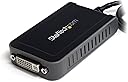
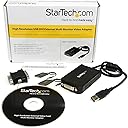
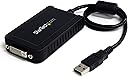
The StarTech.com USB to DVI Adapter allows you to connect a DVI display to your USB-equipped computer, enabling a dual monitor setup with resolutions up to 1920x1200. It's compatible with Windows 7 & 8 systems, making it an ideal solution for enhancing productivity in your home office.


M**N
So good I bought it twice!
Bought this to add an extra screen output to my wife's laptop. Super easy to install and means she can have three monitors now. She was so impressed I had to buy another for her to take to work and use there!!!
M**N
Great for extending work pc to 3 screens.
This is a phenomenal piece of kit. Download the drivers, turn off your computer, plug it in and boot up. Three glorious screens. It's for those of us who can't be bothered opening the back of the computer but need more screen estate.
W**Z
An Adapter
Right now I'm running three monitors, and unfortunately this new motherboard that I'm using doesn't have enough display ports in the External IO, so this was my only alternative. Safe to say it's fixed my issue with it ramping up my graphics card core clock, yet at the same time it has caused another issue. An issue which can be as expected and that makes the screen stutter/lag, so it's not ideal for say watching videos. For general tasking it'll work like a charm for you.
Q**.
StarTech USB2DVIE3: WARNING: INCOMPATABLE with DisplayLink adapters.
StarTech USB2DVIE3: WARNING: this device is INCOMPATABLE with other StarTech USB to video adapters that use the DisplayLink chipset.I purchased this because I already have 3 existing StarTech USB adapters on my PC, and expected this new one to "just work out of the box", as has been my previous experience with StarTech adapters. Silly me. Turns out this adapter uses the "Trigger" family chipset, and is incompatable with previous Startech adapters that use the DisplayLink chipset. I spent most of a Sunday afternoon finding this out, repeatedly downloading, installing and un-installing various drivers and software from the Startech site. Eventually I found the information to confirm what I suspected, buried in the "General specifications" part of the spec for the new adapter on Startech's web site:"This USB video adapter uses a Trigger family chipset. If youโre connecting this device to a computer along with additional USB video adapters or docking stations, please avoid using devices with a DisplayLink or Fresco family chipset." [...]StarTech really should be clear about this problem, when describing the product on sites such as Amazon. The driver installer supplied with this adapter tells you there is a problem with "other manufacturers' chipsets", and says that the drivers for them will be uninstalled if you continue with the installation. By then of course you have paid the money and opened the box.Thank the stars for Amazon's returns policy, this item is going straight back.
A**R
Functionality stability.
Display extends all fine but the mouse keeps on disappearing from time to time. Tried disabling mouse features as imstrucuted on startech web site but that also did not help.
M**T
NOT compatible with OSX
This might be amazing, but I don't know... because it's not compatible with OSX despite what the description says. I contacted StarTech who confirmed this and said only their "pro" range (i.e., double the price) are compatible with Mac. So it could be amazing, construction is good, feels quite solid,.. but will only work if you have Windows.Returned...
P**B
Lots of Lag
There was a lot of lag, could have been my computer, but it does extend the monitors to two. Not sure of this is good.
T**P
Good VGA Alternative
Have overall been pleased with this device. It is very easy to install/use. I have two monitors, so it's a little space consuming because I have two units. I don't have USB3.0 which would probably be an asset, although the performance has been pretty good on the USB2.0 slots. I use Photoshop CS6 on this laptop, and it works well. I'm not a gamer so can't comment. I did upgrade my laptop from 4 > 8GB memory and that seems to have helped. Also notice that when playing video it seems to place more demand on laptop as I can hear fan speed increasing to kick out heat the longer the video plays. Not sure that's a function of using USB, but I have to guess that that the demand on memory/disk is higher with USB when you don't use the integrated graphics card...
G**O
StarTech USB2DVIE3 Adattatore Scheda Video
Grazie a questo cavo ora posso usare 3 monitor: quello del mio notebook + 2 esterni di cui uno collegato con questo cavo. Una volta scaricato il driver รจ stato facile installarlo, ha funzionato al primo colpo. Uso Vista come S.O.
G**E
Works excellent w/Windows 7 x64 & Dell hardware
One big thing though, don't bother with the drivers CD that comes with the display adapter. Instead, go to startech.com/download and look up the driver for 'USB2DVIE3' (this device). The driver bundle from StarTech is named 'Trigger.zip'. I ran the extract and setup.exe to install the drivers first. It'll prompt you to reboot after that. After reboot, I plugged in this device, then hooked it up to the 3rd monitor. From there on the desktop, right-click, display settings and clicked 'detect/identify', and it found the 3rd monitor no problem. From there, you can resequence the order of displays 1-2-3 to your liking. I did notice that video is a little slower on the StarTech diplay, however no biggie. The resolution and appearance of the display matched the other two monitors very closely otherwise. This is with a Dell E6420, using the Dell docking station w/2 DVI display ports (for monitors 1 & 2). Product works as advertised.
C**N
no funciona en linux
Este producto dice de funcionar en linux pero es mentira. No vale la pena intentar y por el precio mรกs vale un portatil nuevo.
Trustpilot
1 month ago
2 weeks ago