Desertcart purchases this item on your behalf and handles shipping, customs, and support to Hungary.
⚡ Upgrade your network, upgrade your game.
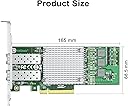
The 10Gtek 10Gb PCIe NIC Network Card features the powerful Broadcom BCM57810S chipset and dual SFP+ ports, delivering blazing 10Gbps speeds with broad OS compatibility. Designed for both servers and desktops, it fits PCIe x8 and x16 slots and includes low-profile brackets for versatile installation. Ideal for professionals demanding stable, high-performance networking in data centers or advanced home labs.


| ASIN | B06XHGFD69 |
| Best Sellers Rank | #11 in Internal Computer Networking Cards |
| Brand | 10Gtek |
| Color | BCM57810-10G-2S(2xSFP+) |
| Compatible Devices | Server, Desktop |
| Compatible Operating System Family | Linux, Windows |
| Customer Reviews | 4.4 out of 5 stars 823 Reviews |
| Data Link Protocol | Ethernet |
| Data Transfer Rate | 10 gigabytes_per_second |
| Hardware Interface | PCIE x 8 |
| Item Highlight | with Broadcom BCM57810S Chipset, 10G PCI Express Ethernet LAN Adapter, Support Windows Server/Windows/Linux/VMware |
| Item Weight | 127 g |
| Manufacturer | 10Gtek |
| Mfr Part Number | BCM57810-2S(Broadcom-1pc) |
| Model Number | 8541545746 |
| Number of Items | 1 |
G**U
Easy install! Great expansion card!
My system already had 10Gb ethernet, but I disliked the heat from the translation between SFP+ and RJ46 so I got this so I could just use a DAC cable between my system and the switch. No issues installing, I just had to download the driver from Intel and install it manually, otherwise it worked pretty quickly without issues. Tested getting full 10-gig speeds through iperf3 no problem. 10Gtek seems to be establishing themselves well in the industry. Great cables, wonderful adapters, and now solid NICs to add to the list of items of theirs I've gotten and used. All work solid and as expected.
S**N
Deployed on my linux box; vastly improved my network performance
I'm using this as a direct attached connection between my Linux box and my Ubiquiti core network switch. It's vastly improved the responsiveness of my network filesystem connections on my macs, and I'm quite happy with it. Zero problems connecting it; I'm on the latest AlmaLinux, and all it needed was configuration after boot. Going from a 1gig ethernet to this was like night and day.
C**N
Works great!
I bought 3 of these cards for a couple Synology NAS devices (DS 1618+ and DS 2419+) and my main computer, mainly for faster media transfers and an attempt to edit 4K footage direct from my NAS in real time. The price is significantly more expensive here than buying direct from 10GTek and having it ship from HK and used NICs are apparently very cheap if you look around. I installed the cards in my computer and the DS 1618+ to start with. It was a painless experience and the small form factor bracket was easy to switch on for the Synology. From a networking standpoint there are many ways you can go about it. I opted for a Mikrotik switch with 4 SFP+ ports, which made things a breeze. You can plug directly from one device into another if they both have a 10Gb NIC but you'll need to do some configuration with static IPs. With more than 2 10Gb devices you'll want to get a switch. In terms of cabling, I was only doing short distance networking (7 meters max) so I went for SFP+ DACs. You can also network with a transceiver and RJ45 if you have an existing CAT6 or newer setup, or a multimode fiber, which is good for longer distance networking. The Synology connected to the internet & LAN immediately upon being switched on - completely plug-and-play. My computer wasn't and I don't have a DVD drive so I had to try to find the drivers online. You can essentially treat this as an Intel NIC for most intents and purposes so I went to Intel's website and downloaded the Intel® Ethernet Adapter Complete Driver Pack. That was useful because it not only installed the drivers I needed to be able to connect but also gave me tools to test that the connections were working properly. I've only done one test so far but immediately saw 3-4x transfer speed improvements. Before I was seeing about 113MB/s, bottlenecked by a 1Gb connection. I saw high 300s MB/s during a file copy from my NAS to my SATA SSD, equating to about 3Gb speeds. Your bottleneck will now be the speed of an HDD array or SATA (6Gb). You can achieve even faster speeds with NVMe to NVMe transfers. Overall, definitely happy with this card so far. Seems to be completely plug-and-play for most people.
J**Y
Blazing Fast 10 gig
Works great, very little setup needed on my Ubuntu Linux device
E**C
Very easy to install, works great!
Easy to install, value for the money, great speed. The machine I have this on is a custom-built desktop running Windows 11, and I had to obtain the driver from Intel. Great product!
D**Y
Faulty Windows driver, failed throughput
Drivers for Windows 11 took an hour to find and required downloading the entire Intel network driver set just to get it installed. Constantly disconnects/reconnects every 5 seconds, so the driver is faulty. Worst of all even when connected via 40gb fiber to a machine across the room it didn't get over 1.2gbps. I'm assuming the Windows driver is at fault, and it may work fine on *nix, but this is just unacceptable. Intel needs to work with Microsoft to get the driver situation fixed so that end users don't have to deal with this kind of crap - it's not like we can troubleshoot things like we can on Linux. We have to endlessly read forums with unpaid volunteers telling us to run chkdsk over and over and over again. Replacing with NON-intel network devices. I'm looking forward to at some point never using Windows or any other Microsoft product ever again. Others who are using this device with Windows - server os or otherwise - verify your actual network throughput using iperf3.
G**E
Works fine but allocates 8 PCIe lanes.
Works fine but the EEPROM is configured for 2 interfaces so the card allocates 8 PCIe lanes even though only 4 are needed.
J**F
So nice when things work
I don't know what it is, but I have the WORST luck with my gaming towers. Even now I'm unable to get it to wake from sleep correctly, requiring me to wake, then force power off, then power on, then click Exit because it goes into the BIOS, restart, and finally login. EVERY TIME I try to wake it from sleep. Anyway, that's something else. The point is, I was dismayed (but not surprised) when my first X710-DA2-based card would not work. I spent hours trying to figure it out, but ultimately I gave up. I think with my luck such as it is, I just happened to get a dud. But this one works great. I did the usual dance for Windows 11 that I had become so accustomed to while trying to get the last one to work: Install to PCIe slot, reboot, install X710 drivers from the Intel website, and that was it! Plugged in the transceivers and it instantly negotiated a 10GbE connection with my switch. I then ran the Intel NVM Update utility to update the card to the latest firmware, and all is good. Oh, and a note to those (like me) that may not have memorized the data sheet for your motherboard -- on mine (MSI X670-P) the fourth PCIe slot is shared with the fourth M2 slot. So if you have several NVMe drives and that fourth slot is populated, nothing you put into the PCIe slot will work. Luckily I figured it out pretty quick and moved it, but it's something to look out for.
F**O
Scheda di rete Intel X710-BM2
Prodotto funziona, su scheda madre ASROCK RACK SPC621D8, VMware 7.0.3. verifiche arriva a 9/8Gbs di trasmissione.
M**R
Gut im NAS
In meinen TrueNAS Server eingebaut und sofort hat alles funktioniert. Ursprünglich wurde sie jedoch für meinen Windows 11 PC gekauft, aber dort bekam ich sie nicht zum Laufen. Wurde weder im BIOS noch in Windows erkannt. Nach mehreren verzweifelten Stunden habe ich es aufgegeben und die Karte zurückgeschickt.
A**R
Excelente producto
La tarjeta funciona perfectamente a 10 Gb
H**A
Calidad-Precio excelente
Excelente producto
B**A
ottima x 10gb
funziona su server dell R720
Trustpilot
5 days ago
3 weeks ago