๐ธ Print Like a Pro, Anywhere, Anytime!
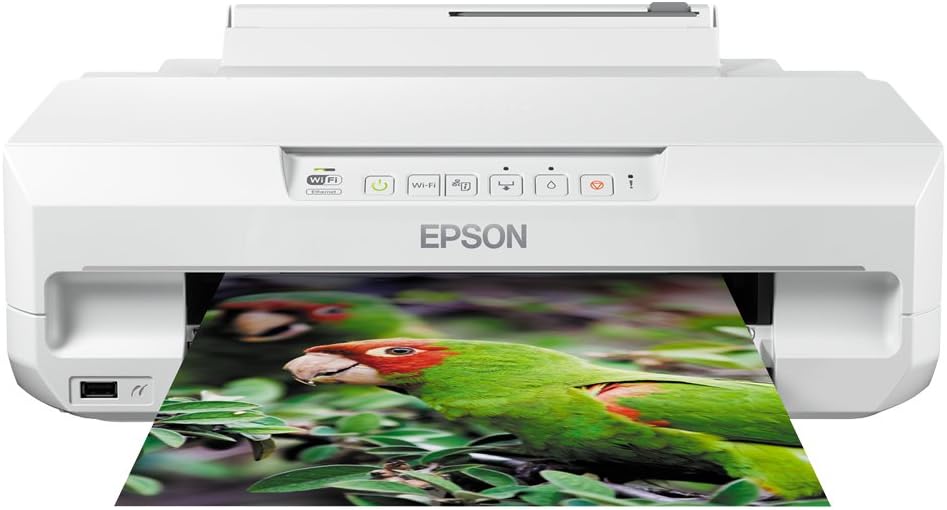
The Epson Expression Photo XP-55 is a compact, Wi-Fi-enabled photo printer boasting ultra-high 5760 dpi resolution with Claria Photo HD inks for vivid, durable prints. Featuring dual paper trays for versatile media handling and rapid 10-second photo printing, itโs designed for professionals and creatives who demand quality and convenience. Integrated desertcart Dash Replenishment ensures seamless ink management without subscription fees, making it a smart, efficient choice for modern workspaces.


| ASIN | B00OV2BXNQ |
| Additional Printer Functions | Print Only |
| B&W Pages per Minute | 32 ppm |
| Best Sellers Rank | 170,064 in Computers & Accessories ( See Top 100 in Computers & Accessories ) 54 in Ink Cartridge Printers 166 in Photo Printers |
| Box Contents | 1 x Printer |
| Brand | Epson |
| Brand Name | Epson |
| Color Depth | 48 bpp |
| Color Pages per Minute | 32 ppm |
| Colour | White |
| Compatible Devices | Smartphones |
| Connectivity technology | Ethernet |
| Control Method | App |
| Controller Type | Android |
| Customer Reviews | 4.1 out of 5 stars 152 Reviews |
| Display Type | LCD |
| Dual-sided printing | Yes |
| Duplex | Automatic |
| Global Trade Identification Number | 08715946542669 |
| Hardware Interface | USB 2.0 |
| Ink Colour | Six colours |
| Is Electric | Yes |
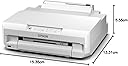
| Item Dimensions D x W x H | 13.3D x 15.4W x 5.6H centimetres |
| Item Type Name | Inkjet Printer |
| Item Weight | 5000 Grams |
| Manufacturer | Epson |
| Maximum Copy Resolution Black and White | 5760 dpi |
| Maximum Copy Resolution Color | 5760 x 1400 dpi |
| Maximum Copy Speed Black and White | 32 ppm |
| Maximum Print Resolution Black and White | 5760 dpi |
| Maximum Sheet Capacity | 100 |
| Maximum Supported Paper Size | A4 |
| Maximum print Resolution Color | 5760 dpi |
| Model Name | Expression Photo |
| Model Number | C11CD36401 |
| Model Series | XP |
| Model name | Expression Photo |
| Network Connectivity Technology | Ethernet |
| Number of Ethernet Ports | 1 |
| Number of Trays | 2 |
| Other Special Features of the Product | Duplexing:Yes^ISO standard size:B5^LED indicators^PictBridge |
| Output sheet capacity | 100 |
| Paper Size | 210 millimeters |
| Print media | Glossy photo paper |
| Printer Output Type | Colour |
| Printer Type | Inkjet |
| Printing technology | Inkjet |
| Product Warranty | Limited Warranty |
| Resolution | 5760 x 1400 |
| Scanner Type | Photo |
| Series Number | 5 |
| Special feature | Duplexing:Yes^ISO standard size:B5^LED indicators^PictBridge |
| Specific Uses For Product | Photo Printers |
| Total USB 2.0 Ports | 1 |
| Total USB Ports | 1 |
| Unit Count | 1.00 count |
| Warranty Type | limited warranty |
| Wattage | 19 watts |
D**T
Classic epson product
An unusual but most worthwhile printer, it is a printer and not a multifunction device, for all of us out there that do not need or already have a scanner. It is first and foremost a very high quality photo/art output printer, text quality is fine but not its forte. Paper handling is generally excellent with two trays and a manual feed (for those that complain about low tray capacity, it is not an office printer (buy something more suitable for the task at hand) and for those that moan about how to use the manual feed slot, read the instructions its not hard to use really.) It also prints on to CD/DVD etc (using the supplied adaptor tray, usefully stored under the machine and again easy to use once you have read the instructions). The output tray is annoying however, it has to be withdrawn by hand and requires that you open the little flap on the lower paper tray to do so. Why this has not been automated as on other models is beyond belief. Start up is reasonably quick, paper handling is on the clunky side but once printing is very quiet. Duplex printing a nice added feature (although again this is not an office printer and its worth on this printer slightly lost). Cannot comment on wireless situation, connected via usb with no problems whatsoever. Order a new set of cartridges almost immediately, the supplied set do not last long due to the initial charging of the heads. Watch out when buying replacement inks, double check they are the larger XL variety. Many are mis-advertised !! It will be expensive to run on original epson cartridges and paper/card, but guarantees exceptional output quality and thats what I bought this printer for.
K**R
Very good, once set up
Having had several Epson colour printers before (A4 and A2+ large format), I've always been impressed with their quality of print. I've currently got a Canon B&W laser printer for standard prints but needed a 'simple' A4 for colour output. Having reviewed all the current A4 colour printers on sale by both Epson and Canon, I've realised that the replacement inks are horrendously expensive, or the current generic versions haven't yet made it to affordable prices. So, I searched for a year or two older design still on sale and for which there are good quality generic refill inks available. The XP-55 has satisfied that requirement. The six inks will provide somewhat higher quality photo prints. This is an old-school print-only printer - I don't need any scan/fax (fax!) feature since I already have that on my Canon laser printer. I downloaded the drivers from the Epson website. I did have some issue with connecting the printer to my house wifi, but I now think it wasn't the printer's fault. I have a mesh wifi system, which the printer couldn't connect to, unless I disconnected all the wifi disks other than the one directly connected to my router. Once I did that, the printer connected (then I could re-power up the other disks), and has stayed connected ever since upon turning on. Other thoughts so far: I do like the compact footprint of the printer. I'm glad of the concealed paper-tray, though it's a little fiddly to have to pull out the output tray each time, but I'd getting used to that now. I've managed to place the printer within an enclosed cabinet, and in due course would have to remove it from the cabinet should I want to use the rear-feeder; but I won't have to use that paper feed option much anyway. Quality so far of the printouts is excellent on somewhat higher gsm plain paper. Photo (pearl/oyster) paper output is excellent. So, a happy customer. Update: 12 July 2020. Printer working excellently. The Epson starter cartridges lasted about one month. Bought generic cartridges (Colour Direct) which are working just fine and so much cheaper than Epson. Daily weekday usage, single- and double-sided all output well. Glad I went with a year-or-two old model that not only does everything new models do, but importantly has been out long enough for the generic ink manufacturers to make their versions of the cartridges.
C**S
Do Not Buy
Nice Printer if you only want to print 20 pages a year I have printed around 400 A4 colour pages it now is telling me Ink Pad Full send off for a service This is a Joke printer Not Recommended unless you are prepared to spend a lot of money You Have Been Warned
P**P
Good printer but?
Liked the overall quality of the printed images, quality of the text printing, individual ink cartridges, the ability to print on CDโs, smaller sizes of paper, envelopes and the reasonable footprint for the complexity of the printer to print not just A4 but other smaller paper sizes, the fact it is just a dedicated printer as opposed to a multi printer. The availability of compatible third party ink cartridges. Disliked the complexity to set it up, without some computer and previous printer knowledge then you may find it difficult to get working properly, it really is more for an advanced user I would say. The paper feeding and working it out is taxing, so read the manual well would be my advice. Having to have the printer paper tray pulled out to print and to receive the printed paper means it sticks out into your workspace. It does not work if you have failed to do this. The cost of Epson inks is very prohibitive for large volumes of printing. There is a lot to like about this printer and though it is an old design it is one of the only few left being a pure photo/text printer, not everyone requires the latest multifunction printers that are scanners and printers which does make them less dedicated as a photo printer at a reasonable price to obtain photo image quality which the XP-55 achieves. Please note: if you have problems with PrintCD the software is available at Epson.co.uk support to download. it is version 2.41.00 4/9/2015. The Epson New software updater indicates there is a new version 2.50.00 but on my windows 10 and windows 11 PC's it fails to download indicating a communication error when you try to run the downloaded file PCD_25001_W.exe this file says the publisher is not verified but you can click run to run it but it fails still fails.
J**L
Does the job
I wanted a printer to print photos direct from my phone. And this does the job, with not bad results. However, there's some trauma along the way. The instructions are, as usual, a bit of a struggle but if you systematically unpack everything and load the cartridges you're moving in the right direction. Loading paper is a challenge- I still can't work out the back one and at the front there seem to be 2 (not mentioned), plus the output tray, plus another thin thing which also comes out. On the plus side the trays are all adjustable for photos or A4, or anything between. Couldn't get it to link with my full fibre wifi for love nor money, after much trying, even right next to the router. In the end, as it does sit right next to the router, I just connected with an ethernet cable. Having done that, the Epson iPrint app, which is the slickest part of the whole thing, allows you to print easily. So now I can print my photos, but via the app, not via share-print on the phone because it doesn't sit on my wifi options, but I'm sure it will in due course. Would give it 3.5 really. So as I say, does what I needed
C**R
Excellent printer
An excellent printer. We've used Epson printers for many years, previously with four colour cartridges rather than the six in this model. Setting up the printer was simplicity itself. Load the CD into the computer and follow the instructions. Initially, you need a usb connection until the on screen instructions tell you to disconnect. There are a couple of times you need to be a little patient and, if you are, everything progresses smoothly and the wi-fi configuration just works. The downloadable user guide is well laid out and instructions are easy to follow. I was soon running my first test print and was impressed with the quality When compared with the output of four colour printers there's a distinct improvement with smoother colour gradations thanks to the light cyan and light magenta cartridges. Overall print quality is excellent with good colour saturation and sharp fine detail. In the few weeks since buying this printer I've used a range of photo papers (only Epson are used as they are matched to the printer output) and print quality is outstanding. I've had excellent results from all the finishes tried. To my eye there's no difference in quality. I've been pleased with everything but my preference is the Premium semi gloss finish but that's a personal thing: I just like semi-gloss. That having been said, I've also had great results with the matt paper, especially with black and white prints and I haven't been disappointed with the couple of colour photos I've printed on matt paper. Recommended.
M**T
Instructions are their for a good reason
For the last four years I have been using the Epson R800 printer for general use as well as greeting card making and found it satisfactory in every way until now when it gave trouble recognising ink levels so I have replaced it with the much cheaper Epson XP-55 . When it arrived I was quite impressed with the shape and looks but found it complicated with all the draws and paper storage and feeds . I soon found that it was better to forget my old printer and very carefully read the instructions, it is most important to feed the printing requirements from the computer to the printer and waiting for the printer to tell you to add paper and press the start printing button . Once you have fully understood that then you realise what a really fine printer it is for photography and working with card and printing CD and DVD's. It also seems quite robust and well designed and works well with Wi-Fi , Mobile phones Etc. I would fully recommend it to varying printing requirements.
D**L
Epson XP55 replacement for Epson R800 printer.
Bought the Epson XP 55 to replace my old Epson R800 photo printer which "died" after 16 years of trouble-free service. Delivery from Box Ltd was very quick. Set up the machine easily yesterday using the supplied CD and using USB cable connection. Printed the Test Sheet without difficulty. I followed this with 2 A4 full colour photos of puffins - results were brilliant. I fed the 240gsm Gloss paper via the rear paper feed. Ensure that you select Rear Feed from the printer set-up menu. Have since printed uncoated copier paper from Tray 2 completely satisfactorily. I have also printed the 120 page manual so that I have a "hard copy" if I have any queries in the future. I am delighted with the quality of the colour printing. I hope that this machine lasts 16 years as the R800 did!!!
Trustpilot
1 month ago
1 month ago