

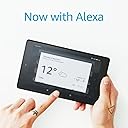


Fire 7 Tablet with Alexa, 7" Display, 16 GB, Canary Yellow — with Special Offers (Previous Generation - 7th)
Product ID: 47969773
⚡1.3 GHz quad-core processor
📱7-inch vibrant IPS display
🔋Up to 8 hours battery life
🔥 Stay connected, entertained & productive anywhere with Fire 7! 📲
The Fire 7 Tablet (7th Gen) combines a crisp 7-inch IPS display with a 1.3 GHz quad-core processor and up to 8 hours of battery life in a sleek, lightweight design. Featuring Alexa hands-free voice control and expandable storage up to 256 GB, it’s the perfect budget-friendly device for reading, streaming, and staying connected. Prime members unlock exclusive access to millions of digital titles and media, making this tablet a versatile companion for work and play.
R**Y
Amazing value - cannot be beaten on usefulness for the price
I picked this up in the Amazon Black Friday sale for £30, and wasn't expecting much - I needed an inexpensive Android-based device for app testing (I'm a developer). But in all honesty, it's *far* exceeded expectations, given the price. First off, it's admittedly not the fastest, highest-benchmarking, supercharged tablet in the world. That said, you may only notice that if you're going to play graphics-heavy, all-singing, all-dancing mobile games. But for everyday tasks like email, social media, browsing, Kindle reading and such like, it does a fantastic job. The screen is clear and bright, and the Fire operating system simplifies the Android interface to make it as user-friendly as a tablet experience can be. It even *looks* good, and the choice of colours is a nice touch (I got snazzy red - fancy!). The low-res cameras are the device's chief weakness, although these should suffice for basic video calls and such like - you're typically not buying a tablet for its photography credentials anyway, so it shouldn't be an issue. I bought the slightly (£10) cheaper offering with special offers. I was worried they might be annoying and intrusive, but honestly, they're no bother - we're so used to being bombarded with ads these days, that a couple of promo items here and there don't make much difference to the user experience. The main one you can't miss is the lock screen, which displays a full-screen ad (often for a new book etc.) when you go to unlock it. They're more often than not attractive and relevant ads anyway, so I can't complain. At under 300g, it's the ideal pick-up-and-run device; I've got a larger, heavier iPad I use for most tablet-related stuff, but I've already found myself picking this up instead for a nip to the coffee shop or short train journey when all I need is a Kindle read. It might be a long way from the most fast and fancy tablet on the market, but five stars for amazing value - even at the normal price when it's not a Black Friday! There are so many applications for this - as a first tablet for youngsters or seniors, a test tablet for a developer, spare tablet, guest tablet for visitors to use... The list goes on. Simply cannot be beaten on usefulness for the price.
K**T
I love this little thing!
SUPER QUICK TIP: Great value even if you're not a Prime member (if only to surf the net, use FB, watch Netflix, catch up on Eastenders and read Kindle books on a very portable device) but you will get a lot more out of it with a Prime membership. Any of you that have got to this point means you want to know some more. It is a lovely little tablet. I use mine more as a Kindle with internet surfing capabilities. I use it frequently to download Prime videos to the device itself (not available on other tablets to my knowledge) so I can watch GoT with a friend of mine who doesn't have the internet! I bought it mostly to use as a Kindle because it's slightly smaller than my other tablet, so it's quite portable, about the size of an actual book! Pros: - Fantastic for those that have Prime because you can download Prime videos to watch offline. This is very useful for people who go camping, travel by train or to hotels that charge for WiFi (do hotels still charge for WiFi?) There is also Prime reading or Prime books, I forget, which are free books available to Prime members. Amazon order updates are automatically displayed on it, too. - Expandable memory. - Hosts popular apps such as Facebook, Spotify, Instagram, Skype, Amazon (obviously...) Netflix, iPlayer to name a few. - Portable. - There are some beautiful, robust cases for this available online for less than £15 and some for less than £10. Cons: - Having had another tablet, I cannot help but compare the responsiveness and speed to my other tablet. The Fire is a FRACTION of a bit slower. - It has a plastic-y feel to the back. - The camera is quite naff and produces low quality images. - Not as many apps available on this as say 'other' tablets but I use those apps on my phone. At a discounted price (like on Black Friday or Christmas) it was WELL worth it for less than £30.
R**E
Your New Fire Kindle and iMac, you're going to want to know a few things first ...
Your new fire kindle and iMac, your going to want to know a few things first ... First thing's first. the kindle. Now if like me your a prime subscriber than you really will enjoy and get the most from this device. It's easy to use and fun to play around with. Now, if like me your primarily an Apple tech user then you're going to run into some issue's. I had to hunt around the internet to find the answers to some issue's I ran across. Number 1: File Transfer. Oh how you will tear out your hair trying to sort this out. I ran into quite a few issue's trying to transfer my ebooks from my mac to the Fire. What You Need: you will need to download a free program called Android File Transfer.dmg you can find it here on amazons help section, just google it and it'll show up. This will allow hassle free file transfer's for you and your new shiny kindle. FINALLY you can read all your downloaded books and even a few fan fiction's too (ok so AO3 may have enabled my bad fanfic habit, great site, allows you to download kindle friendly files of all the whacky fanfics out there) I would HIGHLY recommend that you use the USB cable when transferring files to your kindle and SD card instead of just loading up your SD card and then putting it into your kindle, for me the files because all screwed up and just displayed as number's, but plugging the kindle with SD card already in directly to my mac I found this resolved the issue for me nicely. Number 2: Where is my music? This is more to do with finding your music on not just your device but your SD card too. What You Need: This took a little more internet rummaging for me, but I found a great walk there here liliputing.com/2017/07/use-sd-card-amazons-fire-tablets. html that showed me, with pictures where to find my music and video files and how to get them to show up in app. Number 3: Settings Not really an issue but I found taking the time to really explore the settings will help you later on with any mentor issue you may run into, so while it may take a few minuets to follow the set up and get up a running, it' worth taking the extra time to explore the settings etc. Number 4: Screen and case What You Need: your going to need to invest in a decent screen protector for this Kindle. It picks up finger prints and smudged like no one's business. your also really, REALLY going to want to invest in a case for this device as well so don't skip out on these two thing's. SD card: Your going to need one because the storage capacity on the 7inch is dismal, but you can upgrade this to over 200GB which isn't to be sneezed at. do spend a little extra on a decent SD card and don't be sucked into the cheap one's, they really are what they say they are and I've found over time its better to wait and save up then blow what little money i have on something cheap that doesn't do the job. I got my kindle threw an amazon warehouse deal (these are items that have been returned and are perfectly ok with the exception of minor blemishes so mine cost me under 28 pounds which was outstanding, I personally found no issues, the screen was perfect and so was the case, I can't really see what issue there may have been for it to be found not 100% expectable) so mine was a bargain. The kindle when up and running is great and so far I've had no issues apart from what was stated above, but once these issues were cleared up it's been plane sailing from there.
S**2
Amazon Fire A great little cheap tablet
A brilliant little tablet. I miss goggle play though, and did find how I could add it. A lot of apps do rely on Google services so this should have been added as standard. I was happy with not having too many apps already installed. I did find alternatives to the apps that relied on G.P. These aren't as good or are older versions. I did add a sd card. At first it was brilliant, but now it's not recognising it at all. I only had the fire about 5 days when it suddenly stopped recognising the sd card, I will try again with another type. My fire has ads, when I ordered it I thought the special offers meant something different. I felt very disappointed by Amazon by this deception, I'm also disappointed that you also have to pay another £10 to remove them, although some lucky people have had them removed for free. The ads are on the lockscreen, which isn't too bad. If you have them removed you still can't add your own wallpaper, which is a shame. I was also disappointed to find that I had paid full price on prime day for my fire. I had put this in my basket on prime day and whilst I was checking out the time changed and i got charged full price. I should have been charged the prime day price as it was added on prime day and the time changed during the checkout. This is again very crafty of Amazon and I was disappointed. Just be careful of time for any bargains as Amazon doesn't honour it if during checkout the time changes! I love Amazon but this really needs to be changed! My fire I have found has slowed down quite considerably and I haven't used it that much. I haven't got a lot of apps using the memory so again have resorted back to using my phone as it's so much quicker to do anything. The fire is great for reading books, searching on the internet and playing a few game. I would like to hide my apps from the homescreen. I find it's tidier, and you can see your wallpaper. I like a few apps on the homescreen of my own choosing and those I use most often. I'm trying to find out how I can do this. I don't know why manufacturers are trying to copy apple all the time even though they are android based. Stop and find your own identity! All in all Amazon Fire is a good little tablet depending on what you want to use it for. Battery life is fantastic. It is fairly quick to charge and is still a very useful addition to the home. Great for children and adults alike.
T**N
Great quality!
Great little tablet! Bought to replace an old kindle, very easy and quick to set up. Previously purchased books are shown and one click downloads them again for free. The other main purpose for this was to download programs from Netflix and Prime Video for travelling. This was simple and the downloaded playback was as clear as streaming. 7” gives a nice size screen while still being easy to pack or carry. It is also possible to expand the memory with an external memory card. 2 minor complaints: firstly the lock screen is heavy with amazon advertising, which some people will find annoying although it doesn’t have any affect on tablet performance. Secondly, the Fire App Store is pretty basic and can be frustrating to navigate. HOWEVER by downloading 4 google apps the google play store can be used and that dramatically opens up the number of apps available to download. Clear instructions of how to do this are available online and, while amazon doesn’t openly advise how to do it, (as they naturally want you to use their own App Store) the process doesn’t affect the tablets abilities at all. If, like me, you cast apps to a tv this will be necessary (except Netflix). Personally I use: BT sport, NFL game pass and YouTube and these need to be downloaded from google play store in order to be able to cast. Overall, this is a great quality tablet at a price far lower than other well known brands. It is perfect for those on a budget or as cheaper ‘travel/commuting’ tablet (You won’t feel as bad if this gets lost/damaged then a certain ‘Fruit’ tablet I’m sure) Load it up with books, Netflix and Prime content and away you go!
V**S
Outstanding value if you can put up with a lot of quirks
The Fire 7 presents outstanding value as a tablet. But it does suck you into to Amazon's ecosystem. I have to applaud amazon for making it an incredibly simple set up and unboxing experience. There is only a cardboard tag separating you and the tablet, definitely "Frustration free" certified. The set up process is so simple my dog could do it! If you buy it off amazon your account is automatically linked to the tablet, so there are no account details that need entering! Pros and Cons Pros: Value: This is definitely the only (new) tablet under £50 worth considering. All the other tablets this cheap that I have seen are just plain unusable. The Fire 7 is very usable and is definitely more capable than any thing else this cheap on the market right now. Even though there are quite a few bad points about the tablet I have to remind myself that I only paid £30 for it (I got it cheaper on sale). Perhaps it is a testament to it's quality and I am to readily comparing it to other more expensive devices. Performance: The performance was surprisingly snappy and definitely punches above it's weight in this respect. The Fire 7 could handle light - medium heavy games (Jetpack joyride and simple planes). It won't be playing Just Cause 3 anytime soon but it is still impressive for such a cheap device. If you do want to use it for games I would strongly suggest picking up a micro SD card as the 5GB internal storage is hardly enough (I have included a link to a 64 GB version of the SD card I use) SanDisk Ultra 64 GB MicroSDXC UHS-I Memory Card with SD Adapter - Frustration Free Packaging . Cons: Screen: The screen is absolutely terrible! I can put up with less than 720p screens but the thing about this screen that bugs me the most is how many fingerprints it picks up (as shown in the picture). It picks up fingerprints so easily you feel the need to clean every ten minutes. Furthermore it is definitely the most difficult screen to clean on any device I have ever had. Come on Amazon! Storage: 5GB of storage is simply a joke but it can easily be rectified by the purchase of an SD card (it all adds up though!). Software: Amazon's skin of android is not bad but it definitely isn't good. They replaced all the Google services with Microsoft's or Amazon's services. Bing is the default search engine (which is infuriating). There is no Google youtube app on the amazon marketplace. There are only 3rd party knock off youtube apps. The software does redeem itself through the inclusion of features like Alexa (Amazon's A.I) and Blueshade (blocks out blue light to improve sleep quality). I would still prefer a standard android experience. Amazon's ecosystem: The software is built to force you into amazon's ecosystem. Each tab in the software is basically trying to get you to give amazon money. I personally don't mind this however I understand many people will not like this. It is after all turning the OS into a giant advert for amazon . If you don't have prime you will not get the most out of this tablet and I suggest you look elsewhere, alternatively, you could get amazon prime which I do recommend as it is a bargain. Build quality and design: The build quality is alright and what I expected from a device at this price. I do, however, hate the massive amazon logo on the back of the device. It boggles my mind that companies do this. It would save a bit of money if they didn't do it and most people if they want to know what tablet someone is using they generally ask. ================================================================================================================ Bottom line: I have written quite a negative review for the Fire 7 as I do have high standards for products from big brands like Amazon. I use my Fire 7 as an e-reader and it suits its purpose relatively well. I can recommend this to anyone who is willing to jump into amazon's ecosystem and needs a tablet. It's performance is good, it's battery life is decent and it's all just under £50. If you have any questions don't hesitate to comment below, I will try to answer them. If you found this review helpful in anyway please press the "yes" or "helpful" button.
E**E
Cumulation of modest enhancements make this even better than the old model - Highly recommended
Amazon has done it again; this new Fire tablet is a bargain and the small improvements over the last model make this one even better. The build quality is good. The tablet feels sturdy and it will stand up to day to day use well. There isn't that creaky feeling you often get from a budget tablet. The screen is the same resolution as last year, although Amazon claim that it has been tweaked to make it better. And it does seem to be. I've put it side by side with my old Fire 7 and the display is brighter, the blacks darker and the whites crisper, making text a bit crisper although you can still see some pixels if you look closely. Video looks great, and you can get Netflix, iPlayer etc from Amazon's app store as well as getting video content from Amazon. The tablet is also a bit thinner (1mm may not sound like much, but it does make a difference), and lighter, and you can tell the difference. It is comfortable to hold in your hand for prolonged periods of time without you fingers aching. The single speaker still provides relatively thin and weak sound. A good set of headphones can sort this out though (and there is Bluetooth onboard so you can use wireless ones) or else a speaker. The cameras are pretty feeble too so if you think you will use a tablet a lot for photography, then this isn't the tablet for you. A key update is the appearance of Amazon's digital assistant Alexa on the new tablet (you'll probably need to update the software to activate this), and she works well. Unlike with the Echo speaker range, she isn't always listening on the Fire tablet; you need to press the home button to speak her. Some enquiries bring up information in visual form on the home screen as well as eliciting a spoken response. It's a useful addition although don't buy the new tablet just for this if you've got one of the older ones as Alexa will come to those too through a software update. The battery holds up pretty well and better than last year. Amazon's claims for battery life seem to hold up in my real-world experience so far. The wifi should also hold a signal better and connect to a wider range of networks than the old Fire. A last difference is that this new model supports the auto sleep-wake function when you close-open a compatible cover. Amazon's covers for this model work and I expect that other manufacturers will also produce covers that will support this function. For most people who use a tablet for reading, a bit of surfing the web and email, watching TV etc, then this tablet is more than good enough. It runs on Amazon's version of Android which is easy to use although Amazon's version of the app store is a bit limited. However, it is pretty easy to install the Google Play app store if you need apps from there, and a quick search of the internet will provide instructions. Amazon will sell shedloads of these tablets. The old Fire 7 was a bargain. This one costs the same and the cumulation of the modest enhancements lead to an even better user experience than before.
M**D
Definitely worth buying, you don't even realise...
WELL Well well, where to begin on this amazing hunk of tech?! First, it is worth noting that I am a student and so there is an ever so small constraint on my budget... I bought one of these tablets in the Black Friday Sale last year and it is definitely the best amount of money I ever spent. Size - This tablet is perfectly sized for me, it is large enough to read on and hence when I want to make notes on, for example, Lagrange's Theorem Vrs 3, I can take this tablet to the library with me and make notes off of the online lecture notes, which is certainly much lighter than bringing a copy of each of the printed lecture notes with me. Yet even though it's big, it's still small enough to fit in my pockets! Admittedly I have male pockets (Grrr!) which could probably fit another couple of these, but it will still comfortably fit in normal sized handbags, and is light enough to carry around. The tablet is extremely versatile. As mentioned, I use this to make notes off of. It's also useful as I can load up my notes on it. I use my phone to scan all my notes into Evernote and then I can load them up on my Fire tablet, so once I've made my notes, I can take them all with me to the library at once which is really convenient. I also take it to my German seminar with me and just have translating apps up for whenever I need to use them. I use it in the kitchen to load recipes up as it's cheap enough that I don't mind if it gets a bit of flour on it and its screen is far bigger than my phone's screen. Also, it's pretty durable. I comfortably throw it around as if it were a copy of Twilight. I have the used the tablet for Skype and, although it's no iPhone X camera, it does its job and you really can't complain for the price. I can also now go the bathroom in the library and feel more okay about leaving tech at my workplace as it's only £30 compared to my Macbook, which is valued at at least £20 more than this tablet. Now, I am very keen on Hamilton (a pretty AWESOME musical) so I thought I'd use the Amazon Student 6 month trial so I could listen to Hamilton. That's when this tablet fully came into use. It connects to all of the Amazon services and I have the POWER with this tablet. I am most definitely going to continue with Amazon Prime after this trial because it's only £4 per month (student rate) and comes with an equivalent of Spotify and Netflix, both of which are more than £4 and only offer one of each service. Alexa is really useful with the hands-free option, if I suddenly remember something in bed and can't be bothered getting up then I can just speak to Alexa. I'm definitely considering getting an Echo Dot in the next sales and I whole-heartedly recommend this tablet, to anyone student or otherwise! Do not throw away your shot!
Trustpilot
2 weeks ago
1 week ago