


🎬 Stream Smarter, Not Harder — Your HD Gateway to Limitless Entertainment!
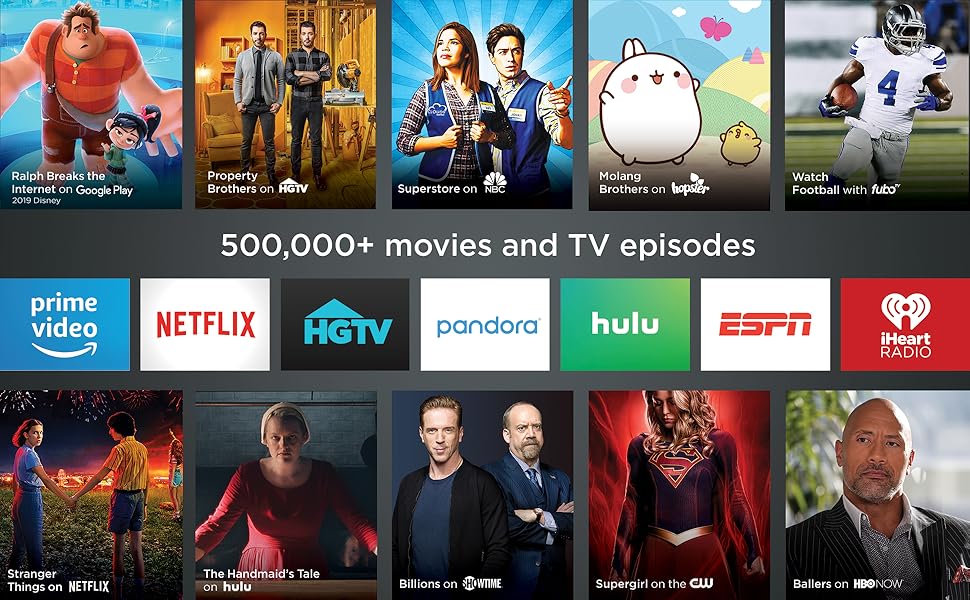
The Roku Express (2018) is a compact, budget-friendly HD streaming media player delivering 1080p resolution with 5x more processing power than previous models. It offers easy setup with an included high-speed HDMI cable, long-range Wi-Fi, and access to over 500,000 movies and TV episodes across 1,000+ channels including major streaming services and the free Roku Channel. Featuring a voice remote and mobile app for effortless control, it’s designed for professionals seeking a sleek, efficient way to upgrade any TV into a smart entertainment hub without subscription fees.





| ASIN | B075XN1NZC |
| Best Sellers Rank | #162,290 in Electronics ( See Top 100 in Electronics ) #525 in Streaming Media Players |
| Brand | Roku |
| Built-In Media | remote control, 2 AAA batteries, high speed HDMI cable, power adapter, USB cable, removable adhesive strip,guide,product information flyer |
| Color | Black |
| Compatible Devices | Television |
| Connectivity Technology | Wi-Fi |
| Connector Type | HDMI |
| Controller Type | amazon_alexa, vera |
| Customer Reviews | 4.6 out of 5 stars 44,167 Reviews |
| Form Factor | TV Box |
| Global Trade Identification Number | 00829610001791 |
| Item Dimensions L x W x H | 3.3"L x 1.4"W x 1"H |
| Item Type Name | media player |
| Item Weight | 1.3 ounces |
| Manufacturer | roku |
| Memory Storage Capacity | 16 GB |
| Mfr Part Number | 829610001791 |
| Model Name | RokuExpress Media Player |
| Model Number | Roku Express 3900R |
| Number of Items | 1 |
| Number of Packs | 1 |
| Other Special Features of the Product | Long-range Wi-Fi, Voice remote with TV controls |
| Resolution | 1080p |
| Special Feature | Long-range Wi-Fi, Voice remote with TV controls |
| Supported Internet Services | Apple TV, HBO, Hulu with Live TV, Netflix, PlayStation Vue, Prime Video, Showtime and Google Play, The Roku Channel Supported Internet Services Apple TV, HBO, Hulu with Live TV, Netflix, PlayStation Vue, Prime Video, Showtime and Google Play, The Roku Channel See more |
| UPC | 043396313613 829610001791 082652982149 |
| Unit Count | 1 Count |
| Video Codec | H.264 |
| Video Output Resolution | 1920x1080 pixels |
| Warranty Description | 1 year |
I**R
This thing is BETTER than advertised!
LOVE LOVE LOVE THIS THING!!! I had purchased a streaming media box (also from Amazon) last spring when we decided to unplug from cable. But it gave us no end of troubles. First, it came with an old version of Kody, which did us no good. Second, it would constantly spool (that irritating circle in the middle of the screen while it's trying to download info) at the WORST times and we'd miss something important. And third, the remote was simply terrible, needing multiple clicks to get it to register, simply going crazy and doing what it wanted... finally, we decided enough was enough. A good friend had been recommending Roku for years, so that's what I was shopping around for. But when I saw the price for this stick, I thought "NO WAY!!!". After watching a review vid, I figured I'd give it a try. And both the hubby and myself were simply amazed! It took me exactly 7 minutes to not only hook it up and get the latest updates downloaded, but to also go through the HUGE list of available programs to use with our new Roku! It's already set up with Sling (which is our basic TV package now), and with Netflix (for movies and power watching shows), both of which are also programed into the remote, so a one touch tuner! And to add YouTube, Prime Video, news stations (LOCAL even! Wow, didn't have that with the old media box!), my Pandora, along with Iheartradio and a few others in just 7 minutes when I'm no computer/android pro? PRICELESS!!! The remote is easy to use, and also comes pre-programed with Hulu and CW, and does EVERYTHING with just one tap! lol Finding our way around the interface is so simple, completely intuitive (a VERY good thing in my book!), and it's broadcast in HD! I was told the streaming box was also HD... but once I hooked up Roju Express and turned on the first show it was obvious that that was NOT the case! So it's great to have our HD back again! I'm extremely pleased with this purchase, and would definitely recommend it to my family and friends.
R**Y
What you really need to know...
Fantastic product so far! After the first week, we bought a second one for a family member. First thing: Before you buy, understand what content is free and what is not. Second, in case it's not obvious, the Roku operates over your wifi and internet connection. You have to have an internet connection that is fast enough to stream video. If you can't stream video on your mobile (via wifi) or PC, you won't be able to stream it on the Roku either. Subscription content: Anything that you have to pay for elsewhere (like Netflix, Amazon, Hulu, network TV streaming, etc), you'll still have to have those same subscriptions. But the Roku allows you to access all of those subscriptions (the ones you're paying for) from a single device on your TV, with a nice interface that nearly anyone can use, even if they're technology-illiterate. Worst case, if you get lost somewhere, just press the Home button. (But keep in mind, each 'channel' on Roku is an app written by the individual content provider, so some are a little more complicated than others. I suspect for marketing reasons, it's not always obvious on some of the network TV channels which content is free versus paid until you try to play it. But you'll always be prompted before paying for anything, and you can add a pin-number to prevent accidental purchases). Ad-supported content: There is a lot of ad-supported content, just like watching free over-the-air (OTA) TV stations. For network TV (ABC, NBC, CBS, CW, etc), check each network's website to see what shows you can watch for free directly on their website, and that's generally what you'll be able to watch on Roku, too. After all, the 'channels' on Roku are apps written by each network. For many networks, the free content includes the last 3 to 5 episodes of things that are currently airing, with content being made available a week after the original broadcast date. This is comes in handy if you miss an episode or two of over-the-air TV. Some of the networks also offer free 'throwback' content, where you can watch an entire series of an older show. And there are a few channels like pluto.tv and tubi.tv that provide a wide assortment of ad-supported movies and TV shows. Again, check their corresponding websites to see what content they currently have, and that's what you'll get on Roku. The ones mentioned above offer some relatively recent content, in addition to a lot of older and slightly-older content. Free, without ads: Mostly, you'll find that the ad-free content is extremely old... lots of black-and-white TV and movies, some early color TV/movies, etc. For those who don't like much of what's on TV these days, there's a lot of classy and classic stuff here. And, of course, a lot of b- and c-grade stuff you've never heard of. This newest version of the Roku Express ("5X more powerful") has a very smooth interface, with good response from the remote. Video startup is extremely fast if you have decent internet speed. I tested on a relative's 6mbps DSL internet, and buffering times were never uncomfortable. On my faster internet (100mbps), videos either start instantly, or take no more than about 1 or 2 seconds of buffering. The remote control is great -- simple, strong signal, good range. It's infrared-based, so you have to be in the same room (why would you want to be out of the room??). I generally don't even have to point the remote at the Roku box, because the infrared is strong enough to reflect off of the ceiling or walls and still work. Just be sure your Roku box's front side is unobscured and pointing toward the room. They provide a sticky-tape strip to stick the box somewhere convenient, like the side or top of your TV or media cabinet. The provided HDMI cable is only 2 feet long, though, so it does have to be relatively close to the TV. But you could use a different HDMI cable if you need the remote to be a little farther away. One feature I love about the remote is that pressing the Home button will turn on your TV and switch to the Roku's HDMI input, assuming your TV supports this (I have a Samsung TV which is supported, and a TCL TV which apparently wasn't). You can also use the Roku app on your mobile to control the Roku via wifi. In addition to providing an interface that looks pretty similar to the physical remote, you can also browse for other content while something is already playing. It fact, it's quite a bit easier to navigate if you're searching for something specific, since the physical remote requires using an on-screen keyboard where you select each letter and click OK (normally, I'm not searching for something specific on the physical remote, so it's not a problem). The app also has a headphone feature, which I'm guessing allows you to listen directly from your mobile instead of via the TV... great for watching at night when others are sleeping. Note, the Roku app is NOT designed to watch Roku content directly on your mobile. It simply lets you select the content to watch on the TV. Overall, it's a great experience. My only subscription at the moment is Amazon prime, which doesn't have a lot of content that I really want to watch (sorry, Amazon! I have Prime mostly for the shipping), so I use the Roku mostly for ad-supported TV and movies, and there's more than enough to keep me busy for a long time.
C**E
Quick and Easy Way to Stream
Are you tired of messing with fussy cords or not being able to use your computer while you Netflix and Chill? Are you looking for a way to cut back on your cable bill? Do you want to be able to watch all of your favorite shows and movies in one place? If you answered yes to any of these questions, the Roku Express is the product for you! On the basis of simplicity, cost, and variety of streaming options, the Roku Express is one of the best streaming devices on the market. It is very user-friendly and easy to set up. Setting up the Roku takes less than 5 minutes. To set it up, you only need an internet connection and a device that can connect to the internet. Once you are signed into a Roku account, you can access all of your streaming websites without having to sign in each time you use them. To flip between channels, you can either use the included remote or can download the free Roku Remote app on your Android or Apple smart phone. This is a very convenient feature, because you can still use your Roku even if your remote dies or gets lost. When you turn on your Roku, you can easily search through thousands of channels to find the show or movie that you are looking for. The Roku express is 10 to 30 dollars cheaper than other streaming devices, and can even save you money on your cable bill if you decide to subscribe to services like Netflix and Hulu instead of cable. For $29.99, you will receive the Roku device, remote, batteries, and all needed cords. Roku has thousands of channels and services that you can subscribe to, and many are free. You can even listen to music and watch youtube videos on your Roku. With the wide variety of options, Roku has something for everyone. Overall, the Roku Express is a wonderful product. It is both user-friendly and budget-friendly, and it will make binge watching your favorite show even easier.
R**R
Roku--a new TV experience
I'm new to the streaming TV scene and haven't quite made up my mind about it, but it seems to be "so far, so good." At present, I'm looking for some way to cut my ties with AT&T cable services. Tired of being charged for so many channels that I never watch and having to contact them each year to try to get some kind of "deal," I decided to give Roku a try. For the most part, I'm pretty satisfied with it. The picture quality is decent, although it doesn't seem quite as sharp as the image through AT&T. I find it to be a re-training experience: I can't just punch in the channel numbers on my remote and get the station I want (have to go through the Roku Home screen.) I also can't flip between two stations (i.e., when watching football games) which I can easily do with AT&T--or maybe I just haven't figured out how to do it yet. These aren't big issues, but as I said, a bit of re-training is necessary. I don't really care for much of what is on TV nowadays and only watch a handful of TV shows and hardly any movies (I have the ones I like on DVD or digitally through Amazon) so I'm thinking this will be a good way for me to cut down on my monthly AT&T bill. The setup was extremely easy and everything seems pretty intuitive. I'm no computer genius and kind of technically challenged so if I can get this up and running, anyone can. As I said, it has certain drawbacks for me because of what I've been accustomed to using for so many years. But if it's going to save me some money, I can deal with a little inconvenience until I adapt. Sometimes change can be very good. :-) UPDATE 12/27/19: After using this for a year I give it 5+ stars. At first I didn't think the picture quality was as good as cable but I was wrong. Picture quality is excellent. When you access other streaming channels like Hulu you can get a wide range of available shows, movies and sporting events.. I'm hooked. Love it, love it, love it! (I've disconnected my cable receiver but have to keep the basic TV package in order to have high-speed internet.) Highly recommended.
O**R
Worth it.
I understand Amazon does not make this product, they just sell it, so I can’t say the stars are 100% accurate. We were paying $230 for cable, internet, and a useless home phone because that was the “bundle” through Comcast. We got a ton of useless channels but it was easy to use. The OnDemand was excellent for free movies, kids shows, and searching for shows. Comcast just added Prime to their channel list and it was great. However, that price! Everyone said make the switch to a device. I did a ton of research between Roku, FireStick, Chromecast, etc. I found the Roku the most suitable for us in terms of adding channels (more on that later). I got the Roku in the mail and it didn’t work! We tried setting it all up and nothing would work! We would press a channel and nothing would happen. We had to play around with the connection to the TV and eventually we gave up. So, a month later (and a month of paying for DirectTV) I set it up again, and it took 30 seconds. It worked perfect. I’m not sure what happened at first but it worked fine the second time. Once we had it hooked up we could iliminate several cords and wires behind the TV. The Roku is small and technically easy to hook up and set up. A lot of signing up accounts and passwords with Roku, and the internet but it was easy. Then adding channels took no time on my phone. Once I added what we wanted (Prime, DirectTV) it was simple to watch. Downfalls, are the picture quality is a little less but no biggie to me. The remote is not the easiest to use. To change channels you have to press the weirdest buttons (the down arrow). Also, the channels go by ABC order, which you’d think would be great, except when you’re on TBS and you want ABC. You have to press arrows a lot. You can add channels to your favorites but still, a lot of buttons just to change the channel. Another downfall is FREE stuff. You can get a few seasons of shows for free but when you want more you have to pay for the shows. I originally thought, once you download the channel the shows are free. Not so much. Downloading the channel just makes it easier to search for that particular channels shows. I’ll admit, we are still working things out but so far I would highly recommend the Roku. Saves you TONS of money!
K**S
I like my roku
I got the item fast
M**Y
Great Product
The Roku Express is a great product for customers that are looking for high definition entertainment, easy to set up, and it is used for televisions that are not smarts. This brand is very popular, because it has a lot of programs in just one device, making it so easy for the customer to purchase a product that has everything related to entertainment in order to satisfy people's needs. If you are looking for a device that has great quality and multiple types of entertainment in a quick installation process, then the Roku Express is the best option for you. You do not have to spend a lot of money on smart TVs that offer you the same as this device. This is extremely easy to set up in any TV, and very cheap compering to the competition. The package provides several tools in order to start the experience. This has an USB cable that connects to the TV, as well as the charger. Once it is connected, then you just have to read the instructions in order to set up the account, connecting to the internet, and choosing programs. This process would take a maximum of five minutes. After that, the customer would be able to start enjoying the high definition of channels. This device would offer a lot of benefits to the customer. The user can purchase any channel that they are interested on. In addition, it has a lot of free and very popular channels such as; Netflix, YouTube, Hulu, HBO, Direct Channel, Vudu and so on. The device has something unique called The Roku Channel, which it has a lot of different movies, TV shows, and music for every customer's pleasure. Lastly, the speed of the device and the channels are very good. It is very rare to wait for the start of any program. So, if you would like to enjoy high definition with multiple options of entertainment in just one device, then the Roku Express is the option for you. This is a small product that makes it so easy to carry everywhere, so the user could have the opportunity to enjoy high quality of entertainment at any time.
B**1
Get rid of cable!!
Our cable bill was escalating almost every month so I looked into these sticks. We tested it on 2 TV's and love it! We still need cable to provide us with Internet and our local broadcasts (including Phillies baseball, which is proprietary to Comcast). This will save us over a $100 each month on our bill!!! Pros: Very easy to set up and figure out. Add the Xfinity app, log in, and you can see the typical Comcast interface. Easy to access other streaming 'channels' such as Netflix, Hulu, Sling, YouTube, etc. You can also add MLB/NFL/NHL channels and major news channels. As long as your internet is good and fast, you'll have no 'buffering' issues while streaming movies and TV shows. Cons: If you're using the Xfinity app, you have to search for a channel by number or network letters. There are no numbers on the remote so this can take awhile. You can scroll but, with hundreds of channels now, that can also take awhile. I was told to add channels to favorites on a TV that is still using a Comcast box and then the Favorites feature carries over to the Roku app. You cannot designate favorites while using the Roku. If you're watching a Comcast DVR'ed show you can still fast-forward BUT the screen freezes at the point that you clicked on the FF button so you have to estimate when the commercial ends by watching the timer. This is a little annoying. You also can't delete a DVR'ed show from within this app after you've watched it. The remote is also missing power and volume control buttons. I heard the newer models have them but that doesn't help me! You'll either need to keep your Comcast remote (charges might apply) or use the remote that came with the TV or purchase a universal remote.
T**)
Roku Express - Really Cool!
I have two Roku Essentials and I must say I am pleased with them, for the quality of picture, and the ease of setup. They do come with a USB power adapter one plugs into a power bar but you can plug them into an LCD tv USB port if the power is sufficient. These devices are designed to be always on unless they are connected to your TV usb port and then switch on and off with that. If you go that way then you have to wait for it to restart. I chose to plug it into the power bar. One of my Roku is connected to an HDMI TV and the other I used a GANA HDMI to AV converter to connect it to our old Tube TV. That works great as well. Our grandchildren play some older console games on the old TV. Roku work wirelessly connecting via a home router wireless connection to the internet. You will want to make sure you have good internet wireless coverage in your home as the Roku have to be able to connect. The picture was steady and clear on both televisions. Setup is pretty easy. Users will need an active internet connection and you do have to log into Roku's website to register and enter the code of each device you have. After initially connecting my Roku received two updates. Roku has both free and paid entertainment available. You can add "apps" easily via the website or the Roku itself such as the Roku channel, tubi, youtube, and much more. Some are free, others such as Netflix and Atop (television stations) for example, are a paid service. You can set up a payment method (credit card) via Roku's website or register without a payment method.
C**️
Extremadamente fácil de utilizar y muy rápido.
Recientemente adquirí una televisión para ponerla en mi cuarto pero que carecía de características smart por lo que compré este Roku stick ya que estoy familiarizado con la plataforma Roku al estar presente en mi tele TCL como sistema operativo. La interfaz de Roku y su simplicidad de uso es lo que la hace muy atractiva y también en gran parte su rapidez y fluidez al utilizarlo. Espero y mi reseña le ayude de algo a alguien. ***CONTENIDO DEL PAQUETE*** En el paquete donde vino el Roku Express venía incluido todo lo necesario para que te pongas a utilizar el Roku Express. Se incluye un cable micro USB que se conecta a un puerto USB que esté disponible a tu TV o que se puede conectar a la pared en caso de que la tele no cuente con puerto USB (viene con un cubito incluido) -Viene también un cable HDMI que va del Roku a tu Televisión. El Roku Express no cuenta con otros puertos y solamente lo puedes conectar por HDMI (a menos que consigas un adaptador) -Viene su control remoto infrarrojo que es bastante fácil de utilizar y una tira de cinta adhesiva que puedes utilizar para fijar el Roku a tu TV. ***CONFIGURACIÓN Y FUNCIONES*** Al haber conectado tu Roku y haber hecho los ajustes donde fijas la resolución correcta para tu TV saldrá una pantalla donde puedes configurar la conexión de tu Roku a tu modem/router y después de ahí agregar "canales" recomendados (que más bien son como apps, pero dentro del ecosistema de Roku) Una vez haciendo eso ya es cuestión de iniciar sesión en los servicios que utilizas y listo! Como había mencionado anteriormente la interfaz de Roku es muy rápida y el desempeño de las apps es bastante aceptable (excepto Spotify, el canal de Spotify es SUPER lento en Roku) En cuanto a la conexión a tu modem/router que se realiza es solo por la banda de 2.4 ghz pero siendo que solo transmite contenido Full HD como máximo con eso basta. -Funciona de maravilla con el app de control remoto para iOS o Android lo que te permite controlar el Roku por medio de tu celular así como acceder a la magnifica función de audio privado que te permite escuchar el audio de lo que estés viendo en tu Roku a través de tu celular teniendo audífonos conectados a el para esas ocasiones cuando no quieras despertar a quien se encuentre dormido. -Cuenta también con la función de screencast que te permite enviar de manera inalambrica el contenido de tu celular o tablet Android que cuenten con esta función y también con iOS pero por medio de una app especial (no recuerdo el nombre) Con mi celular Mi A1 de Xiaomi las conexiones se realizan rápidamente y se transmiten ambos audio y video lo que lo convierte en una solución ideal para visualizar contenido en tu pantalla que no puede ser reproducido por el mismo aparato de Roku. ***NOTAS FINALES*** Dado que el Roku Express es un producto que considero de entrada no cuenta con funciones más avanzadas como las que tiene el Roku Premiere pero que sirve bien si lo único que buscas es poder acceder a servicios como Netflix, Amazon Video, YouTube, Google Music, Spotify en máximo 1080p. Vuelvo a mencionar lo genial del app de Roku para controlar tu Roku Express ya que si tienes más de un dispositivo Roku te permitirá controlar esos por medio de la app y agregar canales de manera automática por medio de la app. El producto está super barato y funciona de maravilla. Definitivamente lo recomiendo al 100%
S**Y
If it's only streaming you don't need Roku 3 or Roku 2. The stick is good enough.
I already have Roku 3 and Roku 2XD. I needed one more for my third TV. I use Roku primarily to stream from my NAS HDD. All my photos as well as music and videos are stored on NAS. The Streaming from WD NAS to Roku is excellent with the help of Roku Media Player(RMP)
V**E
Pasable
Esta bien, pero para canales de España fatal no util
C**N
Muy buen producto, fácil de usar una vez configurado, Netflix, Claro video y Prime Video.
Este modelo funciona perfectamente en México. Los canales o aplicaciones principales, Netflix, Claro Video y Prime Video funcionan perfectamente, solo metes tu usuario y contraseña y listo, para Prime Video hay que registrar el producto además en el sitio de Amazon. También funcionan Youtube, Google Play Películas y Cinépolis Klic y algunos otros servicios menos famosos que podrían ser interesantes para algunos. Lo que no funciona es el HBO Go ni el servicio de Fox. El producto venía con instrucciones en inglés pero la configuración es fácil, eso sí, se requiere otro dispositivo extra, celular tablet o computadora para realizar la configuración de una cuenta Roku. Igual a mi se me hizo fácil el proceso pero habrá usuarios menos avezados en tecnología que tal vez les cueste un poco de trabajo realizar el proceso, asesórense con un amigo que sepa de este tipo de productos tecnológicos. Perfecto para los que tienen un TV Full HD 1080, si tienen de 4k, váyanse por el otro modelo que soporta 4k HDR.
Trustpilot
2 weeks ago
2 days ago