Buy anything from 5,000+ international stores. One checkout price. No surprise fees. Join 2M+ shoppers on Desertcart.
Desertcart purchases this item on your behalf and handles shipping, customs, and support to Hungary.
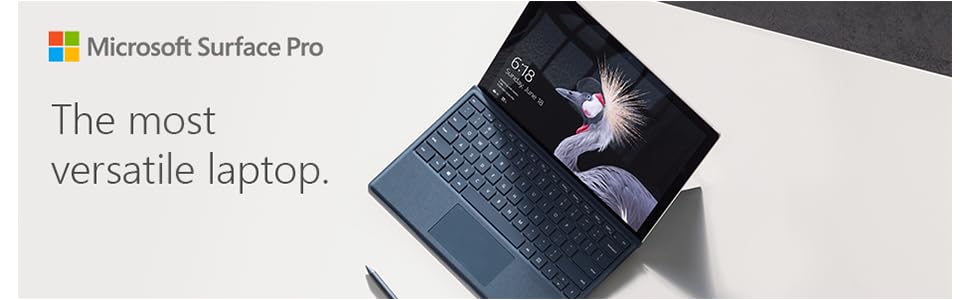
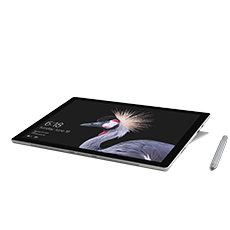
🚀 Elevate your hustle with the Surface Pro 5th Gen — where power meets portability.
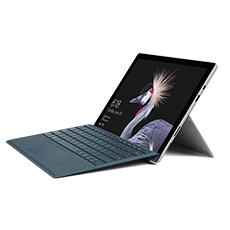
The Microsoft Surface Pro (5th Gen) combines a 7th generation Intel Core i7 processor, 16GB RAM, and a massive 1TB SSD to deliver desktop-grade performance in a sleek, ultra-light 1.7 lb tablet. Featuring a stunning 12.3-inch PixelSense touchscreen with pen support and up to 13.5 hours of battery life, it’s engineered for professionals who demand power, portability, and style in one versatile device.


| ASIN | B0714K3YWX |
| Age Range Description | Adult |
| Aspect Ratio | 3:2 |
| Battery Average Life | 13.5 Hours |
| Battery Cell Type | Lithium Ion |
| Best Sellers Rank | #187,774 in Electronics ( See Top 100 in Electronics ) #2,551 in Computer Tablets |
| Brand | Microsoft |
| Built-In Media | Surface Pro, Keyboard Cover, Power Adapter |
| CPU Model Number | Core i7 |
| CPU Model Speed Maximum | 3.5 GHz |
| Camera Description | Front, Rear |
| Cellular Technology | 4G |
| Color | Silver |
| Compatible Devices | Laptop, External Display, Mouse, Keyboard, Storage Devices, Printers |
| Connectivity Technology | Bluetooth, USB, mini displayport |
| Customer Reviews | 4.2 out of 5 stars 79 Reviews |
| Display Resolution Maximum | 2736x1824 |
| Display Type | LCD |
| Front Photo Sensor Resolution | 5 MP |
| Generation | 5th Generation |
| Global Trade Identification Number | 00889842193619 |
| Graphics Coprocessor | Intel Iris |
| Graphics Description | Integrated |
| Hard-Drive Size | 1 TB |
| Hardware Interface | Mini-DisplayPort, USB 3.0 |
| Human-Interface Input | Touchscreen |
| Item Weight | 1.7 Pounds |
| Lithium-Battery Energy Content | 45 Watt Hours |
| Manufacturer | Microsoft |
| Memory Slots Available | 1 |
| Memory Storage Capacity | 1024 GB |
| Mfr Part Number | FKK-00001 |
| Model Name | Surface Pro |
| Model Number | FKK-00001 |
| Model Year | 2017 |
| Native Resolution | 2736 x 1824 pixels |
| Operating System | Windows 10 Pro |
| Operating System Family | Windows |
| Other Special Features of the Product | Pen |
| Photo Sensor Resolution | 2 MP |
| Processor Brand | Intel |
| Processor Description | i7-7660U |
| RAM Memory Installed | 16 GB |
| RAM Size | 16 GB |
| Rear Facing Camera Photo Sensor Resolution | 5 MP |
| Screen Size | 12.3 Inches |
| Size | Intel Core i7, 16GB RAM, 1TB |
| Speaker Description | Speakers are included in the product |
| Specific Uses For Product | Business, Student |
| Style Name | Device Only |
| Total Usb Ports | 1 |
| UPC | 889842193619 |
| Unit Count | 1.0 Count |
| Video Capture Resolution | HD 720p |
| Video Processor | Intel |
| Warranty Description | 1 |
| Warranty Type | Limited |
| Wireless Compability | 802.11a, 802.11b, 802.11g |
| Wireless Technology | Bluetooth |
F**L
As good as it gets
Excellent computer for general purpose work. I am working with the i7 with 1TB of storage - I bought the Pro 4 with i5 and 256GB and rapidly realized I under-purchased for my work. The good (ok great): Fast - the i7 Surface Pro is significantly snappier than the i5 of 2015. Maybe 2 to 2.5x as fast at standard jobs. I'm running some multi-media jobs to benchmark this weekend and will post a followup. Storage - very fast. Files open and close with "snap". The screen is just as excellent as the Pro 4, and that's what got me to switch most of my computing from a MacBook Air to the Pro line. The screen is gorgeous. The fingerprint reading on the touch keyboard (recommended option) is much faster and more accurate. This tells me that there must be CPU processing involved in fingerprint sensing accuracy as I just switched the same keyboard from the Pro 4 to the Pro 2017. Cooling - I noticed the Pro 2017 just doesn't heat up as much as the Pro 4 at any task. Surface Dock - Truly outstanding accessory. Just hook up the magnetic connector and add monitor, ethernet, sound, and more USB-3 to the job. I use it with a very high resolution Dell display and it's stunning. Mixed The battery - it's significantly longer lasting at the same brightness as the Pro 4 - but I still get about 5-7 hours of useful life. That's at "suggested" or "brighter" settings. I don't use brightest - it's just wasteful. Battery life could still be better, but it is pretty much good enough for my needs. Wish List USB-C. I of course didn't expect it, but Microsoft could have upgraded the USB 3.0 to latest spec and added a USB-C to the Pro 2017. Really, it's not badness (I'm not deducting a star) but seriously why not? All in all, this is more than a solid performer. It's a stylish, good-looking outstanding performer that is suitable for any road warrior or any desk. This is an excellent followup to the already great Pro 4.
T**N
Very responsive and fast.
This is my third PRO. Hello works great with this version, even in a darken room. Very responsive. I use for Lightroom CC and Photoshop CC and it works great. Able to down load RAW files very fast and do Post processing when in the field. I am very impressed with the build quality of the tablet. Has a USB port that will work with a hub. Also can connect to a TV through a cable adapter and HDMI to watch shows on the go.
J**S
Very fast and responsive
This is my first Surface tablet. I bought the 5th generation, I don't know if it's officially called a Surface Pro 5, but that's what I'll call it. I compared against the brand new 6th gen, and didn't see enough of a significant difference to warrant the higher price. There were some MAJOR shipping problems with this, that were mostly Amazon's fault. Apparently they felt mine was a suspicious purchase, even though I've spent tens of thousands of dollars at Amazon. This was probably my most expensive single purchase, so while their suspicion might have been justified, they seemed to simply sit on it, instead of attempting to contact me to determine if I really made this purchase. The seller told me they couldn't ship until Amazon gave the ok. I contacted Amazon several times, getting different excuses every time. Once they told me it was a stock issue. That was a lie. Then they told me it was stuck in a certain status, that was apparently a lie. Then they told me it was a suspicious purchase, maybe because I applied for the Amazon credit card to pay for it. But, if that going to be the case every time someone applies for the card when they make a big purchase, they're going to have a LOT of pissed off people, me included. Eventually someone at Amazon assured me I would have the item on a certain day, it showed up 2 days after that date. So for a Prime item that was in stock, I received it 5 days later than it should have been. The rating on this review is not based on this experience, just letting people know. Anyway. The Surface Pro 5 is very fast, I bought the top of the line (Core i7, 16gb RAM, 1tb SSD). The display is excellent, seems clearer than my HP 25" monitors on my desktop PCs. I bought a third part type cover, from Fintie. I had experience with their bluetooth keyboards I've used with my Android tablet, so I gave it a try, since it was half the price of the MS type cover. I have to get used to a non-Android tablet. Only one home screen, is the main thing. I have learned to use the surface mainly in tablet mode, just easier with the touch screen. The touch screen can be frustrating in some ways. Mainly when trying to grab a corner or edge of a window to resize. Or when trying to slide a video progress bar or sound level slider. For example: I watch games on NFL Gamepass, and it seems impossible using your finger to grab and slide the video position slider. I can do it with a mouse, but not with my finger. I've tried tap and slide, tap-hold and slide. But it just doesn't work. I've also found accuracy isn't great with my finger either. Trying to hit a relatively small play/pause button on the video takes a few tries much of the time. Just can't seem to hit the sweet spot. That's the main reason I've removed one star. I did purchase a stylus, but haven't really explored the Ink options, just doodled on the screen a few times. An artist I am not. I do recommend the Surface. I can't compare it to an iPad, since I don't use Apple products if I can help it.
J**N
Nice for Blizzard LAN parties and awesome facial recognition
I got the i7 2017 surface 16Gb to replace my ageing Alienware which was like a brick to play blizzard games at LAN parties. I can honestly say I've never been more satisfied with a portable computer purchase. So far we've been doing Starcraft remastered, Starcraft 2, overwatch, and Heros of the storm and the only occasional issue I've seen is when I start the games the active mouse region is inappropriately mapped to the pixel resolution and not to the scaled game resolution as the surface has a high resolution display and will by default scale each app so they appear properly. I have discovered that using Alt tab to switch to the desktop and back quickly fixes this issue. The games seem to detect that I am not using a discrete graphics card and automatically configure themselves for the lowest settings which do no bother me at all. A feature that I like is the facial recognition since it takes no effort to login. This is a huge convenience because I only use this system for LAN parties and web browsing and really don't want to spend a lot of time typing in passwords over and over again. Really makes this feel like a futuristic biometric signature. I hope Microsoft continues making incredible stuff like this. I got this system with its keyboard and arc mouse and pen and they work great.
K**Y
Best.Computer.Ever.
This is a fantastic and dependable machine. Great for on the go! I work in rescue and can have animal adopters fill out applications in real time! As a writer and DJ, it meets all of my other needs. Great sound! I am in love!
R**A
Light bleeding & screen separation 9 months after purchase.
I was having a great initial experience of using the Surface when I first got it. Overall, it has some great concepts & writing & drawing is highly responsive. It also does surprisingly well with handling some 3D modeling projects, and I mainly use it for writing out music with compatible apps made available to Windows. That being said, that is where the good points end at this time. Not too far into having used mine for work & recreation, I started noticing some minor light bleed issues. I chose to ignore it since I do not have any other alternatives for my work items. Then as of last month, the issue got increasingly worse (as shown in the picture). Today, I found an alarming gap on the left side of the tablet where the screen has started separating from the casing. (2nd picture) Apparently it's glued down as opposed to being held by the case. Considering I have only had 1 accidental drop early on (in its protective case while someone was handing it back to me), I don't think my handling of it would be the main cause of this issue. But if it is, then that makes this way too fragile for just 1 drop to completely ruin the stability of the hardware like this. I was initially very likely to recommend this to others, but seeing that this major problem has happened in a matter of less than a year, it concerns me the amount of money one invests in this tablet and not be able to utilize it for the long haul. Microsoft really should reconsider the design for the surface screen if light bleed & bulging/separating is happening this early on in the tablet's life. 6/18/19: I'm just outright putting my review as a 1 star at this point, heavily disappointed because the replacement I was sent not too long after the initial review is now suffering the EXACT same symptoms as the original within the exact same time frame. The battery life is terrible (cuts off at close to 50% at times), light bleed issues everywhere, and performance hiccups... not ideal at all if you need a system that lasts longer than 1 year. Make sure EVERYTHING you have is stored or installed on backup drives, otherwise, you're setting yourself up for some heartaches over lost data.
C**E
I love it!
This is an awesome computer. Works well as a pad, the screen is responsive to the touch or a pen. I added the hub for the office, use two screens, a mouse, and keyboard, and it's perfect. Great.
D**E
Battery and overheating issues
This tablet is probably the best thing I've ever used, spec wise. 16 GB of ram is more than I'll ever need, and the intel chip does it's job when I keep it over a cooling pad. However, when it's unplugged it overheats and the battery decides to give out, and that all just negates the capabilities and portability of this device. Even charging it is sometimes too much for it to handle. So much so that it often needs to shut itself off. This machine often heats up to a physically uncomfortable level regardless of how light or heavy I'm using it. I'm fairly certain the heat is responsible for the 20 min - 1 hour battery life I'm getting, which is concerning considering heat degrades components rather quickly. A lot of smartphones and tablets break within 1-3 years because of issues like this, and I'm certain that will happen to this thing very soon. Even in the event the battery or some other part completely kicks the bucket, I don't think I can simply get a replacement, since I'm hearing they're refusing the replace those for free, and charge hundreds outside the warranty period. I spent $1,500 on this, and really don't want to pay an entire quarter of that, just to risk the same issues happening again. For as much as I absolutely love this tablet, I can't help but feel regret for not just getting a durable laptop with the same specs. At the same time, I cannot blame this product entirely since I most likely got a defective unit. Seriously, I've never used anything this hot and quick to die. This can't be how it's supposed to function. But from what I'm hearing I'm not the only one going through these issues.
R**S
Buen equipo
Buen equipo y excelente desempeño.
Trustpilot
1 month ago
1 month ago