Desertcart purchases this item on your behalf and handles shipping, customs, and support to Hungary.
๐ Elevate Your Desk Game with Dual Displays & Superspeed Connectivity!
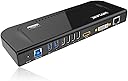
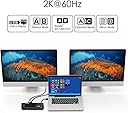
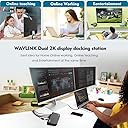
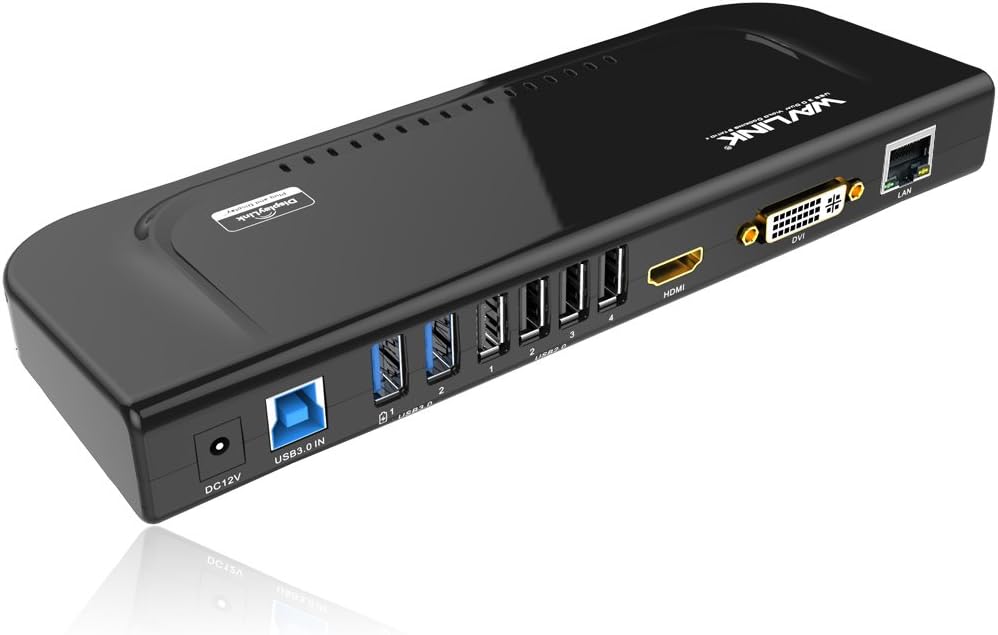
The Wavlink USB 3.0 Universal Dual Display Docking Station is a versatile 10-in-1 hub designed for professionals seeking to maximize productivity. It supports dual 2K monitors via HDMI, DVI, and VGA, offers ultra-fast USB 3.0 data transfer at 5Gbps, and includes a gigabit Ethernet port for reliable wired internet. Its vertical stand design saves desk space, while broad compatibility with Windows and Mac OS ensures seamless integration into your workflow.


| ASIN | B072B96243 |
| Best Sellers Rank | #66,499 in Computers & Accessories ( See Top 100 in Computers & Accessories ) #120 in Docking Stations |
| Brand | WAVLINK |
| Brand Name | WAVLINK |
| Colour | Black |
| Compatible Devices | Laptop |
| Country of Origin | USA |
| Customer Reviews | 4.3 out of 5 stars 418 Reviews |
| Hardware Interface | Ethernet, HDMI , USB, USB 1.1, USB 2.0, USB 3.0, VGA |
| Importer Contact Information | Wavlink, [email protected], +1 8889730883 ( UTC -5 ) Mon - Fri 9AM - 10PM |
| Item Dimensions L x W x H | 34.5L x 6W x 15.2H Centimeters |
| Item Weight Unit of Measure | 238 Grams |
| Manufacturer | WAVLINK |
| Manufacturer Part Number | RC-UG39DK4-UK |
| Model Number | RC-UG39DK4-DEFBA |
| Number of Ports | 12 |
| Product Dimensions | 34.5L x 6W x 15.2H Centimeters |
| Total HDMI Port | 1 |
| Total USB Ports | 6 |
| UPC | 603983495117 |
Z**D
Dual monitor for Macbook Air 2020
If you are looking for a solution to connect 2 monitors to your macbook air look no further as this device works flawlessly. Download the display link driver from the website and connect the device. It will instantly work. You can extend and mirror the monitors. If you want to work with your macbook closed make one of the monitors as the main display and than close the macbook.
O**R
Works like a charm!!!
I have been looking for a docking station for my MacBook Pro M2 which works with DisplayLink. This dock worked absolutely well. It was truly a plug and play since I already had displaylink installed. I am able to connect two external monitors in extended mode on my Mac now. The box contained all the needed converters as well along with Dock. DVI to VGA, DVI to HDMI and Type c to USB.
F**H
Workโs Perfectly with macbook pro M1 13 inch
Displaylink driver automatically detects it and it works splendidly.
D**S
Dual Screen set up With MacBook Air M1
Very Good product,,, Connect two external monitor with my MacBook Air M1,,,, work well,,,
D**V
Choose wisely.
Amazon do not accept it's return. So choose only if you are sure that it is of your use. I have purchased it thinking it can be used with TABLET. But it needs AC power source. When I tried to return it since it is of no use for me Amazon didn't accept the return request. It is too much expensive but is of no use for me. Definately, it was my mistake that I haven't seen the return policy beforehand and complete details of the product.
V**E
SUPER PRODUCT
I purchased this product for my mac studio and it's working perfectly. Thank You
R**L
Not compatible in most devices
I tried with Motorola mobile, Lenovo tablet and other brand mobile ; it is not working. So sad....
X**I
Good docking system but not working for mini mac wifi
I used it for my mini mac.the mini mac loses wifi when plug the docker in
T**N
Not for Linux Mint....
I use it for business with a Windows PC. Works well. I bought one for use with a Linux Mint system and it didn't work. Opted for a USB hub instead.
M**.
Compatible with windows and linux
I know it uses displaylink chipset, which is going to compatible with both windows and linux, and also one of the major reasons to drive me get this product. I have both windows and Linux systems, from work and home, constantly unplug and plug all the cables is really annoying, I'm glad this product works across both platforms. Now I can plug the network cable, keyboard and mouse, display, etc. everything on this dock and just need to run single and the only one usb cable back to the computer and everything is connected! Yes, one cable needs to be replug across different laptops instead of multiple cables. Very good product which brings convenience. There is one to note which is true across all usb display products... the extra display is for productivity like web design or word processing and the like, not for display or gpu intensive like gaming or constant video watching which is not the usb display products intended for. Great and recommended multi-ports full features docking including usb hub, extra display, gigabit Ethernet and audio.
K**H
Make your own at home office.
I use this every day. I can take my laptop with me out and about. When I bring it home I only have one thing to plug in and I am connected to large monitor, keyboard, mouse, extra disc drive, and two printers. Still have room to add another monitor too.
P**H
Works perfectly for triple (or even 4!) monitors
My main purpose to have this is to setup 3+ monitors for a laptop, and it works. You can have multiple modes - to extend, mirror, and even mix with them (Extend to one, mirror two, etc.). When do extend mode, you have up to 3 different working areas. This is ideal for spreadsheet, coding or graphic design. If your laptop equipped with extra HDMI port like mine, I can have up to 4 standalone monitors (this is confirmed by my setup). This product does what it supposes to. Edit: To install the driver, the manual inside the box is NOT clear at all, it is hard to follow their instruction. You should search by the model # and locate the latest version of software to download. If anything missing, that would be a stand for it to do vertical mode. I saw they do have the stand in Asian version. Too bad they don't supply it in the US.
Trustpilot
1 month ago
3 weeks ago