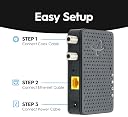
Desertcart purchases this item on your behalf and handles shipping, customs, and support to Hungary.
🚀 Upgrade your home network with gigabit speed over coax—because buffering is so last decade!
The Hitron MoCA 2.5 Network Adapter 2-Pack extends your existing internet connection over your home's coaxial cables, delivering up to 1 Gbps wired speeds. Designed to work alongside your current modem and router, it’s compatible with cable, fiber, and DSL internet services but not with AT&T U-verse or satellite TV wiring. The package includes two adapters, all necessary cables, and power supplies, plus free technical support to ensure seamless setup and optimal performance.


| ASIN | B08MQG6T61 |
| Best Sellers Rank | #7 in Powerline Network Adapters |
| Brand | Hitron |
| Built-In Media | 2 Power supplies, 2 Coax cables, 2 Ethernet cables |
| Color | grey |
| Compatible Devices | Game Console, Laptop, Smart TV |
| Customer Reviews | 4.4 out of 5 stars 1,592 Reviews |
| Data Link Protocol | Ethernet |
| Data Transfer Rate | 1 gigabits_per_second |
| Hardware Interface | Ethernet |
| Item Dimensions L x W x H | 4.33"L x 2.76"W x 0.98"H |
| Item Weight | 110 g |
| Manufacturer | Hitron |
| Number of Items | 1 |
| Product Dimensions | 4.33"L x 2.76"W x 0.98"H |
| UPC | 860004322412 |
| Unit Count | 2 Count |
| Warranty Description | See Hitron website |
R**Y
Seamless Networking Upgrade with Hitron Bonded MoCA 2.5 Adapter!
Some context: I'm a System Administrator and a handy man. Girlfriend wanted wired internet but didn't want me going around and running ethernet cables in the wall or outside. ISP: XFinity Router Model: xFi Gateway XB6 Setup: Router has Moca built-in (you can verify this by logging into the GUI / Admin Console and ensure MoCA has a green check mark). Go to a Coax enabled room, plug the coax coming out of the wall into the left port the Hitron device, this will enable the device to also have ethernet. Plug an ethernet cable from the Hitron device to an ethernet ready device like a PS5 or PC. If you have a cable box, you may plug that into the right side coax on the Hitron device, as this is a passthrough. Note: You can utilize this, plug the ethernet port to a PoE switch / PoE injector and connect access points to further extend Wi-Fi coverage. Review: As someone who values a robust and reliable home network, I recently added the Hitron Bonded MoCA 2.5 Adapter to her setup, and the results have been nothing short of impressive. This 2-pack set has transformed the way she experience connectivity, making it a must-have for anyone seeking to maximize their network performance without the need of running ethernet cables. But please ensure your ISP device is MoCA enabled. If not you will need to follow the instructions (included) to enable MoCA. Effortless Setup: ⭐⭐⭐⭐⭐ Setting up the Hitron MoCA 2.5 Adapters was surprisingly easy. The instructions were clear and concise, guiding me through the process step by step. Within minutes, I had both adapters connected and ready to work their magic, bridging the gap between Ethernet and coaxial cables. Powerful Network Extension: ⭐⭐⭐⭐⭐ The true beauty of these adapters lies in their ability to extend my network effortlessly through existing coaxial cables. I've been able to connect remote devices, gaming consoles, and smart TVs without any drop in performance or signal degradation. The adapters effectively create a high-speed backbone that brings life to dead spots in my home. Speed and Stability: ⭐⭐⭐⭐⭐ The Hitron Bonded MoCA 2.5 Adapters live up to their promise of providing lightning-fast speeds and rock-solid stability. My girlfriend's online gaming experience has been elevated to a new level, along with video watching, with reduced latency and seamless connectivity. Her father is extremely happy as well as I was able to hardwire their devices in the living room, in which he can watch all the movies and videos in 4K without issue. No longer do they worry about buffering during high-definition streaming or lag during crucial online battles or video streaming. Plug-and-Play Convenience: ⭐⭐⭐⭐⭐ Once the adapters were set up, I was pleasantly surprised by their plug-and-play nature. The adapters instantly recognized the MoCA router and established a secure and fast connection. It's a user-friendly solution that delivers impressive results without the need for complex configurations. Versatile Compatibility: ⭐⭐⭐⭐⭐ The Hitron MoCA 2.5 Adapters are compatible with a wide range of devices, making them an excellent addition to any home network. They seamlessly integrate with routers, modems, and various Ethernet-enabled devices, ensuring that you can enjoy enhanced connectivity throughout your household. Compact Design: ⭐⭐⭐⭐⭐ The adapters' sleek and compact design is a welcome addition. They don't take up much space and can be discreetly placed in various areas of the house, ensuring a clutter-free and organized setup. In conclusion, the Hitron Bonded MoCA 2.5 Adapter for Ethernet Over Coax (2-Pack) is a networking marvel that delivers on its promises. From effortless setup to impressive speed and stability, these adapters have truly transformed my home network experience. If you're looking to eliminate dead zones, enhance connectivity, and enjoy a seamless online experience, this product is an investment worth making. Highly recommended for tech enthusiasts and everyday users alike!
F**N
You may not need additional 2-way splitter - update, may have fixed the dropping issue
Update2: <contacted tech support, they did replied emails but provided nothing specific to fix the intermittent signal drop, but mentioned that playing around the band may help. So I changed the channel plan to D-high. So far the network holds up, no drops. Update: <Used for a few weeks. Experienced intermittent internet drop. WIFI works, so it's the MoCA connection. I have three adapters. I suspect the main one next to the cable modem may have issues, so I swapped with the one connected to the PC. So far seems stable. Will see. If I can confirm one adapter is bad, I may request replacement. I also thought it may be because I didn't use 2-way splitter but used the TV pass through for the cable modem, so I ordered a 2-way MoCA certified splitter. It works but download speed somehow significantly slow from 600Mpbs to something like 20Mbps. I don't know what's wrong, so I removed the new 2-way splitter and download speed back to normal.> Want to give MoCA a try. Ordered total 3 units. Basically just plug and play. Internet is up in minutes. Internet service is 600Mbps. I am getting full speed with about 17ms ping. Once thing need to mention. This isn't documented in the manufacture's instruction and don't know for sure if it's recommended. I am using cable TV service for the internet (spectrum). So the coaxial cable from the wall go to 2-way splitter, then one output goes to modem and one output goes to MoCA. The splitter didn't come, so I plug the wall cable to the MoCA first, then plug the modem to the pass-through TV outlet , essentially use the MoCA adapter itself as a splitter. This works well. At the POE, the 5-way splitter is 5-1000MHz, didn't seem to be an issue for MoCA to work. I replaced the 5-way splitter with one 5-2500MHz, didn't seem to have any improvement.
T**Y
Hitron MoCA HIts a home run.
This device is a life saver!!! I love this thing for 2 reasons, it has extended the 2.5gig fiber connection to the rooms in the house without having to pull cable and using the dead coaxial cable in the walls and I get to take full advantage of bandwidth and not fight over WIFI. Its truly plug it in, tunes itself and BOOM Done. Great home infrastructure upgrade!!
E**A
Fast installation, but requires extra filters
These get the job done well -- they're quick to plug in, and I can successfully get my max ethernet speeds through coax. But by themselves, you may have some issues that cause the router to repeatedly drop internet. In this case, in addition to a main PoE filter, another MoCA filter on the back of your modem might solve the problem.
E**A
It just works!
These things are black magic in a small little box! I have no issues getting full 1gbps connection through these and my pings are just as low as they would be connected straight to the router. My one complaint was the setup instructions provided did NOT explain that some modems may have interference with the device’s signal until you go into the administrator panel and configure the device connected to the router to use whatever band your modem isn’t outputting data on. For me, this was the High D Band and the default extended band was causing the device to drown out the cable signal going to the modem. If you notice your internet going down after a few minutes of the device being plugged in, make sure you check this setting! There are guides online for getting into the panel.
4**R
Nothing like being wired
BOTTOM LINE These work great! I get full speed using speedtest.net (300 Mbps). BACKSTORY While I have a wireless mesh, I was having challenges with the reliability of the signal to my office. After many gyrations with the mesh configurations, I concluded that the only solution was to be "wired". However, based on the layout of the house and where the internet enters it, running Cat 5e/6 was going to be near impossible (without tearing out walls, a non-starter). So I started to research options and ran into MoCA. I live in 25 year-old house that has unused coax running to the office (I stream). The coax drop shares the same entry point as the internet provider's drop. I bought a cable tester to determine which line was "hot" to the office. I connected the Moca to a wireless satellite switch (main router in a different room) and was amazed at the speed and stability (initially). However, over time it (stability) degraded. I created a lab to isolate the problem and determined the MoCA devices were not the problem. After proving that the MoCA was fine and there were not NIC card issues, or cat 6 issues wire issues from MoCA to the computer NIC card, I had to conclude there was an issue with the coax. During my research I ran into a comment in passing, I think on Quora, where someone indicated that if the coax had a splitter it "might" degrade the signal. Using, this information, I traced the line and found the splitter in my basement and bypassed it. Instant stability! This lasted about two months until the weather changed and the attic heated up, then the stability issues cropped up again. I went into the attic and traced the coax line and discovered a second splitter. I bypassed it and have not had an issue since. AS AN ASIDE I use speedtest.net on Windows 10 with a Chrome browser and am getting my full bandwidth. I did download the Speedtest app and found it to be very inconsistent. I discovered that with the removal of the second splitter, the app was much more in alignment with the browser version's readings, but at times still inconsistent, typically slower than browser reading. I have written to speedtest about this and have not heard back. I was so pleased with the product, I bought a second pair of MoCA Ethernet adapters for my bonus room and connected it to my TV using a wireless access point switch. Using the app on Apple TV gives full speed bandwidth as well. UPDATE 2/18/2024 I ended up having one more degradation "issue" and ventured back up into the attic and discovered a 3rd splitter. I removed it and now after almost 8 months and 3 seasons, Summer, Fall and Winter, there are still no issues. In fact, it has been very stable. I don't expect any issues this Spring as the temperatures in NC are very moderate that time of year. I was so enamored I introduced a switch into the mix and connected the Hitron Bonded MoCA 2.5 Adapter output to it and then connected my desktop to the switch with no degradation. I also did two ethernet cat 6 line drops from attic and connected them to the switch for future use. I later used one drop for my television only to discover the TV NIC was limited to only 100 mps. Apparently, this is relatively normal for most TVs Ugh! I added a satellite to my mesh network and am getting above 100mps via the TV's wifi nic. I did test the television drop with my laptop and got the full 300 mps. Back the BOTTOM LINE, still very pleased with the product. NOTE: both sets of the product are in climate controlled portions of my house not the attic.
J**B
Works great, not overly expensive compared to some other options
Needed these to run connection from newly installed fiber internet to another room in my house. Setup was super simple and had no compatibility issues with our existing coax in the walls Getting 940mb down/600ish mb up for 1gb/1gb service, which is expected given how old the cables are. You may have better speeds if your cables are newer (ours are going on 15+ years old).
M**M
Massive Gains in Network speed.
Obviously this thing working heavily depended on whether or not the Coax in my apartment was run off a Splitter. Once i got it working though i was getting a massive increase in my speed. For reference i got around 250mbps on my wireless but with this i was getting upwards of 850mbps. Now this is with 1 person using the network so it will probably be a bit lower when someone else is downloading something. Next thing to do is to buy an additional 3rd Hitron MoCA and see if the one at my router/modem can act as a Transmitter for 2 connection points. Since its running off a splitter i have a feeling it will work just fine. Will update this review if i have any reliability issues.
A**V
False description
It's not 2.5gbps as it has a 1gbps port! Other than that I can get almost 950Mbps out of it. I would have gone with a 5 star rating if only the description was accurate
A**R
Easy to install
It works perfect perfectly
S**N
Defekt nach 7 Monaten
Das Teil wurde mit allem nötigen Zubehör geliefert. Funktionieren tat es ebenfall - zumindest ca. 7 Monate lang. So kann man das Gerät leider nicht weiter empfehlen.
T**R
Vorsicht - kommt mit US Netzteil - nicht für Deutschland nutzbar ohne weiteren Adapter
Leider kam der Artikel mit einem US Netzteil, welches in Deutschland nicht passt. Jetzt also noch extra einen Adapter bestellen....
M**.
Keine passenden Stecker, funktioniert nicht
Beim auspacken zeigt sich erstmal, dass ein US Stecker dabei ist, kein Europäischer. Somit konnte ich erstmal nichts probieren. Musste einen Adapter kaufen. Dann benötigt es Buchsen mit 3 Anschlüssen. Auch diese habe ich nachgekauft und ersetzt. Nachdem ich alles nachgekauft habe, funktioniert leider das Internet weiterhin nicht. Eine Verbindung ließ sich nicht herstellen.
Trustpilot
2 weeks ago
3 weeks ago