Desertcart purchases this item on your behalf and handles shipping, customs, and support to Hungary.
โจ Stick with the best โ make your brand shine bright! โจ
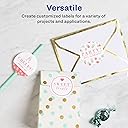
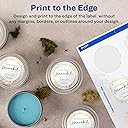
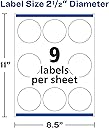
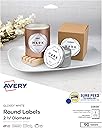
Averyโs 2.5" glossy white round labels deliver professional, full-bleed printing with Sure Feed technology to prevent jams and misalignments. Compatible with laser and inkjet printers, these 90 permanent adhesive labels stick reliably to multiple surfaces and come on easy-peel sheets for fast applicationโperfect for elevating packaging, gifts, and event labeling.


| ASIN | B008FKRZ0A |
| Best Sellers Rank | #73,954 in Office Products ( See Top 100 in Office Products ) #331 in Printer Labels |
| Brand | Avery |
| Brand Name | Avery |
| Color | White |
| Colour | White |
| Customer Reviews | 4.8 out of 5 stars 2,973 Reviews |
| Finish Type | Glossy |
| Finish type | Glossy |
| Global Trade Identification Number | 00067933228307, 00072782228309 |
| Included Components | Glossy White Print-to-the-Edge Round Labels |
| Ink Color | White |
| Is Customizable? | Yes |
| Item Shape | Round |
| Item Type Name | Label |
| Item Weight | 0.35 Pounds |
| Line Size | 0.1mm |
| Manufacturer | Avery |
| Manufacturer Part Number | 22830 |
| Material | Paper |
| Material Type | Paper |
| Model Number | 22830 |
| Number of Items | 1 |
| Number of Labels | 90 |
| Number of Packs | 10 |
| Pattern | Solid |
| Shape | Round |
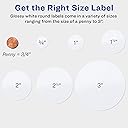
| Size | 2.5" |
| Style | 90 labels |
| UPC | 072782228309 067933228307 |
| Unit Count | 1 Pack |
M**E
Not aligned
Does not print properly. Proportionality issue from settings compared from actual printing.
M**S
Templates Are Reasonably Easy To Use. Labels Look Professional.
I bought Avery Print-to-the-Edge Round Labels (22830) to use on widemouth canning jars. These 2.5" labels fit Kerr and Ball widemouth lids. They are a glossy white label. When printed, colors are vibrant, and the ink dries fast. I've been very pleased with them. You can find pre-designed templates for Microsoft Word on Avery's web site. There are about 75 designs available for the 2.5" round labels. None seem to be designed with canning in mind, however, so I created my own. There are some generic designs that could be used for canning. If you type the label number (22830) into Avery's search, you will get incomplete results. You will get better results if you click the Templates tab at the top of the web page and navigate to Templates > Labels > Round Labels > 2 ยฝ" diameter. There are still designs missing from that list, some of which I found using Google. To design and print the labels, you can use Avery Design & Print Online with an Avery account, or you can download templates to use on your computer. The pre-designed downloadable templates are all for Microsoft Word. Avery offers plain templates that you can use with your own designs for Microsoft Word, Apple Pages, Adobe Illustrator, Adobe InDesign, and Adobe Photoshop. I used the plain template for Apple Pages, as it is easy to work with images in Pages, and I designed my labels in Photoshop. The instructions that Avery offers for templates are to download and make any edits you want on that document, save the document, do a test print, then print your labels. But you can save the downloaded document as a template before you add or change anything, so you will have it for future use in the editing application of your choice. Once your labels look the way you want them, do a test print on paper. You can check the colors, centering, etc. and get an idea of whether the print will align correctly with the sheet of labels. I had one small problem with alignment, but it wasn't the fault of the template. The bottom row of labels was slightly off-center on one sheet, because the sheet did not feed into the printer precisely straight. I'm not sure if I can avoid this consistently, but try to make sure your sheet is completely straight in the printer tray. I could not print these with more than one sheet in the printer tray. My printer would always grab a stack. I ended up putting the sheets in one at a time, which worked fine. I wish I could figure out how to use some of the MS Word templates in Photoshop and Pages, but the frustrations with using my own designs with the Pages template were very few.
M**Y
Arrived Early๐
Arrived early which was great! Great labels and great price!
D**N
Perfect
These are perfect. Better than the matte!
A**N
Nice quality labels
These labels are very nice quality and easy to apply! There is a learning curve on printing them out though. I learned its best to set up an avery account and create the labels on thier website. Easy to do! But if you try to print the labels from the website they are not centered. You have to download the avery software to your computer then send a copy from thier website to your computer (avery software program) then print it out from there if you want it to line up properly and be centered. Took a while to figure it out. I hope this helps someone not have to go through the frustration I did. Since that an avery software issue i still gave the labels themselves 5 stars. No issues with the labels. They are great!
G**E
Good quality labels
I used these to make jam jar lid labels for my mom. They are so easy to use and look really nice. I used the Avery website to download a template to use with them and there are lots of choices of templates. Would definitely use again.
Trustpilot
1 week ago
4 days ago