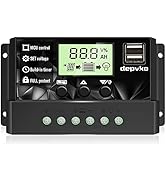
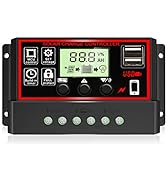
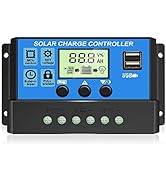
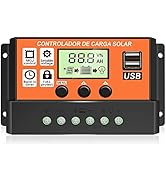
![[Upgraded] 30A Solar Charge Controller, Black Solar Panel Battery Intelligent Regulator with Dual USB Port 12V/24V PWM Auto Paremeter Adjustable LCD Display (30a)](https://m.media-amazon.com/images/I/71Kgybxo4TL.jpg)

🌞 Power Up Your Solar Game!
The Upgraded 30A Solar Charge Controller is a cutting-edge device designed to optimize the performance of your solar energy system. With dual USB ports for charging devices and a user-friendly LCD display, it ensures efficient management of solar panels and batteries while providing multiple safety features. Compatible with 12V and 24V lead-acid batteries, this controller is perfect for home, industrial, and commercial use, backed by a 12-month warranty.


| Best Sellers Rank | #11,508 in Patio, Lawn & Garden ( See Top 100 in Patio, Lawn & Garden ) #8 in Renewable Energy Controllers |
| Brand | Depvko |
| Color | red|black |
| Customer Reviews | 4.1 out of 5 stars 2,333 Reviews |
| Item Weight | 0.14 Kilograms |
| Material | Plastic |
| Product Dimensions | 5.28"L x 2.8"W x 1.3"H |
| Voltage | 24 Volts |
G**S
This part is essential
With the world moving to alternative power, and constant breakdowns of our existing power sources, I have been looking to other means of keeping my family able to sustain ourselves in case of emergency. So I have been gathering parts to build a small array. I am not totally sure I want the panels on my roof. I lean to the idea of self sufficiency as opposed to large bills for maintenance and repair. This item was economically priced, and it is one of the pieces you have to have in an array. I like it because it is simple in nature and you don't have to be a genius to make use of it. All the points are clearly labeled as to what goes where. you have 2 USB ports and a clear digital read out. It is lightweight, but does not look cheap or carelessly made. I feel confident in my choice, and believe this will be useful for a while. as to how long that remains to be seen. This works for a small array, with direct contact. It's success will lead to larger things requiring a battery for storage. We shall see!
K**T
Great $10 unit for a truck install
For $10 this has worked great, I've got a 100W harbor frieght panel set ontop of my truck cap, two duralast platinum AGM batteries and a 500W inverter that runs full time. This is the 3rd controller I've tried and after 2 years this one actually still works great keeping my trucks batteries topped off when it sits during the week and in direct sunlight im pushing about 7.8A at 29VDC from the panels and getting 4A at 14.4V output. Works great for the price and is tiny so it doesnt take much room
B**W
Works good
Easy to use, note that this controller is for leadacid batteries only, not lithium. Works well, no apreage reading, just voltage of battery and PV.
K**A
What do you expect for $10?
5 stars! It does the job for the rock bottom price of $10. Be amazed! Ok, here is reality. I have used this unit for 7 months to experiment with a 100W system. It regulates the charging of my very nice no maintenance lead acid batteries. It knows how to do this and most of the time it also knows that I am setup in 12v mode. 1. Do not use the 12v extension or the 5v USB connections. They really are not functional for any reasonable current output. The board will stress, a resistor heats up on the board and the LCD will blink out temporarily. I have not fried the board but I would advise connecting all power draw, USB or otherwise through a fuse block directly from your batteries. Sometimes the controller decides for no good reason that you are in 24 volt mode. This isn't good because it seems to happen when my battery is almost fully charged over 13V. That means it will try to overdrive well over 14V and possibly 6 or more amps into a full battery. This is no good. If you catch this your first easy sign is the battery charge picture will say barely charged... Disconnect the solar, then the battery... Wait 15 seconds then plug the battery back in... Carefully connect your solar panel. Pray it stays in 12V mode At the moment I unplug the solar panel when the battery is mostly charged and the system decides that it's 24V. I am only using this as a test bed drawing small energy for 5V USB networks at the moment. When I get serious and add more power and a proper converter I will pay good money for a real controller. So, great for the low price of $10 , great learning tool but pay real money if you want a reliable system you can count on.
D**B
RISK OF FIRE !!!
I connected the charge controller to a 12v deep cycle lead acid battery on my boat, then connected a 130w solar panel. Next I plugged a cord into the one of the USB ports, and into my phone to charge it. Within a minute White Smoke Started Coming Out Of The Charge Controller! I immediately unplugged the phone and watched the unit. After disconnecting the solar panel, then the battery, then reconnecting each and watching the unit carefully after ever change, I observed that the unit smokes soon after a phone or power bank are plugged into either USB port. It MAY be a settings issue, but honestly I don't care what the reason is. The instructions on how to set it are unclear and if there is ANY possibility of the unit catching fire due to incorrect settings settings then it is not worth the risk of keeping the unit. I'm requesting a refund immediately, and will have to spend a bit more for a better unit.
T**M
Performance FIVE STAR, INSTRUCTIONS and installation THREE STAR
LIKES: The "set" charge voltage was exactly 14.4 on a deep cycle marine. or 2.4 volts per cell. According to Battery University a perfect float voltage for this kind of battery.. DISLIKES: THESE ISSUES makes the whole product a THREE STAR and it could be a FIVE STAR with more attention to install and operating instructions. EXAMPLE: BTW there is no information on what wire gauge to use. A SERIOUS FAULT. Found only in a user question (BTW, AWG12) Instructions are nothing short of Horrendous. You have to go to many YouTube vids and view several to get the correct steps as each YouTube presentation has it's own problems with explanation. I found none that told the whole story. . The 4 icons do not have any use on the unit except adding confusion. They are not interactive as they seem to be. Briefly, push left MENU button repeatedly to arrive at the setting that you will use. Then hold that down until it flashes. 5 to 12 seconds. At that time the + and the - keys will operate. I still do not have it all figured out but when I do I will post it. INSTALLATION: The entry holes for the insulation and wire are barely large enough to insert AWG 12 with some insulation. I used AWG 10 for extra "load " protection. Therefor only the bare wire passed thru. Overbuilding works well, until it doesn't. Open the inside wire clamps before inserting using the screws on the front panel. It looked like they already were open BUT alas..... they are not. Operating continually now for 2 days to a double panel, 340 total watts and all seems fine.
G**R
Works great and cheap too, buy ‘em by the dozen
I’m really surprised at this charge controller. It works well. You MUST read the instructions carefully, maybe a couple times to understand the odd setup and the battery choice, but for such a low price, it works well to run my chest freezer in the pole barn. I was surprised to read on the tiny user manual that it’s main control chip is used and was repurposed for this use. Don’t let that scare you because mine works exactly as it should and I’m happy with my purchase. I forgot to mention that this 60 amp charge controller is the cheapest one on Amazon. So you should buy them by the dozen. Seriously guys, it works good.
B**T
Overcharging is no longer a problem
The unit definitely keeps batteries from being overcharged
Trustpilot
1 week ago
1 week ago