Buy anything from 5,000+ international stores. One checkout price. No surprise fees. Join 2M+ shoppers on Desertcart.
Desertcart purchases this item on your behalf and handles shipping, customs, and support to Hungary.
🖨️ Elevate your art — print like a pro, anywhere, anytime!
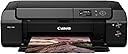
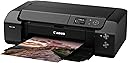
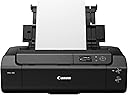
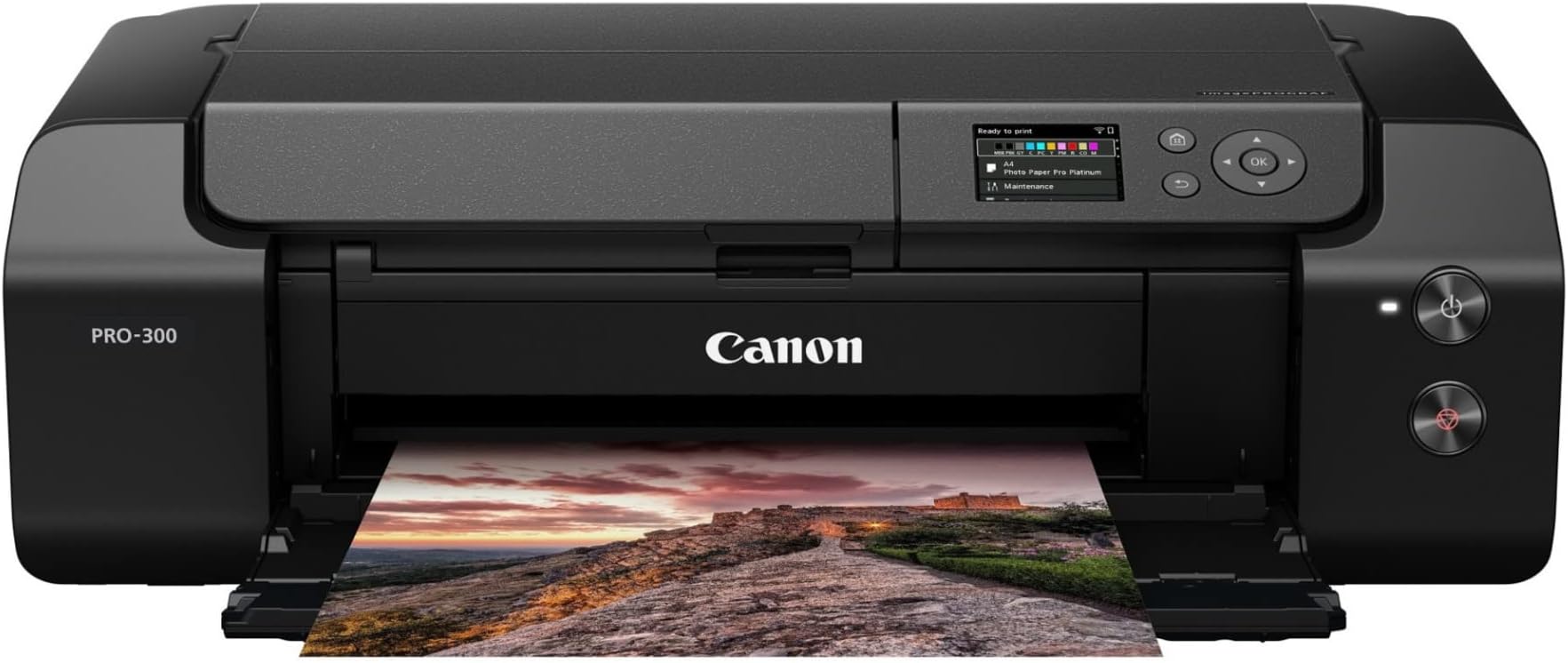
The Canon imagePROGRAF PRO-300 is a professional 13" wide-format inkjet printer designed for photographers and fine artists seeking gallery-quality prints. Featuring a 9-color plus Chroma Optimizer ink system, 4800 x 1200 dpi resolution, and wireless connectivity, it delivers vibrant colors and deep blacks on a variety of fine art papers. Its compact design, intuitive 3.0" color LCD, and seamless mobile printing workflow make it an essential tool for creative professionals demanding precision and convenience.


| ASIN | B08C5J34T5 |
| Additional Printer Functions | Print Only |
| Best Sellers Rank | #49,994 in Office Products ( See Top 100 in Office Products ) #29 in Wide Format & Plotter Printers |
| Brand | Canon |
| Built-In Media | imagePROGRAF PRO-300 Wireless 13” Professional Inkjet Photo Printer Setup CD, Manual, and Other Documentation 8.5”x11” Photo Paper Pro Luster (5 Sheets LU-101) Multi-Purpose Tray Set of Ink Tanks (PGI-300; MBK, PBK, GY, C, PC, M, PM, Y, R, CO) Print Head Power Cord |
| Color | Black |
| Compatible Devices | Laptops, PC, Smartphones |
| Connectivity Technology | USB, Wi-Fi |
| Control Method | App |
| Controller Type | iOS |
| Customer Reviews | 4.4 out of 5 stars 375 Reviews |
| Display Type | LCD |
| Dual-sided printing | Yes |
| Duplex | Automatic |
| Global Trade Identification Number | 00013803327229 |
| Hardware Interface | USB |
| Ink Color | ['Chroma Optimizer', 'Yellow', 'Cyan', 'Matte Black', 'Magenta', 'Photo Magenta', 'Photo Cyan', 'Red', 'Photo Black', 'Gray'] |
| Item Dimensions D x W x H | 15"D x 25.2"W x 7.9"H |
| Item Type Name | Inkjet Printer |
| Item Weight | 14.3 Kilograms |
| Manufacturer | Canon USA |
| Maximum Copy Resolution Black and White | 4800 |
| Maximum Copy Resolution Color | 4800 dpi |
| Maximum Media Size | 13 x 19 inch |
| Maximum Print Resolution Black and White | 4800 dots_per_inch |
| Maximum Sheet Capacity | 250 |
| Maximum print Resolution Color | 4800 x 1200 dpi |
| Model Name | Canon IMAGEPROGRAF PRO-300 |
| Model Number | 4278C002 |
| Model Series | imagePROGRAF |
| Number of Trays | 1 |
| Other Special Features of the Product | Wireless |
| Output sheet capacity | 250 |
| Paper Size | Sizes3.5x3.5, 3.5x5, 4x6, 5x5, 5x7, 7x10, 8x10, 8.5x11, 8.5x14, 10x12, 11x17, 12x12, 13x19, 210×594mm, Custom (up to 14” x 39”) |
| Print media | Glossy photo paper |
| Printer Connectivity Type | USB, Wi-Fi |
| Printer Output Type | Color |
| Printer Type | Inkjet |
| Printing Technology | Inkjet |
| Processor Count | 1 |
| Resolution | 4800 x 1200 |
| Scanner Type | Photo |
| Series Number | 300 |
| Special Feature | Wireless |
| Specific Uses For Product | Photography, Fine Art Printing |
| Total Usb Ports | 1 |
| UPC | 013803327229 |
| Unit Count | 1.0 Count |
| Warranty Description | 1-Year Limited Warranty with Instant Exchange Program |
| Warranty Type | limited warranty |
| Wattage | 16 watts |
D**.
Upgrade from Epson SC P600
Over the past 20 years I've gone through two Epson 13" photo printers: a R3000 and a SC P600. Both died due to ink clogs. Not wanting this to happen again, my research led me to the Canon Pro-300. It has a much shorter ink path from cartridge to print head than Epson, and the print head is easily removable. Hopefully this will result in less clogging for an infrequently used printer. Compared to my old Epson SC P600, the Pro-300 is smaller, lighter, easier to feed thicker fine art paper, allows creating custom paper names for 3rd party papers, and has separate printheads for photo and matte blank ink, avoiding having to switch inks. I know the Epson SC P700 has many of these features, but I've had it with Epson. So far I've printed on Canon glossy photo paper, as well as Hahnemühle Photo Rag, Photo Rag Baryta, and Photo Silk Baryta. Prints were all beautiful! The Hahnemühle-supplied ICC profiles and AM1X (used to configure paper in Media Configuration Tool) files work well. The Media Configuration Tool used to manage 3rd party papers is extremely clunky to use. It force-updates the printer and prompts to update the driver with every change you make. I would much prefer it made no changes until given a "save" command. But fortunately, you won't have to use it very often. Once a 3rd party paper is configured, you can use it from both the printer's LCD display as well as from your computer as if it was a first party Canon paper. I really like the Canon Professional Print & Layout Software. It has plug-ins for both Lightroom and Photoshop, and I find it much easier and more intuitive to use than Lightroom's Print module. Setup of the printer is time-consuming (took me about an hour) but straightforward. The LCD display shows you pictorially what has to be done at each step. The PRO-300 is a great printer and I recommend it!
R**S
A printer for the amateur to professional
After careful reviews of Canon Printer, I settled on the Pro 300. A step above the 200 without the shock price of the 1000 ( there is now the 1100). I chose because of the high quality of Canon Inks and that it offered fairly rich darks. Now that I have had it for over a year I thought a review was in order. I am very happy with this printer for my photography. I included one picture with this review (the rest were too large since I save in .tiff format). Though not an ink hog, it does make liberal use of the available colors and I have had to replace the Gray and Photo Black. I chose to set up auto replenishment with Canon so replacement cartridges are sent automatically. If you are looking for a printer for your photography needs that will give you the vibrant colors and exquisite dark you long for, this is the one for you. Set up is easy (I use wireless) and it works seamlessly with my Mac mini M1. You won't regret it.
M**E
DOES NOT WASTE INK !!!
I was back and forth on buying this printer for months ..... main reason were the reviews stating how much ink this thing wasted and ate up , etc .... well I am very glad I finally decided to just go for it as all of those reviews were all so far off the mark from my point of view. I now have printed well over 60 photos since owning it ( about 5 - 13x19 prints , 30 letter , rest 4x6 and 5x7 ) So far I have had to change the Pure black cart ( expected in general , but especially after printing a bunch of B&W photos ) and will have to change the grey in the next day or so .... that is it ... I have printed at least 1 photo at least every day with an exception or 2 where i skipped a day ... After the skipped days the printer merely did an " agitation " period to stir the ink up , but did not use any ink ... As far as the speed , I am not sure how fast someone expects quality photos to print at home without spending thousands of dollars on printers ... no 13x19 print took more than 2 mins ... that is more than fast enough for home use .... again this is not meant to run a print business with . This thing makes beautiful prints and am more than happy with my purchase of it ..
W**R
Great printer for my artwork.
So far, the Canon Pro-300 has surpassed any expectations I might have had. It’s been conservative with ink. I have replaced cartridges for black and gray but I’ve printed a few B&W pieces and expected that. The color representation is stunning. Printing on high gloss photo paper doesn’t hurt. It’s my first Canon printer and it was over my budget, but I get prints I like without paying a professional printer for copies I often don’t like. The savings will come. I’ve printed a few 12x17 inch pics with it and that was equally great. I haven’t printed on any CD’s yet but still having fun with printing artwork. Ink is at this writing around $120.00 vote all ten cartridges. Two cartridges of ink for my cheaper HP printer costs the same. That printer is ok but geez, the ink has always been expensive. So, yes. I recommend this printer. If you can afford it, buy it. If you’re like me you’ll probably make a few mistakes so you might want to print some practice pics on cheaper paper. It’s a great printer.
B**N
Worst Customer Service
Giving this a 1 because Canon's tech support is from the Stone Age and I haven't been able to get around their MyCanon BS. This printer will make a noise at 80% of the page, and then the page will slip. It will sound like crunching. The bottom of the page is destroyed every time. For 3 months I have been printing and avoiding the lower 20% of the page. I tried to contact Canon, their forums say this is a hardware issue and to call them. Calling them asks for the MyCanon ID. I signed up for it twice. It wants a different ID. The phone call hangs up on me after 45 minutes. So I did this multiple times, wasting valuable work hours, just trying to navigate a bad phone system, a horrible forum, etc. They will not help you unless you are registered to ten different services, they won't even take your call. I don't have the time to deal with it. The print quality is great for the top 80% of the page but I will never buy another Canon. I should be able to call, provide a SN for my product, and get help, without being registered for multiple Canon services. They try to push the app on you, it's all bloatware BS. This product does not work correctly and I don't have hours to sit on the phone to prove I own the product only to get hung up on. No thank you Canon. You used to be a good company when you made cameras, but I bet nowadays you need to download multiple apps and sign up for multiple spammy services to take a picture. Horrible way to run a company. Now I cannot sign up for MyCanon or even get into it.
A**Y
Worth every penny
I've only had this printer a few days, and I've only printed a few items, but I'm very happy with it so far. It's quiet and it prints precisely. Setup went okay, with only minor struggles, even for this very technologically challenged person! 😃 The ink has hardly gone down. I was surprised because from others' reviews, I thought the initial setup would drain it nearly 50%. So this was a nice surprise. It prints very slowly, but that's not a huge issue right now. And anyway, it prints so well I can forgive that little inconvenience. I hope to come back and update my review in a few months or so, when I've had more time to try it out.
A**S
Works great!
I did a lot of research on different ink prices, different brands. Went back and forth between this and the other sizes of printers but went with this one. I don't regret it! It's worked great printing out art prints for my Etsy shop. The colors are vibrant and contrast is higher quality from my Epson eco tank. It is large and needs a lot of space in front and back but that is to be expected, and the settings for printing are a little confusing at first but with a little bit of trial and error you get a great print!
S**L
A most excellent printer investment!
I’m all in on the FANTASTIC printer from Canon. I was an Epson user for a decade with an Epson 3880 as my main printer. It was a good piece of equipment but Epson has known flaws and doesn’t really offer much support. For those here who are complaining about the cost of Canon inks, the 3880 in runs about $60/cartridge. Setup on the 300 is super easy. It almost sets itself up! The wi-fi connection is a breeze! Using the website guidance every setup task was accomplished in about 15 minutes. They even make removing the printer from the shipping box simple with a rather innovative bag design! Print quality is absolutely stunning. I print mostly on Red River papers, all of which support the 300. All the ICC profiles are online at the Red River website, and Canon has clear and simple instructions on how to load and use them. The “Professional Print and Layout” software is amazingly good and very, very easy to use. The only thing is I haven’t been able to integrate it easily in a printing workflow from Photoshop or Lightroom, so I save the image and drag and drop it into the print software; an extra step, but truly not a big deal. I had considered the Pro-1000 and even budgeted for it, but decided to try the 300 first and I’m glad I did. It’s a phenomenal, truly professional piece of equipment. Being able to print from AirPrint is nice, and works easily. Highly recommended! If there’s a downside to this printer, I’ve not found it yet!
L**J
CUMPLE CON LO PROMETIDO
La mejor calidad de impresión de todas las impresoras que he tenido, imprime tan nítido que las letras pequeñitas de un letrero de fondo que salió en una foto, lo pude leer con una lupa. Los colores fieles a los de mi pantalla, no gasta tan rápido la tinta como pensé, es algo lenta pero por la calidad lo vale. Un solo detalle que no sé si es de la impresora, no he podido lograr que complete una actualización que me indica como pendiente, no sé si es por fallas de conexión de internet o en soporte de la misma impresora. Por lo demás estoy encantada.
M**.
Great printer!
I love this printer! It was really easy to set up and the quality of the prints are amazing. It comes with some Canon papers for you to try but I love using it with fine art papers. The quality is top-notch.
M**S
Increíble
Tiene una calidad increíble, buena conectividad y las tintas no son caras (es mejor importarlas de USA)
H**O
Pronta respuesta
El producto es lo que esperaba, ahora lo que espero es mi comprobante de compra mi factura y no he tenido respuesta
Trustpilot
1 month ago
2 months ago