Desertcart purchases this item on your behalf and handles shipping, customs, and support to Hungary.
๐ Connect your legacy calls to the future of work effortlessly!
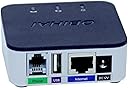
The Polycom OBI 300 Voice Adapter is a compact, USB-compatible ATA device designed to integrate analog phones with Google Workspace Voice Paid subscriptions. Featuring a single FXS port and stable 12V power input, it offers reliable VoIP connectivity for professional environments, backed by Polycomโs trusted communication technology legacy.
| ASIN | B07FZYPD8T |
| Best Sellers Rank | #145,914 in Office Products ( See Top 100 in Office Products ) #45 in VoIP Telephone Adapters |
| Brand | Polycom |
| Color | black |
| Compatible Devices | USB-compatible devices |
| Connector Type | USB |
| Customer Reviews | 3.1 out of 5 stars 129 Reviews |
| Finish | Matte |
| Finish Type | Matte |
| Input Voltage | 12 volts |
| Item Dimensions | 7.95 x 4.92 x 1.54 inches |
| Item Weight | 0.24 kg |
| Item dimensions L x W x H | 7.95 x 4.92 x 1.54 inches |
| Manufacturer | Polycom Inc. |
| Mfr Part Number | 2200-49530-001 |
| Model Number | 2200-49530-001 |
| Number of Items | 1 |
| Number of Ports | 2 |
| Package Quantity | 1 |
| Power Plug Type | No Plug |
| UPC | 610807882695 |
| Unit Count | 1 Count |
| Warranty Description | Manufacturer |
G**S
Works with Google Voice pro
There is confusion over what works with google and what doesnโt and let me be clear: This works with the professional version of Google Voice. If you have the basic version, as of June 2023, this is not compatible. Most standard Google plans that arenโt a paid plan fall into the basic category. With the pro version, I found the set up to be easy but know that you will need to wait for about a half an hour for the converter to make a proper connection and to perform its software updates.
S**H
Horrible customer service
I purchased this device to use with my Google Voice Business line. I received the product and set it up according to the instructions, however when attempting to add the device to my OBiTalk account (necessary to use the device), the device would not connect to the OBiTalk account. I called OBiTalk customer service and explained my problem, the agent said that they would add it manually on their end and that if it did not work afterwards I could send them an email to schedule a call back to resolve the issue. The device not only did not work afterwards, but the tech had added a different device to my account. I emailed scheduling a call back, however I never received the call from them. Several days later I received an email asking to schedule a callback again. I scheduled it and never received the callback, again. I called the support number again with another 2 hour wait time to talk with a person. They told me they found the problem and would fix it on their end and schedule another call back and that I could respond to their email if I had any questions. I don't know what they did on their end, but there was no change on my end of the system having no access to my business line due to this product not working. I also never received the call back I was offered from this latest phone call, nor did I ever receive a response to my replies to their email. I called them again two days later, waiting on hold for an hour again, and explained that I have been without a business phone for over 2 weeks now due to their faulty product and service and that I needed the device to be fixed in order to run our business. The agent on the phone explained that the engineer assigned to the case was in a meeting and they would need to call me back because the agent could not fix the issue for me. I was told I should expect a call back that same night and that they were escalating my issue due to everything that has happened. I'm sure you guessed by now but I never received my call back and my device still does not work. There are lots of reviews on here about flawless service and how great the devices are, and I'm sure that's the case if you don't have a defective device and don't have to deal with customer service, but after this experience I will be finding another provider and will never work with OBiTalk, Poly, or any other company related to this one due to the damage it has done to my business due to their incomitance and the complete disregard for their customers time or experience.
J**O
Can be used with Free/Personal GV after flashing community firmware.
Got two of the OBI 300s. They work fine with Google Voice free/personal, BUT you have to flash the firmware to the community unlocked versions. Search for Obi Community firmware. For the current price point these are great for a small budget home situation. They are end of life, though, so maybe not the best choice for a critical production environment. Requires tinkering/tweaking. Great for what they are, though.
J**.
It does not work
This product was originally sold under the manufacture Obihai. It worked flawlessly as an Obihai original product. I have an older Obihai branded one. But I also bought the new Polycom version of this same product. There are issues with the setup servers at Polycom for this product which makes this product unusable. You cannot configure this product without hitting a brick wall in the setup process. Polycom technical support is useless too! I threw my Polycom OBI 300 Voice Adapter in the trash because the Polycom version of this is garbage. I have noticed on eBay that there is an uptick in the purchase of the original older Obihai version of this product. Auctions are getting the sellers of the older Obihai version nearly double in price of the original because the old original one worked. There is a massive demand now for the older original version of this product by Obihai and not Polycom OBI 300 Voice Adapter version here. Buyer beware of this Polycom version. If you want one, then find and locate the original Obihai OBI 300 Voice Adapter version even if it is used. The Obihai version was built to live on for a very long time because the firmware can be updated. Again, this Polycom version is trash. Get the original Obihai OBI 300 Voice Adapter version, if you can.
N**E
Does Work with PAID Google Voice Service
First you must have a Google Voice Workspace Standard or Premier Paid Account Next, do not use the instructions that came with the device. The obitalk website will not setup your device and will only increase frustration. Go into Google Voice Admin Console and Add the Device. Select Poly OBi 300 and enter the MAC address, the address is on the outside of the box that the device came in. You will see the device lights flashing and wait until the lights are solid green. Back in Google Voice Admin Console - Apps > Google Workspace > Google Voice > Desk phones > Click on the device that you have added. You should now see information such as MAC address, Serial Number, Admin Password, User Password... Make note of the Admin password. Go back to your device and look at the bottom, you will see a hardware reset hole, push it with a pin for 15 seconds, the light on front will turn red, release the button. Now wait for a factory reset to complete. Once the device has booted back up, login to the IP address of the device. If you are not sure what the IP address is, pick up the phone connected to the device and dial *** and when prompted dial 1, it will then tell you the IP address you are connected to - such as 192.168.15.133. From the browser go to that IP address and it will ask you to login, the username is admin and the password is admin. You will then be prompted to change the password. Set the new password to the GOOGLE ADMIN PASSWORD that you noted earlier. Save. Reboot the device. Wait about 5 minutes and it should be connected. If it was not for another Amazon review that mentioned this I would have NEVER figured it out. I could not find instructions on the internet anywhere. I hope that my step by step instructions are helpful.
T**M
Works great but there is a lot to get it started
Device is much cheaper to order on Amazon versus purchasing directly from company you work with. You do have to contact your VOIP company to have it unlocked and configured to their network. Internet must be opened properly. Other than getting it started, it is worth it. If you are not good electronic devices, and do not a good tech support, do not purchase.
N**R
My paid subscription didn't work
I have a paid subscription for Google Voice and I spent 2 days straight trying to get this to work with no luck. I spent hours researching and reading how to get this setup. After two days of this nonsense I immediately packed everything back into the box in which in came and sent this straight back.
W**R
Configuration is very problematic
This unit does *not* configure using the obitalk web as the old obihai unit did, even though they look identical, and the included pamphlet describes using obitalk for the configuration. I found this out after days of trying to get the unit installed through my obitalk web (at the **5**** step, it said "No call route available to complete your call". Googling this problem found blogs which suggested updating the firmware, trying multiple times, etc., but Polycom/support eventually got me a support agent and a case number. I got the return call the next day when I learned about the changes. To use the unit with my VOIP provider I had to call my the provider. The support agent said that they're now packaging the new documentation in the newly manufactured units explaining all this. As other reviewers have noted, Google Voice will work with the unit, but at a price, no longer free. You have to subscribe to Google Workspace which is pricy. Wow. I don't think they're targeting home users anymore. Update: 10/18/23: HP support found a solution which involved unlocking OBi device status and updating firmware. HP support was very dedicated and helpful in finding a solution.
Trustpilot
2 weeks ago
1 week ago