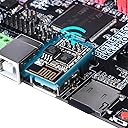
🚀 Upgrade your 3D printing game with the ultimate control board powerhouse!
The BIGTREETECH SKR Pro V1.2 is a high-frequency 32-bit 3D printer motherboard powered by a 168 MHz STM32F407 Cortex-M4 chip. It supports up to 6 motor drivers including TMC series drivers, multiple TFT display options, and Serial WiFi for online printing. Designed for advanced DIY customization with open-source Marlin 2.0 firmware, it offers features like power-off resume, filament detection, and dual Z-axis control, making it a top-tier upgrade for professional and enthusiast 3D printers.


| ASIN | B07T2RLG2C |
| Best Sellers Rank | #149,226 in Industrial & Scientific ( See Top 100 in Industrial & Scientific ) #50 in 3D Printer Controllers |
| Date First Available | June 15, 2019 |
| Item Weight | 11.6 ounces |
| Item model number | 1 |
| Manufacturer | BIGTREETECH |
| Package Dimensions | 8.31 x 5.71 x 2.05 inches |
| UPC | 778601687721 |
J**N
Awesome upgrade for Ender 3 or clones.
I have an Ender 3 V2, and I bought this for 2 reasons. 1. I switched from Marlin to Klipper, which required a Raspberry Pi. However, the Pi4 is unstable and would regularly reset. 2. I added a second Z-Axis motor, but it could not be separately controlled. I needed something with 5 independent motor drivers. This has served both these purposes perfectly. The power supply was designed around the power issues associated with the Pi4, and it is quite stable. For dual Z-Axis control, do not use the Z1/Z2 outputs directly. They are both connected to the same driver. In my case, one motor is on Z1, but the other motor is on E1 (Second extruder). In printer.cfg, you just have to add a second stepper [stepper_z1] and use the control pins from the [extruder1] section. Then you will want to add a [z_tilt] section. This will allow Klipper to adjust each Z axis motor to level out the gantry. Separate drivers for each Z motor is also much quieter. The CB1 is pretty good, too. It's comparable in power to a Raspberry Pi 3. BTT's OS image worked without issue. If you are going to use WiFi, remember to connect the WiFi antenna. The module doesn't get reception on its own. And if you have extra motor heatsinks, they are actually perfect for cooling the SOC. As far as value: This is actually the least expensive combination I have been able to find. In many cases, the compute module alone is comparable in price to this entire combo. Prices fluctuate, though, so make this comparison for yourself. This product is not perfect (see the Cons section), but it is about the best you can get at this price point. As far as I'm concerned, if you connect this to an Ender 3, you will have the ability to max it out. If you should need anything more, you'll probably want to get an entirely new printer. Pros: - Great power stability - Great value - 5 motor drivers - Tons of connectivity expansion. Neopixel header, BLTouch header, several fans, accelerometer etc. - CB1 has prebuilt images for Klipper, and the E3EZ has pre-built, annotated config files. - It comes with connectors and pins for assembling connectors as needed. This was MUCH appreciated. Cons: - I hear it has issues with the Ender 3 enclosure. The OS SD card interferes with the side of the case, and applying too much force could strip the SD card slot off completely. I have an external enclosure, so this didn't affect me. But keep it in mind if you are trying to fit it into an ender 3. - Some of the end stop connectors have latches that keep them from fitting onto this board. I simply had to snip them off. Improvements: - It would be awesome if they added support for 12v fans on >12v systems. Perhaps a 12v power stage, or an external fan power input with a jumper. This would open a lot of doors for upgrades - They should probably provide configs and clarify in the overview that you can use something like E1 as a second Z axis driver. That was a selling point for me, but I had to look deeper to see if I could do it.
B**.
Good control board
Works well. First unit was bad, but the replacement works super.
R**N
Using for Custom CoreXY
It’s fine. I know this is geared toward the Ender 3, but I’m using this for a custom built CoreXY printer, and I use the extra extruder driver to run dual independent Z axis motors. I ran Marlin on it at first without the CB1 for a month while I made sure the build was mechanically sound, and then I switched to Klipper with the CB1. There’s a few YouTube videos showing the Klipper setup process which were helpful. And the latest Klipper build on GitHub seems to have resolved any WiFi issues you’ll see mentioned on YouTube. The PDF manual instructions are okay if you already know what you’re doing, but otherwise the YouTubers are more helpful. For example, there’s two SD card slots on the board. One by the USB-A ports on the long side for flashing the CB1 and one on the short side for flashing the MCU (for Marlin or Klipper). The manual is super unclear about which is which. The drivers are easy to install and only install in one orientation but that’s a pretty overrated selling point. I think I might have been better off with the M5P, I don’t know. The M8P is overkill, who needs 8 stepper motors? But the M4P has too few for dual Z axis drivers (I think you can run two Z steppers on one driver, but not independently). But overall the EZ stepper drivers, which were included, did make it convenient. I bought the $10 CB1 V2.2 heat sink and the provided screws don’t even fit the Manta E3EZ board, which I think might require 2mm screws. I just use a cooling fan and am able to run at about 52 Celsius on the CB1. Without a fan the CB1 sits between 60 and 65 Celsius. The heat sink comes with some sticky tape you can use in lieu of screws, but I haven’t bothered. I had to use an SN-01BM crimper for the XH2.54 connectors. This was annoying to figure out, too, as I couldn’t tell which type of connectors these were (it comes with about 100 in the box with the plastic connectors) or which tool I needed to crimp them.
J**R
I am building a Lowrider V3 CNC from V1 Engineering and this forms part of that build. I have done the 3D printing part of the build and gathering all of the necessary parts. Whilst I haven't put everything together yet, after my initial research and inspection of this, I am very happy. I will update the review once I have completed the build.
K**S
The board is generally good quality with decent features and reasonable price. Unfortunately, some of these boards have issues with endstops not working properly. I had to solder extra pullup resistors to get the endstops to work. Other wise great product.
3**Y
Easy to install and configure. Using kipper and the appropriate cm board I replaced my raspberry pi and old ramps controller. Instant improvement and brought my 3d printer to the modern silent stepper drivers.
Trustpilot
1 month ago
3 days ago