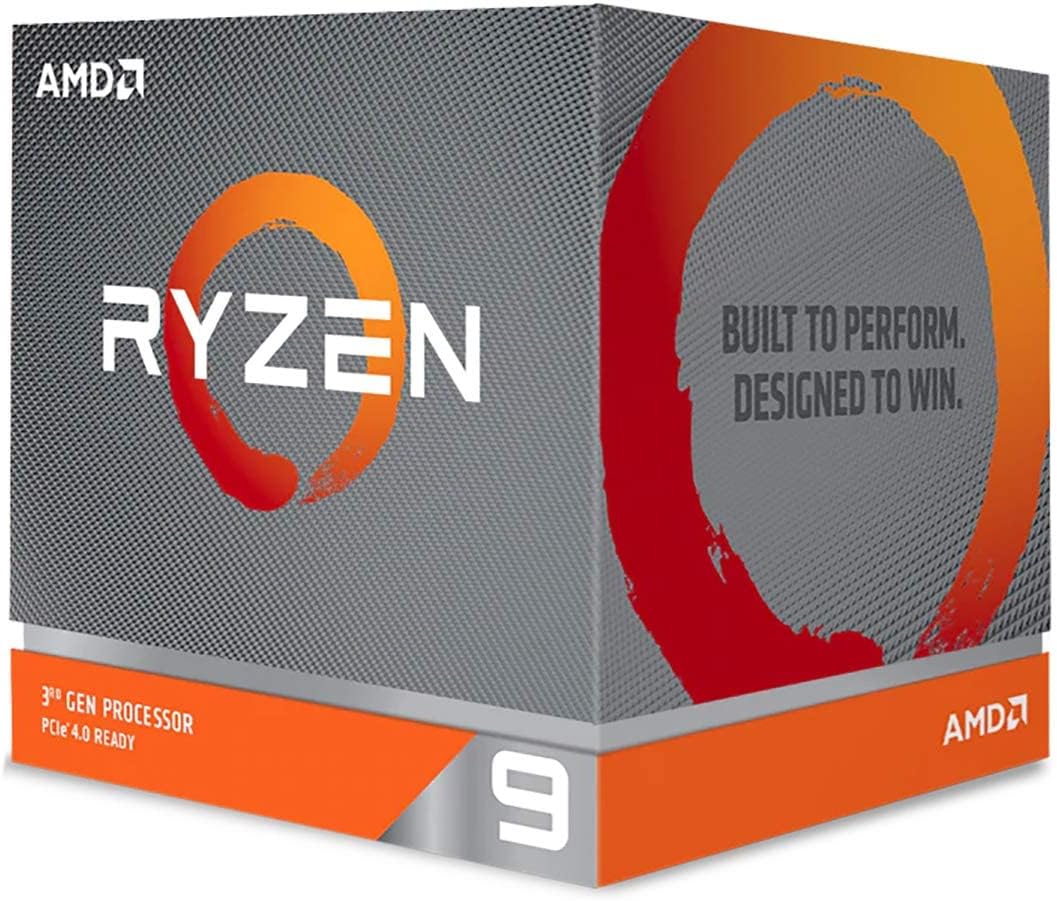
🚀 Power your productivity and play like a pro with Ryzen 9 3900X
The AMD Ryzen 9 3900X is a 12-core, 24-thread unlocked desktop processor delivering up to 4.6 GHz boost speeds. Bundled with the Wraith Prism RGB LED cooler, it supports DDR4-3200 memory and features a massive 70MB game cache, making it ideal for high-performance gaming and multitasking on Windows and Linux platforms.


| ASIN | B07SXMZLP9 |
| Best Sellers Rank | #140 in Computer CPU Processors |
| Brand | AMD |
| CPU Manufacturer | AMD |
| CPU Model | Ryzen 9 3900X |
| CPU Socket | Socket AM4 |
| CPU Speed | 4.6 GHz |
| Cache Memory Installed Size | 64 MB |
| Cooling Method | Air |
| Customer Reviews | 4.8 out of 5 stars 12,626 Reviews |
| Global Trade Identification Number | 00730143309950 |
| Item Dimensions L x W | 1.57"L x 1.57"W |
| Item Type Name | Desktop Processor |
| Item Weight | 1.6 ounces |
| Manufacturer | AMD |
| Mfr Part Number | Ryzen 9 3900X |
| Model Number | Ryzen 9 3900X |
| Number of Items | 1 |
| Platform | Not Machine Specific |
| Processor Brand | AMD |
| Processor Core Count | 12 |
| Processor Count | 1 |
| Processor Number of Concurrent Threads | 24 |
| Processor Series | Ryzen 9 3900X |
| Processor Socket | Socket AM4 |
| Processor Speed | 4.6 GHz |
| Secondary Cache | 64 MB |
| UPC | 730143309950 |
| Warranty Description | 1 Year Limited, 3 year manufacturer |
| Wattage | 105 watts |
R**D
AMD finally delivers professional productivity to main streem PC users
Motherboard: ASRock x370 Taichi Corsair Vengence 3200 RAM 32GB 500gb WD Black M.2 NVME boot drive 2 TB WD Black 7200 HHD storage drive 850w 80+Gold Cooler Master PS AMD r9 3900x Stock Speed (No OC) Cooler Master ML240L AIO Liquid Cooler Cooler Master H500P Mesh case Found that the 3900x was not in stock on launch date, 7/7/19. Set Amazon to notify me when available. Got the message hit the 1-click-puchase button faster than I ever have. The item was purchased 7/8/19 and shipped Tuesday 7/10. I received the CPU safe and well packaged on Friday 7/12, a day earlier than Amazon quoted at time of shipment. After updating the BIOS, and running a few final benchmarks on my Asrock x370 Taichi motherboard, I shut down the system and removed my 1800x (this CPU will go into my daily driver system and relieve my r5 1600 CPU slated to be installed in Mom's PC). Warning! Make sure to move the AIO fan wire out of the way of the CPU die and the cooler surface. I had a boot loop and overheating/shutdown session. Was able to get into the BIOS and see the CPU temp at 101c Wow! LOL no wonder it was shutting off. Anyway after seeing my stupid mistake, and re-seating the AIO cooler, the next boot-up took forever and 10 minutes to boot into Windows. Once Windows recognized the CPU and it was running, I started running some benchmarks. Now, I'm not a gamer, so again I am comparing my work load of video editing and production as well as rendering. With one commercial project alone, I my render time has dropped from around 20 minutes to 12 minutes... that's 40% improvement. I can render some commercial projects up to 4 times per work session. I've been very happy with the performance so far, but I'm absolutely blown away by this processor's ability. Rendering a 1 hour 1080p video usually takes an 1h 10m or so. I re-rendered last week's video and that time dropped down to around 42 minutes. My productivity is going to go through the roof. Spending $500 on one single item that is smaller than the palm of your hand can be mind-blowing for some people. It may also cause some heartache and possibly buyers remorse for others. Here's the deal, when you consider purchasing this CPU, you must do some research. Know exactly what you will be doing with your system to insure the performance gain is there. If you are a gamer, this CPU will play every game very very well. While it never claims to be the best in gaming, it is definitely meant for heavy work loads. What an outstanding and simple upgrade for a system that will provide another 4 years of great productivity. As a side note, I have been eyeing up an AMD Threadripper build for the past 9 months. My work requires high core and thread counts which enable the jobs to render much faster. I had already saved my money to invest into the 2950x and was still saving for the motherboard. Considering the fact that I earn a living with my PC, a professional workstation is in order. While it's exciting to order a new "toy", I hope you plan for something like this. It makes your purchase even sweeter when you "just know" you got a great product for a reasonable price, and it will do what you need it to do. Also, looks like I need to update the name of my system now LOL. It's not an 1800x any longer. Cheers!
J**R
Ryzen is always the best option for gaming and workstation PCs
So I have stuck with AMD since they released their Ryzen series CPUs. Back in the day (pre 2000 and into early 2000s) I used the Athlon processors exclusively. Eventually switched to Intel processors, and since about 2016 have stuck with AMD Ryzen exclusively. Every time I upgrade I am happy I decided to stick with them. I overclocked this Ryzen 9 3900x which I overclocked to 4.2ghz (able to go to 4.5 but haven't tested that out yet). Just as with my last Ryzen 7 2700 that was overclocked for the 1.5 years I used it it has been incredibly stable. I do not use the wraith cooler, I have a dual chamber water cooler as these CPUs run a bit hotter than the Ryzen 7 (8 core) CPUs - of course I used a water cooler with that as well due to overclocking. You could get away with the cooler and overclocking possibly but it is best just to use the water cooler just in case. The processing power is incredibly. I have it coupled with a 2080ti and 32 gigs of 3200mhz ram. I do video editing, graphics, and sound editing for work. Heavy CPU and graphics card usage in those processes and this computer runs perfectly. I would stack this against any intel chip in the same range... this one beats it in speed and price. In Ryzen Master software currently it is fluctuating between 36 degrees C, and 38.6 degrees. With my Ryzen 7 2700 which was overclocked to 4 ghz and with my other water cooler (single chamber) it was usually between 24-30 C. so we added 4 more cores, and more power per core. I have not noticed a significant increase while running games/software but the limit is 95 degrees C so it is not really something you need to worry about. I highly recommend this CPU. This is expensive when looking at CPUs like the Ryzen 7 2700x and similar, but 430 dollars or whatever it was is well worth it. My old PC (which has been rebuilt and still has a GTX 1070) is still a modern PC that is capable of a lot and this current one will be for several years really. Short of upgrading the video card to the 3090 within the next year (maybe) I do not foresee any real need to upgrade the CPU for at least 3-4 years. As far as money goes - sometimes we need to be reminded of perspective. My fiance was getting a laptop the other day and wanted to spend 500-650 max. She is a traveling medical worker. So a laptop will be very important to her and used a lot as she goes from city to city. So I explained that we drop upwards of 1000 dollars or more on our phones every 1 to 2 years without much thought at all. yet when we are buying electronics that will need to have a lot of power and hold up and be used as much or more we get very cheap. I spent 2000 dollars on a laptop back in 2012 and have upgraded it here and there (ram and hard drive) and it still runs extremely well. I use it for a lot of things. Had I spent 500 dollars it would have been useless by now. So if you have the means, do not cheap out and buy a 300 dollar option for your CPU - you will end up spending that much or more very soon. Always buy beyond what you need when building a PC if it is doable for you. I have had systems that ran flawlessly for many years, and ones that played the latest games at high settings with decent FPS, and ran adobe software wonderfully. I will update this review when I test an OC of 4.5 ghz and give you the details on cinebench for both the 4.2 and 4.5 OC.
T**S
PERFECT for gaming
The AMD Ryzen 9 3900X is an amazing processor with outstanding speed and multitasking performance. Installation was easy, and it handles gaming, streaming, and productivity tasks without any issues. Runs smoothly and delivers excellent value for the performance. Highly recommended for anyone building a high-end PC!
D**Y
Insanely fast
upgraded from my Ryzen 7 to this Ryzen 9 3900X for gaming cache. First off its insanely snappy. Will run a bit hot even with liquid cooling. If you buy this get liquid cooling. So right out of the gate my RTX 2700 Super Founders Edition had insane eye candy and much better speed. Anything you through at it will open at break neck speeds. Your mouse will be your enemy. It will move entirely way too fast due to its processing power. This thing mops the floor with all the Intel Chips ive ever owned. Even my I9 chips dont game or compute as this chip does. Its a must have if you want to play video games and do insane amounts of processing. It operates on all buses on your system board quite efficiently. Ive been debating messing with my memory timing as I have AMD Ryzen Memory Ready RAM which automagically times with the system clock of the CPU and AMD Ready Ram will run at 3600 MHz. You must set your XMP/DOCP option in the BIOS. But Ryzen makes efficient use of PCIE 4.0 and its fast. You wont be disappointed other than it will push some heat but running any gaming on a 70 MEGS of video cache dedicated to video rendering makes this a seriously badd chip for anything you want to do. Its smoking intel and I have been an Intel Fan for so many years until this thing fell into my hands. All I do for a living is work on PCs Desktops Servers, and Land based internet I go home to this and appreciate all it does. It will not disappoint and will stay strong for years. This absolutely buries Intel. Worth every penny I put towards it. Now my Ryzen 7 2700 will sit in its plastic case. Trust me I had to do it. When I play Ghost Recon with my son it looks as though he is Sprinting it renders frames so fast. The game runs so quick with playing with other gamers your mouse will piss you off you will have to lock the frame rates on your mouse and they move so fast on your screen its simply amazing. Eye candy with games coupled with a NVIDIA RTX you will be amazed. Okay not a fanboy of Ryzen but I love this chip. See how it holds up and I am a verified user.
A**N
Fantastic Product
I absolutely love this CPU (3900X), having come from an old I7-2600K that served me well OC'd way over it's spec. I've got plenty to say about it. It's great at gaming and productivity. Intel can push individual cores higher, but their low core counts and larger process makes them very hot and bottle-necked at multithreaded applications. Be sure to read the warning below about the socket and swapping heatsinks. Thermals When I first got this, I noticed it ran very warm! I read all kinds of complaints on forums of people that couldn't run this cool, or that couldn't OC it. I've been fortunate on both fronts. I went into the UEFI and brought the CPU VCore down to 1.298V while also overclocking to 4.3GHz (all cores). I've never had stability issues with these settings, although I may have simply won the "silicon lottery." The stock cooler is very aesthetic and works pretty well for a stock cooler, but I swapped out the CPU cooler for a Cooler Master Hyper 212 Black Edition, which brought the top temps down by ~10C under load, which I think is pretty respectable. WARNING!!! If you apply a heatsink to this CPU, and then remove it, there's a very high chance that the CPU will pop right out of the socket, glued to the heatsink and in the process bend pins. Bent pins on this processor are *VERY HARD* to fix (at least tedious to bend back without breaking off). The socket retention system on the AM4 socket compared to Intel's is complete garbage!!! I had bent about 3 pins pulling my heatsink off after just a little wiggling of the heatsink on the surface of the CPU by pulling off the heatsink while the CPU was still stuck to it. Yes, the retention arm was still down, and yes, I ensured it was installed correctly before putting on the heatsink. This is just a quirk of this socket. If removing the heatsink, very carefully wiggle it around side to side to try and get air in-between the CPU and heatsink so it doesn't rip out the CPU from the socket. If you're impatient, you probably could just pull the heatsink straight up with the full intention of taking the processor with it, and then lay the heatsink with the processor straight up for removal, but I really wouldn't recommend it (unless that was a last resort). Over Clocking I wouldn't say I'm an expert over-clocker, but I've overclocked my systems for sometime, so I can at least give some starting advice. First, two things kill your CPU faster than anything else: heat, and over-voltage. There are a dizzying array of settings that can be played with in today's UEFIs. The ones to pay attention to are: VCore, CPU ratio, DRAM FCLK, and DRAM voltage. This is a CPU review, so let's stick to VCore and CPU ratio. My advice is to try lowering the voltage on this chip first! This is to reduce the heat put out by this blazing hot blowtorch. I dropped my to VCore 1.298V. Once you've verified that you can boot at whatever voltage you've dropped it down to, now try and overclock by changing the CPU ratio from the stock 3.8GHz to something a bit higher, like 4.3GHz. That's what I've been running with great stability. If you're going for pure performance, then you're going to want to stick with the normal VCore voltages and then push your CPU ratio, but you'd better have a great cooling solution that can handle the extra heat this will produce. Good luck!
J**N
3D Modelling, Multi-application, & Gaming Powerhouse
I'll get to the point. Check your motherboard compatibility for the AM4 Matisse 3000 processors (I know most, if not all here already do) before dropping a sizeable amount on this beast of a processor. My current setup is: AsRock X370 Taichi AMD Ryzen 9 3900X XFX Radeon RX 580 8 GB Samsung 970 PRO SSD 1TB - M.2 NVMe EVGA 750W G Phanteks Enthoo Luxe Ballistix 16GB Primarily, I've been using this for gaming and molecular modelling, but everything I throw at it goes through with zero hiccups. I'm using the stock thermal that AMD supplied, and it's holding up to standard workloads of rendering and post-processing, with about ~59°C at 98% utilisation (no overclock). I plan on getting the Grizzly thermal right after this so that under hot days and larger rendering/processing workloads, this powerhouse won't overheat and fry on me. Download the RGB utility for the processor, and you won't be disappointed. I'm currently using the "Zen" mode which makes for a very relaxing experience. I upgraded from a Ryzen 5 1600, and wow was it a jump in performance. VMs, games (video rendering, etc.), Excel, and photo editing will all benefit from the extra processing power needed if you happen to do a lot of work in those areas. While it may be overkill to a point, right now, it's a content creator's best friend. Do consider what your own PC needs and what you will need it for, and if you have the budget as well as a current CPU bottleneck on your machine, I'd highly suggest making this a top contender on your list of things to get. The UNfortunate thing about this CPU is its increased power draw (105.0 W), so do keep that in mind, but overall there isn't much that AMD has disappointed with when it comes to this CPU. The only issue I had was that because I'd put my GPU in the lower slot on the motherboard, when I first powered the machine on after CPU installation, it kept cycling through POST and would not be able to connect to the display at all. This was an error on my part, but if anyone else seems to have the same issue, the solution is to simply plug the GPU into the upper slot closest to the CPU. If you're simply looking for something to game with and stream with, save yourself a bit and stay with the Ryzen 7 or most recent Ryzen 5 CPUs, but if you're needing this for applications such as AutoCAD, weather modelling, biophysical modelling, Photoshop, Deus Ex: Mankind Divided, heavy video editing, then this CPU is very much worth the upgrade from an older processor. Be sure to get some new thermal compound as well, since the stock stuff will only last you for so long before needing to be replaced.
B**T
Awesome Processor! Note for Early Adopters on Temps/Voltages
The new Ryzen 3000 series chips are amazing. I was looking to replace my aging Haswell (4th Gen) Intel Core i7 4790k with something more modern - and when I read about the new Ryzen 3000 series, I waited an extra 6 months to re-build my PC...and boy am I glad I did! I cut encoding times for a 1080p 2 hour movie from 2 hours (near real-time) to < 30 minutes!! And through the power of the PCI-e 4.0 that this enables (when paired with an X570 motherboard), my storage access is now running at 5GB/sec write and read (with a PCI-e 4.0 enables NVMe SSD). Everything is blazing fast even when I have a ton of stuff running. If you’re looking for the ultimate chip for content creation, coding, and a very good option for gaming also (even if it gives up a few FPS to the highest end intel chips), look no further!! And it even comes with a passable cooler (if you don’t mind a bit of noise and don’t plan to overclock) with nice RGB LEDs built in. Quick note for early adopters with first generation X570 boards - several boards (mine included) want to give this chip more power than is really needed. On stock BIOS settings (with automatic voltages), it was providing upwards of 1.5v under load, which would cause the chip to get towards or above 80C, even with a high-end AIO water-cooling system. I put in a manual voltage offset of -0.20 so it doesn’t go above about 1.3V - at that voltage, it performs wonderfully and even under sustained 100% load it never goes above 69C. I gave up a few points in high end benchmarking but in real world loads (even encoding), it’s comparable performance and should improve longevity.
S**N
Best value for money for especially content creators.
In a word? IT'S A MAD BEAST. I have wanted something that could handle 4k and 8k video (codecs really play a part as all are not handled the same here). If you work with adobe products and you want a smoother performance then this CPU is for you and I never even see it go over 20% usage even when rendering. It's so good. As newer CPU's come out, this will be cheaper and will even be better value for money. Its mops the floor with its intel equivalent. Pros: * its fast, is beefy and its gonna chew through most of what you are struggling with now. A great balance for gaming and productivity. * Comes with a cooler (honestly it is the best looking stock cooler you will ever own) which manages to keep it tamed, just make sure to buy a case with high airflow. I dont recommend the NZXT cases because they dont have good front airflow. * Cooler comes with pre-installed thermal paste which is brilliant and it is very easy to install. (Look at the X570 motherboards for this CPU) Cons: * It gets hot. Oh it bakes very quickly so you will have to either buy an after market cooler or AIO to keep it cool over long periods of time if overclocking. Otherwise it's fine with the stock cooler Very impressed with the R9 3900x so far. I will be good for the next couple.of years for sure.
L**E
Arbeitstier 👍🏻
voller Vorfreude kam der Prozessor sehr gut verpackt und unversehrt bei mir an. Die Installation verlief wie zu erwarten ohne Probleme (wer keine Erfahrungen hat, keine Angst, es liegt eine Anleitung bei wie er zu installieren ist). Den Prism Kühler habe ich in der Box gelassen da ich von vornherein eine Wasserkühlung für mein Projekt ausgewählt habe. Jedoch macht auch dieser einen qualitativ hochwertigen und stylischen Eindruck (sicherlich ein Plus für Leute die auf Luftkühlung setzen). Mein aktuell fertiggestelltes setup läuft prima. Wichtig sei nochmal zu erwähnen, nach Möglichkeit vor der Installation, ein BIOS Update durchzuführen (sofern möglich) um etwaigen Problemchen in Sachen Konnektivität ect aus dem Weg zu gehen. Generell läuft mit der amd Treiber Installation aber ratz fatz alles wie es soll und ohne Probleme. Aktuelle Titel wie z. B CoD MW laufen bei mir auf hohen Einstellungen, der Prozessor läuft derzeit noch auf Standard takt, dabei hat der Prozessor sich stehts noch gelangweilt und die Temperaturen blieben im Keller. Ausreizen kann ich ihn wohl aber erst wenn ich eine aktuelle Grafikkarte zu humanen Preisen finde. OC software inklusive. Ich bin bisher begeistert und kann ihn empfehlen!
P**M
uwazac
Otrzymałem niewłaściwy przedmiot, a Amazon zrzuca odpowiedzialność na klienta i DHL... Nie kupować tutaj!
L**Z
Volví a enamorarme de AMD
Yo desde que pude elegir mi PC siempre elegí AMD, pero como muchos saben, hubo un tiempo en que sus procesadores no daban la calidad o rendimiento deseable ante la competencia, motivo por el cual me cambié a intel por un par de años. Desde la llegada de ryzen todo eso cambió y eso provocó que volviera a donde pertenezco. Debo decir que si, si ustedes buscan reviews en Internet, el nuevo ryzen 7 5700x le da vuelta a este procesador en juegos por el mismo precio, pero en productividad esos núcleos extra siguen dándole una ventaja interesante tanto con el ryzen 7 así como contra intel y lo que pudiera ofrecer (para productividad) por lo que debo decirles que aún en 2021 es una excelente alternativa este modelo (y no sus hermanos mayores de la serie 3000) tanto por el precio como por el hecho que su dicipador de stock es perfecto para mantenerlo fresco sin problema alguno, es un procesador maravilloso para trabajar y para el gaming se defiende aún sin problema alguno. Quizás si hubiera una queja seria la poca pasta térmica que trae de stock, pero nada que al cabo de 1 año o 2 puedas cambiar por una de mejor calidad. Como dato adicional ese cooler que trae va perfecto para poner todas las rams sin problemas siempre que no sean exageradamente altas, aunque bueno, si le vas a acompañar con rams con dicipadores altos (por ende rams costosas) invertir en un enfriamiento líquido no suena a mala idea.
D**E
Great CPU
After considering and checking different CPU's I choose Ryzen 9 3900X and it performs excellent.
E**L
La mejor opción a largo plazo
Indicar que cuando recibí el paquete venia aplastado y roto (Se veía el contenido del paquete), en el interior de la caja venia sin papel burbuja, sólo con un trozo de papel acartonado, es un procesador, no es un balón de futbol, es delicado, y por suerte la caja del propio procesador protegió bien el contenido. De mano antes de pedir la mercancía me puse en contacto con el vendedor para indicarle que no quería un producto usado, reacondicionado o manipulado, de hecho, antes de abrir la caja hice un video realizándolo para curarme en salud, por suerte vino todo bien precintado y en perfecto estado. (Leí las reseñas de los usuarios y procedí así) Por una parte, tenemos el procesador Ryzen 3900X con 12 núcleos y 24 Hilos con frecuencia base de 3,8GHz y hasta 4,6GHz con socket AM4 y un TPD de 105w (Ojo que el consumo es bastante inferior, solo llega a ese extremo en renderizado y puntualmente) Lo tengo instalado en una placa base MSI PRESTIGE X570 CREATION con 32GB de RAM DDR4 a 3600MHz (G. Skill Trident Z adecuada para estos Ryzen) con refrigeración líquida NZXT Kraken X42 y su temperatura es de 34-38°C en procesos normales, jugando no pasa de los 50°C y renderizando no pasa de los 65°C (Temperatura ambiente 21°C) En relación con el disipador de serie (Probado pero reemplazado por refrigeración líquida que es más eficiente), es muy chulo, las luces RGB muy llamativas, buenas velocidades de ventilador para no meter mucho ruido (No es muy ruidoso a bajas temperaturas a altas es algo molesto) En la parte inferior del disipador de serie en vez de ser plano totalmente tiene 3 ranuras, en principio es para una mejor refrigeración pero que con la pasta térmica no hacen el contacto adecuado que debería y es fácil echar más pasta térmica de la adecuada y terminar con la pasta en sitios que no debería Existen termal-pad que te evita estos posibles problemas, pero por algún motivo en mi caso con la refrigeración líquida la temperatura es más alta que con la pasta térmica y eso de que es reutilizable en mi caso no ha sido así, ya que queda inservible (Hablo de 0,5 mm) *Un factor determinante a la hora de comprar este procesador y no un i9 9900k o i9 10900k han sido las vulnerabilidades que siguen afectando a Intel y que, aunque alguna este parcheada por software o por hardware no me convencía su compra Recomiendo este procesador porque es una pasada lo optimizado que va sobre todo para edición de video y para los más gamers para jugar, además su precio es muy bueno ahora Eso si es muy importante tener un hardware equiparable a nuestro procesador, (Una buena fuente de alimentación es primordial) * El consumo energético es bajo (Mi PC con todo suele consumir sobre 130-250W), dependiendo la carga de trabajo. ** Mucho cuidado al poner pasta térmica, si pones de más límpialo en el zócalo, no vaya a ser que lo retires y parte de esa pasta pase a los pines. *** Ahora Ryzen saca la serie 5000, el equiparable al 3900X sería el 5900X, que si leemos las características y mejoras no lo veo una gran mejora, he tenido la opción de comprarlo, ya que socket y mi placa lo admite, pero por 200MHz no compensa. Además, pasa lo mismo con el 3900XT son 100MHz más. El 3900X me parece la mejor opción de compra además las BIOS ya está pulidas. **** Se supone que este procesador su frecuencia base es de 3,8GHz y llega hasta 4,6GHz, yo usando el modo automático de MSI trabaja todos los núcleos a 4,2GHz, todo esto a una temperatura de 36°C (Sin carga de trabajo), ahora en renderización de video llega a 4,3GHz pero nunca ha superado esos 4,3GHz (A ver si con las nuevas BIOS mejora esto)
Trustpilot
4 days ago
2 months ago