Buy anything from 5,000+ international stores. One checkout price. No surprise fees. Join 2M+ shoppers on Desertcart.
Desertcart purchases this item on your behalf and handles shipping, customs, and support to Hungary.
💼 Elevate your NAS game with powerhouse storage in a sleek, compact chassis!
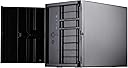
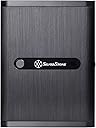
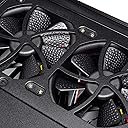
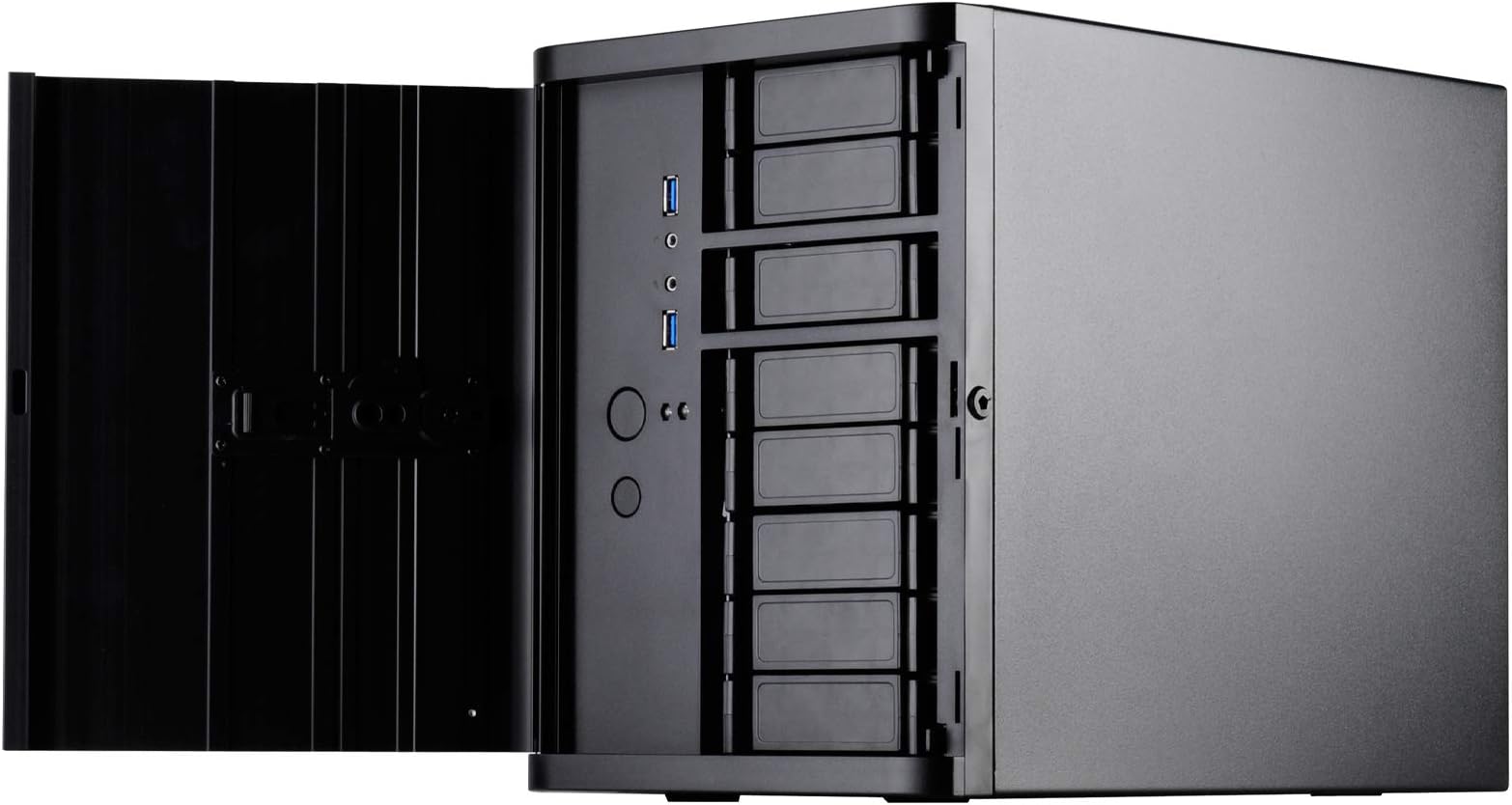
The Silverstone DS380B is a premium Mini-ITX/DTX NAS case that packs up to 12 drives—including 8 hot-swappable bays—into a compact 21-liter footprint. Featuring a brushed aluminum lockable front door, support for standard-length GPUs, and a triple 120mm fan cooling system with dust filters, it balances high storage capacity, security, and efficient airflow. Its custom back panel supports both SATA and SAS drives, making it ideal for professionals seeking a no-compromise small form factor NAS solution for home or office.


| ASIN | B00IAELTAI |
| Antenna Location | ビジネス |
| Best Sellers Rank | #2,350 in Computer Cases |
| Brand | SilverStone |
| Case Type | Mini-Tower |
| Color | Black |
| Compatible Devices | Mini ITX |
| Cooling Method | Air |
| Customer Reviews | 3.6 out of 5 stars 107 Reviews |
| Enclosure Material | Aluminum front door, SECC body |
| Fan Size | 120 Millimeters |
| Global Trade Identification Number | 00844761011048 |
| Hard Disk Form Factor | 2.5 Inches |
| Internal Bays Quantity | 4 |
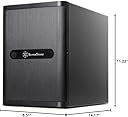
| Item Dimensions D x W x H | 14.17"D x 8.31"W x 11.22"H |
| Item Weight | 1 Pounds |
| Manufacturer | Silverstone |
| Material | Aluminum front door, SECC body |
| Mfr Part Number | DS380B |
| Model Name | CS-DS380B |
| Model Number | DS380B |
| Motherboard Compatability | Mini ITX |
| Number of Fans | 2 |
| Power Supply Mounting Type | Top Mount |
| Recommended Uses For Product | ビジネス |
| Supported Motherboard | Mini ITX |
| Total Expansion Slots Quantity | 2 |
| Total USB 3.0 Ports | 2 |
| Total Usb Ports | 2 |
| UPC | 844761011048 |
I**C
An amazing NAS box with a small footprint but plenty of power
I purchased this case as part of my FreeNAS build. The case is a wonder; 8 standard HDD hot swap drive bays and 4 fixed SSD bays in a compact mini-ITX form factor. Because of the compact size space gets tight when building, but since this case is meant for server boards with little or no add-in cards it was fairly easy, even for a guy like me with fat butcher's fingers. A couple of notes: 1. Be careful when removing the main hot-swap drive cage; the small screws along the top can stick, meaning they don't protrude when you unscrew them from the frame. It's crazy easy to strip them if you keep trying to unscrew them once they have released and are rotating freely. Have a needle-nose pliers ready to pull them out. I would have liked to see the case come with a few backup screws to accommodate this. 2. Be careful when pulling out the drive cage. The back of the cage has a bunch of capacitors and other semi-fragile electronics exposed (parts of the hot-swap hardware) and you can bend or break them very easily if you grip it wrong. Since the drives in this cage are not meant to be connected directly to the SATA data and power cables, and are not directly exposed from the back, this could be a game over-case destroyer. 3. Secure your cables carefully! The tight space means that unsecured cables can rub against the fans, creating noise and potentially bad things. 4. The magnetic screen on the side is irritating when picking the case up; it slides off very easily and is placed in a position where you naturally grip when lifting, causing it to slide around in your grip; I'd suggest removing it when moving and re-attaching after you set it down. 5. The manufacturers site lists their CPU water cooling as compatible. You could probably remove the front fan and install the radiator+fans there but it would be a TIGHT fit and I don't think I'd recommend it. Also, many server boards that you might buy with this form factor are SoC and have their cooling systems soldered onto the board, making it impossible to use an external cooling system: double check before buying to avoid wasting your money. 6. One weird thing I discovered: for each HDD drive bay on the hot-swap back-plane there appear to be two SATA ports. I'm not sure why, my wild guess would be for redundancy or something along those lines, but what I found was that the system did not recognize the drives unless the SATA cables were plugged into the port on the left. So for each bay, plug the cable into the left SATA port. This may very much be a YMMV situation, since I really have no idea what the second port on each bay is for. All of this is pretty minor. For a NAS build this box is as close to perfect as I've seen. Once built this thing is a dream: small, powerful, and fairly quiet. I highly recommend it.
M**C
Good quality case, poor thermal management
Very nice case. Good quality and all, but the thermal management is flawed. My Seagate drives are now running at 40C - 53C deg. It's cooler in the middle section where there's slightly more distance between the drives. I built this new NAS server because my old 2U rack-mount case was consuming too much power (120-watt without any drives, 210-watt with eight Seagate 6-TB drives in operation). Even with the fan toned down to 30%, my drives in the 2U case was in the high 20's and low 30's, temperature wise. A properly designed case should create vacuum or low pressure inside the case with openings in the front of the case where air is sucked over the drives. This case instead blows air onto the side of the drives which is very inefficient when the space between the drives are very narrow. Combine this with the fact that there's minimal space for air to escape within the drive cage and a low-power exhaust fan, you got a good recipe for hot running drives. I'm going to reverse the fan on the sides to create low pressure and crank up the RPMs a bit to see if that helps. Will post more on this later. Another downside to this case is that you most likely cannot use a PCI-E card that extends past the drive cage unless you're willing to give up that drive bay (meaning you can't use that drive bay). I used a Dell PERC H200 cross-flashed to an LSI 9211-8i and it extended about 1/3 of an inch past the drive cage. This prohibited the drive cage from being re-installed until I made a notch in the removable plastic plate. Other than these two flaws, it's a good case. Not sure if it's worth $150 thought. 3/8/2015 update: I was able to get the HDDs temperature to dropped 10-deg C by making the following changes: * Reverse the side fan so they exhaust air instead of blowing air inside the case * Remove the side grills to minimize restrictions. * Use duct-tape to close all the opening holes on the back of the case, including the empty bracket. (If you use 2.5" drives, you may want to leave a little strip of opening as to not totally block air from being sucked in and over the drive. * Crack open the front door. Do not close it. What this does is create lower pressure inside the case, causing air to be sucked through the front drive bays, providing a much better cooling effect. The downside to this is that the CPU will get hotter because there will be very little airflow within the case. A simple fix is to install a small fan directly on top of the CPU. The other downside is you have to leave the front door cracked open all the time so that air can be drawn through the front, over the HDDs. I can live with this. 3/10/2015 update: I replaced all three fans with 3000-rpm higher flow fans and a speed controller to adjust for noise. All my drives now idle in the low and mid 30-deg C. Maximum temperature is no more than low 40-deg C with the fans reasonably quite, but still moving more air than the original fans. It's ready for the summer now.
P**1
Great quality case for a NAS or HTPC
This was a perfect case for my FreeNAS home server build. TON's of drive bays. The hot-swap bays on the front are actually really nice. I know some people have complained that they are plastic, but I really don't see this as a problem. They are solid, and seriously, how often are you going to be taking these in and out? The rest of the case is all metal, with the front door being brushed black aluminum. It just looks really nice, if you're into that. My NAS is in the basement in a cool area where no one can see it. I bought it because of the number of hot-swap bays in the front, not because it looks nice. Some other cases I looked at required you to open the case to replace drives. The case is a little tight inside, but I would expect that considering how much is going into such a small space. As others have said, you have to loosen the front drive cage and slide it out the front if you ever need to get to the motherboard. It's not that big a deal, but it is more work than what you would normally need to do in a conventional case. Again, how often will I be doing this?? Hopefully not a lot! Overall this is a really solid case and would probably be great for a HTPC as well. That said, it's not completely silent and you "know" it's there because you can hear the case fan. Not a lot, but enough to make me want to consider a fan upgrade if I was intending on using this as a HTPC that would be situated in hearing distance. My power supply on the other hand (ST45SF-G) is completely silent by the way. One last feature that I thought was kind of nice is that "if you choose to do so," you can lock out the front on/off switch. You can set it so that you need a key to open the front door before you can power it off. I like this as I occasionally have little kids running around my house and that little button next to the blue light looks interesting for some reason. Edit: 01/29/15 After using this case for a couple of months, I regret to say that I had to come back here and knock off a star. The reason being for poor ventilation on the drive cage. Let me explain: I currently have 5 HGST 4TB NAS drives in the main drive bay, leaving 3 open. This unit is in my home in my basement where the ambient temperature is very cool. My motherboard is the ASRock C2750d4i with 32G ECC RAM, and I'm running FreeNAS 24x7, and I am the only user. 99.99% of the time, it is sitting idle. I'm not spinning the disks down, so they are spinning, but nothing is being accessed and the drive lights only flicker once in a while. The good news is that my motherboard temperature sits comfortably at 34°C, and my CPU is at 30°C, using nothing but the fans that came with this case. The bad news is that while my system is idling, I can't keep 1 or 2 of my drives below 40°C. I'm looking at them right now, and 2 are at 41°C, and the others are fine at 31°C, 32°C and 35°C. I have tried repositioning the drives, and the problem always stays with where the drive is positioned within the case. I will also mention that with the cover off, the drives sit between 26°C and 28°C. My concern is what happens when I put my system under a real load, or if I ever decide to add a drive or two? Looking at the design a little closer, when the drives are installed, the side fans appear to be blowing on the solid metal of the side of drive cage, rather than through the drives. The only side openings are from the 3 unused spaces in the cage, which isn't much. The back of the cage does not have any holes, so I am considering drilling some up and down the length of it. I think this would let the rear fan pull some of the heat out of the cage. I have read that others have had some pretty drastic temperature reductions by pulling off the side mesh filter. I think that since I have this tucked away in my basement, I will look into other options such higher RPM fans (noisy) or seeing what happens with the holes I mentioned earlier. Edit: 01/30/15 I drilled four 1/4" and five 1/8" holes up and down the back of the drive cage (next to the connectors) and my temps have dropped down by 6°C! They now sit comfortably between 29°C and 35°C. Hot air was definitely trapped in the cage. I would think getting higher RPM fans would help even more, but this is a good compromise between noise and performance. Edit: 09/15/15 I found a before and after picture that I took of the cage with and without the holes. Someone requested it so I posted them. The holes are not perfect but they definitely help. In hindsight I probably should have made all of them the larger size holes. I was trying not to weaken the cage, but I honestly think it still would have been solid. I'll also mention that about once a month one of my drives reaches 40°C for a few minutes and then drops back down. (I think it's when my volume is being scrubbed, which beats on the drives for a couple of hours.) I don't think this is bad, especially since it's not sustained. I would still not go with more than 5 or 6 regular drives and possibly a few SSD's with this thing. That's about as far as you can comfortably take it. Unless you can afford 12 SSD's!
V**5
Great design, bad QC, terrible service.
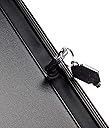
****Update to original review: After using this case for a few days, I encountered the same problem with the backplane shorting out that a few others reported. Because I didn't want to send the whole thing back to amazon (which would mean giving up my file server for a couple of weeks) I contacted Silverstone directly. Initially, they said that they would be able to replace the backplane for me. However, after 3 days of emails and asking me about one piece of hardware after another, they changed their story. Now they claim that there is a known-but-unpublished compatibility error when using this case, the Silverstone ST45SF-G power supply, and an ASRock motherboard. In other words, THEIR power supply, doesn't work with THEIR case, if you use 3 out of the 5 motherboards on the market today that will fit in their case and connect enough drives to make their case useful. Complete nonsense. The only remedy they were able to suggest was buying a different power supply, although they were happy to suggest 3 different Silverstone power supply units to choose from. Poorly designed product and dishonest service. ***Original review: The good: It's small. Not "hide it behind the tv" small, but considering that it can hold a dozen drives (8 x 3.5" + 4 x 2.5") it's pretty compact. The fit and finish is excellent. The door is nice and solid, and the seemingly odd drive spacing has a real purpose. There are a handful of mini-ITX boards that can handle serious desktop processors and video cards, and the main drive cage has a panel that can be removed and replaced with a support bracket, allowing you to sacrifice the 3rd drive bay to use a full-sized desktop video card (since they're quite long these days). With most cards, that would still leave you enough room to use that bay for a front panel card reader with a little modification (or the included cover if you just want to block it off) Speaking of video cards, it does allow 2 full-height expansion cards (or a double width video card). The main drive cage includes a proper NAS backplane that can handle SATA or SAS, which is powered by two 4-pin molex connectors so you can minimize cable clutter if you're using a modular power supply, and you connect all your data cables to the back plane as well, which means that once it's assembled, this functions just like any other hot-swap NAS. If the case will sit on your media center, you can use sliders on the back of the door to block the LEDs, and if you're concerned about people trying to turn the box off, you can block the power button as well, but still leave the button behind the door working. Cons: The 'lock' for the door is kind of a joke. It's just a pentagon shaped hold, and comes with two plastic keys that feel pretty cheap, which is sad considering the rest of the case is so solid. Not worth pulling an egg, but if locking the front panel is a big deal, be aware that this is sort of a courtesy lock that really won't keep anyone out if they really want in. Other thoughts: I bought this to run a headless freeNAS box for storage. If you plan to do the same, expect to spend several hundred for a miniITX server board that can actually handle that many drives, or buy a board with multiple PCIe slots and installing a couple extra SATA controllers. With the video card support, you could also turn this into a VERY capable gaming rig using the right motherboard, a SSD in the 2.5" cage, and a raid5 of old 1TB drives for storage. Also, given the size and massive drive cages, you should be prepared to do things like remove drive cages to install the motherboard. This is not a con, since it's normal and expected in a case of this type, but it's worth mentioning.
S**N
Good
Nice and compact. Quiet, but not silent. Good Case for NAS. I would not use this for a workstation or gaming rig. I have no problem with temperature. I made sure all cables were tied down with twist ties and electrical tape so there would be nothing inhibiting airflow. I ran a series of tests on the drives that had them all reading for 6 hours straight. The temperature of only 1 drive went over 42c, the rest stayed between 39c and 42c. There is not much space inside the case once everything is in place and it will quickly turn into a rats nest of wires unless you take your time and use some cable management. Caveat: The 2.5" drive cage in the back is not uniformly sized. The Seagate Constellation.2 2.5" HD, I'm using as the boot drive, will not fit in the top or bottom slot. The HD will only fit in the 2 middle slots. Standard sized ( 9.2mm ) 2.5" HD's should fit in all 4 slots without problem. The Silverstone cable CP11 will not reach from the 2.5" cage to the bottom of the case. I unfortunately bought this one which is 300mm when I need CP11B-500 which is 500mm. I would buy this case again, if I need another NAS box. Intel S1200KPR 6 ST4000NV001 4tb HD 2 ST2000DM001 2tb HD 1 ST9250610NS 250gb Enterprise 2.5" HD Highpoint RR2720SGL Silverstone ST45SF-G with short cable set PP05-E
S**Y
SilverStone Mini-ITX/DTX Small Form Factor NAS: Ridiculously small internal space – It’s a terror!
My Opinions, so don't sue me... Purchased this as a drive holder for my TrueNAS build. Now, I honestly wish I hadn’t. It’s not internally large enough for the purpose that it was envisioned for. Period. Had it been a few centimeters/inches larger in the Z (thickness from side-to-side as you face the front), it’d have been decent. But it’s not. Problem: Airflow. It doesn’t have any. I mean it doesn’t. Perhaps a change of cables from the SFF power supply I bought or *something*. With the motherboard in n place, the PS, the HBA and its wiring, it’s just too small to route things and still have airflow. I’ve seen the posted fixes for the chassis, but believe me, they’re a bit understated. Also, this chassis ONLY checks in with the tiniest mobos; and that’s where things become critical. My build was with a AMD 5600x and an HBA card that can get out the 8 SATA ports I needed for the build. Not enough room. And it should be mentioned that it is DESIGNED for 8 SATA drives. It physically can hold that many drives as long as you have no card needed to drive them and pull of the motherboard. Not many (or any I know of ) mini-itx boards have 8 SATA ports. Aside from that, I could EITHER have a graphics card in it for the installation of TrueNAS OR I could have the HBA card; those small ITX mobos have NO room for two cards of pretty much any capacity. So I used the graphics card for as long as it took to get the basic system running and then moved it and reinstalled the HBA card. I was tempted to get the G CPU so graphics would be in the CPU but so many were adamant that the G version wouldn't do ECC I demurred on it. I should have tested it. Damn. Reviewers’ Side note: 1) I was adamant about using ECC RAM for this build so I wanted a more “pro” CPU with usable ECC that worked and not “tolerates ECC RAM” without actually *using* ECC. 2) ASUS has ECC built into their motherboards and the 5600x, while not a “pro” CPU, does have the electrical bits to utilize ECC so the system DOES work with full ECC. (I am NOT wasting 64GB of ECC RAM!) Paired with the ASUS ROG Strix B550-I Gaming AMD AM4 Mini-ITX SFF board that I got, no choices remained. I needed more than anything else the 2.5Gb ethernet port (as I could NOT fit a 10gig port card, or anything else after the HBA card) so that it restricted the choices I had. 2.5Gb is better than the single gig other boards came with. Had I not made the 8-bay choice of the Silverstone chassis and got a standard 1U or something else, I’d be good, and I could use a Full ATX or other motherboards and had far more choices. So, unless you do want serious pain, you may wish to reconsider your choices before going to this chassis. I thought I could wrangle it to be nice and play with other parts, but it just won’t cooperate. Now I’ll have to use a oscillating tool to open up the opposite side of the unit with the fans to make my OWN fan ports and power them (oh wait, you really can’t without a breakout cable to power the 12 volt fans; the motherboards don’t have enough extra ports for them). As other users posted, it’s a nightmare to keep the supplied fans from being blocked by PS and motherboards’ power cables. My internal temps are up to 50+ degrees C with just 5 drives and that’s just not going to work for me. The price for my hubris as an IT guy for the last 40+ years and thinking I could overcome the perceived shortcomings of this unit. I was wrong and I’m paying for it. If there’s interest, I’ll post about what I did to fix it all.
N**E
Perfect case for a NAS, but had power problems with the drive cage's backplane.
I've had this case for 18 months, and I have been using it as a 24/7 home NAS server; almost entirely for backup and archiving data. Let me give you a timeline of my experience with it: Initial setup: 2 WD Green's that I reclaimed from old PC's, a new SilverStone Technology 450W SFX Form Factor 80 PLUS GOLD Full Modular Power Supply with +12V single rail, Active PFC (ST45SF-G) , and a ASRock C2550D4I motherboard. 3 months in: System wouldn't power on after an upgrade. After a lot of troubleshooting, I landed on the diagnosis of a bad PSU after the system booted with a standard ATX PSU plugged in. So I replaced the power supply with another ST45SF-G. 12 months in: Added four more HDD's, and the system wouldn't turn on. Did some research and found a post or two that mentioned that the ST45SF-G PSU might have a underpowered +5V rail, providing only 14 amps. So I replaced the PSU with a Corsair SF Series, SF450, SFX Form Factor, 450 Watt (450W), Fully Modular Power Supply, 80+ Gold Certified, 7 Year Warranty that supplies 20 amps on the +5V rail. 18 months in: System became unresponsive; power was still on, fans were running, but after some examination, I realized the drives weren't spinning. I powered the system off, and it wouldn't come back on. My number one suspect was the PSU again, but I had doubts. I checked the PSU with a multimeter, and it tested out 100% fine. I pulled the drives out of the drive cage, spread everything out and tested the system with the same PSU but with the drives running out in the open, and it started fine. It seems like the backplane on the drive cage has something wrong with it. I contacted SilverStone about it, and I'm of course outside of the 1 year warranty, but evidently, you can order a replacement drive cage for the case for around $25 instead of ordering an entire new case. Given that price and the lack of reasonable alternatives out there, I'm going to give it a shot. I haven't had any thermal trouble; the hard drives have always stayed cool, even during load such as scheduled scrubs. When I added the 4 additional drives, I did add a little piece of cardstock into the case to force the incoming air from the fans on the side of the case into the drive bay before being exhausted out the back. I just taped it onto the edge of the drive cage and slid the other end in between the fans and the motherboard. This seems to have made no negative impact to the motherboard temperature, so I'm happy I did it. This case design and physical layout is perfect for a home NAS that is just going to sit someplace out of the way and chug along. It's fairly quiet, but I can hear the case fans running from the other side of a hollow-core door, so I'm not sure I'd want it sitting on my desk. Wire management was surprisingly easy for such a small case, but a modular PSU helps a lot there. I can't comment on expansion cards; I never had a reason to install one. My only complaint other than the power issues is that the cables for the front USB ports are combined into a single connector that is incompatible with my motherboard - and any motherboard I've ever seen. I've never seen this type of cable in a case before. I ended up removing the entire front USB and audio connectors, which is a small shame because I could have used an extra USB port when I needed to plug in a keyboard. I would hesitate before recommending this to anyone. I'm really disappointed in the power problems I've had.
B**F
and surprisingly effective and easy to use
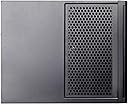
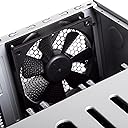
I used this case to build a NAS. So far, I am impressed by this case. The instructions for installing a motherboard and hooking up the drive hot-swap chassis are clear and helpful. Once the motherboard is installed and all cables are attached, you no longer need to mess with cables inside the case to add or remove drives from the hot-swap bay. The 8-drive capacity hot-swap bay chassis is well thought out, and surprisingly effective and easy to use. Adding and removing drives is quite smooth and stress-free -- the plastic rails that you attach to your drive slide in and out of the case without a hitch. Best of all, when I insert a drive into the chassis, it slides right into the SATA and power ports in the back of the hot-swap bay -- no jiggling or jostling required to get the connectors to seat. Build quality and look & feel are adequate for a consumer-level device at this price. Having dealt with a variety of cases in the past, my expectations in this area were not too high, and this case did exceed my expectations in terms of build quality. Yes, it is cramped inside, but that's totally expected. Buy a bigger case if you want more room inside. Personally, I love that this small case gives you easy access and hot-swappability for up to 8 drives. My cable management skills are low, and I will admit that I have an ugly ball of 8 too-long SATA cables clogging up the innards of my case. I went with a minimal build; I used a motherboard with a built-in CPU (SoC) that has a small heatsink over the CPU. I also have no expansion cards in my build. I could see things getting extra cramped if one wanted to use a motherboard with a separate CPU and fan assembly, or if you wanted to attach video cards or other expansion cards. In that case, consider whether the case will have enough room. The only downsides I see so far are related to the built-in fans. None of the fans have any sort of guard on the inside to prevent stray cables from working their way into the fan blades. With how cramped and ugly my cable configuration is, I have a real concern that this may happen in my build. Separately, the two side fans have a protective grill on the outside of the case, but this grill is only attached by a few weak magnets. It's a neat idea, but if I try to pick up the case and my hand is on this grill, the magnets will fail and the grill will slip off the case.
Trustpilot
2 weeks ago
2 weeks ago