❄️ Stay cool, stay ahead — the ultimate case for gamers who demand more!
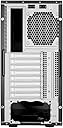
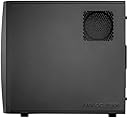
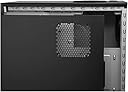
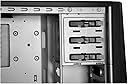
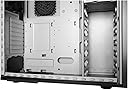
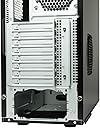
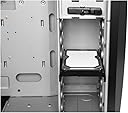
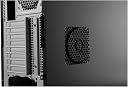
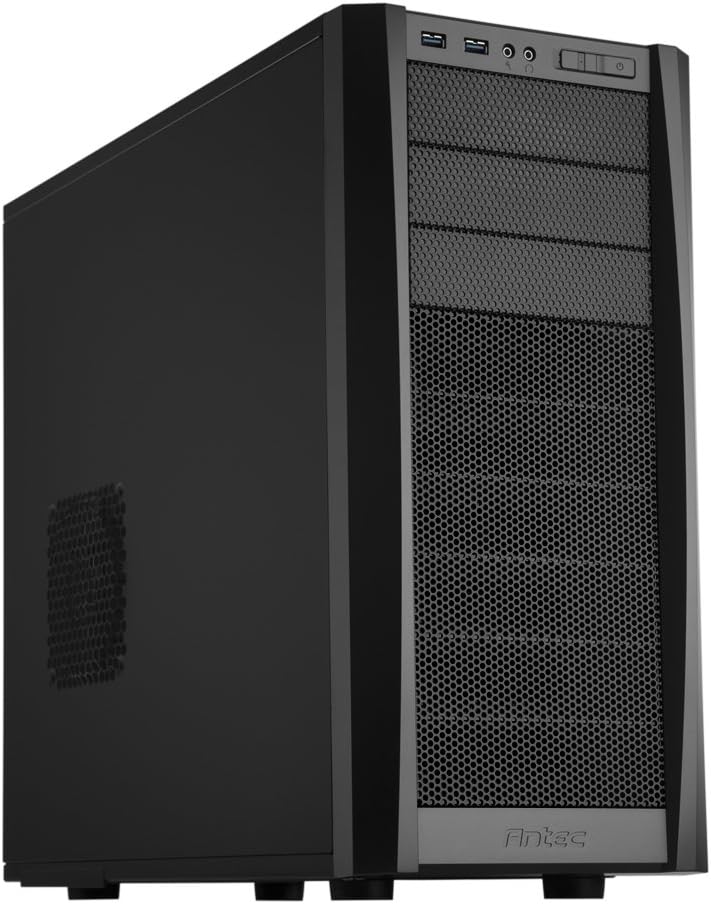
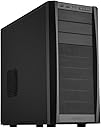
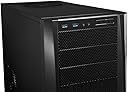
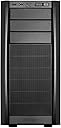
The Antec Three Hundred Two Mid-Tower Gaming Case delivers advanced cooling with two pre-installed 120mm TwoCool fans and four additional fan mounts, plus washable dust filters for optimal airflow. Its 9 tool-less drive bays, including two dedicated SSD slots, enable hassle-free upgrades. Compatible with ATX, Micro-ATX, and Mini-ITX motherboards, it supports up to 318mm GPU length and features front USB 3.0 ports and audio connectivity, making it a versatile, high-performance chassis for serious gamers and PC builders.


| ASIN | B006TVQTHW |
| Antenna Location | Indoor/Outdoor |
| Best Sellers Rank | #3,908 in Computer Cases |
| Brand | Antec |
| Case Type | Mid Tower |
| Color | Black |
| Compatible Devices | CPU |
| Cooling Method | Water |
| Customer Reviews | 4.6 out of 5 stars 558 Reviews |
| Enclosure Material | Alloy Steel |
| Fan Size | 120 Millimeters |
| Global Trade Identification Number | 00761345153201 |
| Hard Disk Form Factor | 2.5 Inches |
| Internal Bays Quantity | 11 |
| Item Dimensions D x W x H | 18.54"D x 9.02"W x 20.2"H |
| Item Part Number | 0761345153201 |
| Item Weight | 15.3 Pounds |
| Manufacturer | ANTEC |
| Material | Alloy Steel |
| Mfr Part Number | THREE HUNDRED TWO |
| Model Name | Elite Performance |
| Model Number | Three Hundred Two |
| Motherboard Compatability | Micro ATX |
| Number of Fans | 2 |
| Other Special Features of the Product | Advanced cooling system, sound dampening side panels, tool-less drive bays |
| Power Supply Mounting Type | Rear Mount |
| Recommended Uses For Product | Indoor/Outdoor |
| Supported Motherboard | Micro ATX |
| Total Expansion Slots Quantity | 8 |
| Total USB 3.0 Ports | 2 |
| Total Usb Ports | 2 |
| UPC | 809385165720 803982840738 734911337008 637282916066 851727058399 191120060262 631058206979 898029628943 809185316452 309965993090 172304225219 069060237788 734911128453 761345153201 012303827734 724627265603 012302726816 666672877588 |
| Unit Count | 1.0 Count |
| Warranty Description | 3 years |
R**S
A Lot of Room for a MId tower Case
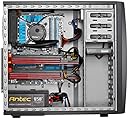
The Antec 302 mid tower case is a great case in a little package. I purchased this for a full ATX Asus board which fits with out any problems what so ever. The 302 is a revamping of the gamers favorite case , the 300. With new design features such as tooless drive bays and cable management holes in the back plane, the 302 is improved over it's brother , the 300. The 6 HHD bays are accessed from the side and the 3 x 5.25" bays on the front are easy to use and are accessed via a swing out front panel that unlatch from the side. I would have liked a 3.5" adapter for the front drive bays, but is not a deal buster. It also has two places for SSD/ 2.5" drive units on the chassis floor and back plane, but I prefer to mount them in the HHD drive slots using an aftermarket adapter for 3.5" to 2.5" drive. The case will fit ATX, Micro ATX, and Mini-ITX motherboards and has 8 expansion slots for PCI cards. The chassis is wide enough for a 12.5" graphics card and is deep enough to fit most any air or water cooling system. It does have two grommeted holes in the top of the case for external water cooling or cables. I managed to install an Antec Kuhler 920 water cooler without any problems what so ever. The bottom of the case is vented and has a dust screen on it for a bottom mounted power supply. The dust screen removes from the side for ease of cleaning. It also has a dust screen on the front of the case that can be removed for cleaning. While the case comes with a top mounted 140mm exhaust fan and 120mm rear exhaust fan, the case can also be fitted with 2 x 120mm fans in the front, as well as, a 120mm fan on the side to cool the graphics card and a 120mm fan on the back side behind the motherboard to cool the CPU from the back. As for the front header, there are 2 USB 3.0 connectors that plug into the motherboard and the headphone and mic jack with the power and reset button and the HHD activity led and power led. This is a great little case and is about the size of the old Antec 900 series and is slightly larger than the 300 for added cable management and has 4 holes to route the cables through and the back plane. It is solid and well build as with most Antec procucts...I have used them for years for their value, quality and design. Even though the price is somewhat higher than the 300, the added features are worth it. It is still a great value for the money and is worth it for the tooless drive bays and the space for cable management. The only case I would have considered over this one is the Antec 1100, but I wanted a small footprint for my case.
E**T
Best sub $100 case you'll find.
I've used a lot of cases, from cheap-o $15 cases to $150 cases with more bells and whistles than a luxury car. Having said that, this is a real mans case. This thing is huge, Texas would be envious of the size of this case. It comes with two fans and has mounting points for 3 more, all 120mm, none of those sissy little 80mm girly fans. Heat issues? Ha, not likely when I can create a small hurricane inside this bad boy. Mounting points work for pretty much any size motherboard except maybe a full server board, but all sizes of ATX boards should fit this except maybe those little tiny micro ones, but if you're buying a micro ATX board your not doing anything useful with a computer anyway and you should not get this case as it will make your motherboard feel very inadequate. All in all, I'm pleased with this case, the side mounted hard drives are what really sold me on this, I smoke hard drives left and right, so being able to easily drop them in with the snap clips is a big plus, lets me get back to work in no time instead of fumbling around with those tiny screws that you drop and lose 15 of them trying to get two of them go in. So I'm sure your sitting there going "Gee Mr. review writer, is there anything this case doesn't have?" and sadly I must report that this case does NOT come with a coffee maker or any form of a microwave, so I still have to go to the kitchen. I was a little disappointed with that, but the front mounted USB 3 and sound ports more than made up for that. In summary, I'd give this case a 9/10, but Amazon uses stars, so, it gets 5 since they won't let me put a half star. Why the half star, or 9/10, you might ask? Well nothing is perfect, and this does have one flaw and that was the power supply mounting point. It is on the bottom as many cases have these days, however, there's a little metal bracket above it (a guide/stopper) that was bent or misshapen from the factory, this was preventing me from actually dropping my power supply into place. This was easy to remedy though, I took my trusty pliers and bent that sucker out of the way and then was able to mount the power supply. So as long as you own some form of bending-capable tool, you should be able to resolve any clearance issues you encounter.
A**R
Pretty good, but not perfect (especially ssd mounting)
I bought this case in November 2012 for about $58; items I installed include a Gigabyte GA-Z77X-D3H Z77 motherboard, an MSI 670 graphics card, a Corsair CWCH80 (120 mm fan) CPU water cooler, an optical drive, a 3.5" hard drive, a 2.5" SSD, a Corsair CX600 PSU and three additional 120 mm case fans (one venting behind the motherboard, two blowing into the case on the front). All items including the long graphics card fit inside, though the water cooler blocks direct access to some connectors on the motherboard (CPU power, one fan connector; be sure to hook those up first!). The cable routing is excellent and the tool-less 5.25" and 3.5" bays are convenient. All steel edges are properly rounded, presenting little danger of cutting oneself, and the overall quality of this case is very good. The included fans (1 x 120 mm, 1 x 140 mm) work well so far (1 month after purchase), and the front connections (USB 3.0, audio) have not presented any problems. All in all, I'm pretty happy with the price, features and aesthetics of this case, but I do have the following concerns / suggestions for the next generation of this case: 1) The SSD mounts need at least 5 mm more clearance from the bottom of the case (or motherboard tray in the case of the mount there) as it is impossible to mount the drive properly (4 screws) and connect a SATA cable with the current clearance (at least with the cables of the power supply I used). 2) The 140 mm fan would be better located closer to the center of the case. As it is, in order to prevent the 120 mm water cooler fans from having to compete with the 140 mm fan at the top of the case, I had to direct the airflow from outside the rear 120 mm fan opening through the water cooler and up through the 140 mm fan; the cooler blocks about 15% of the area of the 140 mm fan. The obstruction would be a non-issue for a slimmer water cooler or a regular CPU cooler, but fans would still compete, both drawing air from the top corner. 3) Fan opening filters should be installed on all openings. They are only provided for the PSU opening (on the bottom of the case) and the front opening; the side openings (one just above the PSU / over the PCIe x16 expansion slot on the motherboard used here, the other below the CPU) do not have filters. 4) The number of included 3.5" bays (six) is excessive for most applications. Changing this to at most three 3.5" bays and adding at least two 2.5" trays would reduce materials cost, increase are flow from front fans and eliminate SSD mounting problems. 5) Instead of / in addition to grommets for mounting a user-assembled water cooler over the 140 mm fan at the top of the case, some type of opening that would allow the tubes of a pre-assembled unit to be routed out of the back of the case to externally mount a water cooler of that type over the 120 mm fan opening of the rear of the case would be useful. 6) The fan cage design (stamped from the cage and somewhat raised on the exterior rather than a detachable grill) may interfere with mounting a fan or fan filter outside the case (I have not yet tested this). Additional suggestions for potential buyers: - I strongly suggest purchasing a 3.5" to 2.5" adapter bracket to mount any SSD in the 3.5" drive rack (probably about $10). - If you intend to mount fans on the side openings (especially above the motherboard), I suggest getting fan extension cables. - This case is larger than one might think based on the listing's picture alone, one should take note of the listed dimensions.
O**A
The best case I've worked with, great features, amazing cable management, and only two very minor issues.
This case was a joy to build with. Rolled edges for a tear-free installation, filters on the fan intakes, spacious interior, side-installed 3.5" bay, USB 3.0 front ports, great design. Some people have complained about there being too many 3.5" drive bays, but I actually like that so I can space out my drives. I've got three installed, and have an empty bay between each of them to allow for air-flow. I specifically searched for cases with NO side-window, because while I consider the inside of my computer gorgeous, I didn't want a flashy exhibitionist case. Probably my favorite feature about this case is that the motherboard is offset by about 1.5" from the right side of the case to allow ample cable management. All of my cables go behind this wall, so when looking inside, all that can be seen is the ends of the cables meeting their ports, but just about no visible dangling cables. A couple minor negatives: The blue power LED displayed through the pin-hole is not an issue; however, the headphone cut-out in the plastic is excessively large (likely to allow disconnecting the face of the case with ease), and the LED can be seen through the opening, which in this case is blinding. I fixed that with a small piece of cardboard taped to the side of the headphone jack to block the light from traveling in that direction. I can still see it via the pin-hole where it's supposed to come through, but that's it. Also, the tool-less mounting brackets for the hard drives and optical drives don't seem to be sound-conscious - no rubber grommets or other sound-eliminating solutions. However, the case seems to be quiet regardless; I have a PSU fan, CPU fan, and two exhaust fans, as well as one or two HDDs spinning, and the loudest sound is the PSU fan, which isn't even very loud, and I can't hear the computer with my music on. There was one confusion at first: Instead of the side walls sliding backward then off, they actually swing out like car doors (and then can be pulled off the case). I've not decided whether I like this compared to the traditional method, but once I figured that out, it was okay. The only concern here is if the case is in a semi-confined area, it may be difficult to get the swing-out needed to pull the walls off, but I've managed.
R**N
LOVE IT!!!
This is my third Antec case. I have a 900 I got 5 years ago and still love. I bought a 300 for my brother 4 years ago and liked it. I needed a solid case for a HTPC in the bedroom and wanted good cooling and quiet operation.... Well as quiet as possible. The 300 has been very well upgraded from what I used 4 years ago. I like this a lot! *Great cable management. The drives slid in sideways and are tool free. The cables can be in front for easy access or routed around the back for a clean look. *The case provides a lot of room to run the power and cables behind the back plate and it looks nice and airy inside after install. *USB3 plugs provided on the front panel. *The power supply can be mounted at the bottom either with the fan facing into the cabinet or it can be inverted with the fan pulling from underneath the case. Yes... there is a intake on the bottom of the case with a screen to allow for external airflow to the PS. The rubber feet are large and keep it high enough for airflow to the ps, Maybe not so much on carpet but for a desk, tile or hardwood i have no issue with this. *My 900 had to almost completely disassembled to get the front cover off and access the drives. This cover comes off with only the access side open and no trays to hold the drives. Very easy and tool free removal and replacement of drives. *2 120mm Cooling case fans provided. One top and one rear. Both are set up with a standard plug or can be on the motherboard for fan management. Great option. And the fans are 2 speed adjustable, High and low.... But wait theres more!!! the switches for the speed adjustment are mounted on the back of the case! Yes you can change the speed without having to open the case. just reach over and tun it up or down. GREAT IDEA!!! *There is a cut out behind the CPU on the mounting plate. This allows for you to mount the board, run the wires and then connect up your aftermarket Fan and backplate. This proved to be invaluable to me. The case fans made it very hard to get the CPU 8 pin connector installed with the CPU fan installed first. I just removed the fan, Plugged everything in and then remounted the CPU fan. Very Nice move Antec!!! Only issue i have is my aftermarket fan. I have a Thermaltake fan that aims at the board. not up or back but side mounted and blows towards the cpu. Its a great fan and works well to push air over my Ram and bridge cooler. It however is a very tight fit with the 120mm provided case fans. If your using a stock fan or someting rear directional this may not be an issue. its what i had and it works well, its just a tight fit. I am very impressed and think this is an absolutely great case for under $75.00. I dont think you can find a better one in this price range. Well thought out and great craftsmanship.
J**7
A great case for twice the money
A great case. Full sized with lots of room. Comes with two fans preinstalled and they are quiet. No LED's thank goodness. I mounted a full sized ASUS Z170 ATX MB and it fit perfectly. The case included a connection bar for the Pwr Led, Pwr Sw, Reset, speaker, etc so that you could make the connections at eye level and then plug the whole shebang into the MB. These connections were always a pain before. Everything installed perfectly. I did have to purchase a 2.5 inch mount for my SSD as the case does not seem to have a provision for these new small drives. The power supply mounts on the bottom and the case accepted my new 750W EVGA P/S without a problem. I like that the power switch, reset, USB 3.0 and SPDIF are located at the top front of the case. The case top has a couple of grommeted holes at the rear (for a water cooler radiator?) that I didn't use. Overall, a well built, solid case that I would not hesitate to purchase again.
D**N
Great stylish but simple case at a very fair price.
Pros: 1. Nice looking but understated, and without all the stupid lighting effects seen on most crummy gaming rigs. 2. Roomy inside. 3. Built in (but also replaceable fans on the back and top with adjustable high/low rpm external switches for both. 4. Along with option to mount front vents for HD ventilation, also vents for optional fan mounting over PCI-E slots as well as under the CPU. 5. Decent cable management options. 6. Nice mesh dust filters for the power supply fan underneath and over the grill in front of the 3.5" slots. 7. Fit most heat sinks I can think of (does fine with my Noctua NH-12UP at 158 mm). 8, Includes the 20 pin single USB internal plug for the front ports, so if you have a new enough motherboard those don't need to be run to the back of the case. 9. Tool-free retention trays for 3.5/5.25 drives. 10. Well priced. Cons: 1. If you like glitzy rigs with windows and laser light shows, it's not for you. 2. The grommets for water cooling tubes are on the top and not the back of the case, which I think is odd but whatever. 3. While the retention trays on the 3.5 inch drives work great, if you plan to mount a 2.5" SSD in them, you will probably run into trouble as the pins on the trays require a full length mounting platform, and most 2.5-to-3.5 mounts that come with SSD's won't be long enough. I used a Silverstone FP55B mount (with the front bay plate taken off) to put 2 SSD's into one of the 5.25 slots instead, and that worked great, but I had to buy the extra mount. 4. If your MB has an 8 pin connection behind the ports on the back/top corner, there is no really nice way to handle the cable management on that. I used to run it behind the motherboard on my Coolermaster HAF 922 with an extension cable, which was a nice solution, but on the 302 there isn't enough room to get an 8 pin cable behind the base plate on this case. Instead I ran it over the back fan, tied to one of the vents on the back near the PCI slots, and it's fine I guess. Still, this is a great case and I do highly recommend it.
S**N
Meh
I actually think the first picture shown is the antec three-hundred not three hundred two. The front bezels are a little fatter on the three hundred two. With that said I think the three hundred is nicer but lets get to the two. First of all the pictures make it look a lot thinner than the case actually is (be sure to look over dimensions). Build quality isn't that great but its what you pay for. Light from the blue power LED leaks out on the top crack of the front panel casing which make it look cheap and was kinda annoying so I had to build it up with some black electric tape so light wouldn't seep through. Same problem with one of the side panels, wouldn't fit snug against the edges of the case, causing light to shine through. Panels are also very thin sheets of metal but like I said don't expect much for the price you pay. On the good side there is tons of room in the case so you really don't have to worry about parts fitting if you wanted to expand. Also everything is tool less so parts were a breeze to put in. The included fans are whisper quiet and the filters do an efficient job of collecting dust in the power supply/front panel area. Also easy to clean. Overall, the case is okay and I'm happy with it. This is my first build (I'd say I have mid-level components) and wanted something cheap but if you are first starting out I WOULD RECOMMEND investing in a more quality case (wish I went with the CORSAIR 300R which isn't that much more expensive and little nicer IMO). A case will last you forever anyway. But now that I've told you from a first time builder's perspective about cases, if you can't afford an extra $30-$50 for a better quality case then you're cheap and you're probably happy with a crappy components and an entry level case, such as this one. However you should just invest in a nicer, better case anyway even with your crappy components because just like the girls you bring home to mom, it's the OUTSIDE that counts. It gets the job done but like the subject line says.....meh.
B**D
Great case, great quality, no frills!
I purchased this case to be the home for my new Asus Maximus XI Code motherboard at the beginning of 2020. I've purchased an Antec case in the past and had good luck with it. This new Antec case didn't disappoint either. It's very basic, but the quality of the metal & plastic is good. It has no LEDs - a definite positive for me. I can't handle all the lighting, and it seems as though it's difficult to find items that don't have LEDs now. This case comes with fans, and they remain quiet after 5 months of use. It's not a huge case, but big enough to get the job done, and have adequate cooling. I'm very satisfied with it. I would recommend this to anyone requiring a basic case without needing one of those massive gamer cases with all the crazy lighting. I don't see why this wouldn't satisfy most user's needs. I would buy another case identical to this one if I need another.
D**I
Ottimo case per chi cerca spazio e comoditá di montaggio.
Ottimo case, resistente, spaziosissimo e di design. Lo spazio interno permette un'ottima aereazione delle componenti. In piú ha anche lo scomparto per la cavetteria. Unica pecca, da guardare il video illustrativo sul sito della casa produttrice per vedere bene l'inserimento dei masterizzatori e HD.
A**ー
古い世代だがよい。
海外からの取り寄せで約1か月待ちましたが、とても良い状態で届きました。 待っている間に取り付けの手順をあれこれ考えることが出来、いざ本番で満足できる結果を得られました。 買ってよかった製品です。
R**2
Great gaming/enthusiast case
This is a great gaming case as there is plenty of room for up to 3 large graphics cards without impacting on disk storage. The intelligent layout means you could have up to 3 graphic cards, 6 hdds and 2 SSDs - you don't have to of course (I don't!) and it is still worthwhile for the extra flexibility you get with this case. Construction quality is good, access to all areas is easy using simple thumbscrews to remove the side panels, then the front panel can be popped & swung off. The case is part 'tooless' - HDDs can be simply slipped in after attaching screwless side-rails, DVD drives are just pushed in. However you do need a decent small Phillips screwdriver to attach the motherboard, a hex bolt tool or v small spanner is also useful (not vital) to attach the motherboard mounting points. The PCI card rail has a small panel with two screws for extra security, but that is good as you want to make sure those heavy graphics cards stay in place! Even with 4 fans running the case is quite quiet, but certainly not silent. Notes from other reviews as the case may have been revised form earlier models: 1. My case came with both USB3 and USB2 header cables - only one can be attached but that is still good news for 'older motherboard' owners. 2. The screws for the optional front fans are exactly the right size for Antec 120mm fans - if your fans are thinner, you may need a hacksaw to avoid the screws fouling the drive cage... 3. The supplied fans have long power cables, reaching to virtually the bottom of the case fully extended, so no need to re-position the fans! Finally a note about the two SSD mounting points - one is behind the motherboard (innovate!) but will require you to fit the drive before the motherboard if you have a full ATX size board. My micro ATX board left the mount points clear so I will not have a problem should I add one. The other is at the bottom of the case - should be OK anytime. However be aware that you may have issues feeding power cables to these positions, as they are away from other drives, and look like they will need to use the power connector at the end of the power supply cable. If you plan to use them straight away consider if you need to order a molex to sata convertor or extension cable as well.
R**S
Antec Three Hundred Two
Als erstens muss ich mich für die superschnelle Lieferung von Schwanthaler Computer bedanken. Mittwoch Nachmittag bestellt, Donnerstag Morgen da... Das Gehäuse ist schön schlicht gehalten, nich so bunt und hell beleuchtet wie andere Gehäuse... Ich mach jetzt einfach mal ne Pro und Contra liste. Pro: - Wie schon erwähnt schön schlicht - Genug Platz für Längere Grafikkarten - Kabelmanagment (Die Kabel werden hinterm Board langgezogen) - Viele Möglichkeiten Lüfter einzubauen: 2 Vorne 120 mm, 1 Hinten 120 mm, 1 Linke Gehäuseseite 120 mm, 1 Rechte Gehäuseseite 120 mm, 1 oben 140 mm - Laufwerke kann man ohne Werkzeug einbauen - Staubfilter für die Lüfter vorne und für das Netzteil - Schrauben und Abstandshalter fürs Board werden mitgeliefert und Schrauben für die Befestigung für die 2 Frontlüfter Contra: - Nur 3 5,25" Laufwerksschächte, wer nen Kartenleser oder so einbauen will muss sich nen 5,25 zu 3,5 zoll Adapter kaufen - Der 140 mm Lüfter oben ist einfach zu Laut für meinen Geschmack, deswegen hab ich ihn auch ausgebaut, der 120er geht noch - Es wurde kein USB 3.0 zu USB2.0 Adapter mitgeliefert. Den kann man aber kostenlos anfordern. Einfach ne Mail an [email protected] mit Rechnung und der Bitte einen USB 2.0 adapter zu schicken. Fazit: Schönes Gehäuse wo man auch viele Festplatten reinkriegt (6). Das Kabelmanagment ist auch gut. Man kriegt auch längere Grafikkarten rein. Was mich persönlich halt nen bisschen stört ist das halt nur 3 Laufwerksschächte sind. Aber sonst ein gut gelungenes Gehäuse. Kaufempfehlung !
Trustpilot
2 months ago
1 day ago