Desertcart purchases this item on your behalf and handles shipping, customs, and support to Hungary.
🆒 Stay cool, stay ahead — silent power for your tech sanctuary.
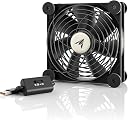
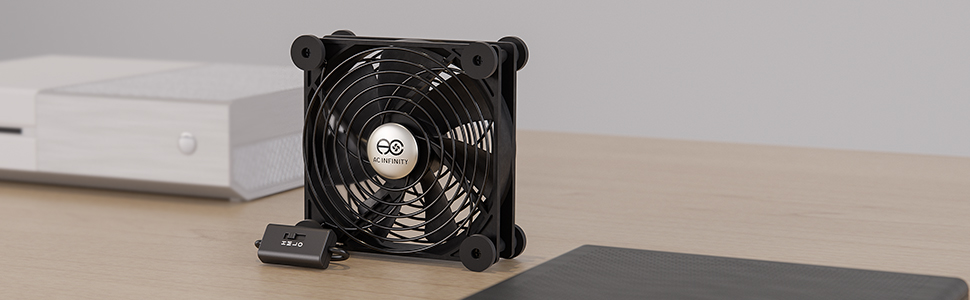
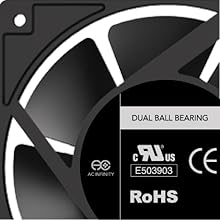
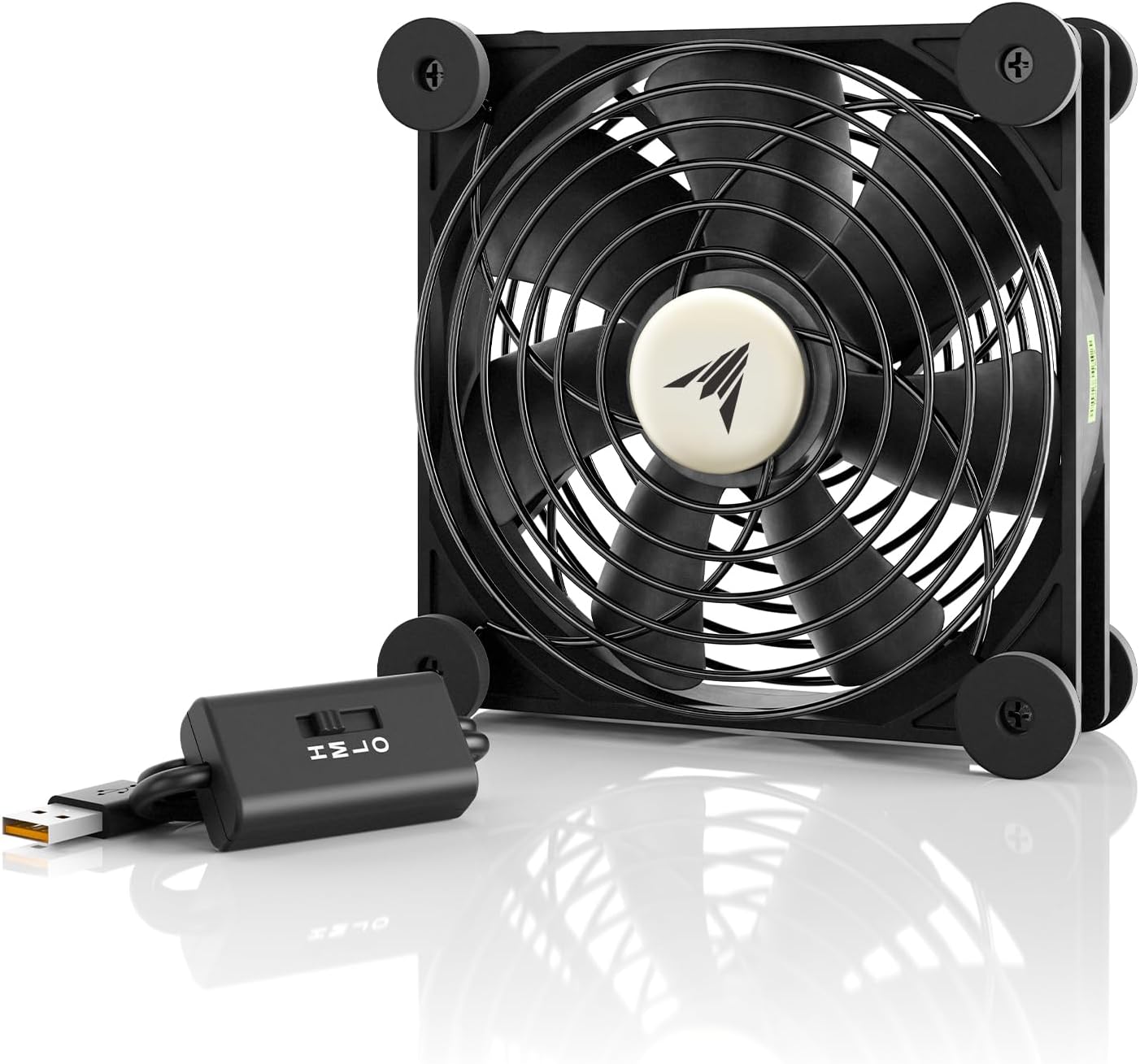
The AC Infinity MULTIFAN S3 is a UL-certified, ultra-quiet 120mm USB fan delivering 52 CFM airflow at just 18 dBA noise. Featuring a multi-speed controller and durable dual-ball bearings rated for 67,000 hours, it’s designed to efficiently cool electronics like gaming consoles, DVRs, and computer cabinets. Its compact size and USB power compatibility make it the perfect stealthy cooling solution for professional setups craving silent, reliable airflow.


| ASIN | B00G05A2MU |
| Air Flow Capacity | 52 Cubic Feet Per Minute |
| Best Sellers Rank | #2 in Computer Case Fans |
| Brand | AC Infinity |
| Brand Name | AC Infinity |
| Compatible Devices | Amplifier |
| Cooling Method | Air |
| Customer Reviews | 4.7 out of 5 stars 5,729 Reviews |
| Global Trade Identification Number | 00854759004310 |
| Item Dimensions L x W x H | 4.7"L x 1"W x 4.7"H |
| Item Weight | 0.02 Pounds |
| Manufacturer | AC Infinity |
| Material Type | Rubber |
| Maximum Rotational Speed | 1300 RPM |
| Model | FBA_AI-MPF120A |
| Noise Level | 18 Decibels |
| Number of Items | 1 |
| Part Number | FBA_AI-MPF120A |
| Power Connector Type | USB |
| Product Dimensions | 4.7"L x 1"W x 4.7"H |
| UPC | 854759004310 |
| Unit Count | 1.0 Count |
| Voltage | 5 Volts |
| Wattage | 5 watts |
J**K
AC Infinity AI-MPF120A cooling fan -- Quiet and effective for confined heat-producing electronics -- RECOMMENDED
Update 3/2018: Expansion of the home network to include a home office resulted in another cooling fan for my crowded computer center (converted credenza, snug). The newest AC Infinity now has a variable speed switch, and costs less. Cabinet temps seldom exceed 5-7 degrees over the ambient room temp. The 120mm seems to be the best fan for the money. Original review: Small, but not so small that it can't move air. QUIET! Effective Once "installed" (more like placed in a cabinet), they are set-and-forget. I purchased 2 of these, being unsure att eh time how effective they would be in a renovated office credenza-become-computer center. Within the top half of this cabinet space, just under 3 cubic feet (9"h x 18"d x30" w) I have a satellite modem (runs very warm), 2 routers and a switch, and a desktop refurbished as a firewall. Before stuffing all these components into this space, they occupied the lower half of a bookcase that sat atop the credenza, and all were clearly producing heat. Therefore the notion that these AC Infinity fans (or similar) would be required inside the smaller credenza space. I started by placing one fan in the rear of the cabinet to push air (cool air from below) across the very warm sat modem and router out to the front of the open cabinet, and there I placed fan #2 to help pull warm air out and into the room. Both fans run exceptionally quiet, and I needed to check occasionally to reassure myself they were still spinning. There is a subtle movement of air as well, not a breeze; simply lick the back of your hand and hold it 2 feet away and you will notice the cooling effect on your skin (an old IT "procedure" for detecting failed equipment fans, always works if not sometimes salty). An indoor/outdoor thermometer served as a great way to measure temps outside the credenza and deep inside (placing the remote temp sensor near to the warmest component, the sat modem in my case). For 2 days the interior cabinet temps remained within 6-9 degrees of the room temp. So I removed fan # 2 (front of the cab opening), all without more than 1 degree increase resulting. Bottom line: small but moves air (don't expect a whirlwind or obvious breeze, it's pretty subtle), and very quiet. The rubber feet on all corners eliminate any vibration noises or humming, and also keeps the fan from moving anywhere. The alternative might be the AI-MPF80A2 dual 80mm fans (52cfm total) if space is an issue. If heat is more of an issue than what I described here, consider the AI-MPF120A2 dual 120mm fans, 104cfm total. Depending on how my single 120mm handles heat this coming summer, I may opt for this dual 120mm fan setup. As for the optional fan thermostat and speed control, I simply let my fans run off any available USB port and do their work. Recommended, keeping your gear cool (or not hot) at this price is great insurance.
M**D
Very good cooling fan. Multiple speeds. Good airflow. Very very quiet to silent!
The AC Infinity 120mm fan is a solid & quiet cooling fan. I needed something to place either near or on top of my Firewalla Gold as it gets very hot at times and I wanted to see if something could be done to cool it down with zero noise. For $14 I decided to give this well-reviewed cooling fan a shot. Long story short, this fan works flawlessly. It checks all the boxes. Silent running. Multiple speeds (I keep mine on the lowest as that is all that is required to bring the Firewalla cooling fins down to room temp or lower). Inexpensive. I have a router right next to the Firewalla so just used the USB from that for power but any USB type A will do. I also purchased their 80mm dual fans as well and using those on a Comcast Cable X1 box that gets hot in my entertainment center. These help move the hot air out of the semi-enclosed space the box is in.
R**A
What a great little piece of equipment
Yes, it's quiet. (Although to be honest, I'm deaf, but my wife doesn't complain.) Better yet, it brings some of my hot running equipment rapidly down to room temperature: a microappliance, a Thunderbolt dock and an SSD enclosure, as well as my Mac Studio. Summers coming, don't fry your equipment!
J**K
Functional and extremely quiet, but may experience ball bearing problems after prolonged use
In June 2017 I purchased the MULTIFAN S3. I wanted an external fan that was extremely quiet, had an RPM adjustment switch, had vibration dampening feet or pads, and was USB-powered. The intended use was for cooling a vertical/upright Asus RT-AC56U/RT-AC56R router. The average temperature of those routers, with both 2.4GHz and 5GHz radios enabled, tends to be quite high (90C is common, especially during summertime). I also didn't want to void my router warranty modding it to support a fan (not to mention, small fans tend to be high RPM to make up for their size, thus loud -- no thanks!). The MULTIFAN S3 did exactly what I wanted. On medium speed, it's basically inaudible ~4 feet away. At medium speed, it lowered temperatures by about 10C, simply blowing air across the router from the side. The screenshot I've attached shows before-and-after; before, temperatures peaked at ~75C. With the MULTIFAN S3 in place, peaks hit 65C. Excellent for low-RPM, purely external cooling! I used this setup for about 9 months, until one day I began to hear a very quick and occasional "rattling" noise coming from somewhere near my networking equipment (all of which is fanless, excluding the MULTIFAN S3). This noise became more regular over the course of a few days, allowing me to track down the source: sure enough it was the MULTIFAN S3. Most likely the dual ball bearings were gradually loosening (shifting too much inside of their tract/sleeve), or possibly had developed "clotting" of bearing lubricant, both of which can happen with prolonged use. I disconnected the MULTIFAN S3 until earlier this week where summer temperatures were beginning to kick in again. Within an hour of hooking the fan back up, the "rattling" and "clicking" returned, no matter what speed the fan was set to. Bummer. I don't think I got a lemon, as it worked fine for many months. This problem with ball-bearing fans is common even with high-end PC case fans. It's one of the reasons I prefer Noctua oil pressure bearing (SSO/SSO2) fans, but Noctua doesn't make a product like the MULTIFAN S3 without use of third-party adapters. On the subject of fan bearings and lubricant: like most consumer fan products, the MULTIFAN S3 *does not* offer a convenient way to repair, replace, or re-oil the bearings, as there's a very firm plastic or aluminium company logo over the centre spindle on both sides of the fan. And even if there wasn't, many of these types of fans on the market have sealed plastic enclosures so you can't access them anyway, forcing you to buy a replacement. Overall I give this product 4/5 stars because it definitely does everything advertised and AC Infinity should be commended on their product. Just keep an ear out for any bearing problems.
A**S
Silent, 3 fan speeds, well constructed - This has already shown me it's a keeper.
This fan is well built, easy to adapt to silent laptop cooling under a reclining stand. I'm running the fan on medium and the laptop stays near room temperature. No more high temperature concerns.
M**N
Hot Xbox One? No More!
Xbox One is a fantastic gaming system, but man, does that little black box get hot! Especially after 12-16 hours in Fallout 4. Yes, the XB1 has a large internal fan, but it's lethargic: it draws a small volume of fresh air and pushes out an equally small volume of hot air out the top. Some say this is enough: 'That's way they designed it!' I know, I've read all those articles (and so have you, I'm guessing). But you're reading this review now because, like me, you've come to realize that 'design myth' is just that: a myth. I'm being polite here; you may have another word for it. Put simply: That box is too damn hot. And heat is killer for high-end electronics. My solution is simple and relatively inexpensive (especially considering the cost of a new XB1). It's also two-pronged: PART ONE: This fan. Place it on top of the exhaust vent to help pull hot air up and out. (Use a deflector to redirect air flow if your XB1 is in a cramped location like a bookcase.) Fan can use one of the two USB slots on back of XB1. PART TWO: (and this is important) A side vent fan of some sort. Blowing in. Another 120mm sitting on the outside? Maybe. It's so quiet, I may try that. The fan I chose however was the DOBE integrated side-vent fan. Available on Amazon. (There are several fans of identical design which makes me think there's one manufacturer and many distributors - I chose DOBE because their ad was almost in English). Snap out the old vent/dust cover (use a thin butter knife and throw out the plastic pry included) and then snap in the fan unit. It's a good fit and utilizes the side USB port (I didn't even know it was there). The design gives you back two USB ports to compensate but I haven't tried them (I've read there may be data transfer issues vis-à-vis external HDDs but that's beyond the cooling focus here). The two fan approach works quite nicely for me: At the end of a 12-hour Fallout 4 session recently, I lifted the top fan off and put my hand right on the exhaust vent and could barely discern the heat. What a difference! DOWNSIDE? Only from the integrated side-vent fan: A slight fan-hum is audibly discernable even on the low setting. I think I can live with it though given the results. The AC Infinity fan on the other hand is whisper quiet. When the DOBE stops working I may just buy a second 120mm and stick it along the side vent and see how that works. Hope that helps all you XB1 gamers out there have a cool summer!
R**R
Replacement for an older model AC Infinity fan. Nice new features.
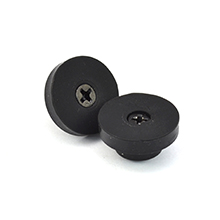
I have a few of the earlier model of this fan, in 80mm, 120mm, and 140mm. There are some differences between the older model, and the newer model of these fans. - This fan was already assembled. The earlier model, I had to screw the fan guards and feet on. - The older model was only on/off, this new model has the option for Low, Medium, High, and Off. - The older model included a USB-to-AC power adapter. This new model lacks the adapter. So far, this fan is nice, I like the variable speed settings. I like it was ready to go out of the box. I used a USB-to-AC power adapter with this new fan, since the switched item I have it cooling, only has a switched power plug, nothing USB switched. When this 120mm fan was on High speed, it seemed a bit louder than my old model 120mm, but I didn't compare the two too much. I bought this to replace an earlier model of the 140mm AC Infinity fan. I found the 140mm fan to be noticeably louder than the 120mm fan, the older models I own. After that, I decided that when I needed more fans, or needed to replace a fan, I'd buy 120mm, no more 140mm. Well, a 140mm fan began to get noisier and noisier lately, so due to the fan increasing in noise lately, I decided to replace it with this 120mm fan. I was happy with the older model of these fans, though I preferred the 120mm, to the 80mm and 140mm. 120mm had a nice balance for cooling and low noise. So far, I am happy with this newer model fan. The variable speed switch is nice, shame they took out the USB-to-AC power adapter, but that's OK, I still have some from the older model fans, and it's an easy enough item to find and purchase separate. These fans do their job well, cooling the electronics I want them to cool. All of them I have in use, are pulling air through the electronics, though, not pushing it.
H**9
Staying cool with AC Infinity
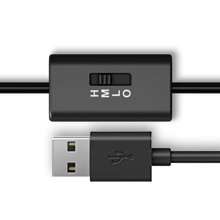
My A/V components have been housed for some years in a cabinet with inadequate ventilation. I was lucky for a long time and got by with it, but that situation finally claimed an A/V receiver that melted down last winter. I replaced the receiver with one that didn't run nearly as hot, but now that it's summer, I noticed that temperatures inside the cabinet were sneaking up to worrisome levels. The receiver, my DVR and Blu-ray player, despite being on different shelves, were all becoming hot to the touch, so I knew I had to add some auxiliary cooling. The AC Infinity AI-MPF120A had some excellent reviews on Amazon, and given the reasonable price, I decided to give it a try. The fan, which has an inline switch attached to its power cord, can be powered by USB ports (those that are designed to provide power) or via an AC adapter. My receiver has a powered USB port on the rear panel that provided the motive force in my case. I positioned the fan on top of the receiver, covering the ventilation slots, in such a way that it would exhaust the rising hot air up and away from the receiver (there are rubber feet on the fan that prevent scratching). In almost no time at all, the temperature of the receiver dropped markedly. That took care of the receiver, but the other components on another shelf inside the cabinet were still hot. So I ordered a second fan. These fans are designed to be daisy-chained together (via a USB pigtail arrangement), so I plugged the second one into the first and switched it on. I positioned it beside the stacked DVR and Blu-ray player beside their ventilation slots at a 45-degree angle, again so that the fan would direct the hot air up and away from the components. Again, the temperatures fell quickly and stayed down. I recommend these little fans for any application like this. They're whisper-quiet and get the job done. Most engineers will tell you that excessive heat is death to electronic components, and for as little as these fans cost, they're cheap insurance.
D**W
Well built and very quiet
Note: Product purchased directly from seller AC Affinity and fulfilled by Amazon. I use this to improve the air circulation on my Xbox One, which is housed in a narrow TV cabinet. Even though the cabinet is not fully closed, the external of the Xbox can get very hot, especially during a long session. I placed this fan directly on over the Xbox's top vents, blowing away from the xbox. The build quality is solid. You can shake it about, try to bend or squeeze it, there is no rattling or even creaking noise. Around the frame, all surfaces that you can touch, it is all smooth, no hint of any sharp edges. When the fan is running it is very quiet. There is a mechanical switch built into the USB cable. This switch has 4 positions; OFF, speed 1, 2 and 3. At speed 1, you wont even know it is running. Speed 2, in a room without any other sound you can almost hear it, but it is still quieter than my external Western Digital hard drive. Speed 3, well, you can definitely hear it. Not that the motor is noisy, just the wind noise it generated, and if you have the TV speaker on, it will drown out the noise from the fan. The OFF position is very useful, because I connected to the XBox usb port, and the port is always powered, even when Xbox is in standby/sleep mode. With the OFF position I can switch off the fan when I not using the Xbox. This is so effective, speed 1 is enough to keep the Xbox cool. The fan comes with 4 rubber feet attached, it does a very good job of keeping the fan on top of the xbox. At £15, this us not the cheapest 120mm fan on Amazon, but I am convinced this is worth its price tag. It is certainly has done what I needed it to do and quality is great. Only question is, how long will it last, time will tell. I would highly recommend this fan to anyone looking to improve air circulation for AV devices.
G**H
Excellent product
Excellent performance just love it build quality excellent keeps my PS4 and Xbox one x in ample temperature
T**R
great
great, installed in a PC cabinet. works perfectly
S**S
Quiet and Effective
This is my 2nd time getting from AC Infiniity. My first, two fans affixed to my home server cabinet, have been running 24/7 for the last 4 years. They are still quiet and blowing strongly. That says a lot.
P**A
AC Infinity MULTIFAN S3 ventilador silencioso
Lo compré para mantener frio un MINI-PC cuando lo tengo trabajando a máximo rendimiento. El ventilador no se escucha nada (tras 3 meses de uso) y mantiene fria la dependencia donde se aloja la RAM y los SSD, al que está destinado el ventilador.
Trustpilot
3 weeks ago
3 weeks ago