


๐ฌ๏ธ Chill Out with Smart Control!
The Cielo Breez Plus is a cutting-edge smart air conditioner controller that transforms any infrared-controlled AC unit into a smart device. With Wi-Fi connectivity, voice control compatibility, and energy-saving features, it offers unparalleled convenience and efficiency. Enjoy local and remote control options, automated comfort settings, and a user-friendly app that tracks your AC usage history.


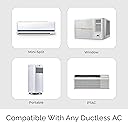

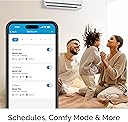
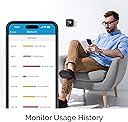

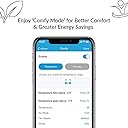


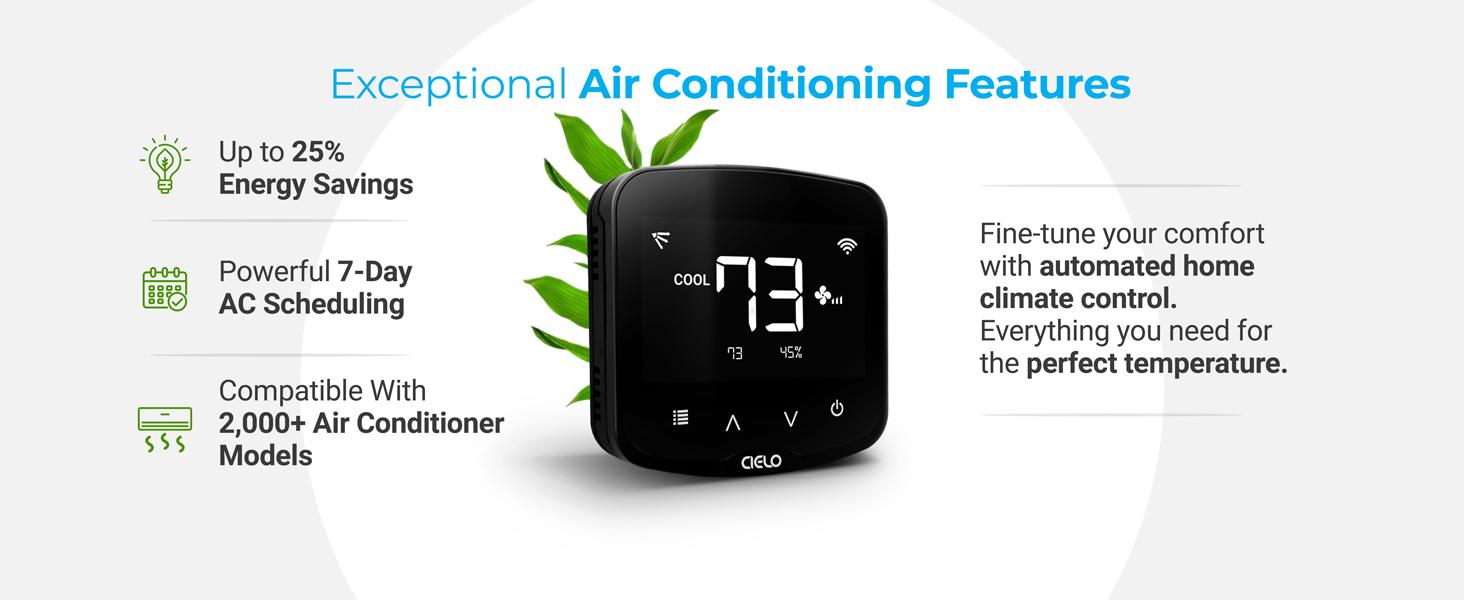


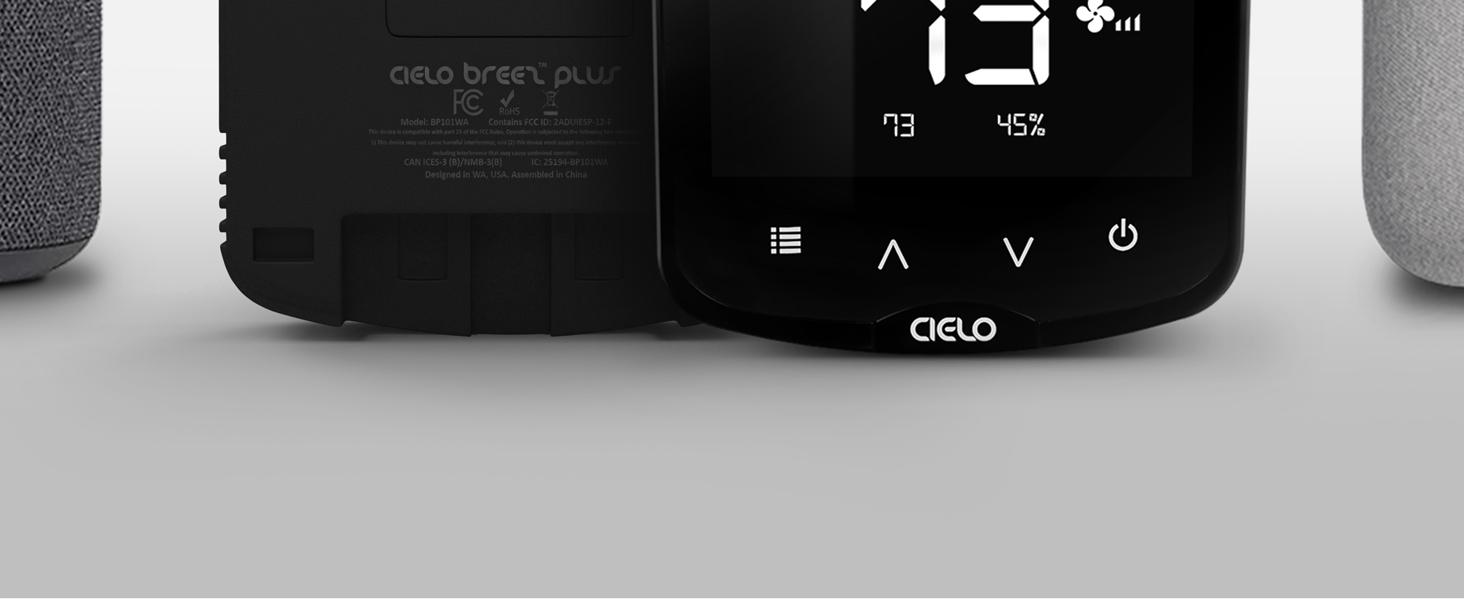
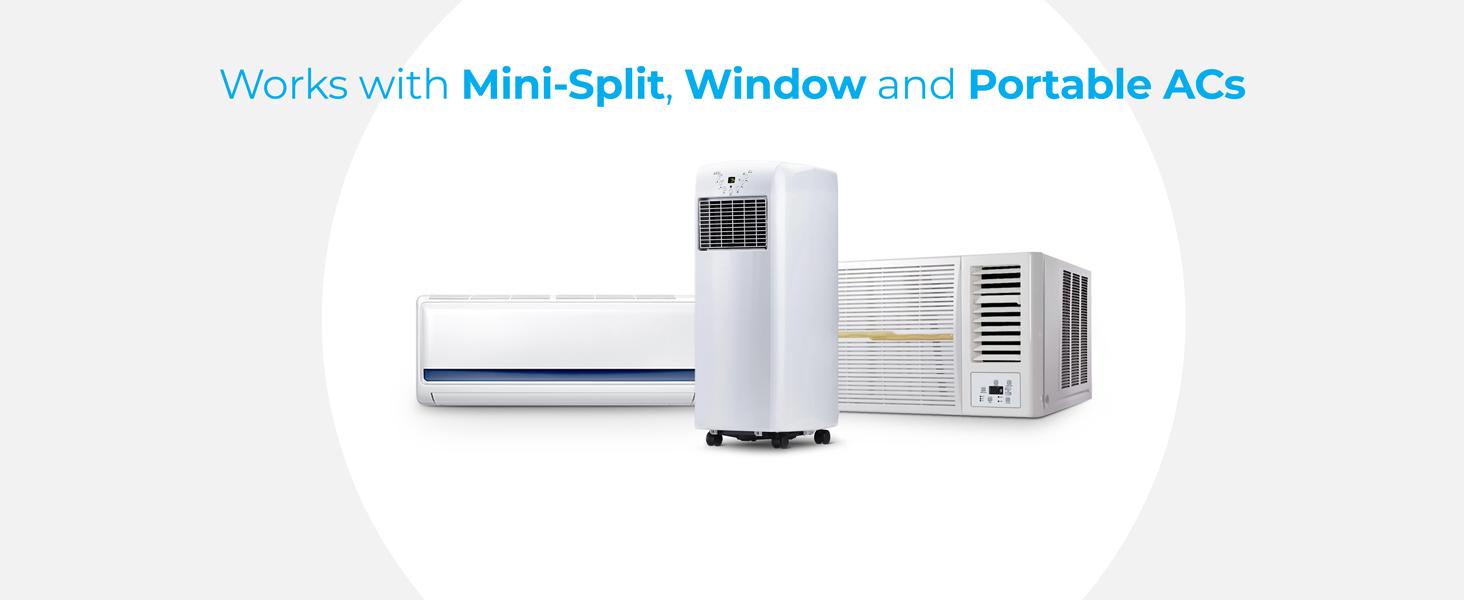

| ASIN | B07MPG1Y23 |
| Additional Features | Comfy Mode, Scheduling, Geofencing, AC Usage History tracking, Air filter status tracking |
| Backlight | Yes |
| Best Sellers Rank | #536,425 in Tools & Home Improvement ( See Top 100 in Tools & Home Improvement ) #588 in Home Programmable Thermostats |
| Brand | Cielo Breez |
| Brand Name | Cielo Breez |
| Color | Black |
| Connectivity Protocol | Wi-Fi |
| Connectivity Technology | Wi-Fi |
| Control Method | App, Touch |
| Control Type | Touch & App Control |
| Controller Type | Touch, App, Alexa, Google Assistant, Siri, SmartThings, IFTTT |
| Customer Reviews | 4.5 out of 5 stars 2,504 Reviews |
| Display Type | LCD |
| Global Trade Identification Number | 00853937007204 |
| Included Components | 5V adapter & USB cable, Cielo Breez Plus, Table Stand, User Manual, Wall Mounting Kit |
| Item Dimensions D x W x H | 1.02"D x 4.33"W x 4.33"H |
| Item Type Name | Smart thermostat for ductless air conditioners |
| Manufacturer | Cielo WiGle |
| Manufacturer Part Number | BP101WA |
| Manufacturer Warranty Description | 1 year replacement warranty. |
| Material Type | Acrylonitrile Butadiene Styrene (ABS) |
| Model Number | BP101WA |
| Mounting Type | Wall Mount |
| Power Source | Corded Electric |
| Product Dimensions | 1.02"D x 4.33"W x 4.33"H |
| Product Style | Smart |
| Shape | Square |
| Smart Home Compatibility | Smart Home Compatible |
| Special Feature | Comfy Mode, Scheduling, Geofencing , AC Usage History tracking, Air filter status tracking |
| Specific Uses For Product | Make any infrared controlled ductless AC or heat pump smart |
| Specification Met | energy |
| Temperature Control Type | Heating and Cooling |
| Voltage | 12 Volts, 5 Volts |
W**S
Intuitive App, Easy to Set Up Hardware
I really like this thermostat / remote control. I have an Alpine ductless mini-split air conditioner in my detached garage. I was looking for a humidistat, as the AC by itself runs continuously in "dry" mode as it doesn't have a built-in humidistat. I also wanted a way to be able to remotely control my unit so that I can adjust the temperature remotely before I go out to work in the garage. The unit is very easy to set up. It took me all of 3 minutes to go from a sealed box to a working thermostat with remote control via WiFi. I was very impressed by this. The app allowed me to login with my Google profile, so this was not yet another username/password combo I needed to make. Once in, it was just a few quick steps to configure it to my AC unit. The app itself is very intuitive and has all the features I'd like to see, so far. The unit and app remind me of the approach taken by ecoBee, which I use in my home. You can set ranges and actions for either temperature or humidity levels. Given that my AC unit has a built in temperature sensor, I don't need the "comfy temperature" feature really, but the "comfy humidity" feature is very helpful to me. Additionally, you can set up a schedule like a standard thermostat where you can cycle your unit on/off or adjust temperatures based on your needs. This is nice given that there's no way to do this on the AC unit itself. WiFi reception appears to be very good. My garage is across my property from my home and WiFi, while it reaches the garage, tends to be weak. My cell phone has intermittent WiFi connectivity when I'm in the garage. This thermostat has no trouble staying connected and operating correctly, and my router reports that it has a reasonably strong connection to the thermostat. The hardware itself appears to be based on Espressif's ESP32 Arduino architecture, with which I just spent several months working. It would almost be worth buying a second one to open it up and take a look at how they developed their unit just for fun. Infrared reception to the AC unit is great. I moved it around the garage just to experiment with it, and it appears to flood the room with infrared well enough that I probably could've mounted the thermostat wherever I wanted to. In the end, I put it relatively close to the unit (but out of direct airflow) as that's what made the most sense, though. My AC unit came with a USB thumb drive WiFi controller that works with the NetHome app. I tried it, and while it's "ok", it's not the best and it has no real advanced or programmable features to speak of. This thermostat makes up for that, and I will probably disconnect the one that came with the AC unit going forward. I should not that customer service was helpful. I talked to them on the phone when I had a question about setting up the "comfy humidity" feature (which, to be fair and had I opened my eyes, I would've been able to figure out myself). They answered quickly and walked me through my question. I also talked to them via email when the app appeared to stop working. It turned out that they were having an issue with their AWS server(s) that was resolved relatively quickly. Overall, I'm extremely happy with this thermostat and will absolutely buy another one when I install my next mini-split in my other building. It's well made, easy to use, easy to set up, has plenty of features, and appears to be well supported by the folks who made it.
N**P
The Cielo Breez Plus CAN work as a thermostat!
Several commenters have said that this device is nothing more than a way to make your AC mini-split controllable from your cell phone. But itโs more โ it does have an internal temperature sensor, and it CAN operate as a thermostat, but you wouldnโt know that from the supplied printed instructions, which make no mention of the Comfy mode settings required to enable thermostat operation. I didnโt know this mode existed until I read Joe Rโs comment from 11/23/2020, which sums it up nicely. I was able to get Comfy mode operational, but had several questions related to fine tuning. I selected Support from Cieloโs web site, per the printed instructions, and a live chat box popped up. I entered one of my questions, and customer service rep Mark immediately picked up. After a little back and forth, Mark decided it would be best to proceed by phone. I gave him my phone number and he called me immediately. He patiently worked with me until I both knew what to do and why. GREAT customer service! Basic setup of the Cielo app is straightforward, and is explained well in the printed instructions. After setup, to enable Comfy modeโฆ Fire up the app, and click on the appropriate device. At the top of the device page, you can select mode โ Iโm using Cool. Fan Speed is obvious. Swing does work (if your AC remote supports it), but setting it isnโt obvious โ you need to eventually do trial and error on the various Position settings to get the air distribution angle(s) that you want. For now donโt worry about it. At the bottom of the page click on Esaver. At the top of the next page click on Comfy Mode. Ah ha! At the top of the next page turn the slider switch on, then click on the right arrow next to it. The following page displays all the settings related to Comfy Mode. For my situation: Temperature range: 74 degrees to 74. (Operating this slider would be easier on a tablet.) If room temp falls below 74, Cielo turns off cooling by setting AC to 80 (leaving power to AC device on), while leaving fan on (Mode = Fan). Fan speed is Low. Swing is Position 2, which for my AC unit (Lennox) is the uppermost air output direction. The LED indicator on the AC unit stays On. If room temp rises above 74, Cielo turns on AC cooling. Power is On, Mode is Cool, Fan speed stays Low, Swing stays in Position 2, and LED stays on. Temperature setting sets the AC device to 73, a bit lower than my 74 range setting, to insure that the AC unit keeps cooling during this period. Alter these settings to suit your situation. Then be sure to click Done so that the Cielo app keeps your settings! Iโll leave it to you to experiment with Morning, Aternoon, Evening, and Night settings. You can have the Cielo device control for humidity instead of temperature, but note that whatever you may set up for Comfy Humidity will undo your Comfy Temperature settings! Feel free to use your regular AC remote as you desire to alter your current situation; Cielo only sends commands to the AC device once each time room temp goes above or below your Cielo range setting. It doesnโt keep fighting with what you do with your regular remote the rest of the time. If your remote wonโt let you alter settings, click its on/off button. This setup into apparently applies equally to the Cielo non-display unit, which can apparently do the same job(s), but I like having the display on the Breez Plus, to track room temp and see what the Cielo app is doing.
A**Y
Best of Breed & Excellent Support
I have owned 2 Cielo Breeze Plus devices for a number of months during mainly the air conditioning season, however it is becoming colder in the fall now (I live in Ontario, Canada) and I am experiencing the devices in the heating mode now. I did a lot of research and purchases/returns until I found the Cielo Breeze Plus. Why did I search for this device. I have 2 mini split heat pumps (Mitsubishi & Bosch) that work well except that they miss the following functionality: - the temperature is measured at the indoor head unit which does not reflect the temperature where the occupants are located (especially important with cathedral ceilings). - there is no wifi control for remotely setting the units - when the temperature goes cold outside the built in heat pump algorithms in the units do not ramp up the fan speed to increase the heat pumpโs capability to heat at the maximum capability of the unit. It requires manual intervention to raise the fan speed even when set to auto. To me, this is a huge oversight by the manufacturers - the remote device (in this case the Cielo Breeze Plus ) must support the functions of the particular heat pump IR controls - ease of setup . - simple user interface with the ability to create programs that exceed simple scheduling - reliability (100% uptime) & local control (can run without Cloud service) - good IR coverage (improves placement of the controlling device for coverage & room aesthetics) - customer support The Cielo Breeze Plus addressed all of the above must haves unlike the other similar devices I tried to use and returned or enquired about. The best functionality of all & why I kept the devices is the ability to setup โComfy Modeโ programs. These allow me to set specific conditions, such as dropping room temperature, that tell my heat pumps to increase fan speed as well as other functions. This is huge because nobody getโs up in the middle of the night to check if their heat pump fan is not meeting the heat demand to turn up the fan speed. Initial setup and operation was easy on both Cielo Breeze Plus units. My older MR Slim Mitsubishi unit IR control set did not exactly match the available fan speeds which I needed to have addressed by their Customer Support which they did. I was pleasantly surprised at how they were able to use the Cielo Breeze Plus device to remotely capture my MR Slim original remote control IR codes and modify an IR program profile that they incorporated into & downloaded into my Cielo Breeze Plus device. This was an amazing capability that they designed into the Cielo Breeze Plus and that their support department is prepared to handle an issue such as this. The display of the Cielo Breeze Plus is great and it is legible. I would have liked the ambient room temperature to have been slightly bigger in the display as I am older and the unit sits across the room which at the moment is just at the extent of my eyesights ability to resolve the number. The set temperature is very easy to read as it is larger. So both Cielo Breeze Plus devices were not cheap but there is no other device I found that can do what these do and the customer support is head and shoulders above the others.. I have no regrets paying a bit more for this functionality. I am a satisfied customer!
P**O
Great product, amazing tech support
In a nutshell: if I could, I would give them 6 or 7 stars for tech support! I purchased a Cielo Breez Plus to see if it would work remotely for a B&B in Italy. When I arrived I found out that the A/C + heating split is an old (2008) model from a relatively unknown Chinese brand. I tried the auto-detect, but the Cielo unit did not recognize my remote, and the manufacturer did not appear on the list for manual settings. I emailed them expecting it would take more than the two days I was staying here. Instead, I got a response within a few hours encouraging me to call their support number. I ended up speaking with Sam, who asked me to walk through a number of steps, essentially testing all the functionality of the remote while pointing it at the Breez Plus unit, which collected the control codes. After that he said he'd talk to his data team and see what they could do. Again, I expected it would take a while to hear back, but he called me back the next day. I was away from the unit and asked if we could chat a few hours later, and when I got home I let him know I was back and he called me immediately. Much to my surprise, I turned on the unit and it worked! They had already added the unit to their database. Sam asked me to test all the functionality while he was on the line. This is possibly the best customer support experience I have ever had. As to the unit itself, I need multiple of these to control multiple splits in a B&B. I wanted something that would be easy to use for my guests while allowing me to keep an eye on things remotely. I have tried other products and had been reluctant to buy this one because of its price. But after buying and returning two other, less expensive competing products, I can say this unit, while expensive, is definitely worth it. The unit works really well either as a physical controller on-site, or remotely trough the app. It has exactly all the features I wanted: easy to use, easy to control remotely so I can monitor usage, easy to set boundaries so our guests won't use extreme settings to turn the place into a refrigerator or a sauna. I also tried it while my phone was connected through a VPN back in the US (even though I was in Italy at the time), and it worked flawlessly with a nearly instantaneous response time. This unit is amazing, and I will be buying several more shortly. Whether you run a B&B like me, or want to use it for your own home, this product is head and shoulders above the competition.
C**C
Nice device screen but may need to give up AC functionalities
Review update following call from Cielo on 03AUG2022 Following my initial service call to Cielo, I received a follow-up call from Team Lead Jordan without my having to call back which I believe reflects good customer service. He too confirmed that unfortunately the functionality to control the horizontal (right/left) swing was currently unavailable for all users/remotes but he did say it was something they were working on and that I would be contacted as soon as it became available. He also provided my with his email address encouraging me to contact him should any further issues arise or should I have any additional feedback which I appreciate. Though some of the system limitations are still impacting the deviceโs usefulness for me, I have updated my review from 3 to to 4 stars as this issue may not impact everyone and I feel like they did go out of their way to follow up with me and ensured me they are working to resolve the issue/add this functionality. Original Review After quite a few years of using a competitive product, it was starting to give me issues. Looking to replace it with a newer version from the same provider, I came across the Cielo Breez Plus. While Iโve always enjoyed the competitor product, one of the things that I find lacking is the ability to change the AC settings straight from the device and also to be able to see the current settings ga off the device without having to go I to the app. This is even more valuable when you have guests as they canโt easily adjust or see settings neither. After having installed and used Cielo Breez Plus for a a few days, hereโs my feedback: Pros- - Cielo device and App was super easy to set up and worked right away. - As I had anticipated, it is wonderful to be able to see and adjust settings off the device screen and it seems to work well. Cons - my AC has 6 different speed increments plus auto which is useful because the unit is close to my bed upstairs but cools 2 floor condo so high setting during day and gentler settings at night are nice to have. The Cielo app only allows for 3 speed setting plus auto vs competitor that allows for my 6 plus auto. - my AC unit requires the vertical & horizontal swing to be controlled via remote. While competitor product allowed me to do this through their app, Cielo only allows for adjustment of vertical swing. I use these adjustments every day given my unit cools 2 floors. - I called Cielo support thinking they could make changes so that these extra adjustments would be available to me via the app but they said it wouldnโt be possible. - As a work-around, I thought I would continue to use Cielo but then just use my Daikin remote for Horizontal swing adjustment but the minute I touch a button on Daikin remote all the other settings such as cool mode, temp, etc all change to what is on Daikin remote which had not automatically syncโd with Cielo app so thatโs a problem. I will try one more time to call Cielo support and ask to speak to a team lead to see if thereโs something they can do about this as competitor had been very quick to make required changes when I had sent them a pic of my remote. In my case, given my needs and set-up, if a solution cannot be found, I will need to return the Cielo unit although I really like the device itself more which I think is a shame. Iโve attached some pics for a visual.
W**L
Much better than I was expecting and I was already expecting a good product.
I purchased this to replace my troublesome USB dongle that was used to connect my HVAC mini-split system to be controlled over the internet. The problem with my previous internet controlled USB dongle is that since my home network is very intermittent, many times when the home network goes downor has complicatons, it would be difficult for the USB dongle to reconnect to the home network, many times making it impossible to reconnect succesfully back to the home network and then I would have to physically go back to the home to reastablsh the USB dongle to the WiFi connection. The USB was a simple device with a lot of problems. Now, with this Ceilo device used to replace the troublesome USB dongle, the Ceilo device is much more robust. The Cielo handels all faulty network conditions without fail. Any time the home network goes down, the Ceilo can reconnect within a reasonably quick time without confusion, and the really nice thing about the Ceilo is that the WiFi icon on the Ceilo display will help determine any network problems or what casued the problem by monitoring the WiFi icon. If the WiFi icon is blinking, then it indicates it isn't connected to the home network most likely due to the home router problem. If the WiFi icon is accompanied by an exlcamation mark, then Ceilo may still be wireless connected to the home router, but there is no Internet connection from the ISP. These tools makes it really nice to troubleshoot and give status about your home newtork without having to use other external tools. The features on the Cielo is really nice. It can do exactly what I need, does it very reliably and very easy to operate from either on a phone app or on the device display, in additoin it can do more that I was expecting. Everything is well thought out and it was just designed to my design expectations; coming from a tech minded person. You can schedule certain Temperatures at certain times on certain days of the week. You can do those same settings also based on a mile range that you declare in poximity to the Cieo device. So, right before I get home, the temperature (and humidity range if your HVAC has the capability) is exactly in the range where I need it to be. Really nice. It is more than just a remote controller that you can control any IR remote controlled HVAC system over the internet from remote distances, but it also works as a very smart configurable thermostat controller for your HVAC. The Ceilo not only fixed my problem of having to reconfigure my down WiFi network, but it also functionality to my HVAC that I never had before... for a compbarable price to my previous inferior USB Wifi dongle. One more nice thing about the Cielo device is that you can make the physical button on the device only settible in a range of temperatures or turn off the display, lock the display, or even have the buttons inactive from the app, so that no body can reset to the default configuration or if you don't want anyone to tamper with the device settings. Tech support was really knowledgabe, patient, and helpful. I give them 5 stars. The Echo version is just as good but without the physical display or physical buttons to control the temperature, but all can still be done from the app. This is a must have unit, especially if you would like to upgrade the features of an older HVAC system.
T**M
This is the wifi controller to get for your mini-split...
If you have a mini-split that did not come with built-in wifi controls (and even if you have one with them) this is the wifi controller to get (Cielo Breez Plus). I have two Fujitsu HVAC units, one with wifi controls and one without. I've tried a different brand of wifi controller (name begins with an S), but I didn't like it for a few reasons. It had no local controls, so if someone used the Fujitsu remote, it would be out of sync. Plus, the settings in the app never matched what the Fujitsu remote could do. For example, the Fujitsu would adjust temperatures in two degree, even increment, but the controller would change to 1 degree, odd numbers at places across its range (apparently a rounding error, according to the manufacturer). The app didn't have all of the correct functions of the Fujitsu app either. It was missing the right swing mode and couldn't set minimum heat. I got tired of trying to get these things added with the manufacturer. The Fujitsu built-in wifi controller was clumsy. Very difficult to set up, and then their app was slow and difficult to use. So I bought two CIelo Breez Plus units. They have been absolutely perfect. Easy to set up. Settings in the app match the Fujitsu remote almost exactly. In fact, Cielo's website lets you confirm that your exact remote model number will work with their system, and you use the remote model number to set up the software, so you know it's right. The app is clean, quick, and works well. All functions work, and you don't need to sign up for any premium plans to get access to them. I love having local controls too, so when the kids come and change something, it's immediately reflected in the app. I took the batteries out of the Fujitsu remotes and stored them away. I've always just set a temperature on the Fujitsu and let it do its thing to achieve it. So I can't understand many of the comments I've read where people are having issues with temperature control with the Cielo Breez Plus. I suspect they are using the "Comfy" mode which relies on the Cielo making adjustments to temperature setpoint based upon its internal temperature sensor. I've never had a need for this because the Fujitsu's control to their own temperatures so well. I could see "Comfy" creating some conflicts because it could end up fighting the internal temperature control of a mini-split. I might end up using "Comfy" to set up some thresholds to turn the mini-split on (from an off state) at very low and very high temperatures, in case I forget to do it manually when the seasons change, but this is all I personally see it being useful for. Plus this integrates with Smartthings perfectly, which is my home automation system of choice. Again, based on my experience with a different brand and a built-in wifi controller, if you're looking for one of these IR-blaster style wifi units for your HVAC, this is the one to get.
S**Y
Good product with great customer service
Just installed my second pair of Cielo controllers at a new property. Easy setup. Needed a little bit of technical assistance on an initialization issue and they walked me through it professionally and resolved my issue promptly. Product is well designed technically and esthetically.
A**Y
Finally a Mini Split Controller that Works!
I have tried a variety of different controllers for my Mitsubishi Mr Slim mini split and this is the only one that I have kept. Fast and easy wifi setup. Fast and easy recognition of the my Mitsubishi remote. Intuitive GUI in the app and on the Cielo Breez Plus itself. I have just got it and I can say it was super easy to configure and setup so I am very early in the process of using this. I do know that it has functionality that other controllers did not have. Most important to me is the ability to create Comfy settings which kick in based on a parameter you set. My concern has been that in the Winter when the temp plunges the auto fan setting does NOT kick in a progressively higher fan speed to offset the room temperature going down. The Comfy setting allows me to create a routine that I can preselect the fan speed and let it trigger when the room temp drops. This to me is a basic requirement of a room heater and the Cielo Breeze Plus accomplishes this where others, including the Mitsubishi remote does not. The unit stays in synch with the remote control and is wife approved. The display is excellent size and can be dimmed. I will give this a bit of time but I think I will be getting another Cielo Breeze Plus for Bosch mini split located in my basement. I am so very happy with this purchase! The cons are: it is expensive and shipping was slow (to Canada). Update: I want to clarify my comment on the device being expensive. I have since found that this company has fantastic Customer Support and the functionality of this device meets all my user requirements so I am fine with what I paid and I bought another one for my other Bosch mini split system. These are an excellent product!
P**R
Cielo Breez Plus Solves It!
Like: The Breez Plus is very easy to use and the device interface is intuitive. It works as promised with Alexa to control each mini-split in the house. Tech support was excellent in updating the firmware of the device so that Celsius was displayed instead of Fahrenheit and reflected the same capabilities as the Carrier infra-red remote for the mini-split. The app provides a ton of features beyond what the infra-red remote allowed. Now I can control according to multiple schedules for temperature settings during any day of the week or everyday of the week. The app provides a lot of good information concerning energy saving tips. Dislike: After a couple of weeks of use there isn't anything so far that I dislike about the product. It works just great!.
A**Y
Very good product!
Follow the user manual carefully for wifi and app setup, and everything else is easy. Support both Fahrenheit and Celsius scale for temperature. I got two controllers and was even able to calibrate the humidity level on one (without any issues). Date/time scheduling works well. My only wish would be able to start/stop depending on outside temperature. Maybe if device supported Matter protocol or HomeAssistant / Hubitat integration?
A**R
This can control the swing flap. As advertised!!
I tried similar products on the market, but could not find one that can control the swing flap. This one was not working at first, but Jason from tech support gave me a call and walked through the process and did something on his end and viola it was working. Very responsive tech support! Keep up the good work!
P**.
Simple to setup and works really well.
This was really simple to setup, the step by step instructions are spot on. Itโs so good that Iโll be buying another one for the heat pump in our basement suite. Looking forward to having better control over the heating in our home now, this is what our system was missing in the first place.
Trustpilot
1 month ago
2 months ago